
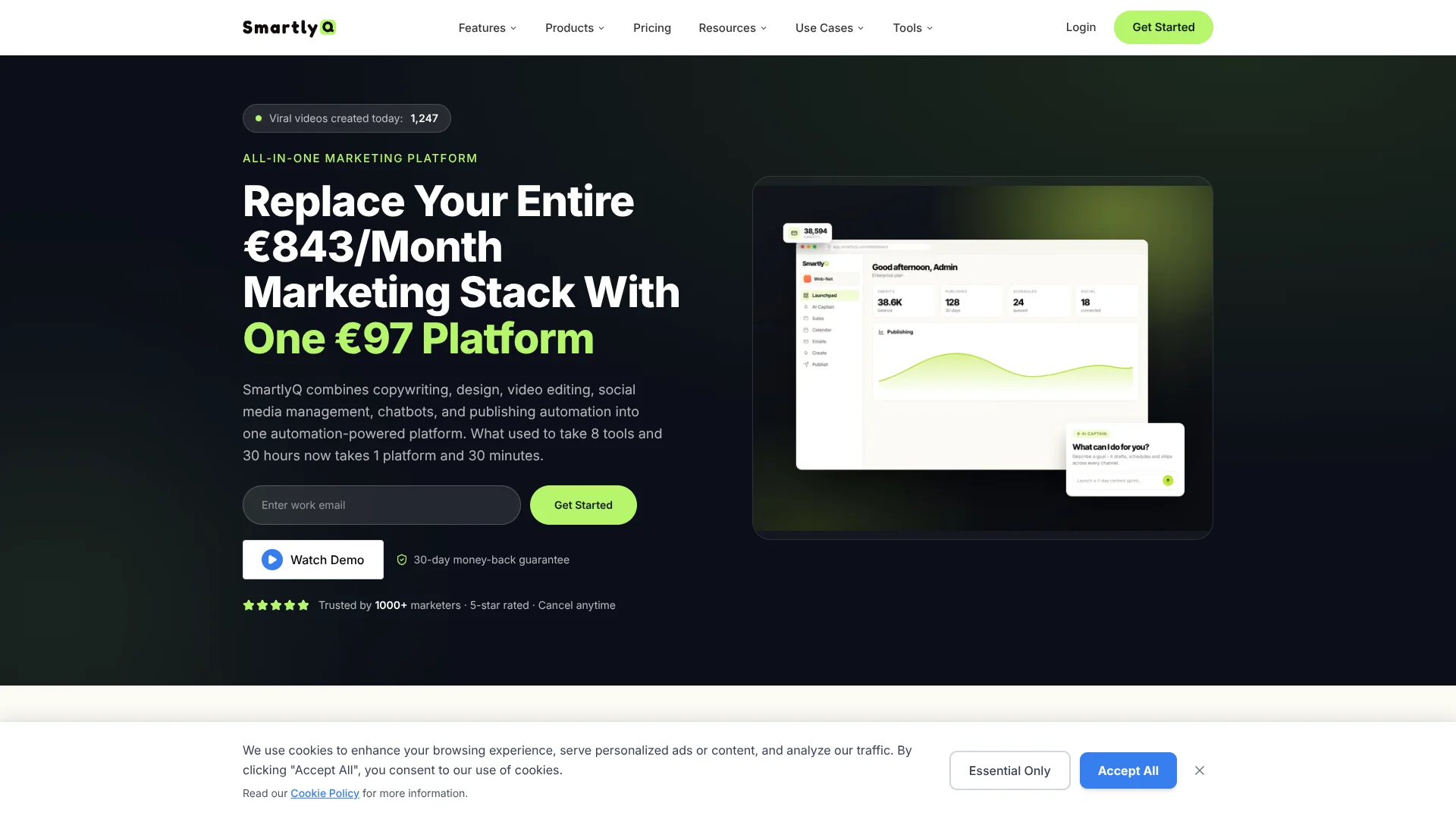
SmartlyQ
Creates videos, posts, chatbots from brief.
Key Takeaways
- What it is
- Creates videos, posts, chatbots from brief.
- Best for
- AI Captain
- Social Scheduling
- AI Video Editor
Who is Using SmartlyQ?
Marketing agencies
Manage multiple client workspaces, invite teams, schedule content, and deliver white-label reports.
Digital marketers
Create campaigns, social content, articles, images, videos, and analytics from one platform.
Ecommerce businesses
Connect stores, payments, social channels, and analytics for content, sales, and reporting workflows.
Advertisers
Manage advertising channels and consolidate campaign analytics in the marketing workspace.
Coaches and consultants
Build authority content, communicate their methodology, and create personalized marketing assets.
Key Features
Pricing Plans
Pro
- 1000 AI Credits/mo
- Everything in Starter, plus:
- AI Captain - your autonomous marketing operator
- Social scheduling for 10 accounts (queues, bulk & labels)
- Funnel & landing page builder
- Built-in CRM to capture and nurture every lead
- AI video & presentation generation
- Website AI chatbot + scheduled reports
Business
- 1500 AI Credits/mo
- Everything in Pro, plus:
- 25 social accounts with unlimited posts
- AI Video Editor + 30 AI videos/mo
- Funnels, article generator & ads analytics
- 10 AI chatbots + unified inbox & comments
- CRM & Shopify integrations, webhooks
- Whitelabel client reports + 5 team seats
Enterprise
- 2,500 AI Credits/mo
- Everything in Business, plus:
- Unlimited social accounts & posts
- 100 AI videos/mo + unlimited presentations
- Unlimited chatbots and funnels
- Full whitelabel - your own domain & branding
- SaaS Mode - resell the platform as your own
- Client rebilling - charge your own margins on usage
- Bring Your Own API Keys (BYOK)
- Business groups, priority support & 10 team seats
Which SmartlyQ plan should you pick?
Start with Pro for individual marketers and small teams, upgrade to Business for team seats and expanded integrations, or choose Enterprise for unlimited usage, white-labeling, and advanced agency requirements.
Pro
Good for serious marketers and small teams who need AI content creation, social scheduling, CRM, chatbots, funnels, video, and presentations.
Business
Good for agencies and growing teams who need more social accounts, unlimited posts, more chatbots, CRM and Shopify integrations, webhooks, and 5 team seats.
Enterprise
Good for large agencies and enterprises that need unlimited social accounts, expanded AI video capacity, SaaS mode, white-labeling, BYOK, business groups, and 10 team seats.
SmartlyQ Use Cases
Automated social media management
Create, schedule, and publish posts across connected social platforms with platform-specific content and timing.
Outcome: A more consistent social publishing operation with less manual work.
SEO article publishing
Generate SEO-oriented articles with keywords, links, images, and scheduled publishing to WordPress, LeadConnector, or Shopify.
Outcome: Faster production and automated distribution of blog content.
Website lead qualification
Deploy a chatbot that answers questions, qualifies visitors, captures contact information, and books meetings.
Outcome: More automated lead capture and faster visitor response times.
Agency white-label delivery
Use white-label reports, client workspaces, custom branding, and rebilling features to deliver marketing services.
Outcome: A branded marketing service that can scale across clients.
Cross-platform API publishing
Use the REST API, webhooks, or MCP to create content, process media, schedule posts, and retrieve analytics programmatically.
Outcome: Custom marketing applications and automated publishing workflows.
Workflow Ideas with SmartlyQ
Create and publish an SEO article
- 1Enter keywords or source URLs in the Campaigns Tool
- 2Choose the article settings, language, model, and image options
- 3Select an integrated publishing platform and publish immediately or on a schedule
Deploy a lead-generation chatbot
- 1Choose an industry chatbot template and customize its conversation flow
- 2Configure branding, qualification questions, booking settings, and CRM connections
- 3Add the chatbot code snippet to the website and monitor interactions
Automate social publishing through the API
- 1Create an API key in the Developer Dashboard
- 2Send a post request with target platforms, content, media, and schedule time
- 3Receive publishing, failure, or engagement events through webhooks
How SmartlyQ fits into your stack
Browser
The core platform and video editor run in the browser, including content creation, scheduling, chatbots, CRM, and analytics.
Team chat and tickets
Slack and Discord integrations let the AI Captain read or post workspace information and communicate with teams or communities.
Knowledge and files
The media library stores uploaded images, audio, and video assets for use across content-generation workflows.
Automation and APIs
REST API, webhooks, Zapier, Pabbly Connect, and MCP connect SmartlyQ to external systems and automate multi-step workflows.
Pros
- +Broad all-in-one marketing workspace
- +Documented REST API with scoped keys and a developer playground
- +Many named integrations, including Shopify, Slack, Zapier, Canva, and ActiveCampaign
- +End-to-end content, publishing, chatbot, CRM, and reporting automation
- +Team seats and shared workspaces on higher plans
Cons
- −No permanent free tier is listed
- −Paid plans have different limits for AI credits, social accounts, videos, and team seats
- −The video editor is only included in the Business plan and above
- −No official native mobile app, desktop installer, or browser extension was identified
Limitations & when to consider alternatives
Known limitations
- Credits and post allowances reset. The help center states that unused posts and credits reset every 30 days based on the selected plan.
- Some features are plan-gated. Advanced tools such as article generation, brand voice, campaigns, team seats, and expanded integrations are limited by subscription level.
- Campaign publishing requires platform setup. Publishing requires an existing integration and, for some platforms, configured sites, categories, authors, or featured images.
- API webhooks require public HTTPS endpoints. Webhook endpoints must be public HTTPS URLs, and SmartlyQ limits active webhooks to 10 per workspace.
- AI output requires human review. SmartlyQ describes generated output as a starting draft and recommends reviewing it for accuracy and brand alignment.
Look elsewhere when
- You need a native mobile app.
- You need image-understanding or vision analysis.
- You need model fine-tuning.
How to Use SmartlyQ
- 1
Create an account
Use SmartlyQ's sign-up flow with email, Google, or Facebook authentication, then open the dashboard.
- 2
Set up your business context
Configure your business profile, brand voice, templates, and preferred AI models so generated content follows your messaging.
- 3
Connect marketing channels
Open the marketplace and connect social accounts, websites, stores, analytics tools, CRMs, calendars, or advertising accounts.
- 4
Create content or campaigns
Use templates, the Article Generator, Image Generator, Video tools, or Campaigns Tool to produce marketing assets.
- 5
Schedule and publish
Choose target platforms, configure timing and publishing settings, and send content immediately or on a schedule.
- 6
Measure and automate
Review analytics, use webhooks or the REST API for programmatic workflows, and refine content based on performance.
Who is SmartlyQ For?
Digital marketing agencies
Agencies can manage client content, social publishing, analytics, chatbots, white-label reports, and team workflows.
E-commerce businesses
E-commerce teams can connect Shopify or WooCommerce, create product content, manage campaigns, and track revenue-related analytics.
Digital marketers
Marketers can create content in batches, schedule social posts, generate visuals, and optimize campaigns from one platform.
Advertisers
Advertisers can connect Meta Ads, Google Ads, TikTok Ads, and LinkedIn Ads for campaign management and reporting.
Coaches and consultants
Coaches and consultants can build authority content, maintain a consistent brand voice, and automate publishing and lead capture.
Frequently Asked Questions
Does SmartlyQ offer a free plan?
Yes. The free plan includes basic templates, image generation, and core tools. Advanced features such as article generation, brand voice, and campaign tools require a paid plan.
What integrations does SmartlyQ support?
SmartlyQ supports integrations including Shopify, WooCommerce, WordPress, LeadConnector, Slack, Canva, Zapier, Pabbly Connect, webhooks, REST API, and MCP.
Can SmartlyQ publish content automatically?
Yes. The Campaign Manager can generate, schedule, and publish articles to integrated platforms such as WordPress, LeadConnector, and Shopify.
Can users upload files for analysis?
Yes. The Data Analyst accepts PDF, DOC, and TXT files and provides AI-powered summaries, insights, and analysis.
Can SmartlyQ generate images?
Yes. Its image generator supports models including DALL·E 3, Flux Pro 1.1, GPT Image 1, Recraft, and Gemini.
Can SmartlyQ connect to external AI clients?
Yes. SmartlyQ provides an MCP server that can connect to Claude and other AI clients, alongside its REST API and webhooks.
Community reviews
Be the first to share your experience.
Sign in to leave a review for SmartlyQ.
SmartlyQ Alternatives
Looking for alternatives to SmartlyQ? Here are similar tools in the same category:
Learn to Master SmartlyQ
With Skill Leap courses
Get in-depth training on SmartlyQ and 50+ other AI tools with our expert-led video courses.
Start 7-Day Free Trial