Social Catfish
Verify identities using reverse image, phone, email searches.
Key Takeaways
- What it is
- Verify identities using reverse image, phone, email searches.
- Pricing
- $36 per month · $50 per month · $99 per month · $199 per month · $397 · $897 · $3
- Best for
- Reverse Image Search with Face Matching
- Reverse Username Search
- Reverse Email and Phone Lookups
- Rating
- 4.4/5
What is Social Catfish?
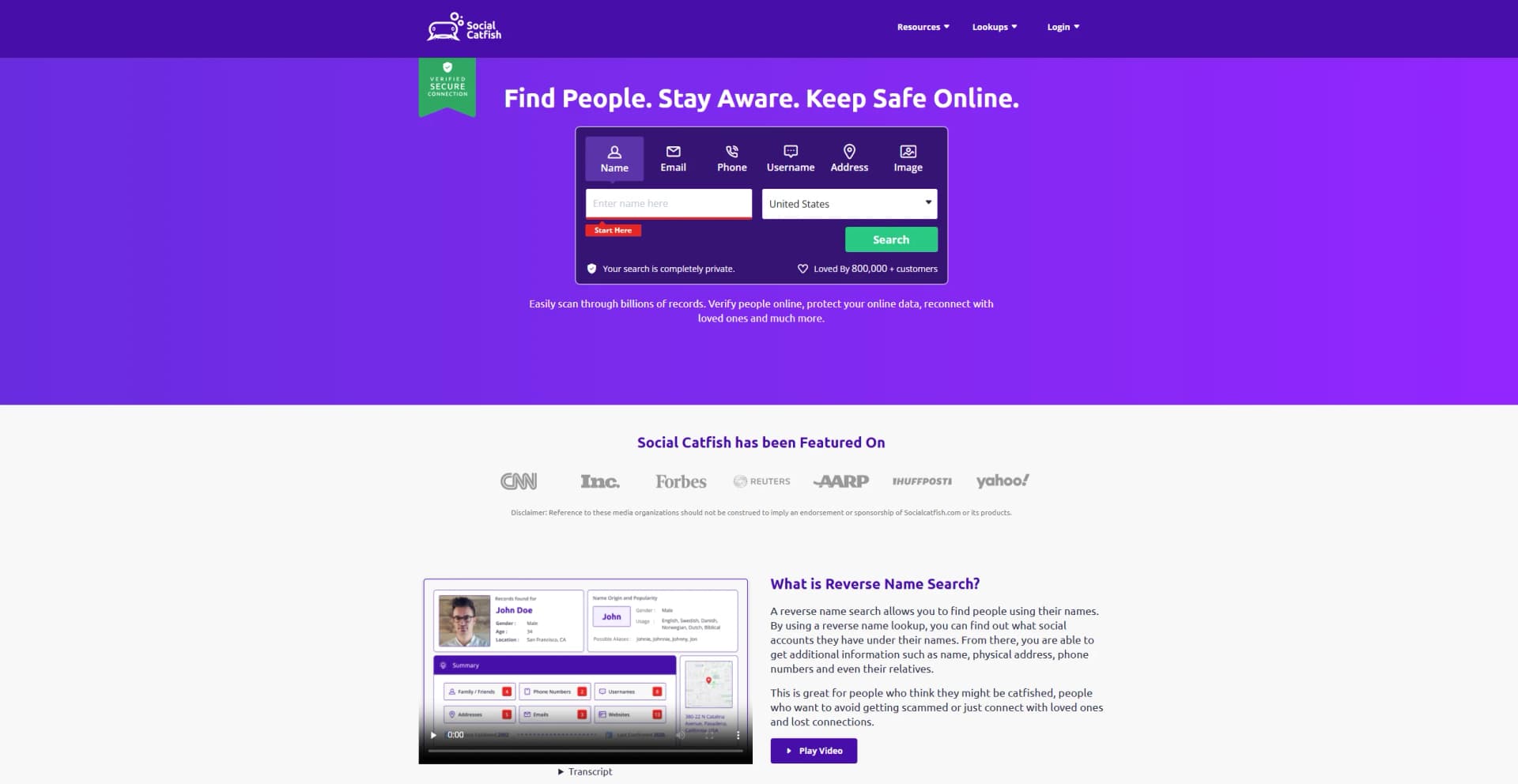
Social Catfish is an online investigation service built to help people verify identities, spot potential catfishing, and reduce scam risk during online interactions. It centers on reverse searches across common identity signals like photos, phone numbers, emails, and usernames, then compiles findings into reports meant to answer a simple question: is this person who they claim to be?
Social Catfish focuses tightly on identity verification for scam-heavy scenarios, pairing reverse-search tooling with photo-based face matching that is meant to surface lookalike results and reuse of images across the web. That blend is especially relevant for dating profiles, impersonation, and “too good to be true” outreach where a single reused photo can be the giveaway.
Social Catfish is best treated as a verification layer, not a single source of truth. When used with a clear goal like confirming a photo, linking a username to other accounts, or sanity-checking contact details, it can quickly surface red flags and save real time. The biggest wins come from combining its results with basic judgment and a willingness to double-check anything that looks off.
Who is Using Social Catfish?
Online Daters
Checking whether photos, names, and stories line up before investing time or money.
Marketplace Buyers and Sellers
Verifying identities in high-risk transactions and avoiding impersonators.
Families and Caregivers
Watching for romance-scam patterns affecting loved ones.
Small Businesses
Sanity-checking inbound leads, partners, or suspicious outreach.
Uncommon Use Cases
Investigating impersonation of creators or executives; Checking whether a personal photo is being reused elsewhere online.
Key Features
Rating Breakdown
Pricing Plans
Social Search
$36 per month
- Name, email, phone, username, and address searches, access to premium data (criminal records, bankruptcies, licenses, liens), privacy lock, and pro research guide
Image Search
$36 per month
- Unlimited image searches, personal identity and risk alerts, search history, privacy lock, advanced tools, and RIS Pro features with AI image detection and hidden data identification
250 Social Searches
$50 per month
- 250 searches per cycle, names/emails/phones/usernames/address lookups, search history, access to members-only Facebook group, and hassle-free cancellation
500 Social Searches
$99 per month
- 500 searches per cycle, names/emails/phones/usernames/address lookups, search history, access to members-only Facebook group, and hassle-free cancellation
1200 Social Searches
$199 per month
- 1200 searches per cycle, names/emails/phones/usernames/address lookups, search history, access to members-only Facebook group, and hassle-free cancellation
ID Verification
$397
- One-time
- Name/location, email, and phone verification, username and document checks, unlimited image searches, criminal record search, consultation call, IP tracker results, and bonus guide
Crypto & Financial
$897
- One-time
- Everything in ID Verification plus basic crypto and financial investigations, two consultation calls, bonus guide, and defined completion time
Advanced Crypto & Financial
$3
- 000 one-time
- All ID verification components, unlimited crypto and financial investigations, law enforcement documentation, extended time allocation, and bonus guide
Which Social Catfish plan should you pick?
Start with Social Search or Image Search for occasional investigations; upgrade to Social Search Pro or Search Specialist services for higher volume or complex cases.
Social Search
Good for users who need name, email, phone, username, or address searches.
Image Search
Good for users who primarily need reverse image searches.
Social Search Pro - 250 Social Searches
Good for users needing a larger recurring monthly search allowance.
Social Search Pro - 500 Social Searches
Good for higher-volume researchers conducting hundreds of social searches.
Social Search Pro - 1200 Social Searches
Good for users with very high recurring social-search volume.
Search Specialist
Good for complex identity, crypto, or financial investigations requiring human-assisted research.
Social Catfish Use Cases
Check a dating profile photo
Upload a profile image and run a reverse image search for matching or reused images online.
Outcome: Find potential evidence that a photo appears on other profiles or websites.
Identify an unknown phone number
Enter a phone number into the social search workflow to look for associated identity and public-record information.
Outcome: Review possible names, locations, profiles, and contact connections.
Investigate an email address
Search an email address for associated people, accounts, aliases, and public information.
Outcome: Build a broader picture of the email address's online identity.
Search from an image in Chrome
Use the SocialCatfish Chrome extension on an image and launch a reverse image search.
Outcome: Investigate images without downloading and separately uploading them.
Request specialist research
Order a Search Specialist package for a more comprehensive identity, crypto, or financial investigation.
Outcome: Receive a human-assisted investigative report.
Workflow Ideas with Social Catfish
Check a suspicious dating profile
- 1Copy or save the profile photo
- 2Upload it to Reverse Image Search or run the Chrome extension
- 3Compare matching profiles, locations, and identity signals
Investigate an unknown contact
- 1Choose name, phone, email, username, or address search
- 2Review the available public identity and profile results
- 3Use additional search types to cross-check the identity
Escalate a complex investigation
- 1Start with a standard social or image search
- 2Collect the relevant identity and risk signals
- 3Order an appropriate Search Specialist investigation package
How Social Catfish fits into your stack
Browser
Social Catfish is used as a web-based search service for checking names, phone numbers, emails, usernames, addresses, and images. Its browser extension adds reverse-image search for paid subscribers.
Pros
- +Fast Verification: Useful for quick reality checks before money, trust, or travel enter the picture.
- +Multiple Search Paths: Gives several ways to start a search, so users are not stuck if they only have one clue.
- +Scam-Focused Use Case: The product is clearly aimed at fraud and romance-scam situations, not just generic people lookup.
- +Privacy Options Exist: There is an opt-out path for people who do not want their data discoverable through the service.
Cons
- −Reports Can Be Messy: Public-data style results can include outdated info or mixed identities, so validation still matters.
- −Not for Hiring Decisions: It is not positioned as an FCRA-compliant background check for employment-style screening.
- −Subscription Friction: Some users report frustration around billing, add-ons, or cancellation expectations.
Limitations & when to consider alternatives
Known limitations
- Paid access is required for full searches. The standard membership options use paid trials that renew into monthly plans.
- Social and image searches are separate offerings. Social Search and Image Search are presented as distinct membership products.
- Results depend on public data. Search results are based on publicly available information and may be incomplete, outdated, or unavailable.
- Chrome extension requires a paid subscription. The browser extension is restricted to SocialCatfish.com paid subscribers.
- No native mobile app from the vendor. The App Store listing using the Social Catfish name is published by Sandra Vaher rather than Social Catfish LLC.
Look elsewhere when
- You need a native mobile app from the vendor.
- You need an API for programmatic searches.
- You need shared team workspaces or user roles.
- You need an installed Windows, Mac, or Linux application.
How to Use Social Catfish
- 1
Choose a search type
Select Social Search for identity inputs such as names, phones, emails, usernames, or addresses, or choose Image Search for photos.
- 2
Run the search
Enter the available information or upload an image, then submit the search to retrieve matching public information.
- 3
Cross-check results
Compare names, locations, aliases, profiles, and image matches rather than treating a single match as definitive proof.
- 4
Use the Chrome extension
For image investigations in a browser, install the official extension and run a search directly from an online image.
- 5
Upgrade for volume
Move to a Social Search Pro plan when the included search allowance is insufficient.
- 6
Escalate complex cases
Use a Search Specialist package when automated searches do not provide enough information.
Who is Social Catfish For?
Online daters
Use reverse image and identity searches to investigate suspicious dating profiles and possible catfishing.
People checking unknown contacts
Search names, phone numbers, emails, usernames, or addresses to identify publicly available connections.
Scam and fraud investigators
Use image and social searches to look for reused photos, aliases, linked profiles, and online identity signals.
High-volume researchers
Social Search Pro plans provide larger monthly search allowances for repeated investigations.
Frequently Asked Questions
What can Social Catfish search?
Social Catfish offers searches by name, email, phone number, username, address, and image.
What is Reverse Image Search?
Reverse Image Search lets users submit a photo to find visually similar images, profiles, and related online information.
Does Social Catfish offer a browser extension?
Yes. Its Chrome extension runs reverse image searches from images encountered while browsing and requires a paid SocialCatfish.com subscription.
What are Social Search Pro plans?
Social Search Pro plans provide fixed monthly search quantities, including 250, 500, or 1,200 social searches.
Can Social Catfish handle complex investigations?
Search Specialist services provide human-assisted investigation packages for identity verification and crypto or financial research.
Community reviews
Be the first to share your experience.
Sign in to leave a review for Social Catfish.
Social Catfish Alternatives
Looking for alternatives to Social Catfish? Here are similar tools in the same category: