
SofaBrain
Transform spaces instantly with AI, offering endless design customizations.
Key Takeaways
- What it is
- Transform spaces instantly with AI, offering endless design customizations.
- Pricing
- Freemium
- Best for
- AI-Powered Design
- Versatile Interior Styles
- Customization
- Rating
- 4.7/5
What is SofaBrain?
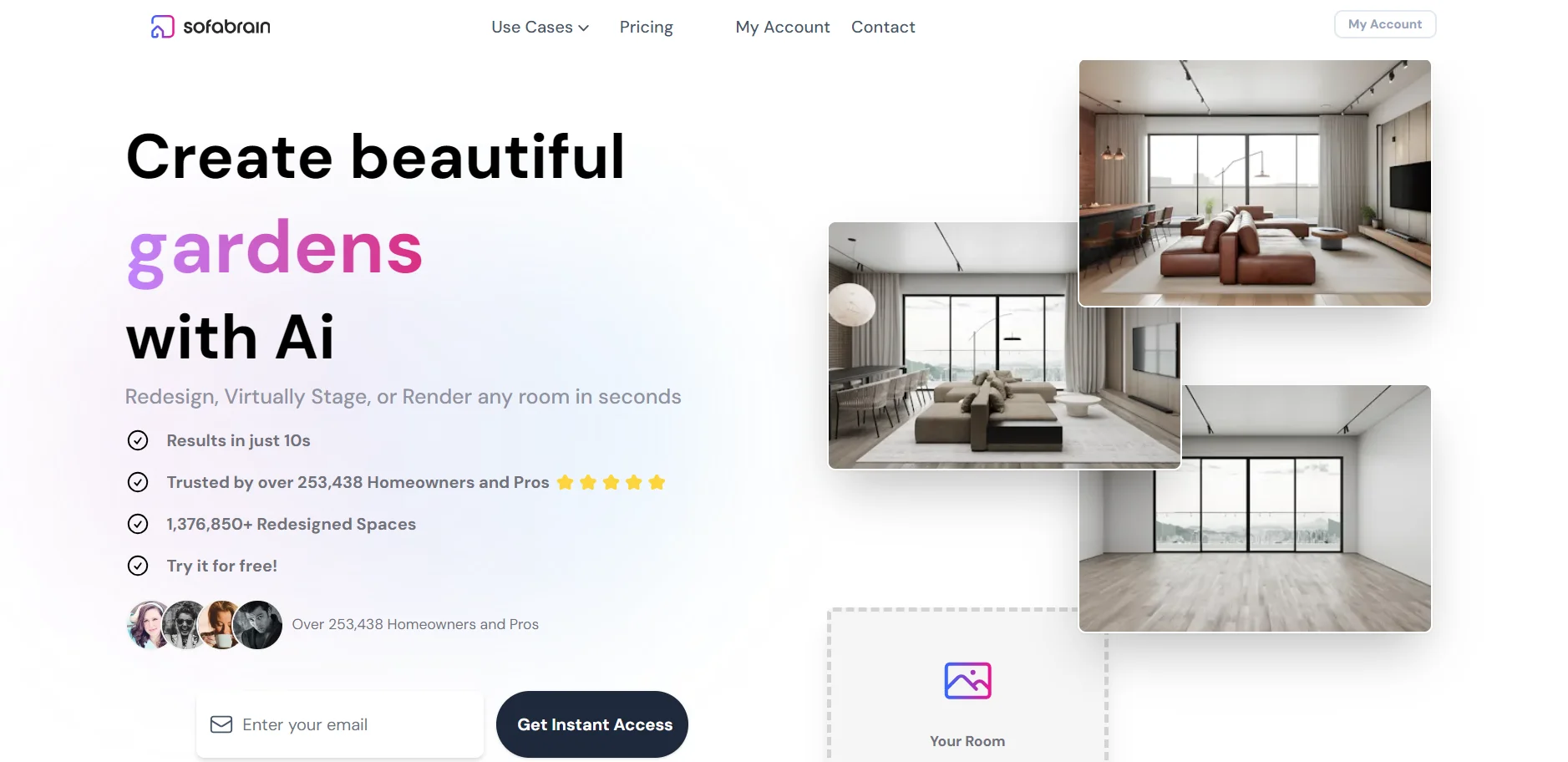
SofaBrain is a cutting-edge AI interior design app and virtual home staging software that is transforming the way interior designers, real estate agents, and homeowners visualize and design spaces. With the power to virtually stage or render any room in seconds, SofaBrain streamlines the design process, making it faster, more cost-effective, and accessible to a wide range of users. From creating beautiful interiors with AI to offering a platform where users can experiment with different design styles, SofaBrain is revolutionizing interior design and home staging with its innovative technology.
SofaBrain stands out for its ability to transform any space into an appealing environment within seconds, making it unparalleled in the realm of virtual home staging and interior design. Its unique selling point lies in the blend of speed, quality, and the broad spectrum of design styles it offers, catering to both professional and personal design needs.
SofaBrain excels in revolutionizing the interior design and real estate staging process, offering a powerful, user-friendly platform that saves time and money. Its ability to instantly transform spaces with AI, coupled with a vast library of design styles, makes it an indispensable tool for professionals and homeowners alike. Whether you're looking to redesign your home, stage a property for sale, or explore design possibilities, SofaBrain brings your vision to life with unparalleled ease and efficiency.
Who is Using SofaBrain?
Interior Designers
For instantly giving clients a variety of design choices and improving project deliverables.
Real Estate Agents
To showcase the full potential of listings through redesigned interiors and modernized furniture.
Homeowners
For decorating homes quickly and seeing the potential of rooms before making any physical changes.
Furniture Stores
To modernize clients' furniture and enhance sales presentations.
Uncommon Use Cases
Educational institutions for teaching interior design concepts; Event planners for visualizing event spaces.
Key Features
Rating Breakdown
Pricing Plans
Free Tier
Free
- Start with 3 free renders to experience SofaBrain's capabilities
Subscription Plans
- Detailed pricing for unlimited renders and additional features available upon request
Which SofaBrain plan should you pick?
Start with the free credits for evaluation, use Pro for regular image generation, upgrade to Premium for API, multi-view, video, and higher quality, and choose Business for high-volume work and higher API limits.
Pro
Good for getting started with 1,000 monthly credits, standard images, commercial licensing, and custom styles.
Premium
Good for growing businesses that need 5,000 monthly credits, API access, multi-view staging, video, ultra quality, and cloud storage.
Business
Good for high-volume teams that need 25,000 monthly credits, higher API limits, advanced asset management, reporting, and stackable credits.
SofaBrain Use Cases
Virtual staging
Upload an empty property photo, choose a design style, and generate furnished listing images.
Outcome: Create professionally staged visuals without physical furniture.
Home makeover visualization
Upload a room image, experiment with styles, colors, furniture, and decor, then review the redesigned versions.
Outcome: Visualize renovation and decorating options before implementing them.
Room decluttering
Use Magic Eraser or Full to Empty mode to remove clutter, personal items, or existing furniture.
Outcome: Produce a cleaner room image or an empty canvas for staging.
Furniture product staging
Upload furniture images, choose the room, style, and color, then select and upscale the preferred result.
Outcome: Create styled product presentation imagery.
Multi-view room staging
Upload up to four photos of one room and stage them using a shared furniture plan.
Outcome: Generate more consistent staged images across multiple room angles.
Workflow Ideas with SofaBrain
Create a virtually staged listing
- 1Upload the property image
- 2Select an interior design style
- 3Review and download the staged result
Clean up and restyle a room
- 1Upload the room photo
- 2Remove clutter or furniture with Magic Eraser or Full to Empty mode
- 3Apply a new style and review the redesigned image
Stage a room from multiple angles
- 1Upload a main room photo and up to three overlapping angles
- 2Choose one style for the room set
- 3Compare the generated angles and retry or download selected results
How SofaBrain fits into your stack
Currently, SofaBrain focuses on delivering a standalone experience that does not explicitly list third-party integrations. However, its outputs can be easily used across various platforms for showcasing designs or marketing listings.
Pros
- +Time and Cost Savings: Drastically reduces the time and expense associated with traditional staging and design methods.
- +Ease of Use: User-friendly interface that allows for quick and easy room transformations without the need for professional skills.
- +Versatility: Suitable for professionals and DIY enthusiasts alike, with applications ranging from home makeovers to real estate listings.
- +Wide Range of Styles: Accommodates a diverse array of design preferences, ensuring there's something for every user.
Cons
- −Learning Curve: New users may need time to familiarize themselves with all the features and capabilities.
- −Internet Dependency: Requires an internet connection to access the AI design tools and functionalities.
- −Limited Physical Interaction: As a virtual tool, it doesn't replace the tactile experience of physically sampling materials and textures.
Limitations & when to consider alternatives
Known limitations
- Multi-view staging is limited to four photos. A room set supports one main photo plus up to three additional angles.
- Consistency is not guaranteed. SofaBrain advises users to compare every generated angle with the original because automatic checks can miss mismatches.
- Additional multi-view angles consume credits. The main photo uses a standard render credit, while each additional matched angle uses 6 credits.
- Some API routes are limited preview features. Multi-view and property-description API routes may return 404 until SofaBrain enables access for the deployment.
- API callbacks are not generally enabled. The API documentation describes webhook delivery as a preview contract that requires coordination with SofaBrain.
Look elsewhere when
- You need a native iOS or Android app.
- You need shared team workspaces with roles or invites.
- You need fine-tuning or model training on your own data.
How to Use SofaBrain
- 1
SofaBrain provides tutorials covering everything from basic setup to advanced design techniques, ensuring users can fully leverage the platform's capabilities.
Who is SofaBrain For?
Real estate agents
They can redesign interiors, virtually stage listings, remove clutter, and create stronger property marketing visuals.
Interior designers
They can explore design directions and create client presentations quickly.
Architects
They can present concepts and visualize room transformations instantly.
Homeowners
They can preview room makeovers, styles, colors, and furniture before making renovation or decorating decisions.
Furniture stores
They can stage furniture in styled room scenes and create product presentation visuals.
Frequently Asked Questions
What is SofaBrain?
SofaBrain is an AI-powered interior design and virtual staging platform for redesigning, staging, and rendering rooms from images.
Can I use SofaBrain even if I'm not a professional interior designer?
Yes. The site presents SofaBrain for homeowners, design enthusiasts, real estate agents, interior designers, architects, and furniture stores.
Is there a cost to use SofaBrain?
SofaBrain offers 3 free credits to start, followed by paid Pro, Premium, and Business plans.
Can I use SofaBrain for virtual staging?
Yes. SofaBrain can furnish empty rooms, redesign existing spaces, remove clutter, and create listing visuals.
How many angles can I stage in one set?
Multi-view staging supports up to 4 photos of the same room: one main photo plus up to 3 additional angles.
What happens if one angle does not match the others?
Automatic checks help catch mismatches, but SofaBrain advises users to compare results with the originals. Failed angles may be withheld and credits refunded.
Community reviews
Be the first to share your experience.
Sign in to leave a review for SofaBrain.
SofaBrain Alternatives
Looking for alternatives to SofaBrain? Here are similar tools in the same category:
Learn to Master SofaBrain
With Skill Leap courses
Get in-depth training on SofaBrain and 50+ other AI tools with our expert-led video courses.
Start 7-Day Free Trial