
Softr
Build custom business apps from your data using AI.
Key Takeaways
- What it is
- Build custom business apps from your data using AI.
- Pricing
- Freemium · $59 per month · $167 per month · $323 per month
- Best for
- AI app builder co-pilot
- Ask AI and AI agents on data
- Built-in database plus external data sources
- Rating
- 4.5/5
What is Softr?
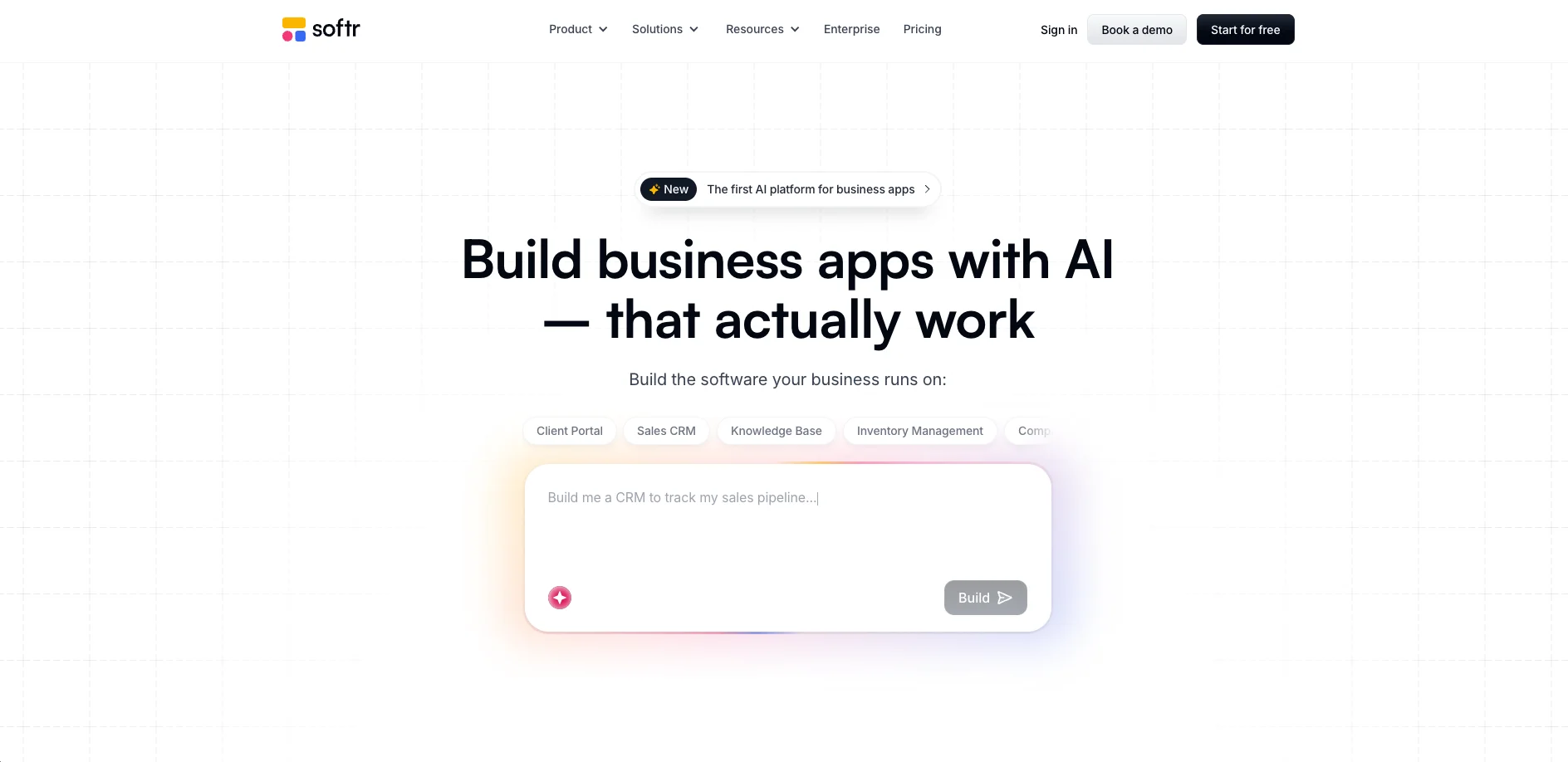
Softr helps non-technical and technical teams build custom AI business apps, portals, and internal tools without writing code. It combines an AI app builder, a built-in database, workflow automation, and rich integrations so operations, revenue, and product teams can create CRMs, ERPs, intranets, and dashboards that match their real processes instead of adapting to rigid off-the-shelf software.
Softr positions itself as an AI-first business app builder rather than a generic site creator. The combination of AI “vibe coding” (describe the app and let the system draft it), a capable database, and serious permissioning is relatively rare in no-code tools. Its focus on concrete business use cases like ERPs, inventory, and client portals, plus built-in AI agents that talk to real operational data, makes it especially attractive for operations-heavy teams that want AI to improve existing workflows rather than just generate content.
Softr delivers a strong blend of AI assistance, no-code flexibility, and enterprise-minded security for teams that want to build real business systems without a full engineering squad. Its AI builder gives non-developers a serious head start, while templates, integrations, and workflow automation help those apps grow into daily operational tools. For organizations that are outgrowing spreadsheets and patchwork SaaS, Softr offers a pragmatic way to centralize data, standardize processes, and bring AI directly into the software their teams rely on every day.
Who is Using Softr?
Business operations teams
Building ERPs, approval workflows, and internal dashboards that connect finance, HR, and ops data.
Consultancies and agencies
Delivering client portals, reporting hubs, and project trackers that can be cloned and reused across clients.
Sales, RevOps, and customer success teams
Creating custom CRMs, account portals, and success workspaces tuned to their motion.
Education and non-profit organizations
Running student, donor, and volunteer portals and lightweight case management apps.
Uncommon Use Cases
Small manufacturers running production-lite ERPs built with templates plus AI; sports or community clubs managing membership, events, and communications through AI-assisted portals.
Key Features
Rating Breakdown
Pricing Plans
Free
Free
- 5 AI credits, 10 app users, 5,000 database records, 500 workflow actions, unlimited form responses, and unlimited apps
Basic
$59 per month
- 10 AI credits per month, 20 app users, 50,000 database records, and 2,500 workflow actions
Professional
$167 per month
- 50 AI credits per month, 100 app users, 500,000 database records, 10,000 workflow actions, and 3 custom user groups
Business
$323 per month
- 100 AI credits per month, 500 app users, 1 million database records, 25,000 workflow actions, and unlimited user groups
Enterprise
- Custom usage limits, SSO, custom agreements and SLAs, SOC2 reporting, advanced app security, audit logging, team spaces, dedicated success manager, and priority support
Which Softr plan should you pick?
Start with Free for prototyping and small apps; upgrade to Basic, Professional, Business, or Enterprise as user, record, automation, security, and governance needs grow.
Free
Good for makers testing ideas or running small apps who need unlimited apps, collaborators, forms, and basic AI and workflow usage.
Basic
Good for simple projects that need more users, records, data sources, and workflow capacity than the Free plan.
Professional
Good for growing teams that need higher user and record limits, advanced app features, and greater workflow capacity.
Business
Good for larger organizations that need up to 500 users, larger databases, advanced security, and higher automation limits.
Enterprise
Good for organizations that need SSO, SCIM, enterprise governance, custom limits, dedicated support, and security review.
Softr Use Cases
Client portals
Give clients a secure space to access updates, share files, and manage projects.
Outcome: Reduce email chains and centralize client interactions.
Team intranets
Centralize shared updates, documents, and internal tools for employees.
Outcome: Keep teams connected and informed.
CRM
Manage leads, pipelines, customer relationships, and customized access using real-time data.
Outcome: Create a CRM that matches the organization’s workflows.
Inventory management
Track inventory, suppliers, and orders through a custom business app.
Outcome: Replace scattered spreadsheets with centralized operational data.
Knowledge bases
Publish searchable guides, standard operating procedures, and frequently asked questions.
Outcome: Help teams and clients find answers faster.
Workflow Ideas with Softr
New client intake
- 1Collect a client request through a Softr form
- 2Create or update the corresponding record in Airtable
- 3Send a notification through email or Slack
Status-driven operations
- 1Trigger a workflow when a database record changes status
- 2Apply conditions, filters, or branching logic
- 3Update records and notify the responsible team
AI document extraction
- 1Attach a PDF or document to a database record
- 2Run an AI Agent using a PDF extraction or summarization prompt
- 3Store the extracted result in a text field for review
How Softr fits into your stack
Browser
Softr is primarily a browser-based platform for building and publishing business apps, portals, dashboards, and internal tools.
Automation and APIs
Softr Workflows automate multi-step processes across Softr Databases and external services. Documented integrations include Airtable, Slack, Zapier, Make, Gmail, Google Calendar, and REST APIs.
Team chat and tickets
Softr workflows can send direct messages and channel messages through Slack, supporting notifications, onboarding alerts, CRM updates, and operational coordination.
Knowledge and files
Softr apps can provide document portals where users upload, store, download, and process files. Database AI Agents can extract information from contracts, invoices, PDFs, and other files.
Pros
- +Fast path from idea to working app: AI scaffolding plus templates allow teams to ship functional tools in hours instead of weeks.
- +Business-operations focus: The product is clearly oriented around portals, CRMs, ERPs, and internal tools rather than just marketing sites.
- +Predictable, flat pricing: Plans are priced by tier, not per seat, which suits growing teams that do not want surprise bills.
- +Strong integration story: Direct connections to popular SaaS tools and databases reduce the need for custom glue code.
- +Enterprise-ready security: Compliance, audit-friendly permissions, and SSO options make it suitable for regulated environments.
Cons
- −Complex apps still require careful modeling: Very intricate workflows or data structures can take thoughtful setup despite the AI assistance.
- −Limited for highly bespoke UIs: Teams that need pixel-perfect, fully custom front ends may eventually hit platform constraints.
- −AI builder is not fully hands-off: Good prompts help, but users still need to refine logic, roles, and edge cases manually.
Limitations & when to consider alternatives
Known limitations
- No native app-store publishing. Softr apps are progressive web apps and cannot be published directly to the Apple App Store or Google Play.
- Free plan usage limits. The Free plan includes 10 app users, 5,000 Softr Database records, and 500 workflow actions per month.
- File size limit. Softr file fields support files up to 128 MB, with storage limits depending on the plan.
- Ask AI has block-level scope. Ask AI works with supported dynamic blocks and is not supported for static blocks or REST API data sources.
- Advanced custom code is paid. The Run Custom Code workflow action and custom code features require a paid plan.
Look elsewhere when
- You need native iOS or Android app-store distribution.
- You need an AI model fine-tuned on your own training data.
- You need app-wide Ask AI across static blocks or REST API data.
How to Use Softr
- 1
Choose a starting point
Create an app from a plain-language prompt, select a pre-built template, or start from scratch depending on how much structure you need.
- 2
Connect your data
Connect Softr Database or an external source such as Airtable, Notion, Google Sheets, HubSpot, SQL, Supabase, or a REST API.
- 3
Configure the app
Customize pages, blocks, navigation, fields, branding, user groups, permissions, and action buttons.
- 4
Add automations
Create workflows with triggers, actions, conditions, branches, loops, webhooks, API calls, and AI actions.
- 5
Invite collaborators and users
Invite workspace collaborators or guest collaborators, assign roles, and configure access to apps and data.
- 6
Publish and share
Publish to a Softr subdomain or custom domain, then share the live web app or install it as a progressive web app on supported devices.
Who is Softr For?
Business teams
Build and operate custom software for business workflows without depending on developers.
Operations teams
Replace spreadsheets and disconnected tools with internal tools, databases, dashboards, and automations.
Freelancers and agencies
Create reusable client portals, business apps, and templates for customers.
Entrepreneurs and makers
Launch portals, CRMs, directories, and other custom applications quickly from templates or AI prompts.
Enterprise organizations
Use workspaces, permissions, audit logs, encryption, SSO, SCIM, and governance controls for production applications.
Frequently Asked Questions
What is Softr?
Softr is an AI app builder for creating business portals, internal tools, dashboards, and other operational software without code.
Can I use Softr for free?
Yes. Softr offers a Free plan with unlimited apps, unlimited collaborators, 10 app users, database records, AI credits, and workflow actions.
Can Softr apps be installed on mobile devices?
Softr apps can be installed as progressive web apps, but native App Store and Google Play publishing is not supported.
Does Softr support SSO?
Enterprise workspaces can use SAML or OpenID-based SSO, including identity providers such as Okta, Microsoft Entra, OneLogin, and Google Workspace.
Can Softr automate workflows?
Yes. Softr Workflows automate tasks across apps, databases, and external tools using triggers, actions, conditions, branches, loops, filters, and webhooks.
Can Softr AI process PDFs?
AI Agents can use attached file URLs or files to extract, search, and summarize PDF content.
Community reviews
Be the first to share your experience.
Sign in to leave a review for Softr.
Softr Alternatives
Looking for alternatives to Softr? Here are similar tools in the same category:
Learn to Master Softr
With Skill Leap courses
Get in-depth training on Softr and 50+ other AI tools with our expert-led video courses.
Start 7-Day Free Trial