SpeakUp
Match event organizers with vetted speakers for conferences and podcasts.
Key Takeaways
- What it is
- Match event organizers with vetted speakers for conferences and podcasts.
- Pricing
- Freemium · $79 per month · $179 per month · $399 per month · $29 per month · $149 per month
- Best for
- AI speaker matching
- Speaker calls
- Speaker search
- Rating
- 4.2/5
What is SpeakUp?
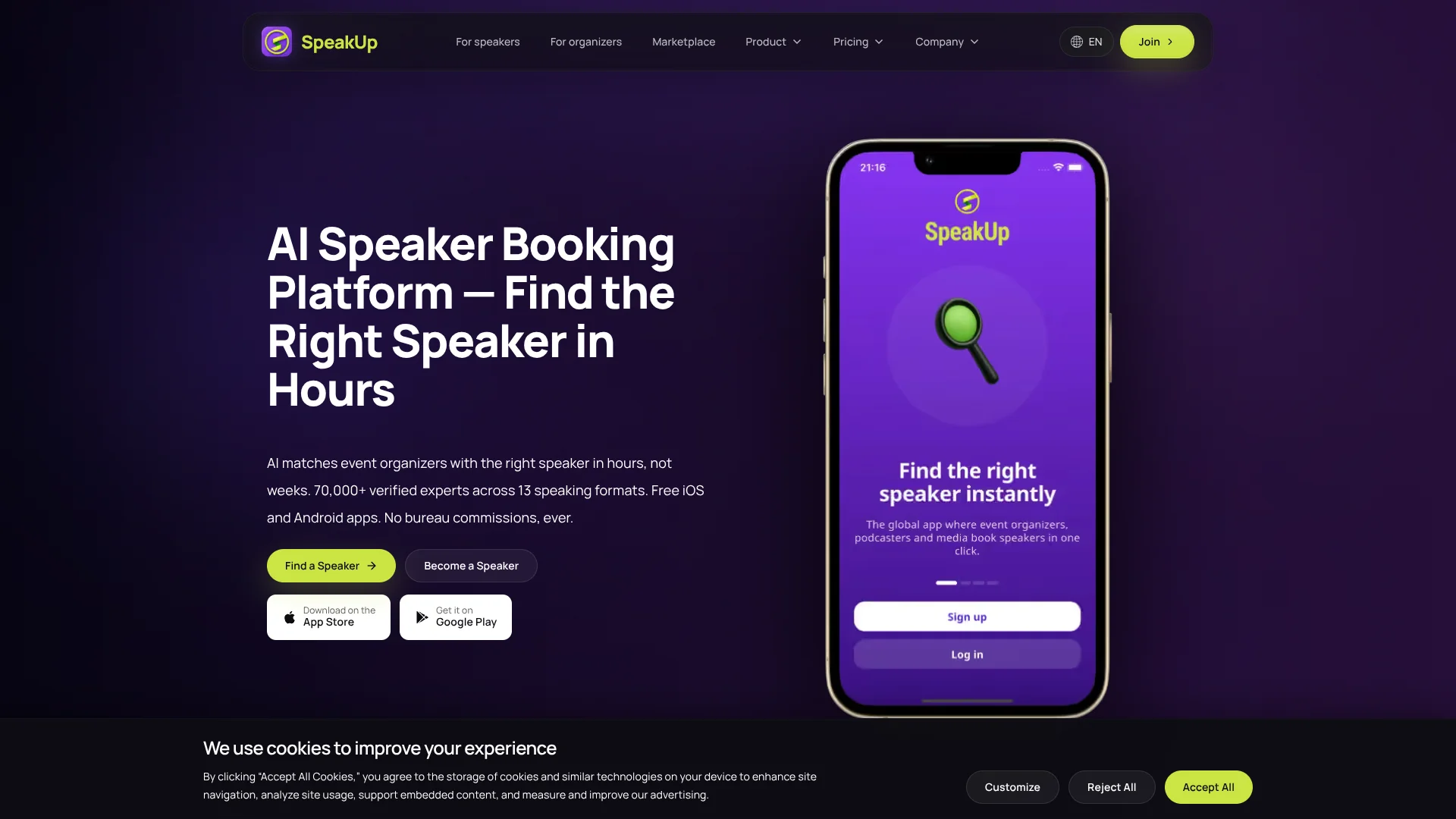
SpeakUp helps event organizers find and book speakers by matching an event brief with a catalog of verified profiles. Organizers can post a speaker call, review AI-ranked candidates, and message speakers directly. It is built for teams sourcing talent for conferences, podcasts, media, and other events, and for experts looking to find speaking opportunities.
Its matching considers more than topic: format, audience, language, location, budget, availability, and past reviews can all affect the shortlist. Organizers can also publish calls and receive applications, or search for speakers themselves; bookings are negotiated directly, without a bureau commission.
SpeakUp is a fit for event producers and media teams that want to source speakers across multiple formats, as well as experts seeking paid speaking work. The free organizer plan limits searches, events, calls, and invitations, so teams with frequent sourcing needs may outgrow it. Its strongest value is matching and managing speaker opportunities, not general-purpose AI work.
Who is Using SpeakUp?
Conference producer
A producer can track applications and shortlist candidates for several speaker roles.
Podcast host
A host can search for niche experts or post a guest call for applications.
HR or learning and development lead
A lead can source trainers, webinar speakers, and experts for company programs.
Journalist or media editor
A media professional can find expert sources for interviews and quotes.
Uncommon Use Cases
A conference team can source session moderators; a company can find workshop facilitators.
Key Features
Rating Breakdown
Pricing Plans
Starter
Free
- One active event and three speaker calls
- 30% speaker search access, up to three filters
- One direct invitation per month
Growth
$79 per month
- Or $790 per year, with two months free
- Five active events and 20 speaker calls
- Five team seats and 100 direct invitations per month
Professional
$179 per month
- Or $1,790 per year, with two months free
- 15 active events and 75 speaker calls
- 20 team seats, deep analytics, and full speaker search
Enterprise
$399 per month
- Or $3,990 per year, with two months free
- Unlimited active events, speaker calls, and team seats
- 24/7 support with SLA
Explorer
Free
- Speaker plan
- AI matching at standard priority
- Create a profile and collect reviews
Professional
$29 per month
- Speaker plan
- Direct organizer messaging and higher AI matching priority
- Profile visibility boost and video introduction slot
Expert
$79 per month
- Speaker plan
- Top AI matching priority and maximum profile visibility
- Analytics dashboard and priority support
Authority
$149 per month
- Speaker plan
- Authority positioning and team accounts
- Dedicated account support and all Expert features
Event Boost
- $49 per event
- Promotes the event in the SpeakUp marketplace and speaker mailing list
- Places the event at the top of the feed
Featured Event
- $99 per event
- Highlights the event across the platform
- Keeps the event featured
Which SpeakUp plan should you pick?
Organizers can start with Starter and move to Growth when they need more events, search access, team seats, and speaker chat; speakers can start with Explorer and upgrade for visibility or analytics.
Starter
Good for organizers testing speaker sourcing with one active event and limited search and invitations.
Growth
Good for mid-size conferences, HR teams, and PR teams that need more speaker calls and collaboration.
Professional
Good for large conferences, event agencies, and media networks that need broader access and analytics.
Enterprise
Good for annual conferences, global summits, and major media organizations needing unlimited scale.
Explorer
Good for speakers building a profile and trying the platform.
Professional
Good for active speakers seeking more visibility and direct organizer messaging.
Expert
Good for established speakers who want top matching priority and analytics.
Authority
Good for speaker teams seeking premium positioning and dedicated account support.
SpeakUp Use Cases
Build a conference shortlist
A structured event brief gives AI matching details about the audience, topic, format, and budget.
Outcome: A ranked speaker shortlist to review and contact.
Find a podcast guest
A host can search profiles or invite interested experts to apply through a speaker call.
Outcome: A set of relevant guest candidates.
Source a media expert
Journalists and media teams can look for speakers with relevant subject expertise and experience.
Outcome: Potential expert sources to contact directly.
Manage speaker applications
The candidate pipeline groups applicants by stage so an event team can review and shortlist them.
Outcome: A clearer view of candidate status.
Coordinate speaker availability
Calendar connections help organizers and speakers check dates before confirming a booking.
Outcome: Fewer scheduling conflicts.
Workflow Ideas with SpeakUp
Find and book a conference speaker
- 1Create an event and describe its topic, audience, format, date, and budget.
- 2Review AI matches or search speaker profiles.
- 3Message a shortlist, agree on terms, and confirm the booking.
Collect applications for a podcast
- 1Post a speaker call with the podcast topic and guest requirements.
- 2Review applications and compare speaker profiles.
- 3Message a preferred guest to discuss the recording.
Coordinate multiple event roles
- 1Create speaker calls for each role within the event.
- 2Track applicants and invite additional candidates as needed.
- 3Check calendars and confirm dates with selected speakers.
How SpeakUp fits into your stack
Web platform
The web app is where organizers can post speaker calls, search profiles, and manage candidates.
iOS and Android
Native mobile apps support matching notifications, speaker calls, and direct messaging.
Calendar
Google Calendar and Outlook sync help users compare availability and coordinate dates.
Event sourcing
SpeakUp sits between event planning and booking, connecting calls, profiles, applications, and conversations.
Pros
- +Format-aware matching: The shortlist can account for whether an event needs a keynote, podcast guest, panelist, or another speaker type.
- +Direct booking conversations: Organizers can negotiate with speakers without a bureau taking a booking commission.
- +Two sourcing routes: A team can publish a call for applications or search and invite speakers directly.
- +Mobile access: Native iOS and Android apps support speaker calls, matches, and messaging.
Cons
- −Free organizer limits: The Starter plan allows one active event, three speaker calls, and one direct invitation a month.
- −Chat requires a paid organizer plan: Free Starter users cannot chat with speakers through SpeakUp.
Limitations & when to consider alternatives
Known limitations
- Starter organizer limits. The free plan includes one active event, three speaker calls, 30% speaker search access with up to three filters, and one direct invitation per month.
- Starter excludes key organizer tools. Candidate pipeline, private calls, and chat with speakers are not included in the free organizer plan.
- Some mobile features need a connection. Messaging and AI matching require an internet connection; some past matches and profile drafts can be viewed or edited offline.
Look elsewhere when
- You need a general-purpose AI tool for writing, research, or coding.
- Your team needs a documented developer API or a browser or desktop app.
- You need organizer chat and full speaker search on a free plan.
How to Use SpeakUp
- 1
Choose an organizer or speaker account
Start with the account type that matches your goal: sourcing speakers or getting matched with opportunities.
- 2
Set up the relevant profile
Organizers can describe their organization and events; speakers can add expertise, formats, rates, and availability.
- 3
Create a speaker call or search
An event brief can attract applications, while speaker search helps you find and invite candidates directly.
- 4
Review matches and applications
Compare profiles and use the candidate pipeline to keep track of promising speakers.
- 5
Message and confirm details
Paid organizer plans include chat for discussing rates, dates, and event terms with speakers.
- 6
Keep availability current
Calendar sync with Google Calendar or Outlook helps users check dates and avoid double-bookings.
Who is SpeakUp For?
Conference teams
AI matching and candidate tracking help teams fill speaker roles across an event.
Podcast hosts
Speaker calls and profile search can help find guests with relevant expertise.
HR and PR teams
The platform supports sourcing speakers for internal programs and media opportunities.
Event agencies and media networks
Paid organizer plans add more events, team seats, search access, and analytics.
Experts seeking speaking work
Speakers can create profiles and receive matches for paid and other speaking opportunities.
Frequently Asked Questions
Is SpeakUp free?
Yes. Organizers can use the Starter plan for free, and speakers can start with the free Explorer plan. Paid plans add more access and features.
How does SpeakUp match speakers?
Its matching compares an event brief with speaker profiles, considering factors such as topic, format, audience, language, location, budget, availability, and reviews.
Does SpeakUp have mobile apps?
Yes. SpeakUp offers native iOS and Android apps, and its site says the apps have feature parity with the web platform.
Does SpeakUp charge a commission on bookings?
SpeakUp says it does not charge a commission on speaker bookings; organizers and speakers negotiate directly.
Can I connect a calendar?
Yes. SpeakUp lists Google Calendar and Outlook calendar sync for checking availability and avoiding scheduling conflicts.
Community reviews
Be the first to share your experience.
Sign in to leave a review for SpeakUp.
SpeakUp Alternatives
Looking for alternatives to SpeakUp? Here are similar tools in the same category: