
Spellbox
Transform prompts into code with AI, enhancing productivity and learning.
Watch Spellbox in Action
Key Takeaways
- What it is
- Transform prompts into code with AI, enhancing productivity and learning.
- Pricing
- $40
- Best for
- Code Generation
- Code Explanation
- Bookmarking System
- Rating
- 4.6/5
What is Spellbox?
Spellbox is an innovative tool designed to streamline the coding process for developers across various industries. It acts as an AI programming assistant, transforming simple prompts into ready-to-use code. Spellbox is particularly valuable for those who face programming challenges, as it offers quick solutions that bypass hours of debugging and syntax issues. With its code generation and explanation features, Spellbox empowers users to enhance their productivity and focus on delivering high-quality software.
Spellbox differentiates itself with a robust AI that not only generates code but also explains it, enhancing the user's understanding and proficiency. Its seamless integration with VS Code and the ability to bookmark code snippets make it a standout tool for coding efficiency and learning.
Spellbox excels in making coding more accessible and efficient, serving as an indispensable tool for a wide range of users. Its unique ability to generate and explain code positions it as a valuable asset for both learning and professional development. With its competitive pricing, especially with the early bird offer, Spellbox represents a cost-effective solution for those seeking to enhance their programming skills and productivity.
Who is Using Spellbox?
Professional Software Engineers & Developers
They use Spellbox for instant coding solutions, optimizing their development workflow.
Students and Learners
Spellbox aids in the learning process by providing clear explanations and efficient code generation.
Hobbyist Coders
The tool is accessible to those coding for personal projects or as a pastime.
Educators
Spellbox can be a teaching aid, offering practical examples and explanations for coding concepts.
Uncommon Use Cases
Non-profit organizations use Spellbox to streamline their limited development resources; Content creators utilize it to generate code for tutorials and educational materials.
Key Features
Rating Breakdown
Pricing Plans
Early Bird Special
$40
- Discounted from $65
Promotional Offer
- An additional 15% off with the promo code EARLYBIRD15
Which Spellbox plan should you pick?
Start with Spellbox early bird if you need unlimited code generation for a year; upgrade options are not documented on the official pricing page.
Spellbox early bird
Good for individual developers, students, teachers, and hobbyists who need unlimited code generation, bookmarking, and access on multiple computers.
Spellbox Use Cases
Generate code from prompts
The user enters a prompt or description of the required functionality.
Outcome: SpellBox generates code for the requested problem.
Explain existing code
The user selects code or provides code for analysis.
Outcome: SpellBox explains how the code works and what it does.
Bookmark code snippets
The user saves generated code snippets for later retrieval.
Outcome: Frequently used solutions remain accessible across projects.
Use AI assistance inside an IDE
The user installs the VS Code or JetBrains integration and invokes SpellBox from the editor.
Outcome: Code generation and explanations are available within the coding environment.
Workflow Ideas with Spellbox
Generate and save a reusable solution
- 1Enter a plain-language coding prompt
- 2Review the generated code
- 3Bookmark the code snippet for later retrieval
Understand unfamiliar code
- 1Select an existing code snippet
- 2Invoke SpellBox's code explanation feature
- 3Use the explanation to understand the code's behavior
Work inside an IDE
- 1Install the SpellBox VS Code or JetBrains extension
- 2Authenticate with a SpellBox license
- 3Invoke code writing or explanation from the editor
How Spellbox fits into your stack
VS Code Extension
Spellbox smoothly integrates with VS Code, creating a unified coding experience.
Cross-Platform Availability
Available for Windows and macOS, catering to a broad user base.
Support for Multiple Languages
Spellbox supports various programming languages, meeting the needs of diverse projects.
Bookmarking Across Devices
Synchronize bookmarks across multiple computers with a single license.
Pros
- +Efficiency: Spellbox reduces the time spent on common coding tasks, allowing developers to concentrate on more complex issues.
- +Learning Aid: It serves as an educational resource for students and new learners, simplifying the coding learning curve.
- +Versatility: The tool is suitable for various user groups, from professional software engineers to hobbyists.
- +User-Friendly Interface: Spellbox offers an intuitive user experience, making it accessible even for those with less coding expertise.
Cons
- −Potential Overreliance: Users might become too dependent on AI-generated code and miss out on developing problem-solving skills.
- −Limited Customization: There may be limitations in how much the generated code can be customized to fit specific project needs.
- −Subscription Model: Continuous access to the tool requires an ongoing subscription, which might not be ideal for all users.
Limitations & when to consider alternatives
Known limitations
- Paid annual license. The pricing page describes a one-year license rather than a permanent license or free plan.
- Desktop operating-system scope. The official download information specifies Windows 10+ and macOS 10.15+.
- No Linux download listed. The official download options list macOS and Windows, but not Linux.
- Code optimization marked as coming soon. The VS Code page labels code optimization as “Soon,” indicating it is not documented as currently available.
- IDE extension authentication required. The VS Code extension requires a SpellBox license key before it can be used.
Look elsewhere when
- You need a mobile coding assistant
- You need browser-based coding assistance
- You need API-based automation
- You need collaborative team workspaces
How to Use Spellbox
- 1
Spellbox provides tutorials and resources to help users get the most out of its features, from basic setup to advanced code generation techniques.
Who is Spellbox For?
Professional software engineers and developers
SpellBox provides instant solutions to coding problems and reduces time spent searching for algorithms or debugging.
Students and learners
It provides instant solutions and clear explanations for common coding problems while helping users understand the underlying concepts.
Hobbyist coders
SpellBox is positioned for hobbyists who need help writing code and solving programming problems.
Teachers
Teachers are explicitly included among the people SpellBox can help with coding tasks.
People who write code for work
The tool is designed to help anyone who needs to write code as part of their work.
Frequently Asked Questions
What is SpellBox?
SpellBox is an AI coding assistant that creates code from simple prompts and helps solve programming or engineering problems.
What can SpellBox do?
Its documented features include code generation, code explanation, bookmarking generated code, and planned code optimization.
Which platforms does SpellBox support?
SpellBox offers standalone applications for Windows and macOS, plus integrations for VS Code and JetBrains IDEs.
Which programming languages are supported?
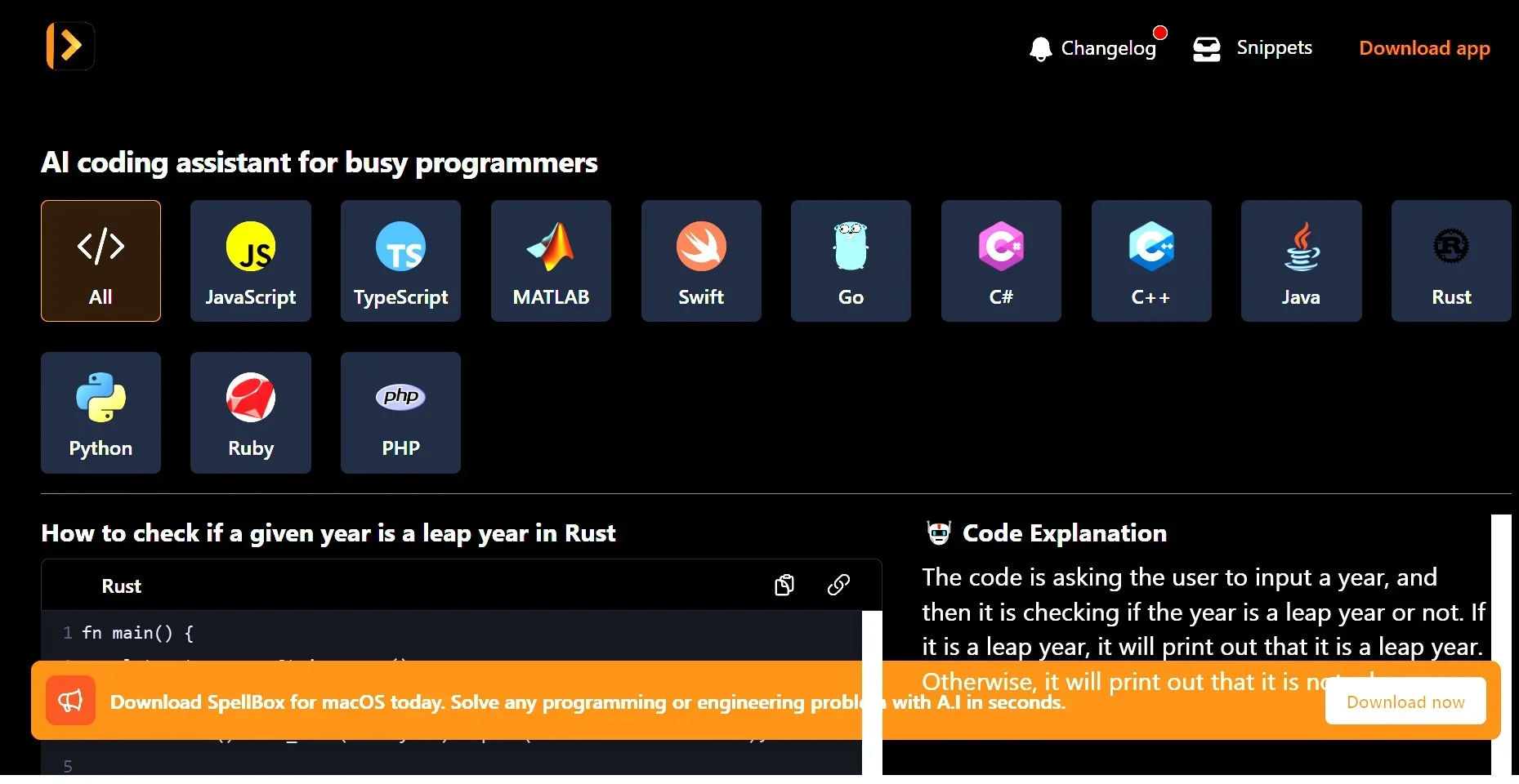
The documented list includes JavaScript, TypeScript, MATLAB, Excel, HTML, CSS, Swift, Go, C#, C++, Java, Rust, Python, Ruby, PHP, Dart, and SQL.
What does a license include?
The listed license includes unlimited code generation, a one-year license, unlimited computers, and bookmarking generated code.
What is the refund policy?
SpellBox states that it honors a five-day money-back guarantee from the purchase date.
Community reviews
Be the first to share your experience.
Sign in to leave a review for Spellbox.
Spellbox Alternatives
Looking for alternatives to Spellbox? Here are similar tools in the same category:
Learn to Master Spellbox
With Skill Leap courses
Get in-depth training on Spellbox and 50+ other AI tools with our expert-led video courses.
Start 7-Day Free Trial