
Spotter Studio
Streamlines YouTube content ideation with data-driven insights.
Key Takeaways
- What it is
- Streamlines YouTube content ideation with data-driven insights.
- Pricing
- $49 per month
- Best for
- Integrated Ideation Tools
- Data-Driven Insights
- Project Management
- Rating
- 4.4/5
What is Spotter Studio?
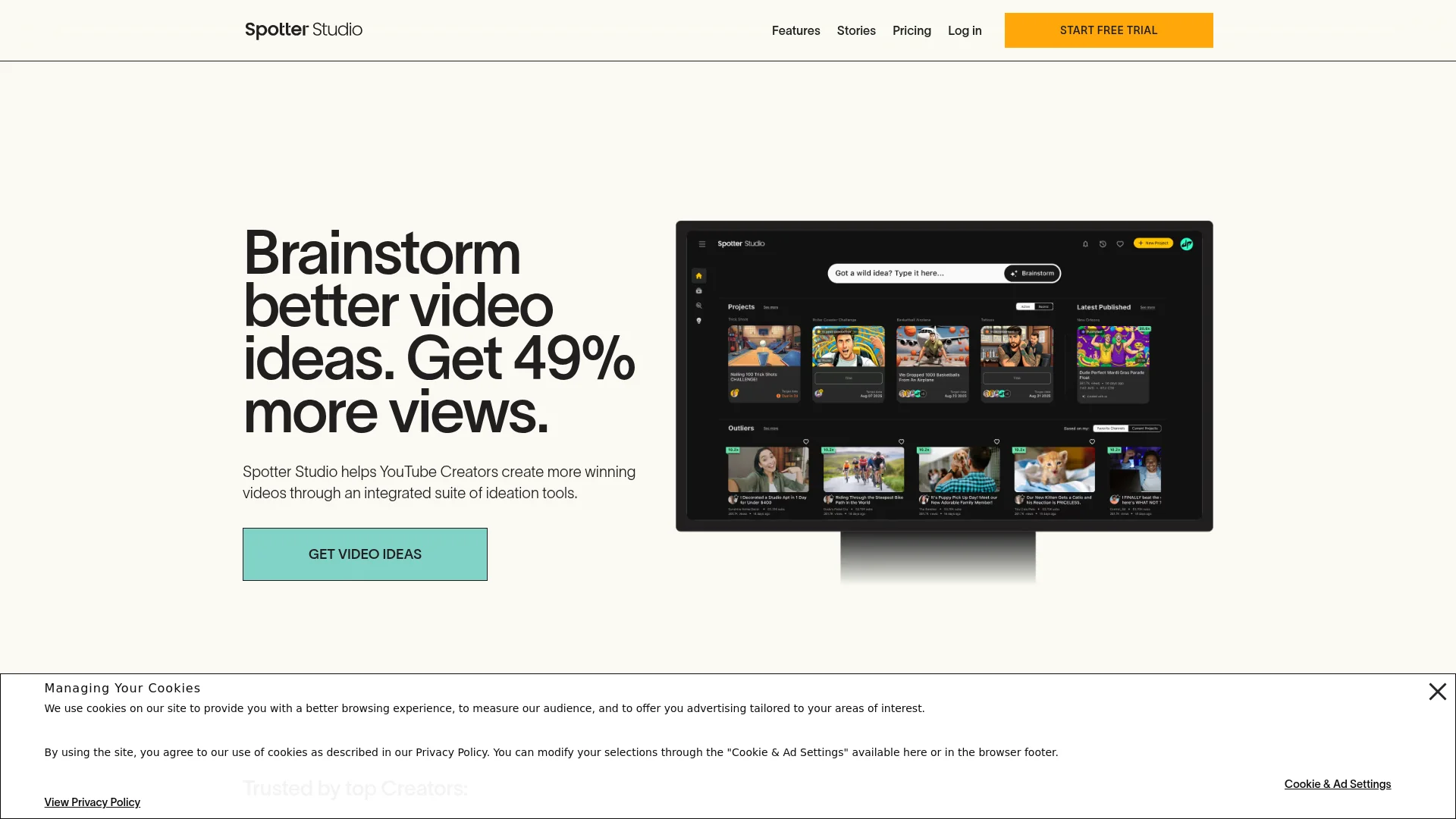
Spotter Studio is an innovative all-in-one YouTube ideation suite designed to revolutionize the way creators conceptualize and produce their content. Tailored specifically for YouTube creators, Spotter Studio offers a comprehensive suite of tools that simplify the brainstorming, research, and planning processes. By integrating advanced data-driven insights and a user-friendly interface, Spotter Studio aims to help creators generate more engaging video ideas, ultimately increasing their viewership and enhancing their creative process.
Spotter Studio stands out with its all-in-one ideation suite tailored specifically for YouTube creators. Its ability to provide personalized, data-driven insights that enhance video concepts is a game-changer for content creators. By integrating project management and collaboration features, Spotter Studio ensures a streamlined workflow, making it an indispensable tool for creators aiming to produce high-performing videos.
Spotter Studio offers a robust platform for YouTube creators looking to elevate their content creation process. With its comprehensive suite of ideation tools, personalized insights, and efficient project management features, Spotter Studio empowers creators to produce engaging videos that resonate with their audience. Whether you're a solo creator or part of a larger team, Spotter Studio is a valuable asset for anyone aiming to enhance their creative workflow and achieve greater success on YouTube.
Who is Using Spotter Studio?
YouTube Creators
The primary users, benefiting from enhanced video ideation and increased productivity.
Content Strategists
Utilizing the tool to refine content strategies and optimize video performance.
Digital Marketing Teams
Employing Spotter Studio to streamline video content planning and execution.
Creative Agencies
Leveraging data-driven insights to develop impactful video campaigns.
Uncommon Use Cases
Educational institutions using the tool for teaching digital marketing strategies; Independent filmmakers employing it for pre-production planning.
Key Features
Rating Breakdown
Pricing Plans
Spotter Studio
$49 per month
- Includes unlimited AI-generated concepts, titles, and thumbnails, outlier video tracking, a collaborative project planner, the ability to invite 2 additional team members, 1 YouTube channel connection, and access to Brainstorm, Outliers, and Projects (with more features coming soon)
Save 50% by paying yearly.
Which Spotter Studio plan should you pick?
There is no current public plan to start because Spotter Studio announced a public-access wind-down; historically, users chose Monthly or Yearly membership plans.
Monthly
Historically suited creators wanting month-to-month access without an annual commitment.
Yearly
Historically suited creators seeking the discounted annual option and longer-term access.
Spotter Studio Use Cases
Brainstorm YouTube video ideas
Generate personalized concepts from channel history, audience behavior, and current inspiration.
Outcome: A bank of ideas aligned with the creator’s channel.
Research outlier videos
Find high-performing videos, categories, and keywords from YouTube and related channels.
Outcome: Data-informed inspiration for future videos.
Develop video packaging
Brainstorm and refine titles, thumbnails, hooks, and complete packaging options.
Outcome: More developed concepts ready for production decisions.
Organize video projects
Track ideas through statuses, publish dates, contributors, notes, and project history.
Outcome: A centralized production pipeline from idea to publication.
Build an idea bank
Capture, tag, filter, rank, and prioritize ideas before moving them into projects.
Outcome: A searchable backlog of prioritized video concepts.
Workflow Ideas with Spotter Studio
Turn an insight into a video project
- 1Search Outliers for high-performing videos and related topics
- 2Save a promising idea to the Idea Bank
- 3Move it into Projects and develop titles, thumbnails, hooks, and notes
Develop a complete video package
- 1Start with a topic or existing idea
- 2Brainstorm title, thumbnail, hook, and storybeat options
- 3Preview the package and record production or publishing details
Coordinate a team project
- 1Invite collaborators through Team settings
- 2Assign User or Admin roles and project access
- 3Use shared project notes, statuses, contributors, and history to coordinate work
How Spotter Studio fits into your stack
Browser
Spotter Studio is accessed through its web application, where creators brainstorm ideas, research YouTube performance, organize an Idea Bank, and plan projects.
Pros
- +Enhanced Creativity: Spotter Studio acts like a creative partner, enabling creators to generate unique and high-performing video concepts.
- +Time Efficiency: The platform significantly reduces the time spent on brainstorming and planning, allowing creators to focus more on content production.
- +Increased Viewership: Users have reported a 49% increase in video views, thanks to the tool's ability to optimize video ideation.
- +User-Friendly Interface: The intuitive design ensures a seamless user experience, making it accessible even for less tech-savvy creators.
Cons
- −Initial Learning Curve: New users may need some time to fully utilize all of Spotter Studio's advanced features.
- −Limited Integration: As of now, Spotter Studio primarily supports YouTube creators, with limited integration for other platforms.
- −Geographical Restrictions: The tool is currently available only for creators in specific countries, such as the United States, Canada, United Kingdom, Australia, and EU countries.
Limitations & when to consider alternatives
Known limitations
- Public access was being discontinued. The wind-down FAQ states that Spotter Studio would no longer be publicly accessible after October 31 and that members could download their data beforehand.
- English-language focus. The product is optimized for English-language content and is expected to work best with English-language YouTube channels.
- Channel eligibility requirements. The service required a YouTube channel with at least one public video longer than one minute; Shorts-only channels were not supported.
- No mobile-friendly version. The Help Center says Spotter Studio is accessed from desktop or laptop browsers and has not developed a mobile-friendly version.
- Generated thumbnails are inspirational. The documentation says generated thumbnails are intended for inspiration rather than direct use as YouTube thumbnails.
Look elsewhere when
- You need a native mobile app.
- You need an API or developer platform.
- You need multilingual content support.
- You need production-ready thumbnail generation.
How to Use Spotter Studio
- 1
Connect an eligible YouTube channel
Log in with the Google account associated with the YouTube channel used for the membership.
- 2
Start in Home or Chat
Ask for ideas, titles, thumbnails, packaging options, outlier research, or content-strategy guidance.
- 3
Save promising ideas
Save useful responses to the Idea Bank so they can be organized and developed later.
- 4
Develop the idea in Projects
Create a project and refine its title, thumbnail, hook, story beats, notes, status, and publish date.
- 5
Invite collaborators
Use Team settings to invite Gmail or Google Workspace users and assign User or Admin roles.
- 6
Export your work
Download projects as CSV files and chats as ZIP files containing Markdown files.
Who is Spotter Studio For?
Solo Creators
Use personalized ideation, research, and project organization to manage video development independently.
Content Strategists
Use channel data, outlier research, and audience insights to guide content planning.
Scriptwriters
Use brainstorming and project notes to develop concepts, hooks, story beats, and video packages.
Producers
Use project statuses, publish dates, contributors, and production notes to coordinate video development.
Frequently Asked Questions
What does Spotter Studio do?
It provides brainstorming, research, title and thumbnail ideation, and project planning for YouTube creators.
Who is Spotter Studio for?
It is purpose-built for YouTube creators with an eligible channel, public long-form video, and English-language content.
Can teams collaborate in Spotter Studio?
Yes. Owners and admins can invite users, assign roles, and manage collaborator access to projects.
Can Spotter Studio generate thumbnails?
Yes. It generates thumbnail concepts and allows users to download them, but generated thumbnails are intended for inspiration.
Does Spotter Studio support mobile devices?
The Help Center says the product supports desktop or laptop browsers and has not developed a mobile-friendly version.
Is Spotter Studio still publicly available?
The official wind-down FAQ says public access was scheduled to end after October 31, with users able to download projects and chats beforehand.
Community reviews
Be the first to share your experience.
Sign in to leave a review for Spotter Studio.
Spotter Studio Alternatives
Looking for alternatives to Spotter Studio? Here are similar tools in the same category:
Learn to Master Spotter Studio
With Skill Leap courses
Get in-depth training on Spotter Studio and 50+ other AI tools with our expert-led video courses.
Start 7-Day Free Trial