
Squad AI
Streamlines product strategy with AI-driven insights and automation.
Key Takeaways
- What it is
- Streamlines product strategy with AI-driven insights and automation.
- Pricing
- Freemium · $29 per seat per month
- Best for
- AI-Driven Insights
- Outcome-Based Roadmaps
- Automated Documentation
- Rating
- 4.5/5
What is Squad AI?
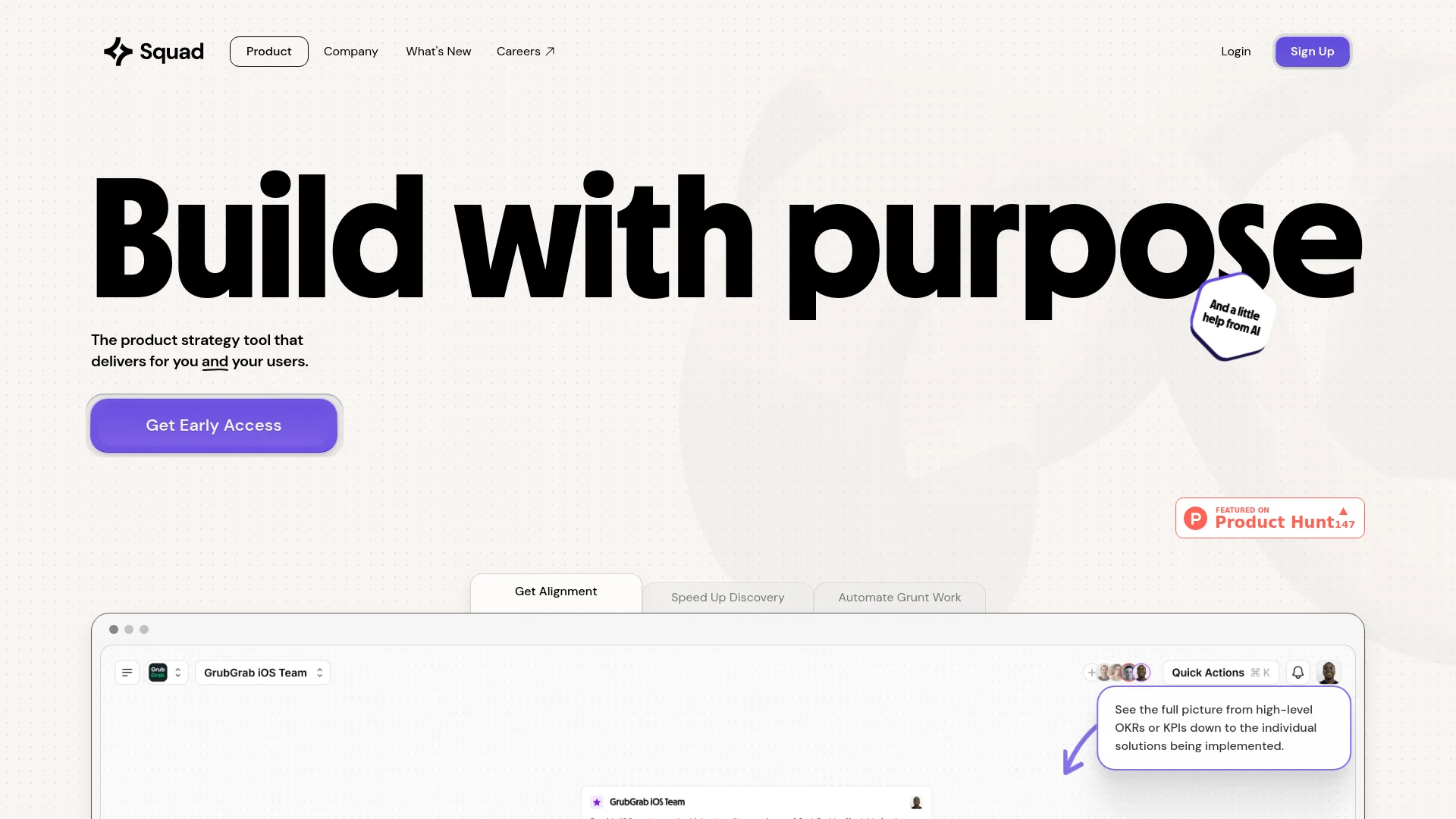
Squad AI revolutionizes product strategy management, offering a comprehensive suite of tools designed to streamline the process from ideation to execution. Designed for product managers, development teams, and business strategists, Squad AI simplifies the complexities of aligning business outcomes with user feedback and market needs. With its AI-powered insights and automation capabilities, Squad AI helps users build purpose-driven products efficiently.
Squad AI stands out with its ability to seamlessly integrate AI-driven insights into the product strategy process. Its unique feature of generating actionable opportunities from raw data and aligning them with business outcomes sets it apart. This capability not only saves time but also ensures that the product development process is both efficient and aligned with the strategic goals of the organization.
Squad AI excels in providing a robust, AI-powered solution for product strategy management, making it an essential tool for product managers, development teams, and business strategists. Its unique ability to transform raw data into actionable insights and align them with business outcomes offers an unmatched advantage, streamlining the entire product development process.
Who is Using Squad AI?
Product Managers
Utilizing the tool to align product development with business goals and customer needs.
Development Teams
Employing Squad AI to streamline the creation and management of product requirements and test cases.
Business Strategists
Leveraging the AI-driven insights to make data-informed strategic decisions.
Customer Experience Teams
Using the tool to capture and act on customer feedback effectively.
Adopted by educational institutions for teaching product management courses.
Utilized by non-profits to align their projects with strategic goals.
Key Features
Rating Breakdown
Pricing Plans
Personal
Free
- Unlimited workspaces
- Knowledge bases
- Recommended solutions
Professional
$29 per seat per month
- Unlimited strategy nodes
- Insights
- PRDs
- Requirements
Enterprise
- Multi-knowledge bases
- Expert AI support
- Custom integrations
- More
Which Squad AI plan should you pick?
Start with Hobby to evaluate Squad; upgrade to Pro for more workspaces and integrations, or Team for collaboration and sharing.
Hobby
Good for individuals trying Squad with one workspace, three integrations, basic AI strategy, and 50 monthly credits.
Pro
Good for product managers, founders, and consultants who need multiple workspaces, unlimited integrations, reasoning models, and 200 monthly credits.
Team
Good for product teams who need unlimited workspaces, multi-user collaboration, public sharing, exports, dedicated support, and shared credits.
Enterprise
Good for larger organizations needing custom integrations, higher-volume analysis, SSO, advanced security, SLAs, and a dedicated success manager.
Squad AI Use Cases
Create a product strategy
Define a mission, establish goals, discover opportunities, and generate solutions using an Opportunity-Solution Tree.
Outcome: A structured strategy connected to business goals.
Analyze customer feedback
Connect review platforms, support tools, forms, or custom sources and let Squad cluster feedback into insights.
Outcome: Actionable customer insights and product opportunities.
Generate a roadmap
Use business goals and product data to prioritize solutions and determine what to build next.
Outcome: A prioritized product roadmap.
Create PRDs and tasks
Select a solution and generate a one-page PRD, then break larger solutions into actionable tasks.
Outcome: Implementation-ready product documentation and task breakdowns.
Automate feedback workflows
Use Zapier or the Squad API to send feedback into Squad and trigger insight, opportunity, status, or notification actions.
Outcome: Continuous feedback ingestion and product-workflow automation.
Workflow Ideas with Squad AI
Turn app reviews into roadmap opportunities
- 1Connect the App Store or Google Play integration
- 2Import and analyze customer reviews
- 3Review clustered insights and generate roadmap opportunities
Create a product strategy from an idea
- 1Describe the product and provide supporting files or website context
- 2Define a mission and measurable goals
- 3Generate opportunities, solutions, and a prioritized roadmap
Automate support-feedback analysis
- 1Connect Squad to Zapier and choose a support or CRM trigger
- 2Map incoming tickets, conversations, or form responses to Squad
- 3Create insights or opportunities and notify the team automatically
How Squad AI fits into your stack
Browser
Squad is used as a web-based AI product-management workspace for chat, customer insights, strategy maps, roadmaps, PRDs, and task planning. Users sign up and work from meetsquad.ai.
Knowledge and files
Teams add product context through workspace knowledge, uploaded PDFs, plain text, websites, connected feedback, app reviews, and other source data. Squad uses that context to produce evidence-backed insights and recommendations.
Team chat and tickets
Squad can ingest and analyze feedback from sources such as Slack, Gong, Typeform, app reviews, support systems, and other tools, then turn recurring themes into opportunities and roadmap actions.
Automation and APIs
Squad exposes a REST API with workspace-scoped API keys, supports Zapier automation, and provides MCP and CLI access for AI-assisted product-strategy workflows.
Desktop / IDE
Squad’s CLI and MCP integrations bring its strategy data into terminal agents and compatible tools such as Claude Code, Claude Desktop, Codex, and OpenCode; this is an integration surface rather than a native Squad desktop app.
Pros
- +Time Efficiency: Significantly reduces the time spent on manual documentation and data analysis.
- +Comprehensive Alignment: Ensures that all teams are on the same page with clear, outcome-driven roadmaps.
- +Data-Driven Decisions: Empowers users to make informed decisions based on real-time data and AI-generated insights.
- +Enhanced Collaboration: Allows seamless collaboration across different teams on a single platform.
Cons
- −Initial Learning Curve: Users may need some time to familiarize themselves with the advanced features and functionalities.
- −Cost for Small Teams: The pricing might be a bit steep for smaller teams or startups with limited budgets.
Limitations & when to consider alternatives
Known limitations
- Monthly credits do not roll over. Unused monthly credits reset at the billing-cycle date; only flex credits roll over.
- Hobby has limited capacity. The Hobby plan includes one workspace, three integrations, five workspace-knowledge items, and 50 credits per month.
- Team features require the Team plan. Multi-user collaboration, shared public links, exporting, and dedicated support are listed as Team-plan features.
- Google Play review imports are limited. Standard plans sync up to 20 new Google Play reviews every 24 hours; higher volumes require contacting sales.
- Some enterprise capabilities are sales-led. Custom integrations, higher-volume historical analysis, SSO, advanced security, SLAs, and dedicated success management are listed under Enterprise.
Look elsewhere when
- You need a native mobile application.
- You need a desktop installer.
- You need image or vision analysis.
- You need code generation inside the product.
How to Use Squad AI
- 1
Create an account
Go to meetsquad.ai and sign up for a free Squad account.
- 2
Create a workspace
Describe what you are building and provide files, research, or a website so Squad has product context.
- 3
Define goals and strategy
Use Squad to create a mission, goals, opportunities, and solutions in the strategy map.
- 4
Connect data sources
Add integrations such as Notion, Slack, app-store reviews, Google Analytics, Typeform, Amplitude, or Zapier.
- 5
Generate delivery artifacts
Create solution one-pagers, PRDs, roadmaps, and task breakdowns from the selected opportunities and solutions.
- 6
Export or collaborate
Share strategy views, export documents, connect workflow tools, or collaborate with teammates on the Team plan.
Who is Squad AI For?
Founders
Squad helps founders turn product ideas, business goals, and customer feedback into strategy and roadmaps.
Vibe coders
Squad provides structured product strategy and tasks that can be exported to AI engineering tools.
Product teams
Product teams can collaborate on strategy, analyze customer feedback, and share roadmaps.
Product managers
The Pro plan is positioned for product managers managing one to three products.
Consultants and analysts
Squad documents consulting and analyst use cases involving product strategy, research, and concepting.
Frequently Asked Questions
Is Squad free?
Yes. The Hobby plan is free, includes monthly credits, and requires no credit card.
What is Squad?
Squad is an AI product agent that helps users create product strategy, roadmaps, insights, solutions, PRDs, and tasks.
What are credits?
Credits power AI actions such as generating insights, opportunities, solutions, PRDs, and task breakdowns.
What can workspace knowledge contain?
Workspace knowledge can include relevant files, links, text documents, and connected integration data.
Can Squad integrate with existing tools?
Yes. Documented integrations include Notion, Slack, Zapier, app-store reviews, Google Reviews, Typeform, Google Analytics, and Amplitude.
Can teams collaborate in Squad?
The Team plan supports multi-user collaboration, shared workspaces, public links, exporting, and shared credits.
Community reviews
1 review from people who use Squad AI.
Sign in to leave a review for Squad AI.
Hamish Jackson-Mee
Squad AI Alternatives
Looking for alternatives to Squad AI? Here are similar tools in the same category:
Learn to Master Squad AI
With Skill Leap courses
Get in-depth training on Squad AI and 50+ other AI tools with our expert-led video courses.
Start 7-Day Free Trial