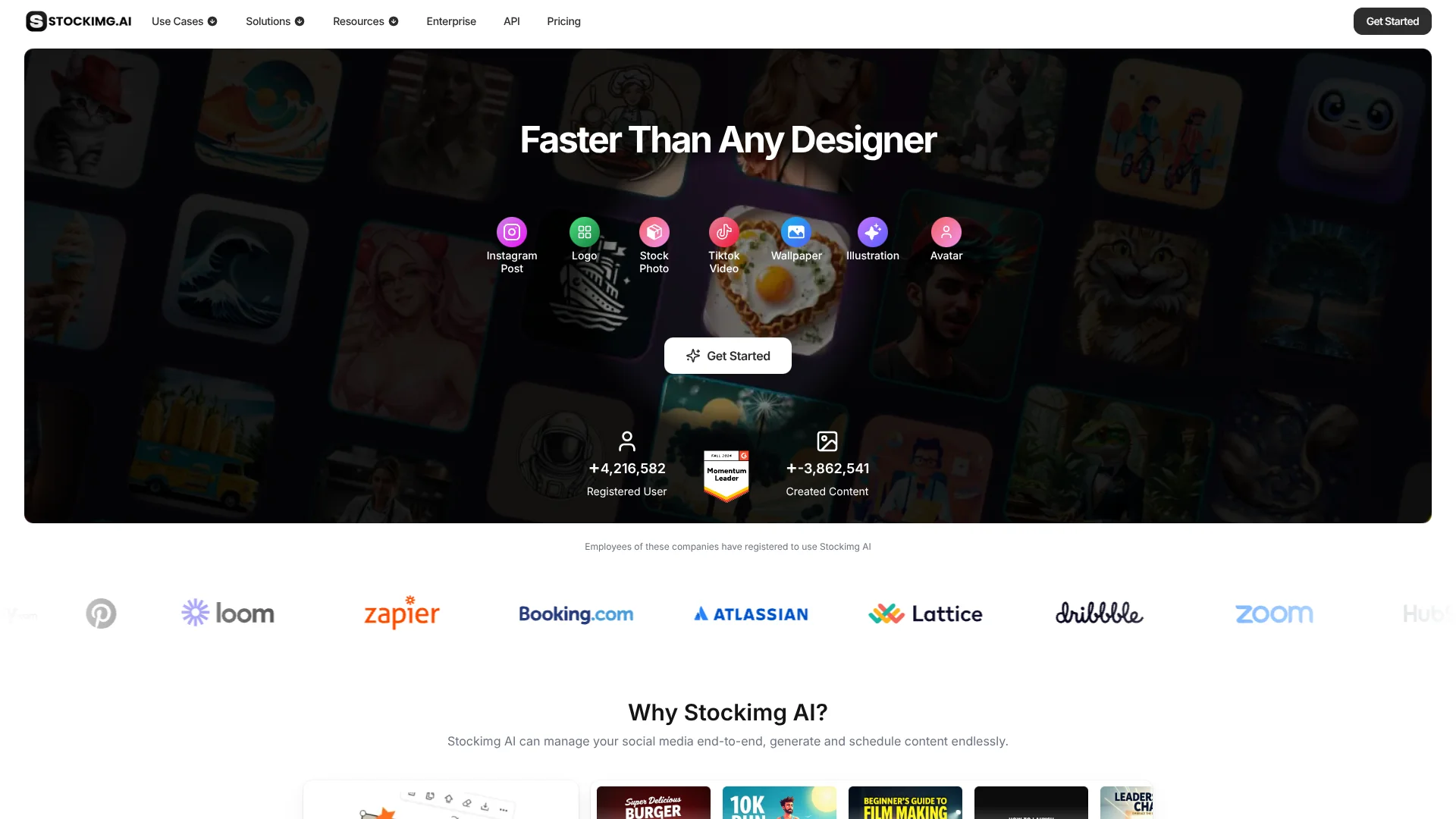
Stockimg AI
Prompt-made visuals for brands, paired with built-in social post scheduling.
Watch Stockimg AI in Action
Key Takeaways
- What it is
- Prompt-made visuals for brands, paired with built-in social post scheduling.
- Pricing
- Freemium · $19 per month
- Best for
- AI Image Generation
- Prompt-Based Editing
- Social Post Generator
- Rating
- 4.0/5
What is Stockimg AI?
Stockimg AI turns text prompts into visuals such as logos, stock photos, posters, and social media posts, then lets you edit and schedule content for social accounts. It is aimed at creators, marketers, and businesses that need branded content but do not want to design every asset from scratch. Its social tools connect content creation with a calendar for planning posts.
A generated social post can be edited, placed on the calendar, and scheduled for connected accounts within Stockimg AI. That gives social media managers a path from an initial prompt to planned publishing, rather than stopping at a downloaded image.
Stockimg AI fits people producing visual content for social channels, including e-commerce sellers who want product photos and posts. Its free account has limited features, and the site does not clearly list the exact credits and feature limits for each subscription. It is most useful when image creation and social scheduling belong in the same content workflow.
Who is Using Stockimg AI?
Social Media Managers
A shared calendar view of campaigns and scheduled posts helps keep channel publishing organized.
Graphic Designers
Prompt-generated logos, illustrations, and posters provide starting points for visual work.
E-commerce Marketers
Product photos can become branded posts with a selected background scene.
Influencers
Platform-specific post formats and scheduling support a steady publishing routine.
App Developers
The REST API provides programmatic access to image generation for apps and websites.
Uncommon Use Cases
Generate product mockups for different campaign scenes; create social posts in languages such as Spanish or Turkish.
Key Features
Rating Breakdown
Pricing Plans
Free account
Free
- Limited features
Enterprise
- Custom enterprise plans are available for organizations with specific needs.
Paid subscription
$19 per month
- Paid subscription plans range from $19 to $29 per month.
Which Stockimg AI plan should you pick?
Start with the free account to see whether its limited features cover your needs; consider a paid subscription when you need the additional credits and features described by the pricing FAQ.
Free account
Good for trying Stockimg AI before paying, with limited features.
Enterprise
For organizations seeking a custom enterprise plan.
Stockimg AI Use Cases
Social Media Campaigns
A campaign can begin with AI-generated posts, move through manual edits, and end with scheduled publishing.
Outcome: Posts and campaigns organized in the social calendar.
Product Promotion
A product photo and background choice form the basis for a branded social post.
Outcome: An editable product post ready for scheduling.
Brand Visual Concepts
Text prompts produce initial logo, illustration, or poster concepts for a brand.
Outcome: Custom visual concepts generated from a prompt.
Image Generation in an App
An API connection can add prompt-based image generation to an application or website.
Outcome: Image generation available through the connected service.
Workflow Ideas with Stockimg AI
Plan a Social Campaign
- 1Choose the social accounts and describe the campaign.
- 2Generate posts, then review and edit each one.
- 3Add approved posts to the calendar and schedule them.
Prepare Product Posts
- 1Upload a product photo and enter the product details.
- 2Choose a background scene and generate the post.
- 3Edit the result and schedule it for a connected account.
Add Image Generation to an App
- 1Create an account and generate an API key.
- 2Add balance to the API account.
- 3Send an authenticated image-generation request from your service.
How Stockimg AI fits into your stack
Visual Creation
The web product generates logos, posters, stock-style photos, and other visuals from text prompts. Follow-up prompts can refine the result.
Social Publishing
Connected social accounts, campaign tools, and a calendar bring post creation and scheduling into the same workflow.
E-commerce Content
The product post generator starts from an uploaded product photo and can prepare content for social channels.
Developer API
The documented API connects image generation to apps, websites, or services. API requests use an account key and paid balance.
Mobile Creation
Native iOS and Android apps provide mobile access to Stockimg AI’s image-generation tools.
Pros
- +Prompt-based revisions: Refine generated images with another text prompt.
- +Social publishing flow: Create posts, edit them, and schedule them from a calendar.
- +Product visuals: Turn an uploaded product photo into a social post.
- +Commercial rights for subscribers: The site says subscribers own the commercial and copyright rights to their creations.
- +Mobile access: Stockimg AI has iOS and Android apps.
Cons
- −Unclear plan details: The pricing FAQ gives a $19 to $29 monthly range but does not clearly break down each subscription’s features.
- −Limited free account: The free option includes limited features.
- −Social-focused workflow: Its strongest publishing tools are geared toward social content rather than a general-purpose design workspace.
Limitations & when to consider alternatives
Known limitations
- Free account limits are not detailed. The official FAQ says the free account has limited features but does not specify the exact feature or credit limits.
- Generated assets may resemble protected work. Stockimg AI’s terms say generated assets may unintentionally resemble copyrighted material or trademarks.
- API requests require a balance. The API documentation says an account must have purchased balance before making requests, with costs varying by model and method.
Look elsewhere when
- You need a clearly published breakdown of subscription credits and features before choosing a paid plan.
- You need generated assets guaranteed not to resemble copyrighted material or trademarks.
- Your workflow needs image generation through an API without prepaid account balance.
How to Use Stockimg AI
- 1
Choose a creation type
Select an image category or social format that matches the asset you need.
- 2
Describe the visual
Enter a prompt with the subject and style you want the generated image to follow.
- 3
Refine the result
Edit the image with another prompt or make manual changes in the editor.
- 4
Prepare social content
For a social post, set its language, tone, and destination account before generation.
- 5
Review and schedule
Check each generated post, then place it in the calendar and choose when it should publish.
- 6
Connect an API workflow
Developers can create an API key in the dashboard and add account balance before sending requests.
Who is Stockimg AI For?
Content Creators
Social post and video generators help creators prepare visual content for multiple channels.
Marketers
Campaign management and scheduling support recurring social media publishing.
E-commerce Businesses
The product post generator turns product photos into social-ready content.
Graphic Designers
Prompt-based generation can speed up early visual concepts and social assets.
Developers
The documented API can add Stockimg AI image generation to an app or service.
Frequently Asked Questions
Is Stockimg AI free?
A free account is available, but the official FAQ says it has limited features.
How much do Stockimg AI subscriptions cost?
The official pricing FAQ says paid subscriptions range from $19 to $29 per month. It does not provide a clear per-plan price breakdown in the page text available.
Can Stockimg AI schedule social media posts?
Yes. Its social tools include a calendar for editing and scheduling posts to connected accounts.
Does Stockimg AI have a mobile app?
Yes. Stockimg AI has an iOS app and an Android app.
Does Stockimg AI offer an API?
Yes. Its documented API supports image generation, and requests require an API key and account balance.
Community reviews
7 reviews from people who use Stockimg AI.
Sign in to leave a review for Stockimg AI.
Thibault BM
Code Peer
ingilizce INC
Talha Erkul
Yağız Şimşek
Moustafa Barakate
ceren dökmener
Stockimg AI Alternatives
Looking for alternatives to Stockimg AI? Here are similar tools in the same category: