
Stripo
Teams design on-brand, gamified emails without coding.
Key Takeaways
- What it is
- Teams design on-brand, gamified emails without coding.
- Pricing
- Freemium · $20 per month · $45 per month · $95 per month
- Best for
- Hybrid Email Editor
- AI Email Tools
- Templates, Modules, and Brand Kit
- Rating
- 4.5/5
What is Stripo?
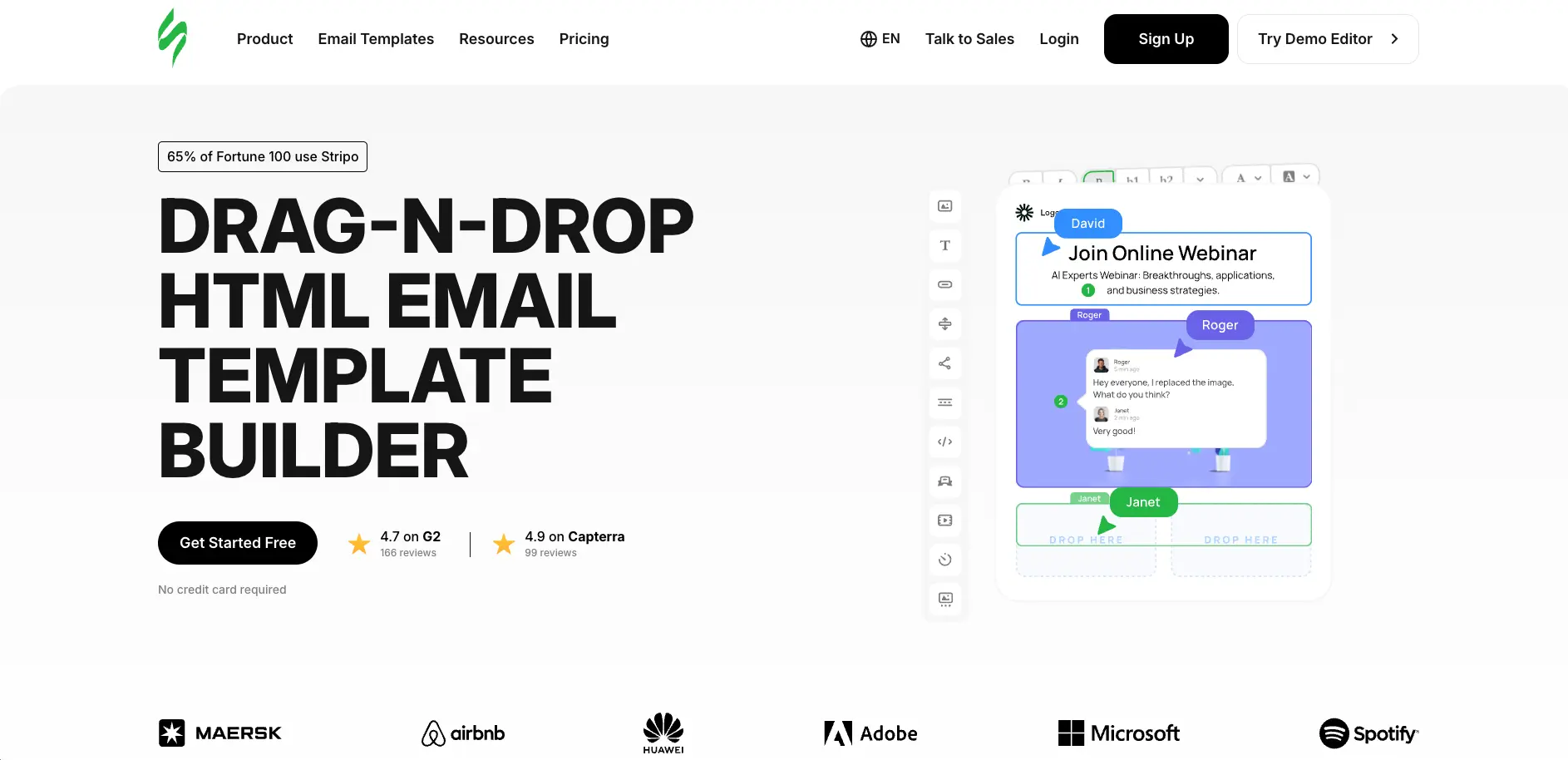
Stripo is an email design platform focused on speeding up production for marketers, designers, and product teams. It combines an intuitive drag and drop editor, a full HTML and CSS editor, and a growing set of AI tools for copy, layouts, subject lines, and images. Users can build responsive templates, test them across clients, and export directly to more than 90 ESPs and CRMs or embed the editor itself as a white label plugin inside their own products.
Stripo places design, automation, and AI under one roof in a way that suits both marketers and developers. The hybrid editor makes it practical to mix drag and drop layout work with custom HTML in the same project, while reusable modules and automatic replacement of triggered emails cut down repeat tasks. Its AI assistant, subject line tools, and image generation cover creative work as well as structure, not just quick text snippets. Add in built in gamification generators for mini games and quizzes plus a full white label plugin, and Stripo moves beyond a standard email builder into something closer to an email production system.
Stripo gives email teams and product builders a sophisticated yet accessible way to create, test, and ship polished campaigns. The mix of no code editing, full HTML control, deep template and module libraries, and thoughtful AI assistance makes it well suited for organizations that treat email as a primary channel rather than an afterthought. For solo creators, agencies, and SaaS vendors alike, it offers a credible blend of speed, control, and integration depth that can noticeably raise the quality and consistency of day to day email production.
Who is Using Stripo?
Email Marketing Teams
Creating and maintaining newsletters, lifecycle flows, and promotional blasts at scale.
Ecommerce Brands and Retailers
Building product focused campaigns, abandoned cart series, and seasonal promotions without constant developer help.
Agencies and Service Providers
Standardizing production for many clients with shared modules, brand kits, and collaboration tools.
SaaS and Product Companies
Embedding the Stripo plugin as the email editor inside their own platforms so customers can design emails in app.
Uncommon Use Cases
Used by universities and training programs to teach modern email design workflows; adopted by nonprofits to build donor journeys with gamified emails and surveys.
Key Features
Rating Breakdown
Pricing Plans
Free
Free
- Includes 2 members, 4 exports monthly, 5 test emails per day, 10 stored emails, 3 projects, limited template gallery access, and basic export options
Basic
$20 per month
- Includes 2 members, 50 exports monthly, 50 test emails per day, 50 stored emails, premium templates, sharing preview links, unlimited template gallery access, and expanded collaboration features
Medium
$45 per month
- Includes 3 members, 300 exports monthly, 100 test emails per day, 300 stored emails, premium templates, sharing preview links, 5 projects, and custom URL sharing
Pro
$95 per month
- Includes 10 members, 4,000 exports monthly, 300 test emails per day, 5,000 stored emails, premium templates, sharing preview links, unlimited projects, advanced collaboration, and extended version history
Prime
- Includes up to 100 teammates, unlimited projects, additional email client testing credits, increased countdown timer opens, and enterprise-level support options
Which Stripo plan should you pick?
Start with Free to evaluate the editor; choose Basic for solo production, Medium for small teams, Pro for large agency workflows, or Prime for enterprise scale.
Free
Good for users exploring Stripo who need basic template creation with limited exports, tests, storage, and projects.
Basic
Good for solo email creators who need more exports, tests, stored templates, premium templates, and preview sharing.
Medium
Good for small teams and agencies who need more projects, members, collaboration, translation, and custom preview URLs.
Pro
Good for big agency workflows that need many members, unlimited projects, high export limits, and large template storage.
Prime
Good for enterprises needing up to 100 teammates, unlimited projects, expanded testing credits, and higher limits.
Stripo Use Cases
Build responsive email templates
Choose a prepared template, start from scratch, code HTML, or assemble reusable drag-and-drop modules.
Outcome: Create responsive emails without rebuilding common layouts.
Create interactive AMP emails
Add AMP forms, carousels, accordions, real-time content, surveys, quizzes, product cards, and gamification.
Outcome: Let recipients interact with content directly inside supported inboxes.
Generate personalized product emails
Use Smart Elements, product cards, external data, and API generation to insert changing product information.
Outcome: Produce recurring promotional emails with less manual repetition.
Localize email campaigns
Use built-in translations or upload XLS or JSON translation files to create language versions.
Outcome: Publish localized email variants for international audiences.
Export templates to marketing platforms
Design in Stripo, test the result, and export to ESPs, CRMs, Gmail, Outlook, Zapier, webhooks, or files.
Outcome: Move finished email designs into existing marketing workflows.
Workflow Ideas with Stripo
Create and publish an email template
- 1Choose a prepared template, basic template, blank layout, or custom HTML
- 2Edit content, styles, images, modules, links, and responsive settings
- 3Preview, test, and export the completed template to an ESP or file
Generate a recurring product campaign
- 1Create reusable product-card Smart Elements and save them as modules
- 2Connect external product data or prepare a REST API data source
- 3Generate each email variation and export it to the target email platform
Review an email with a team
- 1Invite teammates to the workspace or project with appropriate permissions
- 2Use comments, pins, replies, and real-time editing to review the template
- 3Resolve feedback, check rendering and accessibility, then export the approved version
How Stripo fits into your stack
Browser
Stripo is primarily a browser-based email design workspace for building responsive email templates with drag-and-drop editing, HTML/CSS editing, previews, testing, and collaboration.
Docs and writing
The editor is used to create email messages, reusable modules, landing pages, and campaign content. AI features help generate emails, improve copy, create subject lines, translate content, and generate image alt text.
Automation and APIs
The REST API supports automated email generation, template management, dynamic data insertion, and HTML export. Stripo also supports exports and workflows through Zapier, Webhook, Make, n8n, and numerous ESPs and CRMs.
Pros
- +Serious time savings: Reusable modules, bulk editing, and AI assistance let teams build complex campaigns far faster than starting from scratch each time.
- +Strong integration story: One click export to 90+ ESPs, plus options for HTML, PDF, images, Gmail, Outlook, Zapier, and webhooks.
- +Collaboration ready: Real time co editing, shareable preview links, and role based access fit multi person content and review workflows.
- +Plugin for SaaS products: White label plugin lets other software vendors drop a mature email builder into their own apps instead of building one internally.
Cons
- −Feature density: New users can feel overwhelmed by the number of options, panels, and settings compared with simpler newsletter tools.
- −Most advanced perks behind paywalls: Rich sharing, collaboration, extended testing, and higher AI or export limits sit on paid tiers, so heavy users outgrow the free plan quickly.
Limitations & when to consider alternatives
Known limitations
- Free-plan limits. The Free plan limits users to 2 members, 4 monthly exports, 5 daily test emails, 10 stored emails, and 3 projects.
- AMP compatibility depends on email clients. AMP content is supported only by selected clients; unsupported clients receive fallback or non-interactive versions.
- Stripo is not an ESP. Stripo focuses on email creation, testing, and export; sending, subscriber lists, deliverability, and campaign automation require an ESP.
- Free exports are restricted. The Free plan provides limited export options and does not unlock all ESP integrations.
- Uploaded design files have size limits. HTML and MJML uploads are limited to 10 MB, while ZIP uploads are limited to 30 MB.
Look elsewhere when
- You need a native mobile application.
- You need a standalone desktop installer.
- You need a code-first email workflow rather than a visual builder.
- You need email sending, subscriber management, or deliverability tools.
How to Use Stripo
- 1
Create an account and project
Sign up on Stripo, create a project, and configure branding, audience, tone, language, and AI settings when needed.
- 2
Choose a starting point
Open a prepared template, basic template, blank email, reusable module, or imported HTML, MJML, or ZIP design.
- 3
Design the email
Use drag-and-drop blocks, structures, modules, images, videos, merge tags, AMP components, or the HTML code editor.
- 4
Add automation and localization
Use Smart Elements, external data, API generation, AI assistance, and translation tools for recurring or multilingual campaigns.
- 5
Review and test
Preview desktop and mobile versions, check accessibility and spam, send test emails, and test rendering across email clients.
- 6
Export the finished email
Export to a connected ESP or CRM, Gmail, Outlook, Zapier, webhook, n8n, HTML, PDF, image, or AMP HTML.
Who is Stripo For?
Solo email creators
The Basic plan is positioned for solo creators who need more tests, exports, templates, and premium templates.
Small teams and agencies
The Medium plan is designed for small teams and agencies needing multiple members, projects, collaboration, and custom sharing URLs.
Large agencies
The Pro plan targets big agency workflows with many members, large template storage, high export limits, and unlimited projects.
Enterprises
Prime supports larger organizations needing up to 100 teammates, unlimited projects, and expanded testing and usage limits.
SaaS, ESP, CRM, and website companies
Stripo Plugin is designed for companies embedding a drag-and-drop email editor into their own applications.
Frequently Asked Questions
Is Stripo free?
Stripo offers a Free plan with no fixed time limit, no credit card requirement, and limits on projects, exports, stored emails, and tests.
Can Stripo export emails to other platforms?
Yes. Stripo integrates with more than 90 ESPs, CRMs, and email clients, including Mailchimp, Brevo, Klaviyo, Gmail, and Outlook.
Does Stripo support collaboration?
Yes. Depending on the plan, teams can use members, roles, comments, real-time co-editing, sharing, and access controls.
Does Stripo provide an API?
Yes. The REST API uses project JWT access tokens and supports programmatic email generation from templates, modules, and external data.
Can Stripo create interactive emails?
Yes. Stripo supports AMP forms, carousels, accordions, real-time content, feedback collection, quizzes, and other interactive email elements.
Does Stripo send email campaigns?
Stripo creates, tests, and exports email templates; the official site says an ESP is needed for sending, subscriber management, and campaign automation.
Community reviews
Be the first to share your experience.
Sign in to leave a review for Stripo.
Stripo Alternatives
Looking for alternatives to Stripo? Here are similar tools in the same category:
Learn to Master Stripo
With Skill Leap courses
Get in-depth training on Stripo and 50+ other AI tools with our expert-led video courses.
Start 7-Day Free Trial