
Stunning
Ship full websites and apps from spoken ideas.
Key Takeaways
- What it is
- Ship full websites and apps from spoken ideas.
- Pricing
- $9 per month · $25 per month · $30 per month
- Best for
- AI site and app generation
- Business tools baked in
- Multimodal prompting
- Rating
- 4.0/5
What is Stunning?
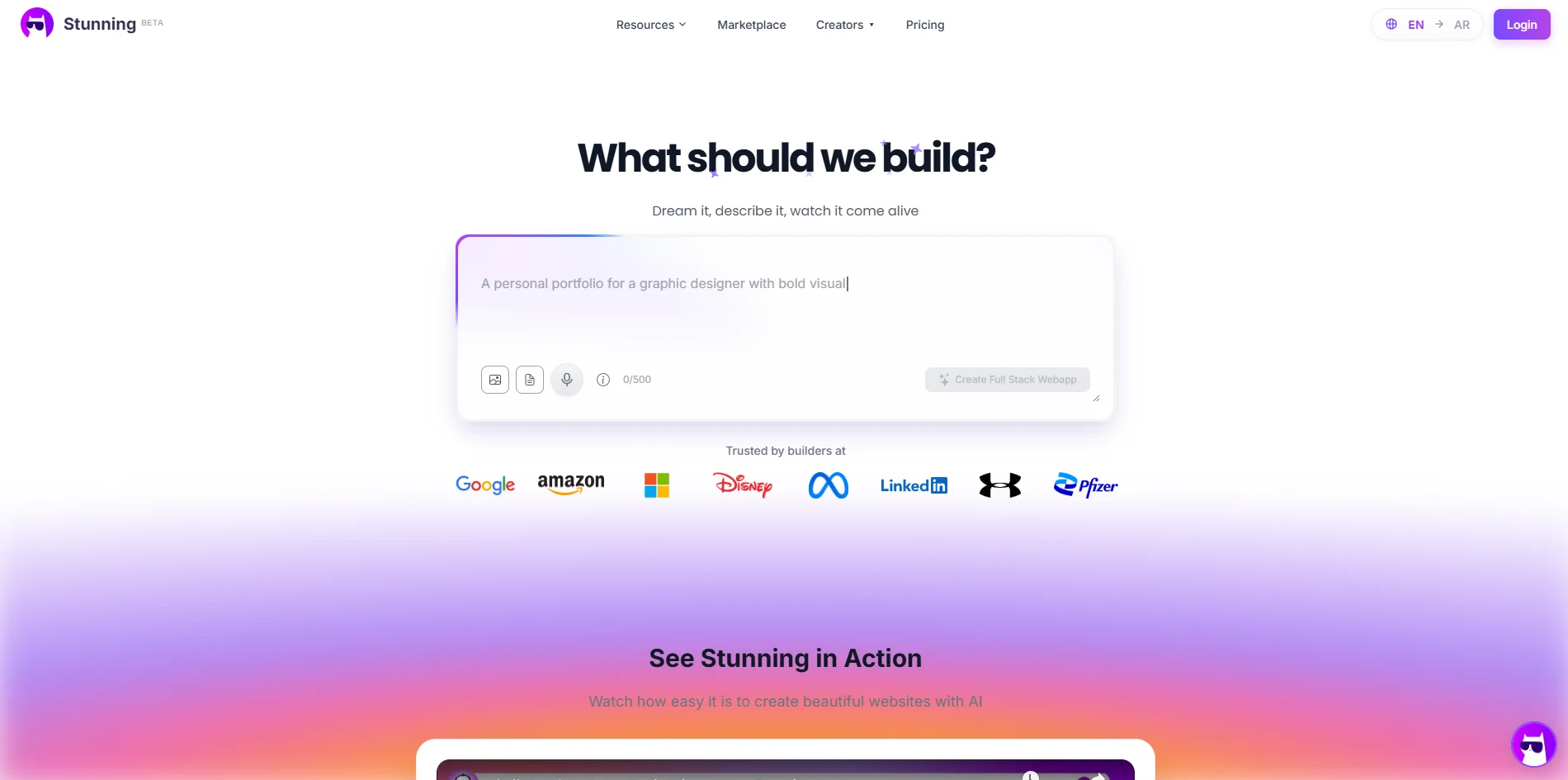
Stunning is a web‑based AI builder that turns natural language descriptions into working websites and full stack web applications in a matter of seconds. Users describe what they want in text or voice and the system generates layouts, copy, images, and application logic without requiring code. Positioned between no‑code website builders and traditional development, it targets founders, freelancers, and teams that want to launch business sites, web apps, and online funnels significantly faster while still keeping room for later customization.
Stunning separates itself from many AI website builders by aiming at full stack, business‑ready web apps rather than only static pages. Its focus on Arabic and RTL generation, combined with local payment and logistics integrations, gives it a distinctive position for builders in and around the MENA region. The multimodal prompting style, where ideas can be spoken, written, or shown as design references, plus the active community showcase, helps it feel more like an AI co‑builder than a simple template generator.
Who is Using Stunning?
Solo founders and indie hackers
Rapidly spinning up MVPs, landing pages, and simple SaaS frontends without hiring full development teams.
Agencies and freelancers
Delivering client landing pages and marketing sites faster, and experimenting with selling AI‑built projects.
Small and medium businesses
Launching branded sites with payment forms, basic CRM flows, and bilingual or Arabic‑first experiences.
Developers and technical teams
Using the AI as a “vibe coding” helper to scaffold apps quickly, then hand‑tuning the output.
Uncommon Use Cases
Adopted by educators running no‑code or entrepreneurship bootcamps; used by regional NGOs and community projects to stand up campaign sites in Arabic with minimal resources.
Key Features
Rating Breakdown
Pricing Plans
Hobby
$9 per month
- 1,000 monthly credits (resets monthly), unlimited AI sessions, access to all AI models (Claude, GPT, Gemini, Grok), custom domains & SSL, remove Stunning badge, free hosting + database, email support, and source code download
Pro
$25 per month
- 5,000 monthly credits (resets monthly), unlimited AI session hours, access to all AI models (Claude, GPT, Gemini, Grok), unlimited AI website generation, custom domains & SSL, remove Stunning badge, free hosting + database, source code download, and priority live support
Teams
$30 per month
- 5,000 monthly credits (resets monthly), unlimited AI session hours, access to all AI models (Claude, GPT, Gemini, Grok), unlimited team members with roles/permissions, free hosting + database, source code download, and priority live support with a dedicated success manager
Which Stunning plan should you pick?
Start with the free plan to test building with 400 credits, then upgrade when you need more credits, domains, hosting, source-code download, collaboration, or agency features.
Free
Good for testing the builder with 400 credits, browser preview, and a Stunning subdomain.
Basic
Good for one website with custom domain, hosting, SSL, AI content generation, and 1,000 AI credits.
Growth
Good for freelancers needing multiple pages, programmatic SEO, analytics, and 5,000 AI credits.
Premium
Good for agencies needing white-labeling, multi-client management, exports, and team collaboration.
Enterprise
Good for larger agencies needing unlimited team members, API access, custom integrations, advanced exports, and dedicated support.
Stunning Use Cases
Build websites and online stores
Describe a storefront, checkout, catalogue, or business website and iterate by asking for changes.
Outcome: A working site published on a domain.
Create business management systems
Build systems for orders, customers, inventory, staff, and operational workflows.
Outcome: A full-stack business application with database and administration features.
Create dashboards and internal tools
Describe reporting dashboards or internal tools that replace manually rebuilt reports.
Outcome: A live dashboard or internal application.
Research competitors
Use Cowork to browse real sites and save findings to shared memory.
Outcome: Competitor research collected for later use.
Automate operational work
Use Cowork across connected apps to enter information, prepare reports, and perform operational tasks.
Outcome: Cross-application tasks completed with approval controls.
Workflow Ideas with Stunning
Research and report workflow
- 1Ask Cowork to research competitors
- 2Have it browse real sites and save findings to shared memory
- 3Ask it to prepare a report from the collected information
Supplier comparison workflow
- 1Ask Cowork to find suppliers
- 2Have it compare prices across browser tabs
- 3Review the shortlist before authorizing outreach
Business app launch workflow
- 1Describe the website, app, or business system
- 2Iterate by requesting changes in plain language
- 3Publish it to a custom domain or app testing platform
How Stunning fits into your stack
Stunning offers a tempting proposition for anyone who cares more about shipping quickly than hand‑crafting every line of code. It blends AI‑driven generation, business‑oriented modules, and strong Arabic support into a package that can meaningfully cut the time from idea to working web app. The product is still evolving, and reports of glitches plus muddy pricing details mean buyers should approach it as a fast‑moving startup tool rather than a fully mature enterprise suite. For founders, freelancers, and experiment‑friendly teams, though, it can be a very appealing way to test ideas and launch real projects with far less effort than traditional development.
Pros
- +Very fast from idea to live app: Common marketing sites and simple apps can be produced in minutes instead of days or weeks.
- +Low barrier for non‑developers: Natural language and voice input reduce the need for technical knowledge, yet developers can still extend what is generated.
- +Strong multilingual story: Arabic and RTL support plus local integrations make it attractive for regional founders and agencies.
- +All‑in‑one orientation: Aims to cover building, basic hosting, payment collection, CRM, and AI assistance under one roof, which can simplify early‑stage stacks.
Cons
- −Occasional instability: Public reviews mention glitches, layout quirks, and occasional errors that can interrupt more complex builds.
- −Variable AI output quality: Some users report generic results or prompts being partially ignored, so iterations are sometimes needed to reach production quality.
- −Pricing opacity and credit burn concerns: Feedback suggests a credit‑based model where edits may consume tokens quickly, and cancellation or plan details are not always obvious.
Limitations & when to consider alternatives
Known limitations
- Desktop editing requirement. The Stunning editor and builder require a desktop or laptop; mobile editing is not currently available.
- Browser compatibility. Chrome is fully supported, some Chromium browsers have limited compatibility, and Firefox, Safari, and Edge are unsupported.
- Credit-based usage. AI credits are consumed by tool calls, and complex projects require more operations and credits.
- Free-plan code restriction. Free users can build, preview, and publish to a Stunning subdomain, but source-code download requires Pro or Teams.
- Generated mobile apps use customer developer accounts. Android and iOS apps are packaged for TestFlight and Google Play testing under the customer's own developer accounts.
Look elsewhere when
- You need a native mobile app for editing Stunning projects.
- You need Firefox, Safari, or Edge support.
- You need a documented public developer API.
How to Use Stunning
- 1
Describe what to build
Start with a plain-language description of the website, app, store, dashboard, or business system you need.
- 2
Review the generated application
Use the preview and inspect generated files such as App.tsx or index.html to verify the result.
- 3
Iterate conversationally
Ask for focused changes in English or Arabic, referencing specific files or desired behavior.
- 4
Connect data and services
Add database tables through prompts, upload spreadsheets, and connect supported payment, delivery, invoicing, or business tools.
- 5
Publish the project
Use the publishing flow to deploy to a Stunning subdomain or connect a custom domain with SSL.
- 6
Export or distribute
Push code to GitHub on supported plans, or package generated Android and iOS apps for TestFlight and Google Play testing.
Who is Stunning For?
Freelancers
The platform helps freelancers build and launch multiple websites and apps quickly.
Agencies
White-labeling, multi-client dashboards, client management, exports, and team seats support agency work.
Business owners
Stunning builds websites, online stores, business systems, dashboards, and internal tools without requiring a technical team.
Creators
The creator program is designed for people with an established audience on YouTube, TikTok, or Instagram.
Frequently Asked Questions
Do I need to know how to code?
No. You describe what you want and request changes in plain language; the generated code can be inspected or taken.
What is Stunning actually building?
A real full-stack application with a React front end, live database, and application logic.
Can I take the code with me?
Yes. You can push the project to your own GitHub repository.
Can I use my own domain?
Yes. Custom domains and SSL are supported, with domain connection handled through the publishing flow.
Can I start from what I already have?
Yes. Import an existing project or GitHub repository, or upload a spreadsheet to create a working table.
Does Stunning make mobile apps?
Yes. It can create Android and iOS apps from the same description and package them for TestFlight and Google Play testing under your developer accounts.
Community reviews
Be the first to share your experience.
Sign in to leave a review for Stunning.
Stunning Alternatives
Looking for alternatives to Stunning? Here are similar tools in the same category:
Learn to Master Stunning
With Skill Leap courses
Get in-depth training on Stunning and 50+ other AI tools with our expert-led video courses.
Start 7-Day Free Trial