
super.AI
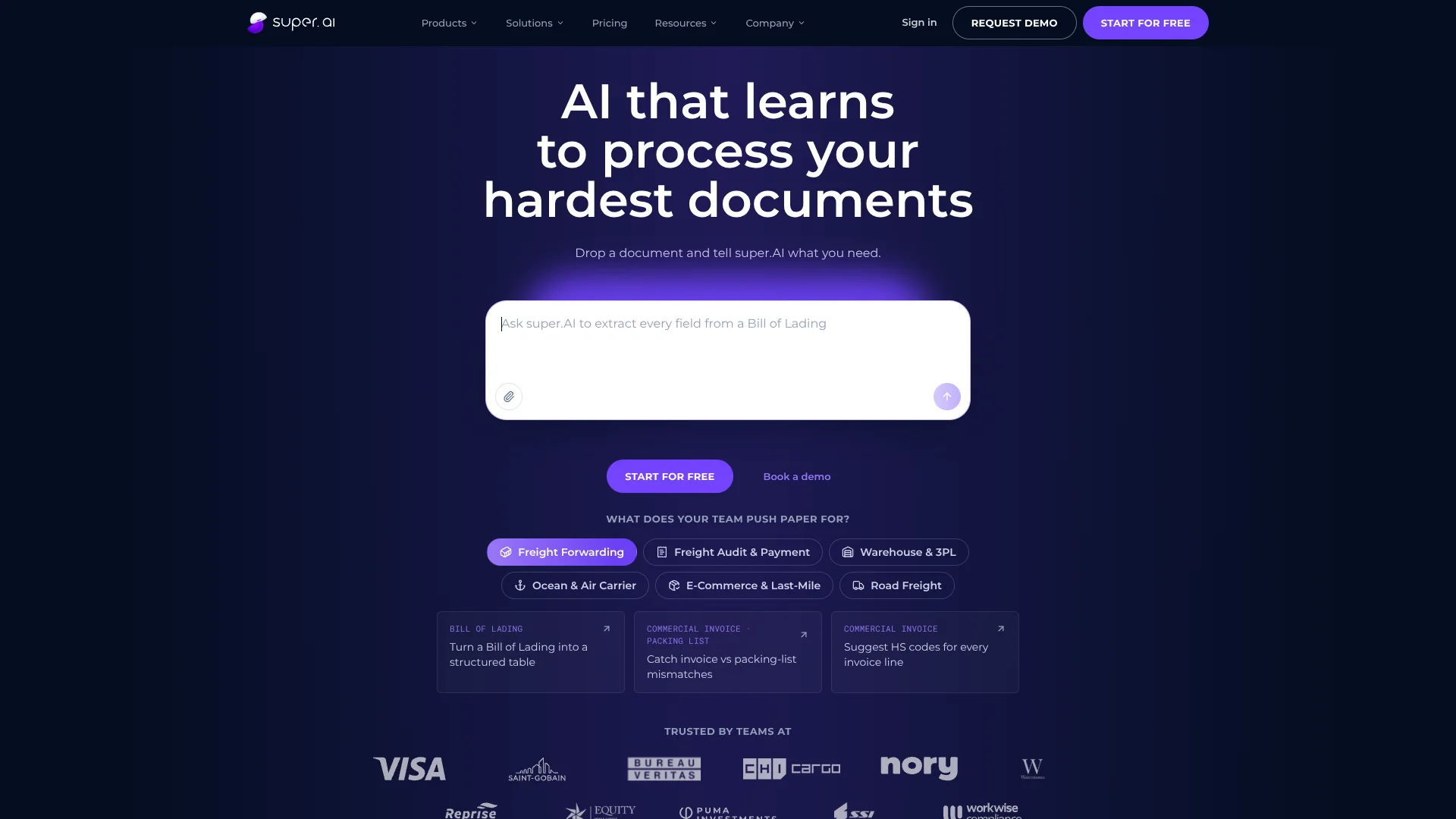
Turns messy business documents into structured data with review-driven automation.
Key Takeaways
- What it is
- Turns messy business documents into structured data with review-driven automation.
- Pricing
- Freemium · $140 per month
- Best for
- Agentic Workflow Builder
- Human Review Views
- Field-Level Confidence Scores
- Rating
- 4.2/5
What is super.AI?
super.AI turns invoices, contracts, claims, bills of lading, and other difficult documents into structured data. You describe the job in plain language, provide a document, and its agent builds a workflow that classifies files, extracts fields, validates results, and sends the output to your systems. Built-in review views help teams check uncertain results.
Its clearest distinction is that corrections from your reviewers feed into later runs, so the workflow improves from the actual document mistakes your team finds instead of relying only on a one-time setup.
super.AI fits operations, finance, logistics, and other teams with recurring document backlogs, especially when files contain scans, mixed languages, tables, or inconsistent layouts. It is less suitable for casual personal use because the product is organized around business workflows, credits, and document-processing operations. The strongest reason to choose it is inspectable automation that keeps human review in the loop.
Who is Using super.AI?
Accounts Payable Specialists
Invoice fields can be extracted, checked, and sent to finance systems with fewer manual entries.
Freight Auditors
Bills, invoices, and shipping documents can be compared for missing or mismatched information.
Warehouse Operations Managers
Incoming paperwork becomes structured data that can move into warehouse or logistics workflows.
Claims Analysts
Claims documents can be classified and routed for review based on extracted information.
Automation Engineers
The API, webhooks, workflow nodes, and output formats provide programmatic control over document processing.
Uncommon Use Cases
Processing hand-corrected forms and low-quality scans; extracting information from multi-page contract packs with mixed languages.
Key Features
Rating Breakdown
Pricing Plans
Starter
Free
- 25,000 credits to start
- Agentic workflow builder
- All document types supported
- Review views for your own reviewers
- Up to 3 users
- CSV, JSON, and Google Sheets output
Growth
$140 per month
- 100,000 credits per month
- Priority processing
- Up to 25 users
- Email and chat support
- Annual billing saves 20% compared with monthly billing
- 14-day free trial available
Enterprise
- Starts at 500,000 credits per month
- Volume pricing and SLAs
- SSO/SAML and SCIM
- Compliance and governance features
- VPC and on-premises deployment
- Custom connectors and ERP, CRM, and ECM integrations
Which super.AI plan should you pick?
Start with Starter for small document volumes, choose Growth when you need priority processing and team support, and move to Enterprise for governance, SSO, custom connectors, or private deployment.
Starter
Good for individuals and small teams testing document workflows with up to three users and 25,000 starting credits.
Growth
Good for growing teams that need 100,000 credits per month, priority processing, email and chat support, and up to 25 users.
Enterprise
Good for organizations that need SSO, SCIM, governance controls, compliance options, custom connectors, SLAs, or VPC and on-premises deployment.
super.AI Use Cases
Invoice Extraction
Finance documents become structured fields such as receiver, amount, due date, and tax information.
Outcome: Less manual data entry and faster invoice routing.
Freight Document Processing
Bills of lading, packing lists, and carrier documents can be classified and extracted for logistics operations.
Outcome: More consistent shipping data for downstream systems.
Contract and Claims Review
Long or inconsistent document packs can be processed into fields and routed for human checking.
Outcome: A clearer review queue for document-heavy teams.
Document Validation
Extracted values can be checked against confidence thresholds and workflow rules before delivery.
Outcome: Fewer unchecked errors reaching business systems.
Automated Data Delivery
Processed results can be sent as CSV, JSON, Google Sheets data, webhooks, or connected business-system records.
Outcome: Structured document data reaches the tools where teams work.
Workflow Ideas with super.AI
Invoice Intake and Routing
- 1Receive invoices from an email inbox or folder
- 2Extract supplier, amount, due date, and tax fields
- 3Route low-confidence invoices to reviewer views and send approved data onward
Freight Document Check
- 1Classify bills of lading, packing lists, and commercial invoices
- 2Extract shipment and line-item details
- 3Flag mismatches for a freight auditor
Contract Pack Review
- 1Process multi-page contract files
- 2Extract defined fields and confidence scores
- 3Send uncertain results to a human review queue
How super.AI fits into your stack
Document Inbox
super.AI can start workflows from manual uploads, folders, inbox polling, PDFs, images, and emails.
Workflow and Review Layer
The visual workflow view handles classification, extraction, validation, confidence checks, and human review before data leaves the system.
Business Systems
Results can move to CSV, JSON, Google Sheets, webhooks, and Enterprise connectors for systems such as Salesforce, NetSuite, SAP, Microsoft Dynamics, Box, and SharePoint.
Engineering and Automation
The REST API, Python support, command-line tools, and API keys let technical teams connect document processing to internal software.
Enterprise Infrastructure
Enterprise customers can add SSO, SCIM, data residency options, VPC, and on-premises deployment.
Pros
- +Difficult documents: Handles PDFs, scanned images, photos, emails, Office documents, mixed-language files, and merged-cell tables.
- +Review workflow: Your reviewers can correct extracted fields inside the product, with corrections used on later runs.
- +Plain-language setup: Teams can describe a workflow instead of starting with a blank technical configuration.
- +Business integrations: Enterprise customers can connect outputs to Salesforce, NetSuite, SAP, Microsoft Dynamics, Box, and SharePoint.
- +Free starting point: The Starter plan includes 25,000 credits with no credit card required.
Cons
- −Usage-based pricing: Credits are tied to processed pages, so monthly cost depends on document volume.
- −Enterprise security costs extra: SOC 2 Type II coverage, SSO, SCIM, and related governance features are reserved for Enterprise.
- −Narrow focus: The product is built for document operations rather than general-purpose writing, chat, or coding.
Limitations & when to consider alternatives
Known limitations
- Credits reset monthly. Unused credits do not roll over to the next billing period.
- Free allowance is limited. Starter includes 25,000 credits, while Growth includes 100,000 credits per month.
- SOC 2 is Enterprise-only. Self-service and Growth accounts do not receive the SOC 2 Type II report or Enterprise contractual security commitments.
- Advanced governance is Enterprise-only. SSO, SCIM, custom connectors, workflow approvals, versioning and rollback, and environment separation are Enterprise features.
- No guaranteed service level on self-service plans. Starter and Growth do not include an Enterprise service level commitment.
Look elsewhere when
- You need a general-purpose AI tool for writing, research, or coding.
- Your team needs a native mobile app or desktop application.
- Your organization requires SSO and SOC 2 coverage on a self-service plan.
- Your workflow needs unused processing credits to roll into later months.
How to Use super.AI
- 1
Start with a real document
Create a free account and provide a document such as an invoice, contract, claim, or shipping record.
- 2
Describe the desired output
Tell the super.AI agent which fields to extract, how to classify the file, and what should happen next.
- 3
Inspect the workflow
Review the generated workflow, its steps, confidence signals, and delivery settings before running it at scale.
- 4
Review uncertain results
Have your reviewers correct fields in the built-in review views when the output needs human confirmation.
- 5
Connect the destination
Send results through CSV, JSON, Google Sheets, webhooks, the API, or supported enterprise integrations.
- 6
Move up when volume grows
Growth adds 100,000 credits per month, priority processing, support, and up to 25 users; Enterprise adds governance and custom deployment options.
Who is super.AI For?
Operations Teams
Recurring document work can become repeatable workflows with review steps and system handoffs.
Finance Teams
Invoice and payment documents can be converted into structured fields for checking and downstream processing.
Logistics and Freight Teams
Bills of lading, packing lists, customs documents, and carrier paperwork fit the product's document focus.
Growing Teams
The Growth plan adds priority processing, support, and room for up to 25 users.
Enterprise Organizations
Enterprise adds governance, SSO and SCIM, data residency options, custom connectors, and deployment choices.
Frequently Asked Questions
Does super.AI have a free plan?
Yes. The Starter plan is free and includes 25,000 credits, the agentic workflow builder, supported document types, review views, and up to three users.
How much does the Growth plan cost?
Growth costs $140 per month for 100,000 credits per month. Annual billing saves 20% compared with monthly billing.
How does super.AI charge for document processing?
Credits are consumed based on processed pages. The pricing calculator uses 200 credits per processed page, and unused credits do not roll over.
Can super.AI connect to other systems?
Yes. The platform supports CSV, JSON, Google Sheets, webhooks, and an API. Enterprise also includes ERP, CRM, ECM, database, and custom connector options.
Does super.AI offer an API?
Yes. Its REST API supports job creation, data uploads, result retrieval, ground truth management, and other platform operations. Python, cURL, and command-line guides are available.
Does super.AI have mobile or desktop apps?
The official materials reviewed describe a web platform and API, not native iOS, Android, Windows, Mac, or Linux apps.
Community reviews
Be the first to share your experience.
Sign in to leave a review for super.AI.
super.AI Alternatives
Looking for alternatives to super.AI? Here are similar tools in the same category:
Learn to Master super.AI
With Skill Leap courses
Get in-depth training on super.AI and 50+ other AI tools with our expert-led video courses.
Start 7-Day Free Trial