
Superflows
Instantly integrate AI to enhance user engagement and analytics.
Key Takeaways
- What it is
- Instantly integrate AI to enhance user engagement and analytics.
- Pricing
- Freemium · $999 per month
- Best for
- AI-Driven Analytics
- Action Execution
- Documentation Integration
- Rating
- 4.4/5
What is Superflows?
Superflows is an innovative AI tool that seamlessly integrates a powerful AI assistant into your software product without the need for an in-house AI team. Targeted primarily at product teams within SaaS companies, Superflows is designed to enhance user engagement and retention by providing instant answers to complex analytics queries. By leveraging your product's APIs, Superflows allows users to perform actions and access documentation, effectively transforming user interactions and reducing reliance on traditional dashboards.
Superflows stands out with its ability to integrate an AI assistant capable of executing any function within your product, effectively acting as a virtual team member. Its unique approach to reducing dashboard dependency and enhancing user engagement transforms how users interact with software, setting it apart in the AI integration space.
Superflows offers a robust solution for product teams looking to enhance user engagement and operational efficiency through AI. By providing instant analytics, executing tasks, and supporting users with integrated documentation, Superflows empowers software products to deliver a superior user experience. Its ease of integration and significant time savings make it a compelling choice for businesses seeking to leverage AI without the overhead of building and maintaining an in-house AI team.
Who is Using Superflows?
SaaS Companies
Utilizing the tool to integrate AI assistants into their products, enhancing user interaction and satisfaction.
CRM Systems
Employing Superflows to simplify complex CRM functionalities and improve user adoption.
E-commerce Platforms
Leveraging AI to provide real-time analytics and customer insights.
Educational Platforms
Using AI assistants to guide users through complex learning modules.
Uncommon Use Cases
Adopted by gaming platforms to streamline user support; Used by healthcare apps to offer patients quick access to information.
Key Features
Rating Breakdown
Pricing Plans
Free Tier
Free
- Experience Superflows with a limited feature set at no cost
Pro Tier
$999 per month
Enterprise Tier
- Custom pricing available for large-scale deployments
Which Superflows plan should you pick?
Start with Testing to evaluate an assistant; upgrade to Scale for production usage, multi-tenant APIs, unlimited seats, and priority support.
Testing
Good for teams evaluating Superflows with test-mode queries, configured API endpoints, playground testing, one seat, and community support.
Scale
Good for production teams who need 10,000 Chat-to-API queries, 200,000 Chat-to-Docs queries, multi-tenant APIs, unlimited seats, and custom setup.
Enterprise
Good for organizations needing custom usage levels, audit logs, custom setup, and priority feature requests.
Superflows Use Cases
CRM copilot
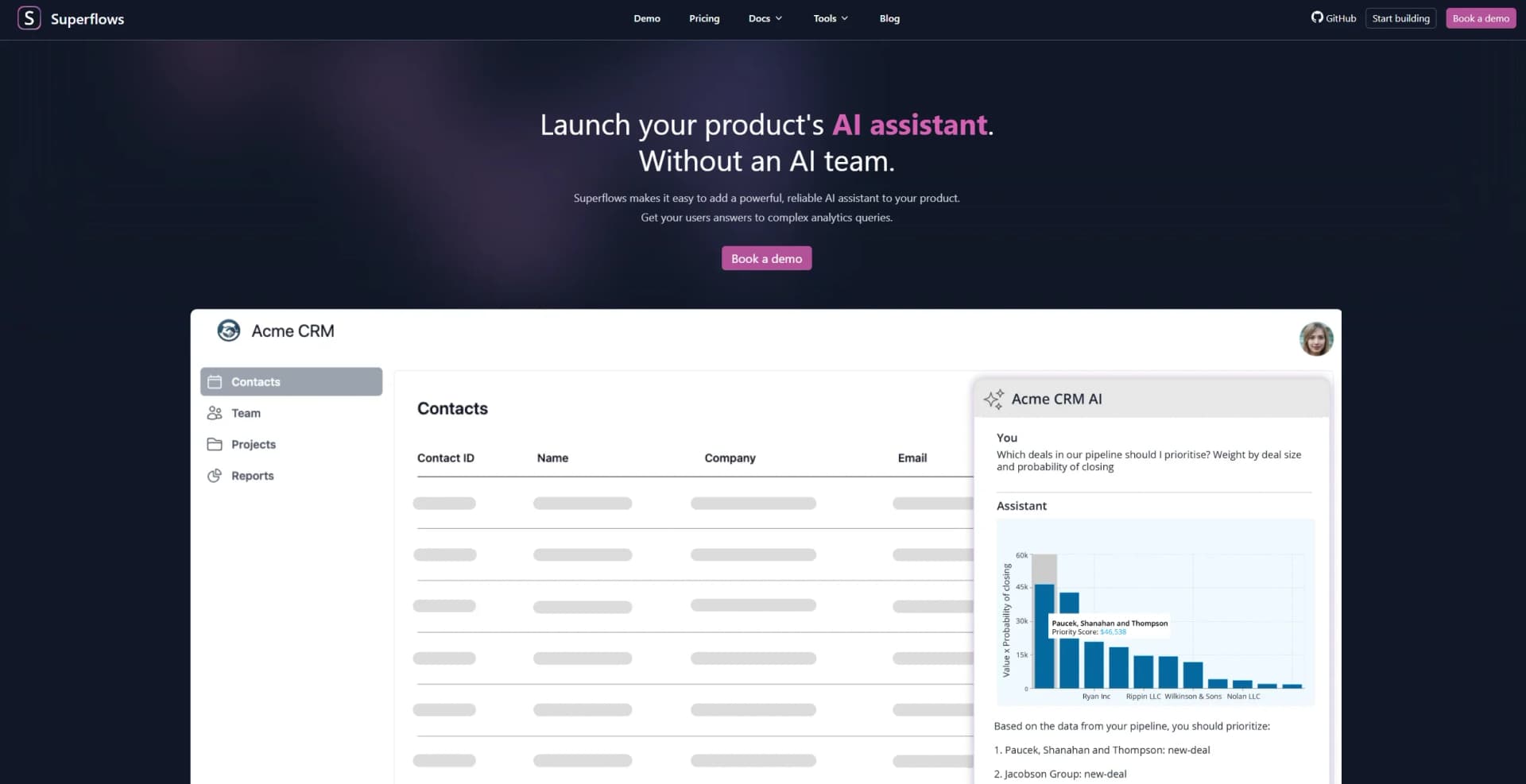
Users ask questions about deals, pipeline priorities, tasks, and outreach performance.
Outcome: Users become more activated and can complete CRM tasks through chat.
Analytics and reporting
The assistant retrieves product data, analyzes it with generated code, and creates plots or reports.
Outcome: Users receive complex data insights without manually building dashboards.
Product actions
Users give natural-language commands that map to configured API endpoints, with confirmation before completion.
Outcome: Users can complete product tasks through a conversational interface.
Documentation assistant
Superflows uses connected product documentation to answer questions about how the software works.
Outcome: Users have access to an in-product product expert.
AI assistant evaluation
Teams configure endpoints, test queries in the playground, inspect behavior, and monitor user interactions.
Outcome: Teams can evaluate and adjust assistant behavior before production.
Workflow Ideas with Superflows
Build and launch an API-connected assistant
- 1Upload the product's OpenAPI specification and documentation
- 2Configure available actions, authentication, and assistant behavior
- 3Integrate the assistant into the frontend with one code snippet
Investigate CRM performance
- 1Ask which deals should be prioritized
- 2Have Superflows retrieve and analyze CRM API data
- 3Review the resulting explanation, plot, or recommended actions
Evaluate assistant behavior before launch
- 1Configure endpoints and assistant descriptions
- 2Run representative requests in the playground
- 3Adjust behavior and evaluate the assistant before going live
How Superflows fits into your stack
Browser
Superflows is accessed through its cloud dashboard, where teams configure, test, and debug an AI assistant before production.
Knowledge and files
Teams upload API specifications and documentation so the assistant can answer product questions using static knowledge and connected data.
Automation and APIs
Superflows connects to a product's APIs, generates analytics, and prepares or executes actions after user confirmation.
Pros
- +Time Efficiency: Reduces the time users spend obtaining answers from hours to mere seconds.
- +Developer Resource Savings: Eliminates the need for extensive internal dashboard development, saving months of engineering time.
- +User Engagement: Enhances user experience by providing instant solutions, increasing user retention.
- +Control Over Outputs: Allows product teams to approve answer formats, ensuring the AI assistant remains reliable and on-brand.
Cons
- −Initial Setup: Requires initial configuration of APIs and documentation, which may require technical input.
- −Dependency on API Availability: The tool's effectiveness is contingent on the accessibility and accuracy of the product's APIs.
- −Limited Customization Options: While powerful, customization might be limited to predefined configurations.
Limitations & when to consider alternatives
Known limitations
- Testing plan is limited. The free Testing plan includes 50 queries in the testing playground and one seat.
- Production usage is paid. The Scale plan costs $999 monthly and includes defined Chat-to-API and Chat-to-Docs query allowances.
- Actions currently use HTTP requests. The documentation states that only HTTP requests are currently accepted as action types.
- Self-hosting assistance is required. The site says interested users should contact Superflows for help setting up self-hosting.
- Assistant scope affects reliability. Superflows advises limiting the assistant's scope because adding more tasks increases prompt complexity and can reduce reliability.
Look elsewhere when
- You need a native mobile app.
- You need a browser extension.
- You need SSO or SAML.
- You need documented encryption controls.
How to Use Superflows
- 1
Create an account
Use the Superflows dashboard to create a free account and begin configuring an assistant.
- 2
Connect your API
Upload an OpenAPI specification or configure API actions so the assistant knows which endpoints it can use.
- 3
Add documentation
Provide product documentation so the assistant can answer product-usage questions.
- 4
Configure behavior
Set assistant, action, and user descriptions to control the assistant's behavior and context.
- 5
Test in the playground
Run representative requests, inspect results, and adjust the assistant before production.
- 6
Integrate into the frontend
Add the Superflows frontend integration so users can access the assistant inside the product.
Who is Superflows For?
Product teams at SaaS companies
Superflows is designed for teams embedding an AI assistant into their software product.
CRM product teams
CRM teams can let users query pipelines, prioritize deals, create tasks, and investigate outreach performance through chat.
Product managers
Product managers can reduce dashboard-building work and improve access to product functionality through natural-language assistance.
Developers
Developers can connect APIs, upload OpenAPI specifications, configure assistant behavior, and integrate React UI components.
Frequently Asked Questions
What is Superflows?
Superflows helps SaaS product teams embed an AI assistant that answers questions, analyzes data, performs actions, and explains product documentation.
How does Superflows connect to a product?
Teams define API endpoints and documentation, upload an OpenAPI specification, configure authentication, and integrate the assistant into their frontend.
Can Superflows perform actions?
Yes. It prepares actions on behalf of users and requests confirmation before completing potentially consequential actions.
Does Superflows support analytics?
Yes. It can call product APIs, write code to analyze returned data, and provide plots or other insights.
Is there a free plan?
Yes. The Testing plan is free and includes evaluation in test mode, 50 playground queries, one seat, and community support.
Can Superflows be self-hosted?
Superflows is open source and says self-hosting is possible; the site asks interested users to contact the team for assistance.
Community reviews
5 reviews from people who use Superflows.
Sign in to leave a review for Superflows.
Deepak Hv
Thibault BM
Matthew Phillips
Hristo Buyukliev
bela smith
Superflows Alternatives
Looking for alternatives to Superflows? Here are similar tools in the same category:
Learn to Master Superflows
With Skill Leap courses
Get in-depth training on Superflows and 50+ other AI tools with our expert-led video courses.
Start 7-Day Free Trial