
Supersimple
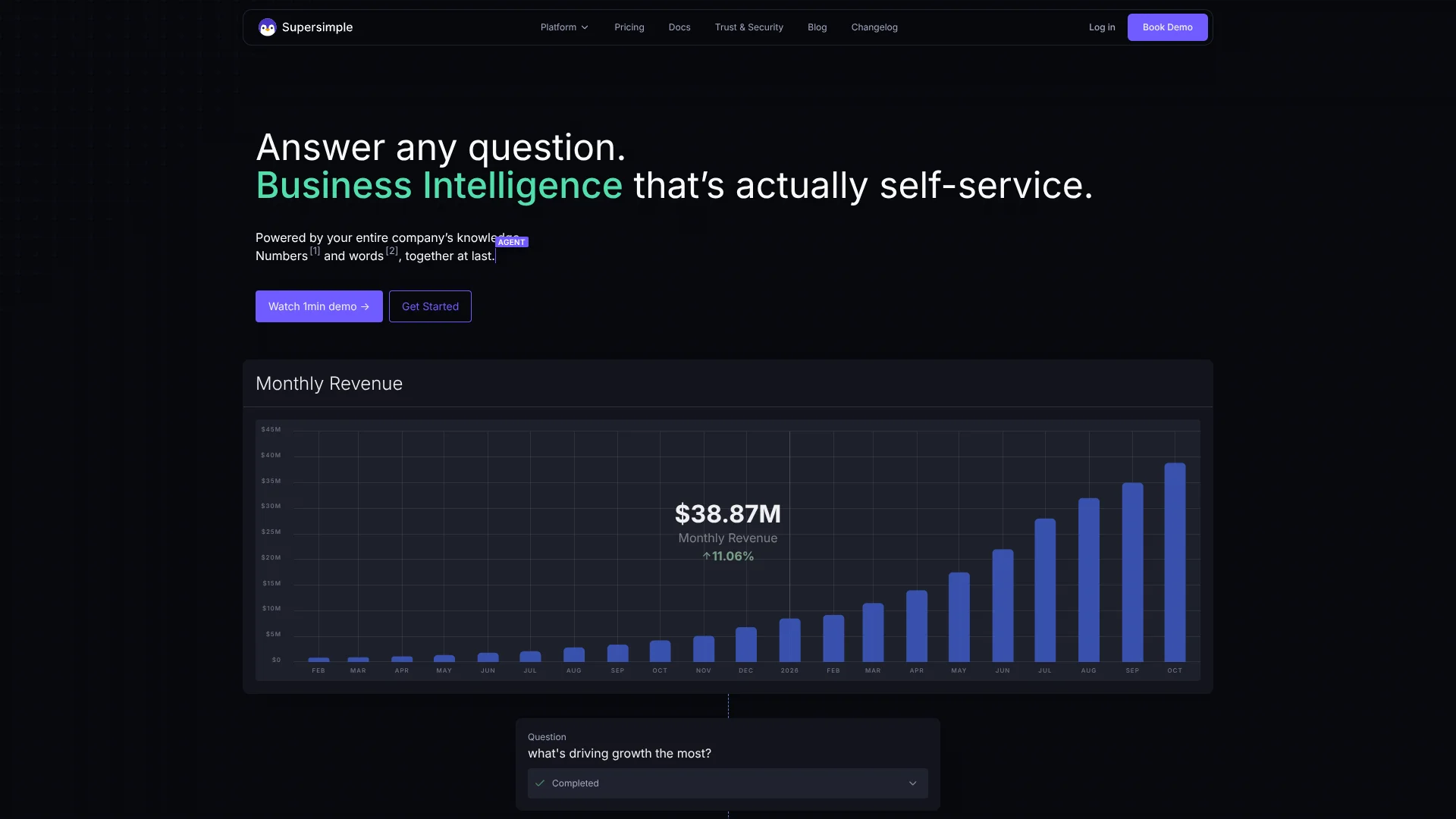
Explainable business analysis grounded in warehouse data and company knowledge.
Key Takeaways
- What it is
- Explainable business analysis grounded in warehouse data and company knowledge.
- Pricing
- $1,450 per month · $2,550 per month
- Best for
- Governed Semantic Layer
- Explainable Explorations
- Enterprise Search
- Rating
- 4.3/5
What is Supersimple?
Supersimple turns natural-language questions into explainable business analysis using your data warehouse and connected company knowledge. Teams can explore metrics, build reports, and search documents, conversations, tasks, and code from the same workspace. Its AI works from shared data models, relationships, metrics, permissions, and business instructions instead of treating every question as an isolated prompt.
Supersimple's distinctive capability is permission-aware analysis that combines live warehouse data with company context and shows the logic behind each result. The same governed context can answer questions inside Supersimple, Slack, Claude, Cursor, or another MCP-capable tool.
Supersimple is best for data teams and growing companies that need repeatable answers built on shared definitions. It requires a connected warehouse and some data-model setup, so it is a poor fit for casual analysis of a single spreadsheet. Choose it when AI answers must be explainable, permission-sensitive, and reusable across a team.
Who is Using Supersimple?
Data Analysts
Reusable explorations, SQL blocks, and explainable steps help analysts turn recurring questions into shared analytical work.
Data Engineers
Version-controlled YAML models, the CLI, Git syncing, and coding-agent support keep the analytical foundation maintainable.
Product Managers
Natural-language questions connect product metrics with relevant discussions and documents when a dashboard does not explain the result.
Customer Success Managers
Account context from warehouse data and Slack can support churn, onboarding, expansion, and customer health investigations.
Sales Leaders
Permission-aware search and business metrics help sales teams investigate account performance and customer signals.
Uncommon Use Cases
Review GitHub codebases and pull requests as business context; let Inbox identify unclear definitions and missing data from real AI usage.
Key Features
Rating Breakdown
Pricing Plans
Starter
$1,450 per month
- Unlimited free viewer users
- Up to 15 active explorers
- All supported data warehouses
- Google Drive, Slack, and Notion native data sources
- SQL code blocks, CLI, and skill for AI agents
- Configurable alerting and recurring reports
Growth
$2,550 per month
- All Starter features included
- 25 active explorers included for free
- $30 per month for additional explorers
- GitHub, Confluence, Google Drive, Slack, and Notion integrations
- Custom MCP data sources
- Reusable permissioned AI skills, query caching, and usage analytics
- Native Python blocks, dashboards-as-code, and row-level security
- Autopilot background research mode available as an add-on
Custom
- Custom plans for scale-ups and larger companies with advanced security needs
- Dedicated account manager and custom support and uptime SLAs
- API access, Microsoft SharePoint and Teams, and custom integrations
- SSO, audit log and usage analytics, BYOK for AI models
- Embedding, customizable Python environment, and deployment inside your own cloud
Which Supersimple plan should you pick?
Start with Starter for a team beginning self-service data exploration, move to Growth when you need more explorers and integrations, and choose Custom for advanced security, API access, or deployment needs.
Starter
Good for teams getting started with self-service business intelligence, enterprise search, governed warehouse analysis, Slack questions, alerts, and recurring reports.
Growth
Good for fast-growing companies that need more active explorers, GitHub and Confluence context, reusable AI skills, Python blocks, row-level security, and priority support.
Custom
Good for scale-ups and larger companies that need SSO, API access, custom integrations, embedding, advanced support, or deployment inside their own cloud.
Supersimple Use Cases
Self-Service Business Intelligence
Business users can ask questions in plain English and receive a mini-report built from governed no-code exploration steps.
Outcome: Faster answers to operational and performance questions without waiting for a custom dashboard.
Warehouse and Slack Investigation
A metric can be examined alongside the conversations, documents, and decisions that explain why it changed.
Outcome: Analysis that includes both the number and the surrounding business context.
Permission-Aware Enterprise Search
Company knowledge across chats, documents, tasks, code, and files becomes searchable while each person sees only content they can access.
Outcome: Relevant answers grounded in sources the user is authorized to view.
Recurring Reports
Agent skills and recurring reports can guide repeatable checks such as customer status, activation, expansion, or churn-risk reviews.
Outcome: A repeatable reporting process with consistent instructions and sources.
Data Model Improvement
Inbox groups evidence from questions and AI traces to show where models, definitions, or context need attention.
Outcome: A prioritized list of improvements for the data and AI foundation.
Workflow Ideas with Supersimple
Weekly Customer Health Review
- 1Find recent usage and revenue signals in the warehouse.
- 2Check related Slack conversations and customer context.
- 3Summarize churn or expansion signals in a recurring report.
Product Release Analysis
- 1Compare product metrics before and after the release.
- 2Search connected discussions and documents for reported issues.
- 3Share an exploration with the logic and sources attached.
Model Quality Review
- 1Review Inbox findings from recurring AI questions.
- 2Clarify missing definitions or conflicting business terms.
- 3Update the governed model or AI skill and sync the change.
How Supersimple fits into your stack
Data Warehouse
Supersimple reads fresh data from supported warehouses and databases through read-only connections. Your warehouse remains the source of the underlying data.
Semantic Layer
YAML models, relationships, metrics, permissions, Git, dbt, and the CLI provide the governed layer that AI and human explorations use.
Company Knowledge
Slack, Google Drive, Notion, Confluence, GitHub, and other sources add the documents, conversations, code, and tasks needed to explain warehouse results.
AI Interfaces
Slack and the Supersimple MCP server let users ask questions from Slack, Claude, Cursor, and other MCP-capable tools while preserving their access.
Reporting and Operations
Alerts, recurring reports, dashboards, sharing links, exports, and embedding help turn individual AI answers into ongoing team workflows.
Pros
- +Governed answers: AI works from shared metrics, relationships, permissions, and business definitions.
- +Explainable analysis: Each result exposes the steps, formulas, filters, and aggregations behind it.
- +Cross-source context: Warehouse data can be analyzed alongside Slack, documents, code, and other company knowledge.
- +Agent access: Claude, Cursor, and Slack can use the same Supersimple context through MCP and integrations.
- +Fresh warehouse data: Reports and questions read current data directly from the connected warehouse.
Cons
- −High entry price: The Starter plan costs $1,450 per month.
- −Setup work: Teams need a connected warehouse and governed data models before they get the strongest results.
- −Enterprise focus: The product is priced and structured for companies rather than occasional personal analysis.
Limitations & when to consider alternatives
Known limitations
- Warehouse Dependency. The strongest workflows require a connected data warehouse or database with models configured in Supersimple.
- Permission Setup. Model access and row-level security depend on configured user groups, parameters, and YAML rules.
- Custom Integrations on Custom. Custom integrations, API access, SSO, and deployment inside your own cloud are listed under the Custom plan.
- Explorer Limits. Starter includes up to 15 active explorers, while Growth includes 25 active explorers and charges $30 per month for additional explorers.
Look elsewhere when
- You need a low-cost tool for occasional analysis of a spreadsheet.
- You need a native mobile app or downloadable desktop application.
- Your team does not have a warehouse or database to connect.
- You need a broad general-purpose chat tool rather than governed business intelligence.
How to Use Supersimple
- 1
Connect a Read-Only Warehouse
Connect BigQuery, Snowflake, Databricks, PostgreSQL, Redshift, or another supported database with read-only access.
- 2
Define Your Data Models
Create models, relationships, metrics, and permissions in YAML so Supersimple's AI uses the terms your business trusts.
- 3
Add Company Context
Connect sources such as Slack, Google Drive, Notion, Confluence, or GitHub when answers need more than warehouse data.
- 4
Ask or Explore
Type a natural-language question or build the analysis with no-code steps such as Filter, New Column, and Summarize.
- 5
Inspect and Share
Review the logic and sources, edit the exploration, then share the resulting report or dashboard with teammates.
- 6
Bring AI Into Your Workflow
Connect Slack, Claude, Cursor, or another MCP client when people need to start questions outside the Supersimple workspace.
Who is Supersimple For?
Data Teams
Data owners can define models, metrics, relationships, access rules, and reusable AI workflows for the rest of the company.
Product Management
Product teams can combine usage metrics with company context to investigate adoption, activation, and customer behavior.
Customer Success
Customer-facing teams can connect account data with internal conversations and reports when investigating risk or expansion.
Sales
Sales teams can ask questions about accounts and performance while grounding answers in governed warehouse data and relevant company context.
Growing Companies
Fast-growing teams can give more employees self-service access without losing shared definitions or permission controls.
Frequently Asked Questions
Does Supersimple have a free plan?
No. The pricing page lists paid Starter and Growth plans, plus a Custom plan.
What does Supersimple cost?
Starter costs $1,450 per month, Growth costs $2,550 per month, and Custom pricing requires a conversation with Supersimple.
Which data sources can Supersimple connect to?
Supported sources include data warehouses and databases such as BigQuery, Snowflake, Databricks, PostgreSQL, Redshift, ClickHouse, MotherDuck, MySQL, and StarRocks. Knowledge integrations include Slack, Google Drive, Notion, Confluence, and GitHub.
Can I use Supersimple from Slack?
Yes. Users can tag the Supersimple bot in a Slack channel or message it directly. Answers use the asking user's permissions.
Can Claude or Cursor use Supersimple?
Yes. Supersimple provides an MCP server that lets Claude, Cursor, and other MCP-capable tools ask questions and manage supported Supersimple work.
Does Supersimple offer single sign-on?
Yes. Supersimple supports single sign-on through OpenID Connect, and SSO is listed on the Custom plan.
Community reviews
Be the first to share your experience.
Sign in to leave a review for Supersimple.
Supersimple Alternatives
Looking for alternatives to Supersimple? Here are similar tools in the same category:
Learn to Master Supersimple
With Skill Leap courses
Get in-depth training on Supersimple and 50+ other AI tools with our expert-led video courses.
Start 7-Day Free Trial