Synthesia
Turn business scripts into presenter-led videos without filming a real person.
Watch Synthesia in Action
Key Takeaways
- What it is
- Turn business scripts into presenter-led videos without filming a real person.
- Pricing
- Freemium · $19 per month · $89 per month
- Best for
- AI Video Assistant
- AI Avatars and Voice Cloning
- 1-Click Translation and AI Dubbing
- Rating
- 4.4/5
What is Synthesia?
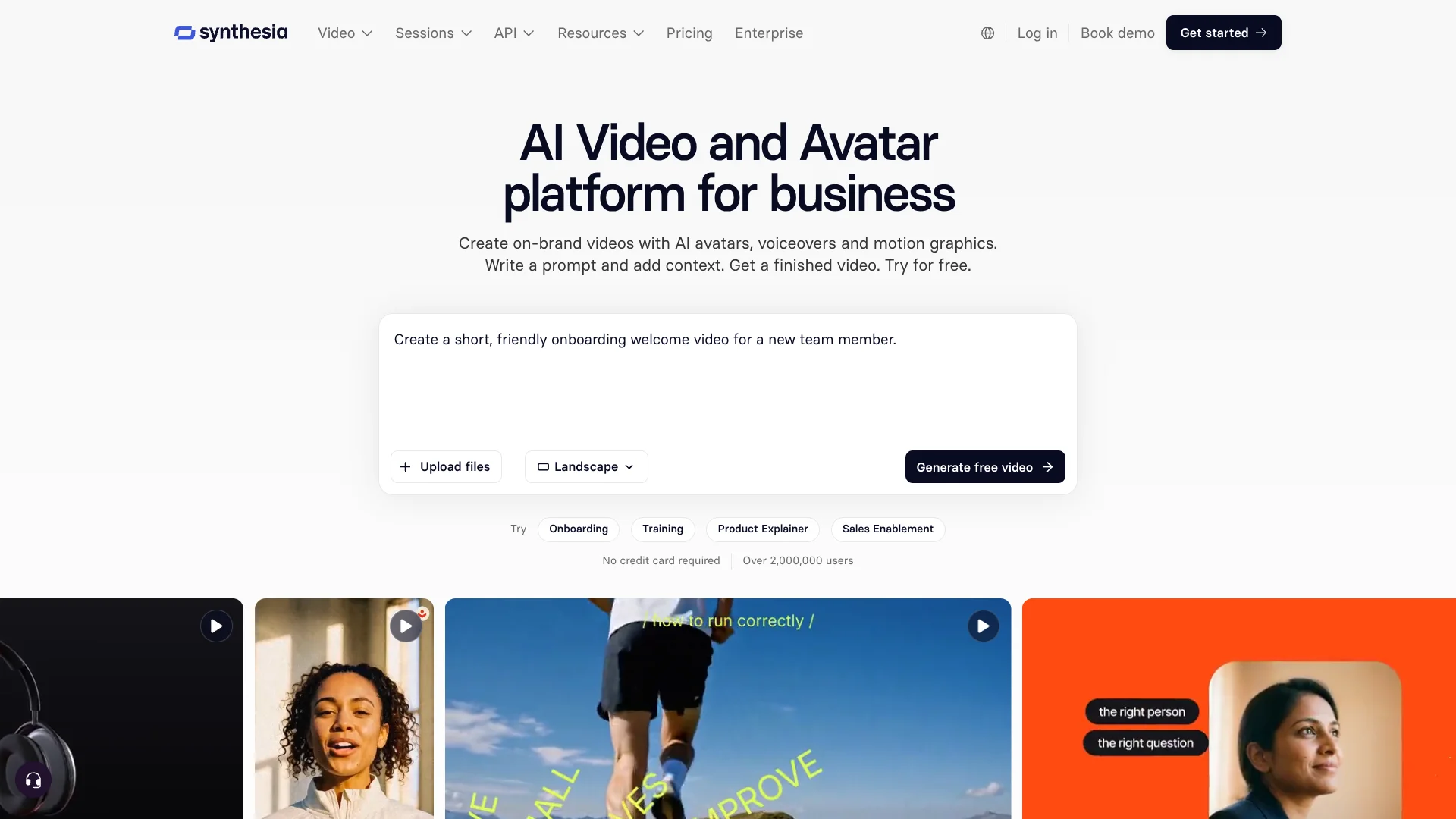
Synthesia turns scripts, documents, PowerPoint presentations, and web links into presenter-led videos, so business teams can make training and communications without filming people or arranging a studio. Its AI presenters speak in more than 140 languages, and finished videos can be edited, shared, or embedded in learning systems. It is built for organizations that need to create and update business video regularly.
Synthesia also offers Roleplay Sessions, where an avatar responds during practice conversations and gives coaching and scores, plus Survey Sessions, where an avatar asks questions and follows up on answers. These turn the presenter into a conversation partner rather than only a narrator.
Learning and development, HR, sales enablement, and corporate communications teams are a natural fit, as are developers building video into their own products. The tradeoff is that full video editing requires a desktop or laptop, and credit limits shape how much content self-serve plans can generate.
Who is Using Synthesia?
Learning and Development Managers
Training programs become easier to update when a script change can be reflected in shared videos and LMS embeds.
HR Onboarding Specialists
New-hire introductions and process explanations can be presented by an avatar in multiple languages.
Sales Enablement Managers
Sales teams can rehearse cold calls and tough feedback scenarios with Roleplay Sessions.
Corporate Communications Managers
Company updates can be produced as branded videos and checked with view and completion analytics.
Customer Research Leads
Survey Sessions can conduct avatar-led interviews and summarize common themes and sentiment.
Uncommon Use Cases
HR operations teams can sync learners from Workday to the Synthesia Learner Portal; product teams can add real-time interactive avatars to support flows.
Key Features
Rating Breakdown
Pricing Plans
Basic
Free
- 500 credits per month
- 10 minutes of video creation or dubbing and 3 survey responses per month
- Videos carry a Synthesia watermark
Starter
$19 per month
- First month is $9, then $19 per month on monthly billing
- Annual billing is $14 per month, billed at $168 yearly
- 1,250 extra credits per month on top of the Basic allowance
- Download videos, remove the Synthesia logo, and invite 3 guests
Pro
$89 per month
- First month is $49, then $89 per month on monthly billing
- Annual billing is $59 per month, billed at $708 yearly
- 6,000 extra credits per month on top of the Basic allowance
- Invite 5 guests and access the Pro avatar library
Enterprise
- Custom number of editors and guests
- SSO and tailored onboarding and implementation services
Which Synthesia plan should you pick?
Start with Basic to test video creation, choose Starter for regular individual use, and move to Pro or Enterprise when your credit needs, team access, or controls require more capacity.
Basic
Good for newcomers who want to test the editor, avatars, and voices with a free monthly allowance.
Starter
Good for individuals making videos regularly who need downloads, no Synthesia watermark, and more credits.
Pro
Good for heavier video creation and teams that need more credits, guest seats, and a larger avatar selection.
Enterprise
Good for organizations that need tailored capacity, more editors and guests, SSO, and enterprise support.
Synthesia Use Cases
Employee Training
Training teams can turn instructional material into presenter-led videos and publish them in an LMS.
Outcome: Training content that can be edited and shared as procedures change.
Multilingual Video Localization
A finished video can be translated and dubbed for audiences in other languages, with optional lip-sync.
Outcome: Localized versions without rebuilding each video from scratch.
Sales Conversation Practice
Roleplay Sessions give sales representatives a place to rehearse calls and receive coaching.
Outcome: Practice conversations with coaching and scores.
Customer Interviews
Survey Sessions let an avatar ask questions, follow up on responses, and summarize the answers.
Outcome: Response transcripts and summaries of themes and sentiment.
Product and Support Videos
Product teams can create explainers and embed them in websites, help content, or learning materials.
Outcome: Shareable video content embedded where customers or employees need it.
Workflow Ideas with Synthesia
Update and Publish a Training Video
- 1Start a video draft from a document, PowerPoint, or link.
- 2Add the presenter, brand styling, and any needed translation.
- 3Share the video or embed it in an LMS, then review its analytics.
Localize an Existing Video
- 1Choose a finished Synthesia video or provide an existing video for dubbing.
- 2Select target languages and adjust terminology with a custom glossary.
- 3Review the dubbed versions and share or embed them for each audience.
Practice a Sales Conversation
- 1Set up a Roleplay Session for a sales call or other difficult conversation.
- 2Have team members practice with the responsive avatar.
- 3Review the coaching and scores to identify areas for further practice.
How Synthesia fits into your stack
Video Creation
The web editor turns scripts and source materials into presenter-led videos. The AI Video Assistant can draft scenes and scripts from documents, presentations, or links.
Learning Platforms
Teams can embed videos or export SCORM packages for LMS courses. Official integrations include Docebo, Articulate 360, SAP Litmos, and Moodle.
Team Workspaces
Shared workspaces, guest seats, and Live Collaboration support team video work. Brand Kits help keep videos consistent with company styling.
Automation and APIs
The Synthesia API supports programmatic video creation, while Interactive Avatars APIs can add real-time avatars to another product. Integrations include Make and Workato for workflow automation.
Screen Recording
The AI Screen Recorder uses a Chrome or Edge browser extension to capture a screen and turn the recording into an editable video script.
Pros
- +Fast video updates: Edit a video once and its shared links and embeds update automatically.
- +Broad localization: Translate videos into more than 140 languages and keep terms consistent with a custom glossary.
- +Practice and feedback: Roleplay Sessions let employees rehearse difficult conversations and receive scores.
- +Learning-system fit: Videos can be shared, embedded, or exported for LMS use as SCORM.
Cons
- −Credit budgeting: Video creation, dubbing, surveys, and API use draw from plan allowances, so heavier use needs monitoring.
- −Desktop editing: The full video editor is unavailable in the mobile browser experience.
- −Free-plan watermark: Videos made on Basic carry Synthesia branding.
Limitations & when to consider alternatives
Known limitations
- Monthly credits do not roll over. Unused credits reset at the start of the next billing period.
- Video editing is not available on mobile. The mobile browser experience supports some account and content tasks, but the full editor requires a desktop or laptop.
- Legacy video API has plan restrictions. The Legacy v2 API is available on Pro and Enterprise; the Interactive Avatars API is available on all plans.
Look elsewhere when
- You need a native mobile app or full video editing on a phone.
- Your team needs a desktop video editor installed on Windows, Mac, or Linux.
- You need unused monthly credits to carry forward into later billing periods.
How to Use Synthesia
- 1
Choose a Starting Point
Begin with a prompt, document, PowerPoint, link, or a blank video, depending on the material you already have.
- 2
Build the Video Draft
Set the script, scenes, and avatar in the AI Video Assistant or video editor.
- 3
Apply Your Brand
Add brand styling and choose visuals that fit your organization’s video.
- 4
Generate and Review
Generate the video, check the narration and scenes, and revise the script or presentation as needed.
- 5
Translate or Dub
For another language, use 1-Click Translation or AI Dubbing and review any glossary terms.
- 6
Share and Measure
Publish by link, embed the video, or export it for an LMS, then check analytics to see how viewers respond.
Who is Synthesia For?
Learning and Development
Training teams can produce and update instructional videos and publish them through their learning systems.
HR and Corporate Communications
People teams can make onboarding and company update videos without coordinating a filmed production.
Sales Enablement
Sales teams can create product explainers and practice customer conversations with Roleplay Sessions.
Enterprise Organizations
Larger organizations can manage video creation across teams with shared workspaces, access controls, and SSO.
Developers
Product teams can generate videos through the API or add interactive avatars to their own experiences.
Frequently Asked Questions
Does Synthesia have a free plan?
Yes. Basic is free and includes 500 credits per month, a monthly allowance of video creation and dubbing, and three survey responses. Basic videos carry a Synthesia watermark.
How much does Synthesia cost?
The monthly list prices are $19 for Starter and $89 for Pro, with a $9 first month for Starter and a $49 first month for Pro. Annual billing lists Starter at $14 per month, billed at $168 yearly, and Pro at $59 per month, billed at $708 yearly. Enterprise pricing is custom.
Can Synthesia translate and dub videos?
Yes. Synthesia supports video creation and translation in more than 140 languages and offers AI Dubbing for existing videos, with optional lip-sync.
Does Synthesia have an API?
Yes. The Interactive Avatars API is available on all plans, while the Legacy v2 API is available on Pro and Enterprise.
Can I edit Synthesia videos on my phone?
The mobile browser experience supports selected tasks, but the video editor is not available on mobile. Full editor functionality requires a desktop or laptop.
What happens to unused credits?
Credits reset at the start of the next billing period and do not accumulate.
Community reviews
Be the first to share your experience.
Sign in to leave a review for Synthesia.
Synthesia Alternatives
Looking for alternatives to Synthesia? Here are similar tools in the same category: