
Tabs
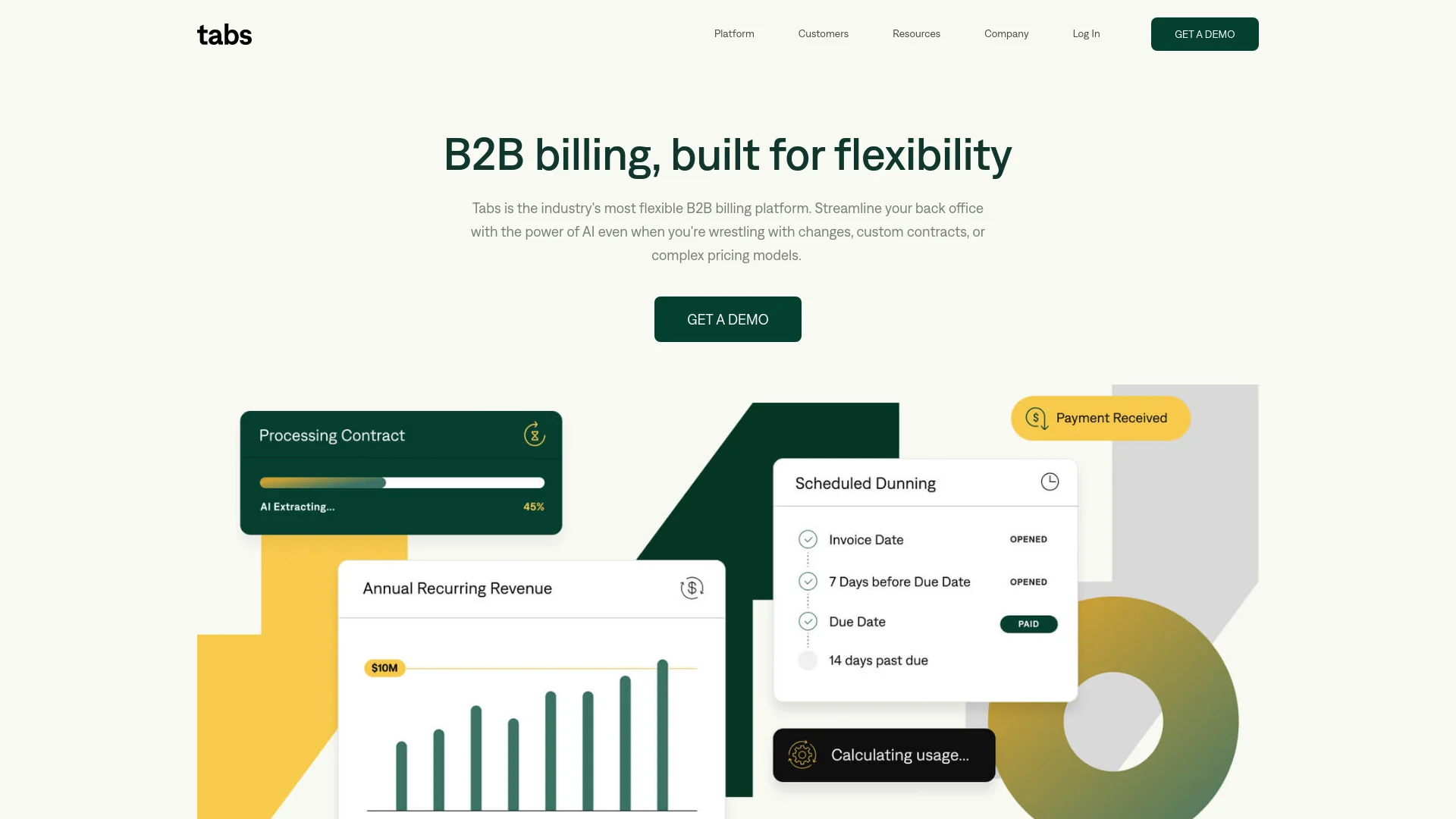
Revolutionize B2B AR with AI-driven contract and invoice automation.
Key Takeaways
- What it is
- Revolutionize B2B AR with AI-driven contract and invoice automation.
- Best for
- AI-Powered Contract Management
- Automated Invoice Calculation
- Efficient Dunning Processes
- Rating
- 4.6/5
What is Tabs?
In the bustling world of B2B transactions, managing accounts receivable (AR) can be a daunting task, especially when dealing with custom contracts and variable pricing. Enter Tabs, an AI-powered revenue management software designed to simplify the contract-to-cash process for B2B businesses. This tool is a game-changer for finance teams struggling with the complexities of manual AR operations. With Tabs, businesses can streamline their processes, reduce days sales outstanding (DSO), and minimize billing errors, ultimately leading to improved cash flow and operational efficiency.
Tabs stands out in the AR automation space by not only handling the usual invoicing and payment processes but also by providing deep insights into contract complexities and financial terms, which are often challenging for B2B businesses. Its AI-driven approach to managing custom contracts and pricing is a significant advantage, making it a unique tool in the market.
Tabs excels in transforming the B2B accounts receivable process with its powerful AI-driven features, robust integration capabilities, and comprehensive support resources. It's particularly valuable for businesses dealing with complex contracts and variable pricing. With its ability to drastically reduce manual workload and enhance financial visibility, Tabs proves to be an indispensable tool for modern finance teams aiming for efficiency and accuracy in their AR processes.
Who is Using Tabs?
E-commerce Businesses
Enhance their revenue management processes.
Finance Departments
Large and small businesses use Tabs to handle complex billing cycles.
B2B Service Providers
Manage their varied contract terms more efficiently.
Tech Startups
Utilize Tabs for agile financial operations.
Uncommon Use Cases
Non-profits adopting Tabs for better fund management; educational institutions using it for administrative financial management.
Key Features
Rating Breakdown
Pricing Plans
Standard Plan
- Contact Tabs for customized pricing options based on business needs and volume
Which Tabs plan should you pick?
Start with Launch if you are establishing revenue operations and fit within its limits; upgrade to Growth, Scale, or Enterprise as revenue, contract volume, and system complexity increase.
Launch
Good for companies getting revenue operations off the ground with up to $5 million in annual revenue and 100 active contracts.
Growth
Good for companies ready to operationalize revenue and reporting with $5 million to $20 million in annual revenue.
Scale
Good for companies managing complex billing, usage, and multi-system accounting with $20 million to $50 million in annual revenue.
Enterprise
Good for companies needing a fully tailored revenue operations platform, $50 million or more in annual revenue, and unlimited active contracts.
Tabs Use Cases
Automated contract-to-invoice processing
Upload or sync signed contracts, extract billing terms, and generate invoices automatically.
Outcome: Faster invoicing with less manual data entry.
Collections automation
Run dunning sequences, generate tailored follow-up emails, and route exceptions for review.
Outcome: Faster collections and reduced manual follow-up.
Usage-based billing
Send usage events through the API and apply consumption data to usage-based billing terms.
Outcome: Accurate invoices for metered or hybrid pricing models.
Revenue recognition
Create revenue schedules and automate ASC 606-compliant revenue recognition from contract and billing data.
Outcome: More efficient month-end close and audit-ready reporting.
Finance-stack synchronization
Connect CRM, ERP, payment, tax, document, and communication systems to synchronize revenue operations.
Outcome: Fewer disconnected systems and less reconciliation work.
Workflow Ideas with Tabs
Contract-to-invoice workflow
- 1Upload a signed PDF contract or sync it from a CRM or e-signature platform
- 2Let Tabs classify the document and extract billing and revenue terms
- 3Review exceptions and generate invoices from the processed contract
Usage-based billing workflow
- 1Create an event type through the Tabs API
- 2Attach a usage-based billing term to a contract
- 3Send usage events and verify the resulting invoice
Collections and reconciliation workflow
- 1Connect payment and ERP systems
- 2Let Tabs match payments and run collections actions
- 3Approve exceptions and sync resulting updates to the finance stack
How Tabs fits into your stack
ERP Systems
Seamlessly integrates with most Enterprise Resource Planning systems.
Data Analytics Tools
Compatible with major analytics platforms to enhance data insight capabilities.
CRM Software
Works well with Customer Relationship Management software to streamline customer financial interactions.
Cloud Storage
Integrates with cloud storage solutions for backing up important financial documents and data.
Pros
- +Time-Saving: Greatly reduces the hours spent on manual contract management and invoice calculations.
- +Improved Cash Flow: By ensuring invoices are sent on time, Tabs helps speed up the payment process.
- +Error Reduction: Minimizes human errors in billing, leading to more accurate financial operations.
- +Scalability: Supports growing B2B businesses by making it easier to manage increasing volumes of contracts and billing processes.
Cons
- −Learning Curve: New users may need some time to familiarize themselves with the software’s full range of capabilities.
- −Integration Dependencies: Maximum efficiency is achieved when integrated with other systems, which might be a hurdle for businesses with less tech infrastructure.
- −Cost Consideration: For small businesses, the cost might be a significant factor to consider.
Limitations & when to consider alternatives
Known limitations
- Launch plan contract limit. The Launch plan supports up to $5 million in annual revenue and 100 active contracts.
- Growth plan contract limit. The Growth plan supports $5 million to $20 million in annual revenue and up to 500 active contracts.
- Scale plan contract limit. The Scale plan supports $20 million to $50 million in annual revenue and up to 2,000 active contracts.
- PDF required for contract ingestion. Email-based contract ingestion requires a PDF attachment; links from DocuSign or PandaDoc without an attached PDF are discarded.
- ERP invoice changes do not sync back. Tabs states that changes made directly in the ERP to Tabs-sent invoices do not sync back into Tabs.
How to Use Tabs
- 1
Tabs offers a range of tutorials on their website, including webinars, detailed guide articles, and a dedicated support team to help users maximize the software’s capabilities.
Who is Tabs For?
Finance and accounting teams
Tabs helps CFOs, controllers, and accounting teams automate billing, collections, revenue recognition, reporting, and close management.
RevOps teams
RevOps teams can unify contract, customer, usage, billing, payment, and revenue data across their commercial systems.
Product and engineering teams
Product and engineering teams can launch configurable billing infrastructure and extend Tabs through APIs and integrations.
Accounting partners
Accounting partners can manage clients’ billing, collections, revenue recognition, and revenue operations workflows.
Frequently Asked Questions
What is Tabs?
Tabs is an AI-native revenue platform that ingests contracts and customer data, generates invoices, manages collections, recognizes revenue, and syncs with ERP systems.
What pricing plans does Tabs offer?
Tabs offers Launch at $2,000 per month, plus Growth, Scale, and Enterprise plans with custom pricing.
Does Tabs have an API?
Yes. The REST API supports customers, contracts, billing terms, usage data, invoices, payments, reports, and API-key authentication.
What documents can Tabs process?
Tabs processes agreements such as MSAs, order forms, purchase orders, amendments, statements of work, and renewals, primarily as PDFs.
How does Tabs automate billing?
Tabs extracts commercial terms from contracts, converts them into billing schedules, generates invoices, and syncs financial data with connected systems.
How long does implementation take?
Tabs states that customers can be live in weeks rather than quarters and includes implementation, data migration support, training, and go-live support.
Community reviews
Be the first to share your experience.
Sign in to leave a review for Tabs.
Tabs Alternatives
Looking for alternatives to Tabs? Here are similar tools in the same category:
Learn to Master Tabs
With Skill Leap courses
Get in-depth training on Tabs and 50+ other AI tools with our expert-led video courses.
Start 7-Day Free Trial