Talknotes
Talknotes is your ultimate voice memos companion, transforming your spoken words into a variety of written content with AI-powered magic.
Key Takeaways
- What it is
- Talknotes is your ultimate voice memos companion, transforming your spoken words into a variety of written content with AI-powered magic.
- Pricing
- $16 per month
- Best for
- Multi-Language Support
- Customizable Note Styles
- High Accuracy Transcription
- Rating
- 4.6/5
What is Talknotes?
Talknotes is an innovative AI-powered voice note application designed to revolutionize note-taking for professionals and individuals alike. By leveraging advanced AI algorithms, Talknotes offers an efficient way to capture, transcribe, and organize spoken content into actionable notes. This tool is perfect for anyone looking to streamline their workflow, enhance productivity, and never miss a critical piece of information during meetings, brainstorming sessions, or personal reflections.
Talknotes stands out with its ability to transform voice recordings into various structured formats, such as blogs or scripts, which is a game-changer for content creators and professionals alike. Its extensive language support and customizable note styles set it apart as a versatile tool for a broad spectrum of users.
Talknotes offers an unparalleled note-taking experience by combining ease of use with powerful AI-driven features. It empowers users to work smarter, stay organized, and maintain a competitive edge in today's fast-paced environment. Whether you're a busy professional or a creative looking to streamline your workflow, Talknotes is your go-to solution for transforming ideas into actionable insights.
Who is Using Talknotes?
Corporate Professionals
Utilizing the app for efficient meeting transcriptions and task management.
Content Creators
Employing Talknotes for brainstorming and drafting content ideas.
Students and Academics
Leveraging the tool for transcribing lectures and research notes.
Journalists
Using Talknotes for quick and accurate interview transcriptions.
Key Features
Rating Breakdown
Pricing Plans
Monthly Plan
- Includes unlimited notes and recording features
Yearly Plan
$16 per month
- Billed annually at $197.00 per year
- Offering a comprehensive package with additional savings
Which Talknotes plan should you pick?
Start with the 7-day free trial of the Monthly plan, then choose Yearly if you use TalkNotes regularly and want the lower effective monthly price.
Monthly
Good for users who want all features, unlimited notes, up to 2-hour recordings, file uploads, custom styles, and monthly billing flexibility.
Yearly
Good for regular users who need the same full feature set at $197 per year, equivalent to $16 per month.
Talknotes Use Cases
Employed by therapists for session notes; utilized by authors for drafting manuscripts through voice dictation.
Workflow Ideas with Talknotes
Meeting summary to team channel
- 1Record or upload the meeting audio in TalkNotes
- 2Choose a summary or task-list style
- 3Use Zapier to send the result to Slack
Voice note to project task
- 1Create a TalkNotes note from a voice recording
- 2Trigger a Zapier workflow when the note is created
- 3Create a task in Todoist, Asana, or Trello
Brainstorming session to content outline
- 1Record the brainstorming session
- 2Select the blog post planner or custom style
- 3Export the structured outline as text, Markdown, PDF, or a shareable URL
How Talknotes fits into your stack
Browser
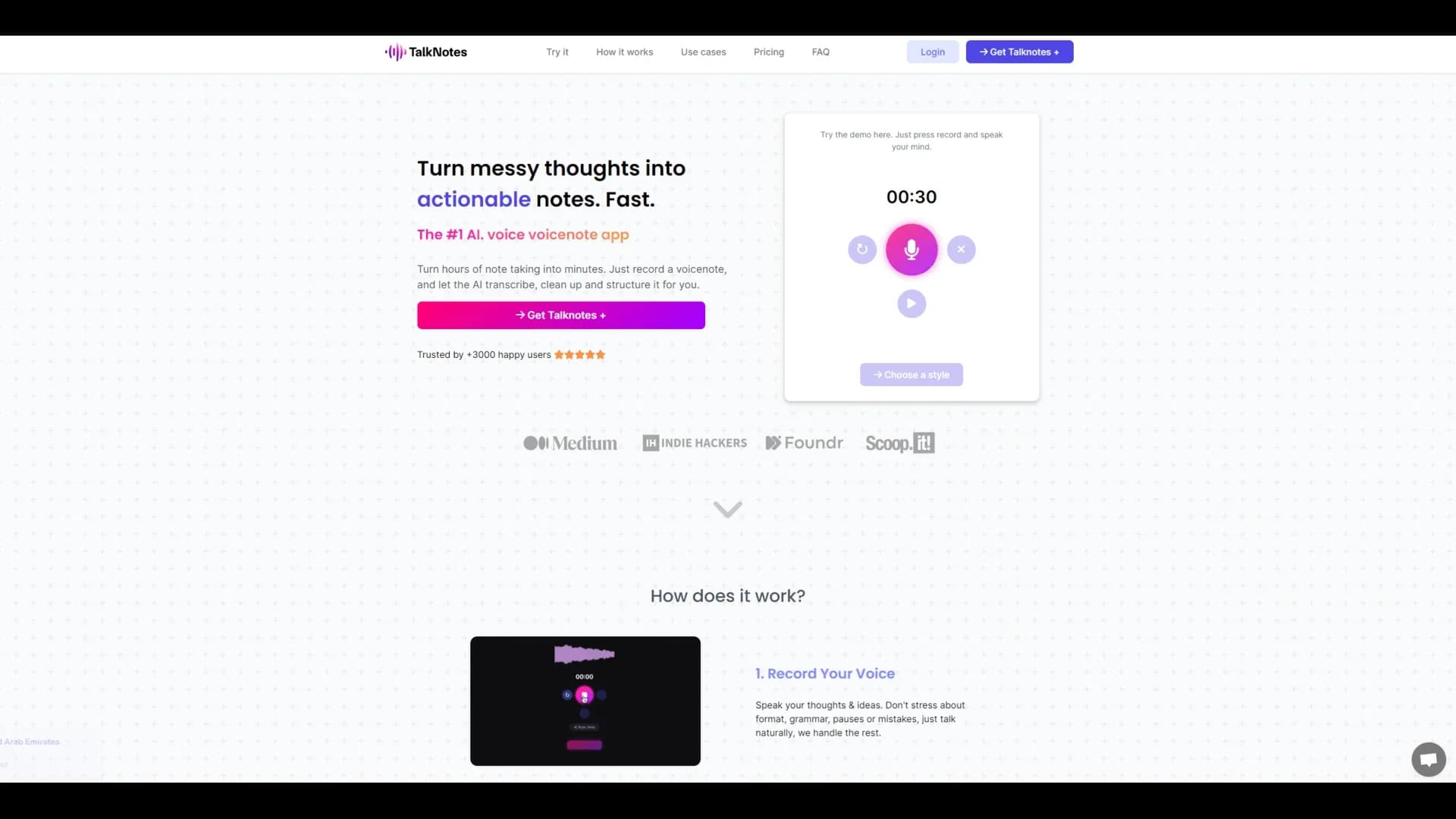
TalkNotes runs as a web app where users record voice notes, choose styles, edit results, organize notes, and share them.
Docs and writing
It turns spoken ideas into transcripts, task lists, emails, blog posts, newsletters, scripts, and other structured content, with PDF, text, and Markdown export.
Automation and APIs
TalkNotes supports Zapier connections and webhooks for sending completed-note data to other services and triggering automated workflows.
Knowledge and files
Users can organize notes with folders and tags, upload audio files for transcription, and publish individual notes through shareable links.
Pros
- +Time Efficiency: Allows users to quickly capture and organize thoughts, saving valuable time.
- +User-Friendly Interface: Intuitive design makes it easy for users of all tech skill levels to navigate and utilize.
- +Cross-Platform Availability: Accessible on web, iOS, and Android, ensuring flexibility in usage.
- +Enhanced Productivity: Helps users stay organized and focused, boosting overall productivity.
Cons
- −Internet Dependency: Requires an active internet connection to access full features.
- −Initial Learning Curve: Users may need some time to explore and customize the variety of note styles available.
Limitations & when to consider alternatives
Known limitations
- Free transcription is limited. The free transcription tool accepts files up to 5MB and processes up to 1 minute of audio at a time.
- Internet connection required. TalkNotes requires an internet connection for its full feature set.
- Single language per recording. Each recording is processed in one language; multilingual content should be split into separate recordings.
- Longer recordings consume credits. Notes up to 1 hour use 2 credits, notes up to 2 hours use 4 credits, and guest notes also consume credits.
- Fair-use restrictions apply. Although plans are marketed as unlimited, TalkNotes may limit or suspend usage it considers excessive or abusive.
Look elsewhere when
- You need a documented public developer API.
- You need a native Windows, macOS, or Linux desktop application.
- You need enterprise SSO or SAML.
- You need image analysis or vision input.
How to Use Talknotes
- 1
Create or upload audio
Record directly in TalkNotes or upload an audio file to convert spoken content into text.
- 2
Select a language
Choose the language for the recording before processing; TalkNotes supports more than 50 languages.
- 3
Choose an output style
Select a built-in style such as Transcript, Note, Email, Task List, Flashcard, Podcast Script, or Blog Post Planner.
- 4
Customize the result
Edit the transcript and generated content, or create a custom style with your own instructions.
- 5
Organize and export
Add tags, store notes, and export them as PDF, Markdown, plain text, email, or a shareable URL.
- 6
Automate follow-up actions
Connect Zapier or configure a Webhook to send new-note data to other applications or custom endpoints.
Who is Talknotes For?
Professionals
Use TalkNotes for meeting transcription, structured summaries, and actionable next steps.
Freelancers and entrepreneurs
Record brainstorming sessions, meetings, and client calls, then turn them into plans and notes.
Students and educators
Record lectures, group discussions, and study sessions and convert them into organized notes.
Content creators
Turn spoken ideas into blog posts, newsletters, video scripts, and other publishable content.
Consultants
Create client-meeting summaries, actionable insights, and proposal drafts from recorded conversations.
Frequently Asked Questions
Is there a mobile app?
Yes. TalkNotes provides dedicated iOS and Android apps.
Can I use TalkNotes in different languages?
Yes. TalkNotes supports more than 50 human languages. Each recording is currently processed in a single language.
Can I upload my own audio files?
Yes. Paid plans support audio-file uploads, with limits depending on the plan.
Can I edit the text once it is converted?
Yes. Users can edit and organize both the generated content and transcript.
Do I need an internet connection?
Yes. An internet connection is required for the full range of TalkNotes features.
How does the shareable recorder work?
TalkNotes provides a unique link that others can use to leave guest notes directly in your account.
Community reviews
Be the first to share your experience.
Sign in to leave a review for Talknotes.
Talknotes Alternatives
Looking for alternatives to Talknotes? Here are similar tools in the same category:
Learn to Master Talknotes
With Skill Leap courses
Get in-depth training on Talknotes and 50+ other AI tools with our expert-led video courses.
Start 7-Day Free Trial