
TalkPix AI
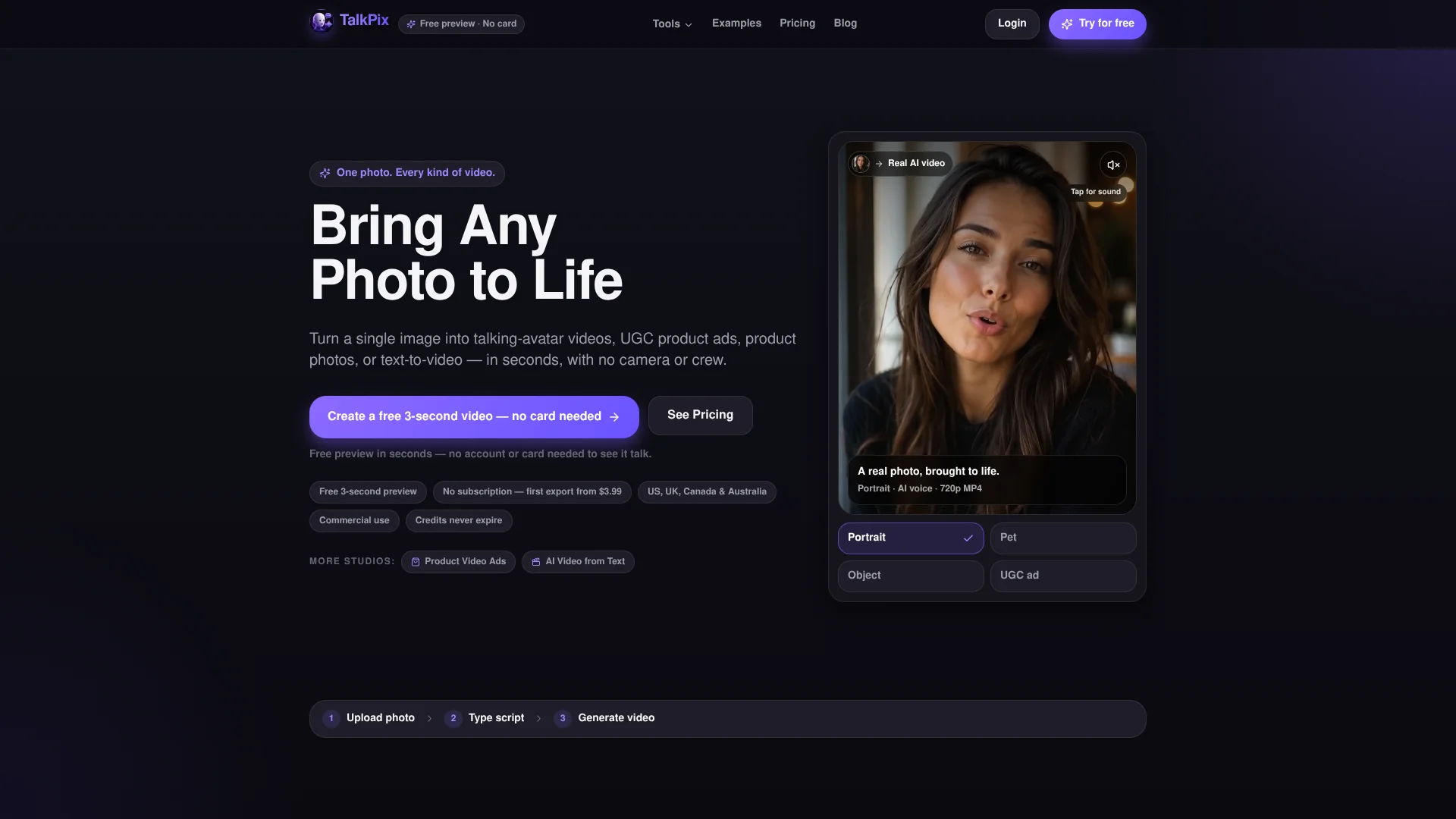
Turn one photo into talking product ads.
Key Takeaways
- What it is
- Turn one photo into talking product ads.
- Pricing
- $5 · $10 · $25 · $50 · $100 · $200
- Best for
- Talking Photo Lip Sync
- Multilingual Voices
- Voice Cloning
Who is Using TalkPix AI?
Content creators
Create talking portraits, social clips, short-form videos, and clean MP4 exports for publishing.
E-commerce sellers
Generate product photos and UGC-style product ads for listings, stores, and social campaigns.
Marketing teams
Produce spokesperson videos, product pitches, campaign assets, and creative variations.
Agencies
Use volume credit packs and create client deliverables for stores, coaches, local businesses, and other creators.
Educators and presenters
Add narration to photos and create explanatory, training, presentation, and learning content.
Key Features
Pricing Plans
Mini
$5
- +50 credits
- HD MP4
- Commercial use
- Credits never expire
Starter
$10
- +120 credits
- Save 17%
- HD MP4
- Commercial use
- Credits never expire
Creator
$25
- +350 credits
- Save 29%
- HD MP4
- Commercial use
- Credits never expire
Pro
$50
- +800 credits
- Save 38%
- HD MP4
- Commercial use
- Credits never expire
Studio
$100
- +1800 credits
- Save 44%
- HD MP4
- Commercial use
- Credits never expire
Agency
$200
- +3800 credits
- Save 47%
- HD MP4
- Commercial use
- Credits never expire
Which TalkPix AI plan should you pick?
Start with Mini for occasional experiments, move to Starter or Creator for recurring content batches, and use Studio or Agency for higher-volume production.
Mini
Good for first full videos and occasional use with 50 credits for $5.
Starter
Good for testing multiple hooks, voices, and takes with 120 credits for $10.
Creator
Good for creators producing batches of content with 350 credits for $25.
Pro
Good for heavier recurring use with 800 credits for $50.
Studio
Good for larger content batches with 1,800 credits for $100.
Agency
Good for high-volume agency or store production with 3,800 credits for $200.
TalkPix AI Use Cases
Social media posts
Turn one portrait into a short talking clip for Instagram, TikTok, or Reels.
Outcome: A downloadable talking-video clip for social publishing.
Product video ads
Use a product image, script, captions, and creator materials to make a UGC-style product ad.
Outcome: A product-promotion video for social feeds or product pages.
Product photography
Upload one product photo and generate white-background, studio, lifestyle, marble, wood, or flat-lay scenes.
Outcome: A product gallery for marketplaces, stores, and advertising.
Training and education
Create online-course videos, lesson intros, corporate training clips, onboarding content, or narrated presentations.
Outcome: Presenter-style instructional or educational video content.
Multilingual content
Write a script in a supported language or provide your own audio for a lip-synced video.
Outcome: Talking-photo content localized across multiple languages.
Workflow Ideas with TalkPix AI
Create a talking-photo video
- 1Upload or choose a clear portrait
- 2Type a script or upload and record audio
- 3Review the credit estimate, generate, and download the MP4
Build a product-ad creative
- 1Upload a product image and select a product-ad workflow
- 2Add the product message, script, captions, and brand choices
- 3Review the cost, render the ad, and download the finished creative
Create a product-photo gallery
- 1Upload one clear product photo
- 2Choose commercial scenes such as white background, studio, marble, or lifestyle
- 3Generate and download the selected product images
How TalkPix AI fits into your stack
Browser
TalkPix is a browser-based web app used on phones, tablets, and desktops to upload media, generate content, and download MP4 or image outputs.
Knowledge and files
Users provide portrait photos, product images, scripts, prompts, audio files, recordings, logos, and other brand assets as generation inputs.
Automation and APIs
A keyed HTTP Developer API is available in early access for programmatic talking-photo and product-ad renders, with asynchronous jobs, webhooks, and polling.
Pros
- +Pay-as-you-go pricing with credits that never expire
- +No subscription required
- +30 voices across 10 languages
- +Watermark-free MP4 downloads
- +Commercial use included subject to rights and consent
Cons
- −No free tier or free trial render
- −Payment or sufficient credits are required before generation
- −Core product is browser-based rather than a desktop application
- −Developer API is still early access
- −Generation media is normally deleted after 30 days
Limitations & when to consider alternatives
Known limitations
- Payment is required before generation. TalkPix does not provide a free generation tier; payment or sufficient prepaid credits are required before rendering.
- Credits are consumed by generation. Costs vary by studio, model, resolution, duration, and rendered length, and the exact estimate appears before generation.
- Talking-photo videos are limited to five minutes. Typed scripts, uploaded audio, and recordings for the talking-photo workflow support videos up to five minutes.
- Input quality affects results. TalkPix recommends a sharp, well-lit, front-facing portrait with one clearly visible face.
- Generated media is normally deleted after 30 days. Uploaded photos and generated media are automatically deleted after 30 days unless deliberately saved in supported libraries.
Look elsewhere when
- You need a live, generally available developer API
- You need a native iOS or Android application
- You need automated end-to-end campaign workflows
How to Use TalkPix AI
- 1
Choose a studio
Open Talking Photo, Product Photos, Product Video Ads, AI Video, AI Images, or another TalkPix studio based on the asset you need.
- 2
Prepare your input
Upload a clear portrait or product image, or enter a text prompt; add a script or audio when the studio supports it.
- 3
Configure the output
Choose the voice, language, motion, scene, model, resolution, or other available settings for the selected studio.
- 4
Review the credit estimate
Check the exact cost shown before generation because rates vary by studio, model, resolution, duration, and rendered length.
- 5
Generate and download
Pay with prepaid credits, wait for rendering, then download the resulting MP4, image, audio, or other studio output.
- 6
Publish or reuse
Use the clean output for social posts, presentations, training, client work, product pages, ads, or commercial content when you hold the required rights.
Who is TalkPix AI For?
Creators
Create talking portraits, singing photos, social clips, and other shareable content.
Marketers
Produce spokesperson videos, product ads, social creatives, and campaign variations.
E-commerce sellers
Turn product photos into storefront images, marketplace assets, and UGC-style product ads.
Small businesses
Create marketing and business videos without cameras, studios, or recurring subscriptions.
Educators
Make narrated photos, course videos, training clips, and language-teaching content.
Frequently Asked Questions
What is TalkPix?
TalkPix is a browser-based AI creation platform for talking photos, singing photos, product ads, product photography, AI video, images, songs, and voice cloning.
Is TalkPix free?
No. TalkPix requires payment before generation. The first eligible Talking Photo costs $1.99, and reusable credit packs start at $5.
How do I make a talking photo?
Upload or choose a portrait, type a script or upload audio, select voice and video settings, review the credit estimate, and generate.
Which languages and voices are supported?
The Talking Photo studio lists 30 AI voices across 10 languages, including English, Spanish, French, German, Italian, Portuguese, Japanese, Korean, and Hindi.
Can I use my own voice or audio?
Yes. You can upload MP3, WAV, M4A, or OGG audio, record in the browser, or create a reusable voice clone.
Can I use TalkPix outputs commercially?
Yes. Downloaded videos include commercial use, provided you have the necessary rights and consent for all uploaded inputs.
Community reviews
Be the first to share your experience.
Sign in to leave a review for TalkPix AI.
TalkPix AI Alternatives
Looking for alternatives to TalkPix AI? Here are similar tools in the same category:
Learn to Master TalkPix AI
With Skill Leap courses
Get in-depth training on TalkPix AI and 50+ other AI tools with our expert-led video courses.
Start 7-Day Free Trial