Taskade
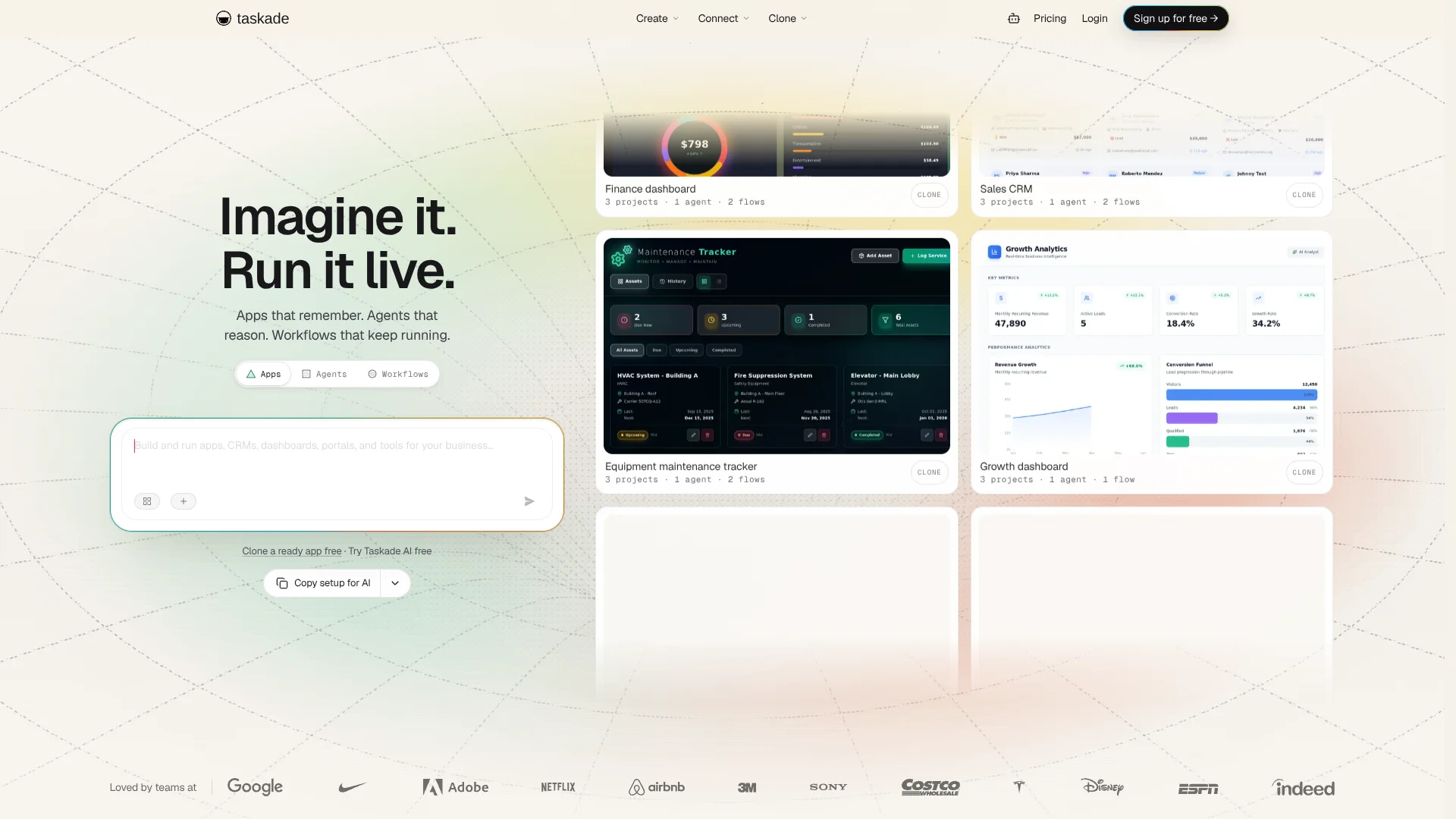
Turn plain-language ideas into hosted business apps with built-in AI agents.
Watch Taskade in Action
Key Takeaways
- What it is
- Turn plain-language ideas into hosted business apps with built-in AI agents.
- Pricing
- Freemium · $6 per month, billed yearly · $10 per month, billed yearly · $25 per month, billed yearly · $100 per month, billed yearly
- Best for
- Taskade Genesis
- AI Agents
- AI Teams
- Rating
- 4.3/5
What is Taskade?
Taskade Genesis turns a written description into a hosted business app, such as a CRM, dashboard, or client portal. The app can use Taskade projects for its data, AI agents for questions and actions, and automations to carry work forward. Founders, operators, and agencies can build working internal tools without writing code or managing app hosting.
A generated app is connected to the same workspace projects, agents, and automations that power it. That means an agent can work with the app’s data, while an automation can respond to events in the app.
Taskade fits people who want to build and run business tools alongside their team, especially agencies managing client work. Its apps can be published as hosted web apps. Teams that need native iOS or Android apps should check that the required publishing options are available.
Who is Using Taskade?
Startup founder
A first version of a client portal or CRM can be built from a prompt and tested as a hosted app.
Agency owner
Client dashboards and portals can be organized in shared workspaces and published on custom domains.
Marketing manager
Content workflows can gather material from sources such as YouTube and route work through automations.
Operations manager
A live tracker can bring project data, AI agents, and follow-up automations into one workspace.
Developer
The REST API and webhooks can connect Taskade projects and agents to other systems.
Uncommon Use Cases
A booking portal that routes requests into a team workflow; a client-facing dashboard built from a cloned app kit.
Key Features
Rating Breakdown
Pricing Plans
Free
Free
- Up to 3 hosted Genesis apps
- 10 automation runs per month
- No monthly AI credits included
Starter
$6 per month, billed yearly
- $72.00 billed for one year
- 10,000 AI credits per month
- 3 users and 350 automation runs per month
Pro
$10 per month, billed yearly
- $120.00 billed for one year; monthly billing is $20.00 per month
- 50,000 AI credits per month
- 10 users and 1,000 automation runs per month
Business
$25 per month, billed yearly
- $300.00 billed for one year; monthly billing is $50.00 per month
- 150,000 AI credits per month
- Unlimited users and SAML single sign-on
Max
$100 per month, billed yearly
- $1,200.00 billed for one year; monthly billing is $200.00 per month
- 400,000 AI credits per month
- Unlimited users and 1 TB of shared storage
Enterprise
- 1.1 million AI credits per month
- SCIM provisioning, dedicated onboarding, and custom service terms
Which Taskade plan should you pick?
Start with Free to test app building, choose Starter for a small team that needs monthly AI credits, and move to Pro when you need more agents, users, or automation runs.
Free
Good for trying Genesis with up to three apps and 10 automation runs per month.
Starter
Good for growing projects that need 10,000 monthly AI credits and up to three users.
Pro
Good for creators and teams that need unlimited agents, 50,000 monthly AI credits, and up to 10 users.
Business
Good for agencies and client work that need unlimited users, custom domains, and SAML single sign-on.
Max
Good for teams with heavy AI workloads that need 400,000 monthly AI credits.
Enterprise
Good for organizations that need SCIM provisioning, custom service terms, or dedicated onboarding.
Taskade Use Cases
Build a lightweight CRM
A prompt can produce a lead-tracking app connected to workspace projects, agents, and follow-up workflows.
Outcome: A hosted CRM that can track leads and support follow-up.
Create a client portal
A branded portal can give clients a place to view shared project information.
Outcome: A hosted client portal with sign-in.
Automate lead follow-up
A workflow can respond to a form or other trigger and route information through connected services.
Outcome: Less manual handling of incoming leads.
Build an operations dashboard
Project data can be presented as a live dashboard for tracking work such as inventory or team capacity.
Outcome: A shared view of operational data.
Make an AI knowledge agent
An agent can draw on uploaded files, project information, or connected sources to answer questions about team knowledge.
Outcome: Answers grounded in the knowledge provided to the agent.
Workflow Ideas with Taskade
Route a new lead
- 1Create a lead form or CRM app in Taskade Genesis.
- 2Connect a form submission to an automation.
- 3Send the lead details to a connected service or project.
Prepare a client update
- 1Keep project tasks and notes in a shared workspace.
- 2Have an agent summarize the latest project information.
- 3Share the update through a client portal.
Build a team knowledge agent
- 1Add relevant files or project information to a workspace.
- 2Set up an agent with a clear role and knowledge sources.
- 3Let teammates ask the agent questions in the workspace.
How Taskade fits into your stack
App building
Taskade Genesis creates hosted web apps from prompts, with a database included. The Free plan allows up to three apps.
Projects and knowledge
Projects hold tasks, documents, and workspace data that agents can use as knowledge.
Automations and integrations
Automations move work through trigger-based steps and connect with services such as Slack, Stripe, and Google Sheets.
Team access
Shared workspaces let teammates work with the same projects, apps, agents, and automations.
Developer connections
The REST API, webhooks, and hosted MCP connections link Taskade with external software and AI tools.
Pros
- +Hosted apps: Taskade includes hosting and a database for apps built with Genesis.
- +Connected workspace: Apps, projects, agents, and automations can work with the same workspace data.
- +Ready-made app kits: Starting from a kit can save time when building a common business tool.
- +Many ways to connect: Named integrations include Slack, Google Sheets, HubSpot, Stripe, and GitHub.
Cons
- −Credit budgeting: AI credit use varies with the model and task, so larger builds can consume more than short requests.
- −Web app focus: Genesis apps run on the web and in Taskade’s apps, rather than being native apps for app-store publication.
Limitations & when to consider alternatives
Known limitations
- Free app cap. The Free plan allows up to three Genesis apps, and each app kit cloned into the workspace counts toward that limit.
- No included monthly AI credits on Free. Free users earn credits through referrals or social actions instead of receiving a monthly credit allowance.
- Regulated data. Taskade advises users to keep government ID numbers, payment card data, and health records out of the service.
- Web app publishing. Genesis apps are hosted web apps; the tool does not build an iOS or Android app-store package.
Look elsewhere when
- You need a native iOS or Android app for publication in an app store.
- Your project must store regulated data such as health records or payment card information.
How to Use Taskade
- 1
Start with a business task
Describe the app you need, such as a lead tracker or client portal, in Taskade Genesis.
- 2
Review the first version
Check the generated app and its data structure, then describe changes you want.
- 3
Add an agent
Give an AI agent a role and relevant knowledge so it can answer questions or take actions in the workspace.
- 4
Connect an automation
Choose a trigger and workflow steps to move information between Taskade and connected services.
- 5
Test before sharing
Check the app’s access settings and confirm its sign-in and data behavior before sharing it with clients or teammates.
- 6
Choose a plan when usage grows
The Free plan has a three-app limit and 10 automation runs per month; paid plans add AI credits and higher usage limits.
Who is Taskade For?
Founders
Turn an idea for an MVP or internal tool into a hosted app without first building an engineering team.
Agencies
Build client-facing dashboards and portals, with custom domains available on qualifying plans.
Marketing teams
Create content agents and workflows that connect to services such as Slack, YouTube, and HubSpot.
Developers
Prototype apps and connect Taskade workspaces to other software through its API and webhooks.
Operations teams
Build tools for work such as lead tracking, inventory, booking, and approvals.
Frequently Asked Questions
Does Taskade have a free plan?
Yes. Free includes up to three Genesis apps and 10 automation runs per month, with no monthly AI credits included.
What does Taskade cost?
The pricing page lists Free, Starter, Pro, Business, Max, and Enterprise. Starter is listed at $6 per month when billed yearly; Pro starts at $10 per month when billed yearly.
Can Taskade build apps without code?
Yes. Taskade Genesis builds hosted web apps from plain-language prompts, with hosting and a database included.
Does Taskade work with other services?
Yes. Taskade lists more than 100 integrations, including Slack, Google Sheets, HubSpot, Stripe, and GitHub.
Can I use Taskade on my phone or computer?
Yes. Taskade has iOS and Android apps, desktop apps for Mac, Windows, and Linux, and extensions for Chrome, Firefox, and Edge.
Does Taskade offer a developer API?
Yes. Its documented REST API can manage workspace projects and tasks and prompt published AI agents.
Community reviews
1 review from people who use Taskade.
Sign in to leave a review for Taskade.
soheil Gh
Taskade Alternatives
Looking for alternatives to Taskade? Here are similar tools in the same category: