
Teachable Machine
Train AI models easily: no code, instant feedback, multiple data types.
Watch Teachable Machine in Action
Key Takeaways
- What it is
- Train AI models easily: no code, instant feedback, multiple data types.
- Best for
- No-Code Model Training
- Real-Time Learning
- Multiple Model Types
- Rating
- 4.5/5
What is Teachable Machine?
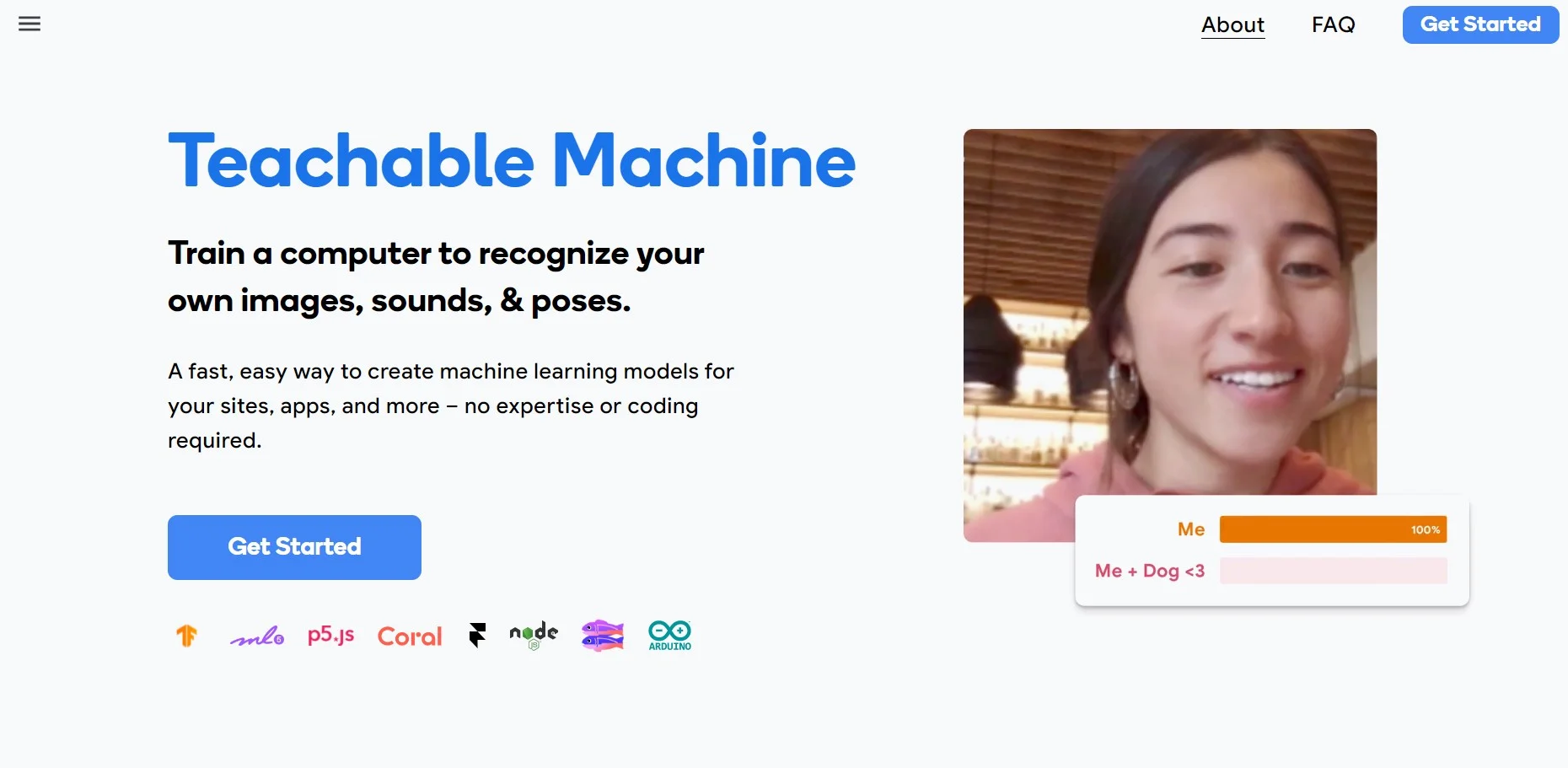
Teachable Machine is an innovative AI tool revolutionizing the creation and implementation of machine learning models. It emphasizes accessibility and ease of use, allowing anyone, regardless of technical background, to train models to recognize images, sounds, and poses without coding. This platform aims to demystify machine learning, making it approachable for educators, students, hobbyists, and professionals alike, simplifying the process of applying AI concepts.
Teachable Machine's no-code approach to machine learning and instant feedback distinguishes it. It's a game-changer for education and creative experimentation, making machine learning more accessible.
Teachable Machine is an intuitive and accessible platform for experimenting with and learning about machine learning. Its no-code model training and real-time feedback capabilities make it essential for newcomers and prototyping. With free access and an educational focus, it's a valuable resource in the AI landscape.
Who is Using Teachable Machine?
Educators
Incorporating it into STEM curricula for teaching machine learning concepts.
Students
Using it for projects and to grasp AI fundamentals.
Designers
Creating interactive installations reacting to users.
Researchers
Testing hypotheses swiftly without coding.
Uncommon Use Cases
Adopted by artists for interactive performances, physical therapists for motion analysis.
Key Features
Rating Breakdown
Pricing Plans
Free Access
- Teachable Machine is currently free without a subscription model
Teachable Machine Use Cases
Classify ripe bananas
Train an image model using examples of bananas at different ripeness levels.
Outcome: A model that distinguishes ripe from unripe bananas.
Detect simple sounds
Record examples such as snapping, clapping, and whistling.
Outcome: A sound classifier that recognizes the recorded sound categories.
Recognize head tilts
Capture different head positions and train a pose model.
Outcome: A model that recognizes the direction of a head tilt.
Build a game controller
Train a model to recognize gestures or poses that control an interactive game.
Outcome: A webcam-based video-game controller.
Create a physical sorter
Use custom image models with physical-computing projects involving Arduino or Coral.
Outcome: A machine that recognizes and sorts objects.
Workflow Ideas with Teachable Machine
Train and deploy an image classifier
- 1Gather image examples from files or a webcam
- 2Train and test the image model
- 3Export it for a website or app
Create a sound-recognition project
- 1Record short examples for each sound class
- 2Train and test the sound model
- 3Use the exported model in an interactive project
Prototype a pose-controlled interface
- 1Capture examples of different body positions
- 2Train and test the pose classifier
- 3Connect the exported model to a JavaScript or physical-computing project
How Teachable Machine fits into your stack
Web-Based
Operates directly in the browser without installation.
Google Integration
Seamlessly works with other Google services.
Export Options
Models can be exported to TensorFlow.js, TensorFlow Lite, etc.
Diverse File Support
Accepts a wide range of file types for training data.
Pros
- +User Empowerment: Democratizes machine learning, reaching a wider audience.
- +Educational Tool: Ideal for teaching AI and machine learning basics.
- +Rapid Prototyping: Enables quick model creation and iteration for testing ideas.
- +Community Support: Benefits from a strong community with shared projects.
Cons
- −Limited Complexity: Not suitable for highly complex machine learning tasks.
- −Data Privacy: Users need to handle uploaded data cautiously.
- −Internet Dependency: Requires an internet connection to use the tool.
Limitations & when to consider alternatives
Known limitations
- Classification rather than high-level understanding. The tool learns patterns from the examples provided and does not inherently understand higher-level concepts such as faces or objects.
- Training quality depends on examples. The official guidance recommends capturing at least 30 images per class and including varied angles or examples.
- Browser and device dependence. The tool is browser-based and the official experience recommends using it on a desktop in Chrome or Safari.
- Audio file support may vary. The official site has described WAV/MP3 file support as coming soon in some versions of the tool.
- No built-in production workflow. The documented workflow ends with downloading or hosting an exported model; deployment is handled in the user's own project.
Look elsewhere when
- You need a native mobile application rather than a browser tool.
- You need a full object-understanding system rather than an example-based classifier.
- You need an automated multi-tool workflow rather than manual gather, train, and export steps.
How to Use Teachable Machine
- 1
Explore tutorials and resources on the Teachable Machine website, covering basic setup to advanced project ideas.
Who is Teachable Machine For?
Beginners
The tool is designed for people who want to create machine-learning models without coding expertise.
Students
Students can use it to explore classification, machine learning, and AI ethics through hands-on projects.
K–8 learners
The site provides K–8 lessons and activities using Teachable Machine.
College learners
College-level activities introduce machine learning through design and practical model-building.
Developers and makers
Exported models can be used in JavaScript projects and with platforms such as Arduino and Coral.
Frequently Asked Questions
What is Teachable Machine?
It is a web-based tool for creating machine-learning models that recognize user-provided images, sounds, and poses.
How do I use Teachable Machine?
Gather examples into classes, train the model, test it, and export it for use in sites, apps, or other projects.
What types of models can I create?
You can create image, sound, and pose classification models.
Can I use my own files?
Yes. The tool supports using files as examples, as well as capturing examples through a webcam or microphone.
Does training happen on my device?
Yes. Training can happen locally on the device, without webcam or microphone data leaving the computer.
Where can I use exported models?
Exported TensorFlow.js models can run where JavaScript runs, including websites and applications.
Community reviews
Be the first to share your experience.
Sign in to leave a review for Teachable Machine.
Teachable Machine Alternatives
Looking for alternatives to Teachable Machine? Here are similar tools in the same category:
Learn to Master Teachable Machine
With Skill Leap courses
Get in-depth training on Teachable Machine and 50+ other AI tools with our expert-led video courses.
Start 7-Day Free Trial