
Template.net
Prompt up editable, on-brand multi-format files.
Key Takeaways
- What it is
- Prompt up editable, on-brand multi-format files.
- Pricing
- $24 per month · $94 per month
- Best for
- AI Production Engine for Structured Assets
- Atomic Editing and Layered Outputs
- Integrated Brand Kit and On‑Brand Generation
- Rating
- 4.2/5
What is Template.net?
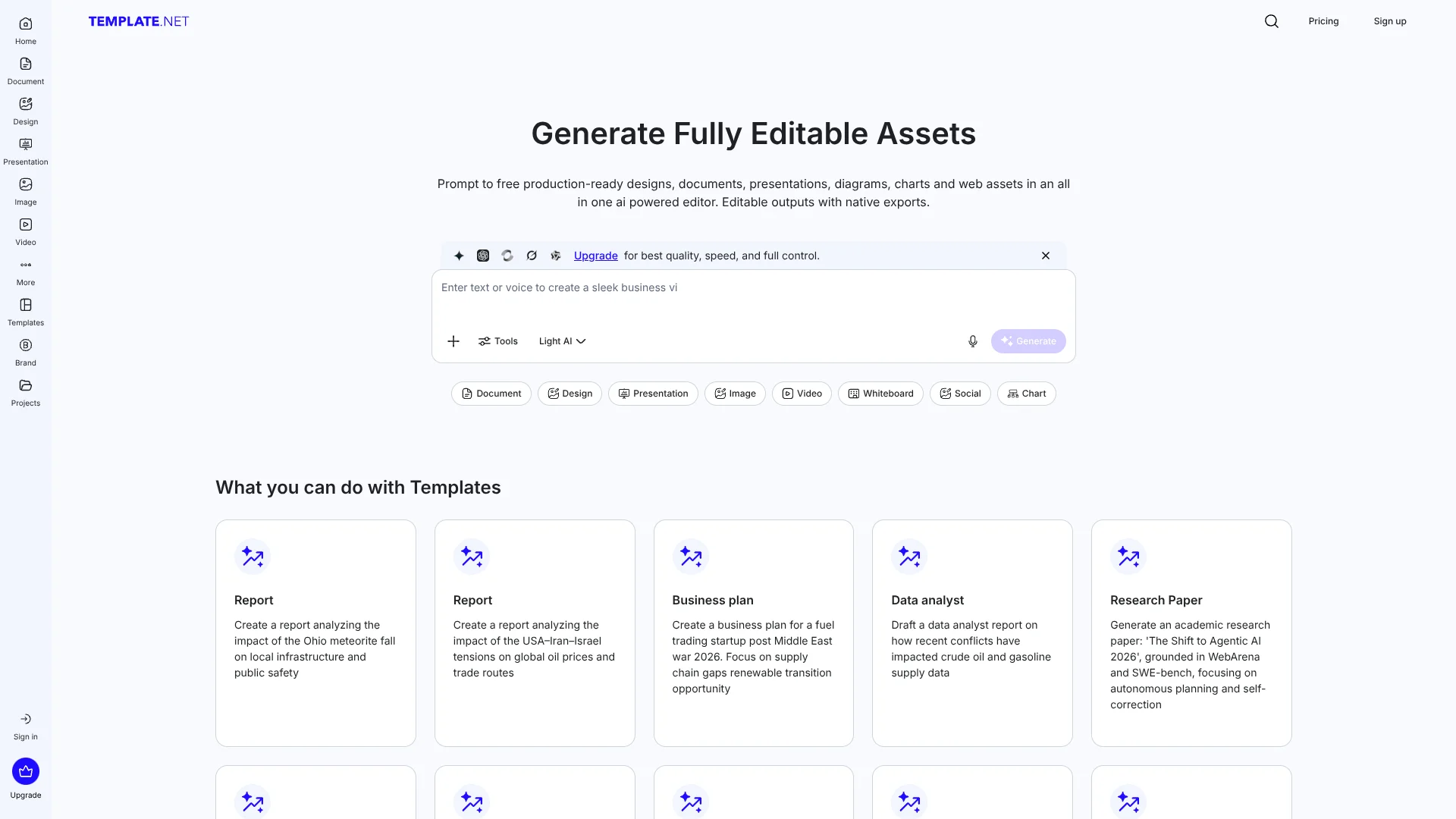
Template.net focuses on turning text prompts into production‑ready, fully editable assets rather than static previews. Its AI Production Engine generates layered documents, presentations, diagrams, charts, social posts, and web assets that can be edited inside a unified browser‑based editor and exported as native files such as PPTX, DOCX, HTML5, SVG, and PDF. It targets founders, marketing and HR teams, educators, and operators who want to move from idea to usable file in seconds, while keeping brand consistency, data control, and file sovereignty front and center.
Template.net leans hard into “production‑ready” outputs. Instead of treating AI results as disposable previews locked in a chat window, it generates the underlying source files that teams actually ship and maintain. The combination of atomic editing, brand‑aware generation, extensive export options, and a no‑signup entry flow positions it as a practical workhorse for everyday business output. Add in a template marketplace and utilities such as plagiarism checking, summarization, and AI writing, and it becomes a central hub for structured, branded content creation.
Template.net gives teams a way to turn prompts into editable, branded assets that actually fit into existing workflows, tools, and compliance requirements. Its focus on structured outputs, brand kits, and native exports makes it particularly attractive to organizations that live inside Office, Google Workspace, and web CMS environments but want AI to handle first drafts and repetitive layout work. For users willing to learn the interface and keep an eye on subscription terms, it can be a powerful, time‑saving companion for both everyday documents and more complex multi‑format campaigns.
Who is Using Template.net?
Startup Founders and Small Business Owners
Producing pitch decks, proposals, invoices, one‑pagers, and internal docs with on‑brand AI assistance.
Marketing and Social Teams
Generating campaign assets, social posts, banners, email layouts, and reports in multiple formats from a single prompt.
HR, Legal, and Operations Teams
Standardizing policies, contracts, checklists, and process documentation with reusable AI‑driven templates.
Educators and Corporate Trainers
Creating lesson plans, training decks, worksheets, and course documentation with AI suggestions tailored to topics and audiences.
Agencies and Freelancers
Using it as a fast production back‑office for client reports, proposals, creative mockups, and recurring deliverables.
Uncommon Use Cases
Employed by subject‑matter experts to sell or distribute specialized templates (for example HR policies or finance models); adopted by public‑sector and nonprofit teams that need consistent, compliant documentation across departments.
Key Features
Rating Breakdown
Pricing Plans
Plus
$24 per month
- Includes unlimited AI creations, 5,000 credits per month, all-in-one AI editor, export to PPT, SVG, Word, HTML5, and more, 1 million+ premium templates and stock assets, 1,000 AI tools and features, access to the latest text, image, and video models, social media planning and scheduling, brand kit and brand voice, no Template.net watermark, 100 GB cloud storage, and 1 million+ premium file format templates
Max
$94 per month
- Includes everything in Plus, up to 10 free users at $9.40 per user per month, 50,000 credits per month, 1 TB cloud storage, unlimited text and chat generation, unlimited image generation, unlimited video generation, access to the latest video models, and 24/7 support via chat, email, and phone
Which Template.net plan should you pick?
Start with Free to test core creation tools; upgrade to Plus for premium formats, higher AI access, storage, and commercial work, or Max for larger limits and team collaboration.
Free
Good for individuals who need basic AI generation, free templates, and limited credits, exports, models, and storage.
Plus
Good for individuals and professionals who need advanced AI models, premium templates, commercial use, 100 GB storage, and watermark-free exports.
Max
Good for teams and organizations that need up to 10 users, shared collaboration, 1 TB storage, and substantially higher AI limits.
Template.net Use Cases
AI document creation
Generate reports, contracts, manuals, letters, policies, and other structured documents from prompts or uploaded files.
Outcome: Editable documents ready for review, export, or sharing.
Marketing content creation
Create social posts, flyers, banners, logos, campaigns, and promotional visuals using templates and AI.
Outcome: Branded marketing assets in multiple formats.
Presentation generation
Generate slide decks, pitch decks, charts, graphics, and formatted presentation content.
Outcome: Editable presentations ready to customize and export.
Image-to-text extraction
Upload screenshots, scanned pages, photos, or handwritten notes and extract structured editable text.
Outcome: Reusable text without manual transcription.
HTML5 code generation
Describe a webpage or upload a design reference, document, screenshot, or wireframe to generate responsive HTML5.
Outcome: Editable, semantic, mobile-friendly web code.
Workflow Ideas with Template.net
Create and publish a branded workflow
- 1Enter process steps, tasks, or goals
- 2Generate and refine the workflow with brand elements
- 3Export or share the finished workflow
Convert source material into content
- 1Upload a Word document, PDF, text file, or creative brief
- 2Ask AI to transform the source into structured content
- 3Review, edit, and export the result
Create a webpage from a design reference
- 1Upload a screenshot, wireframe, or design document
- 2Generate responsive HTML5 code
- 3Edit the layout and export the web-ready file
How Template.net fits into your stack
Browser
Template.net is a browser-based AI workspace for generating, editing, exporting, and sharing documents, designs, presentations, images, videos, forms, charts, and whiteboards.
Docs and writing
Users generate and revise structured documents from prompts, voice input, or uploaded PDFs, DOCX files, notes, and research materials. Outputs can be edited and exported to formats including DOCX, PDF, TXT, and Google Docs.
Knowledge and files
Template.net provides cloud workspaces, folders, version management, cloud storage, file uploads, and exports or sharing through services including Google Drive, Notion, Dropbox, OneDrive, and Microsoft or Google document formats.
Team chat and tickets
The platform supports team workspaces, invitations, real-time co-editing, comments, feedback, approvals, and exports or sharing through Slack and other collaboration channels.
Pros
- +Prompt‑to‑File Speed: Dramatically shortens the time from idea to usable PPTX, DOCX, or HTML, which is especially useful for recurring business documents and decks.
- +Truly Editable AI Content: Layered, atomic outputs make it practical to refine AI‑generated work without hitting “flat image” or “uneditable PDF” walls.
- +Strong Branding Support: Centralized Brand Kit keeps everything visually and tonally consistent across documents, slides, and social formats.
- +Wide Format Coverage: Handles business docs, marketing designs, data visualizations, whiteboards, and web assets from the same interface, reducing tool‑switching.
- +Creator Marketplace Angle: Professionals can publish templates that reach large audiences, turning their best work into lead‑generation or revenue.
Cons
- −Feature Density and Learning Curve: The breadth of editors, generators, formats, and settings can feel overwhelming at first, especially for users who only need simple documents.
- −Billing and Subscription Perception: Public reviews frequently mention confusion around subscriptions, renewals, and refunds, so new customers should read pricing and trial terms carefully.
Limitations & when to consider alternatives
Known limitations
- Free-plan limits. Free users may have limited credits, exports, models, storage, and watermark settings.
- AI output quality. Template.net warns that AI outputs may contain errors, factual inaccuracies, hallucinations, formatting issues, or misinterpretations.
- Commercial-use restrictions. Commercial use is available to Plus and Max users, while template redistribution and resale are prohibited.
- Model availability. AI model availability may vary based on demand, partner access, and fair-use limits.
- Short video generation. AI video generation produces short clips whose duration depends on the selected model.
Look elsewhere when
- You need a documented production API today.
- You need a native mobile or desktop application.
- You need end-to-end workflow automation across external tools.
How to Use Template.net
- 1
Start with a prompt or template
Describe what you need or choose from Template.net’s template library to avoid starting from a blank page.
- 2
Choose the appropriate AI editor
Use the document, design, presentation, image, video, form, chart, whiteboard, or code-generation tool matching your task.
- 3
Upload reference material when useful
Add PDFs, Word files, text, screenshots, wireframes, scanned pages, or handwritten notes to give the AI source context.
- 4
Apply your brand
Upload logos, colors, fonts, slogans, contact details, and brand voice through Brand Kit for consistent outputs.
- 5
Edit and collaborate
Customize the generated content, invite collaborators, comment, suggest edits, and approve changes in shared workspaces.
- 6
Export or share
Download in formats such as DOCX, PDF, PPTX, PNG, JPG, SVG, MP4, HTML, XLSX, or share through supported platforms.
Who is Template.net For?
Individuals
Create documents, designs, presentations, and other content quickly with AI and editable templates.
Students and teachers
Produce educational materials, worksheets, presentations, charts, and structured documents.
SMEs and startups
Generate business content, marketing materials, forms, presentations, and operational documents.
Corporate teams
Use shared workspaces, real-time collaboration, brand kits, approvals, and reusable templates.
Creators and influencers
Create social posts, videos, images, graphics, and branded content in multiple formats.
Frequently Asked Questions
Is Template.net free?
Yes. Template.net offers free AI tools and free templates, while paid Plus and Max plans add higher limits and premium features.
What can Template.net create?
It creates documents, designs, presentations, forms, charts, whiteboards, images, videos, and other editable assets.
Does Template.net support collaboration?
Yes. Teams can co-edit content, comment, suggest edits, approve changes, and use shared workspaces.
Can users upload files?
Yes. Users can upload documents, PDFs, text files, screenshots, scanned documents, handwritten notes, and other references.
What languages does Template.net support?
Template.net supports multilingual generation, including English, Spanish, Hindi, Arabic, Chinese, Japanese, and many others.
Can generated content be used commercially?
Plus and Max users may use generated assets for commercial projects, subject to Template.net and model-provider licensing rules.
Community reviews
Be the first to share your experience.
Sign in to leave a review for Template.net.
Template.net Alternatives
Looking for alternatives to Template.net? Here are similar tools in the same category:
Learn to Master Template.net
With Skill Leap courses
Get in-depth training on Template.net and 50+ other AI tools with our expert-led video courses.
Start 7-Day Free Trial