
TemPolor
Royalty-free music tailored to creators’ vision instantly.
Key Takeaways
- What it is
- Royalty-free music tailored to creators’ vision instantly.
- Pricing
- Freemium · $9.79 per month. Create up to 1,000 tracks/month, run 3 jobs at once, and save 4 voice clones · $13.99 per month. 3,000 tracks/month · $29.99 per month. Unlimited tracks
- Best for
- AI-Powered Music Generation
- Custom Sound Creation
- Extensive Music Library
- Rating
- 4.5/5
What is TemPolor?
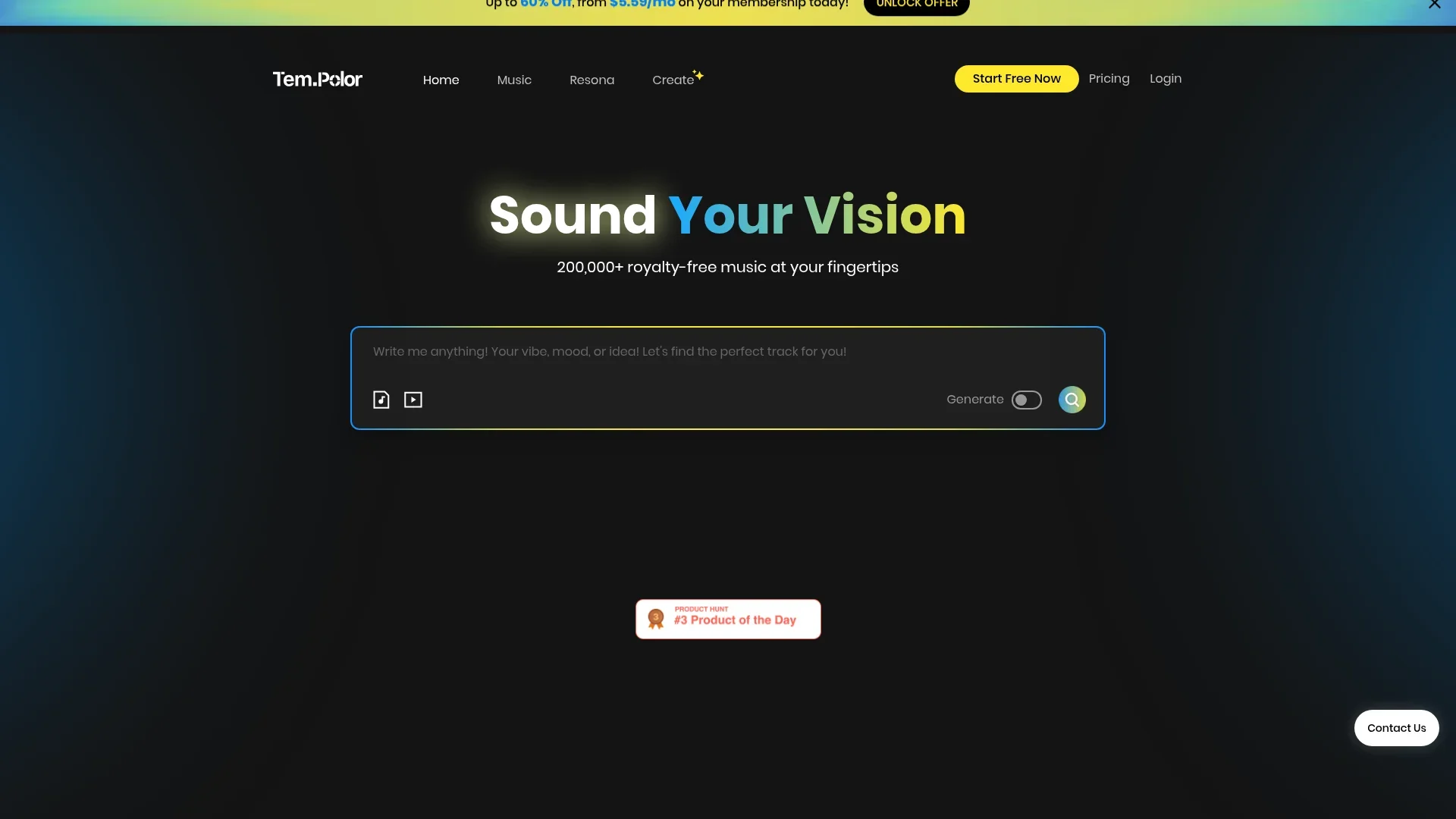
TemPolor is a cutting-edge AI-powered platform designed to provide royalty-free music tailored specifically for content creators. It revolutionizes the way creators find and customize music, offering a vast library of over 200,000 tracks. This tool is perfect for those who need the ideal soundtrack for their projects, allowing them to craft music that aligns with their vision, whether they're working on a video, podcast, or any other creative endeavor.
TemPolor stands out with its AI-driven music customization, a game-changer for content creators seeking personalized soundtracks. Its ability to offer unlimited modifications and lifetime commercial use without hidden fees sets it apart in the royalty-free music industry.
TemPolor is an invaluable tool for any content creator seeking to enhance their projects with high-quality, customizable music. Its robust AI capabilities, extensive library, and user-friendly interface make it an exceptional choice for those aiming to boost their productivity and creativity. With TemPolor, creating the perfect soundtrack is not just possible—it's effortless.
Who is Using TemPolor?
Video Content Creators
Leveraging TemPolor for background music in videos and presentations.
Podcasters
Using the platform to enhance audio content with fitting soundtracks.
Social Media Influencers
Incorporating royalty-free tracks into social media content to boost engagement.
Advertising Agencies
Crafting unique audio experiences for advertisements and promotional content.
Uncommon Use Cases
Adopted by educational institutions for teaching music production; Utilized by event planners for creating custom event soundtracks.
Key Features
Rating Breakdown
Pricing Plans
Free
Free
- No subscription required. Limited music generations and restricted access to features
Lite
$9.79 per month. Create up to 1,000 tracks/month, run 3 jobs at once, and save 4 voice clones
- Includes 10 music downloads/day and social + podcast license coverage
Pro
$13.99 per month. 3,000 tracks/month
- 10 jobs at once
- 10 voice clones
- Unlimited downloads
- Licenses for client work and paid ads
Ultra
$29.99 per month. Unlimited tracks
- 20 jobs at once
- 50 voice clones
- Licenses extend to traditional media and music distribution platforms
Which TemPolor plan should you pick?
Start with Lite for casual creation, upgrade to Pro for regular content work, and choose Ultra for high-volume professional use.
Lite
Good for beginners or casual users who need essential music-generation features.
Pro
Good for content creators who need higher generation limits and enhanced downloads.
Ultra
Good for agencies, professionals, and high-volume creators who need unlimited generation and expanded licensing.
TemPolor Use Cases
Video and social content soundtracks
Generate background music or match music to uploaded videos and visual content.
Outcome: A soundtrack aligned with the content’s mood and pacing.
Podcast and presentation music
Create royalty-free instrumental or vocal tracks for podcasts, presentations, and other media.
Outcome: Ready-to-use music for published creative projects.
Commercial and advertising music
Generate customized jingles, arrangements, or promotional tracks with selectable genres, moods, and instruments.
Outcome: Music tailored to a campaign or brand brief.
Reference-based remixing
Upload a song reference and generate new versions by changing its style, lyrics, or musical character.
Outcome: Multiple adapted versions of an existing musical idea.
Music production and DAW preparation
Separate stems or convert audio into MIDI for remixing, arrangement, scoring, or DAW import.
Outcome: Editable musical components for further production.
Workflow Ideas with TemPolor
Create a soundtrack from a concept
- 1Describe the genre, mood, instruments, vocals, and lyrics
- 2Generate and review the track
- 3Customize the result and download MP3 or WAV
Remix a reference song
- 1Upload a supported audio reference
- 2Choose whether to retain or change lyrics and style
- 3Generate and download the adapted version
Prepare audio for editing
- 1Upload an audio file
- 2Run stem separation or MIDI conversion
- 3Import the resulting stems or MIDI package into a production workflow
How TemPolor fits into your stack
Browser
TemPolor is primarily an online music-creation workspace for generating songs, instrumentals, lyrics, and soundtracks from prompts or uploaded media.
Knowledge and files
Users upload audio, video, MIDI, and image files for music search, video scoring, remixing, stem separation, and other editing workflows.
Automation and APIs
Developers can use TemPolor’s separate API platform with API keys and documented endpoints for song generation, lyrics, stem separation, MIDI conversion, callbacks, and account queries.
Pros
- +Time Efficiency: Quickly generate and customize soundtracks, significantly reducing the time spent searching for the right music.
- +Cost-Effective: Offers a flat-rate subscription model with unlimited lifetime commercial use, eliminating ongoing licensing fees.
- +Creative Flexibility: Allows extensive modifications to AI-generated music, providing creators with the freedom to tailor tracks to their specific needs.
- +Legal Assurance: Provides a certificate of usage rights and engages third-party copyright checks, ensuring music is free from legal disputes.
Cons
- −Initial Learning Curve: Users may need time to familiarize themselves with the Expert Mode for full customization.
- −Subscription Requirement: Full access to high-quality, lossless WAV files requires an active subscription, which may not suit all budgets.
Limitations & when to consider alternatives
Known limitations
- API download links expire. API-generated music download URLs are valid for 72 hours, while streaming URLs are valid for 30 minutes.
- MIDI input size limit. The MIDI conversion model supports a maximum input file size of 50 MB.
- Instrumental-only reference generation is unsupported. The documented reference-generation models do not support instrumental-only input or output in the specified reference workflows.
- Commercial use depends on licensing terms. TemPolor’s terms distinguish subscription rights, downloaded library music, generated music, and public distribution.
Look elsewhere when
- You need a browser extension for music creation.
- Your product requires a desktop installer.
- You need SSO or SAML authentication.
How to Use TemPolor
- 1
Choose a creation method
Open the creator platform and decide whether to start from a text prompt, lyrics, image, video, or audio reference.
- 2
Describe or upload your input
Provide the desired genre, mood, instruments, vocals, and lyrics, or upload a reference file for analysis or remixing.
- 3
Generate the track
Run generation and wait for the resulting song, instrumental, remix, or other selected operation.
- 4
Refine the result
Adjust lyrics, length, energy, instrumentation, style, or other available controls and regenerate as needed.
- 5
Download or process the output
Download MP3 or WAV files, or use API processing such as stem separation or MIDI conversion.
- 6
Review licensing before publishing
Check the applicable subscription and distribution terms before using the track commercially or releasing it publicly.
Who is TemPolor For?
Individual creators
The online creation platform helps individuals generate and edit music without requiring advanced music knowledge.
Beginners and casual users
The Lite plan is positioned for beginners or casual users with limited music creation needs.
Content creators
The Pro plan supports regular music creation, larger projects, and enhanced download capabilities.
Professional users
The Ultra plan is designed for high-volume creation with unlimited generation and expanded licensing.
Developers and businesses
The API platform provides programmatic music generation, lyric generation, stem separation, and MIDI conversion.
Frequently Asked Questions
What is TemPolor?
TemPolor is an AI music creation platform for generating and editing songs, instrumentals, lyrics, remixes, stems, and MIDI.
How do I create a song?
Describe the desired genre, mood, instruments, vocals, or lyrics, generate the track, customize it, and download MP3 or WAV output.
Can I use TemPolor music commercially?
TemPolor states that generated music can be used commercially, subject to its applicable licensing terms.
Can I upload a reference track?
Yes. Reference-based generation can remix an uploaded song while preserving or changing lyrics and style.
What audio formats can I download?
The creator interface supports MP3 and lossless WAV downloads.
How can I cancel renewal?
Open the Account Subscription page, select the next billing information, choose Cancel renewal, and confirm.
Community reviews
1 review from people who use TemPolor.
Sign in to leave a review for TemPolor.
Rose ekiki
TemPolor Alternatives
Looking for alternatives to TemPolor? Here are similar tools in the same category:
Learn to Master TemPolor
With Skill Leap courses
Get in-depth training on TemPolor and 50+ other AI tools with our expert-led video courses.
Start 7-Day Free Trial