Texta
Marketing teams track brand mentions in AI-generated search answers.
Key Takeaways
- What it is
- Marketing teams track brand mentions in AI-generated search answers.
- Pricing
- $49 per month · $199 per month · $399 per month
- Best for
- AI Visibility Tracking
- Prompt Coverage Monitoring
- Citation Source Analysis
- Rating
- 4.0/5
What is Texta?
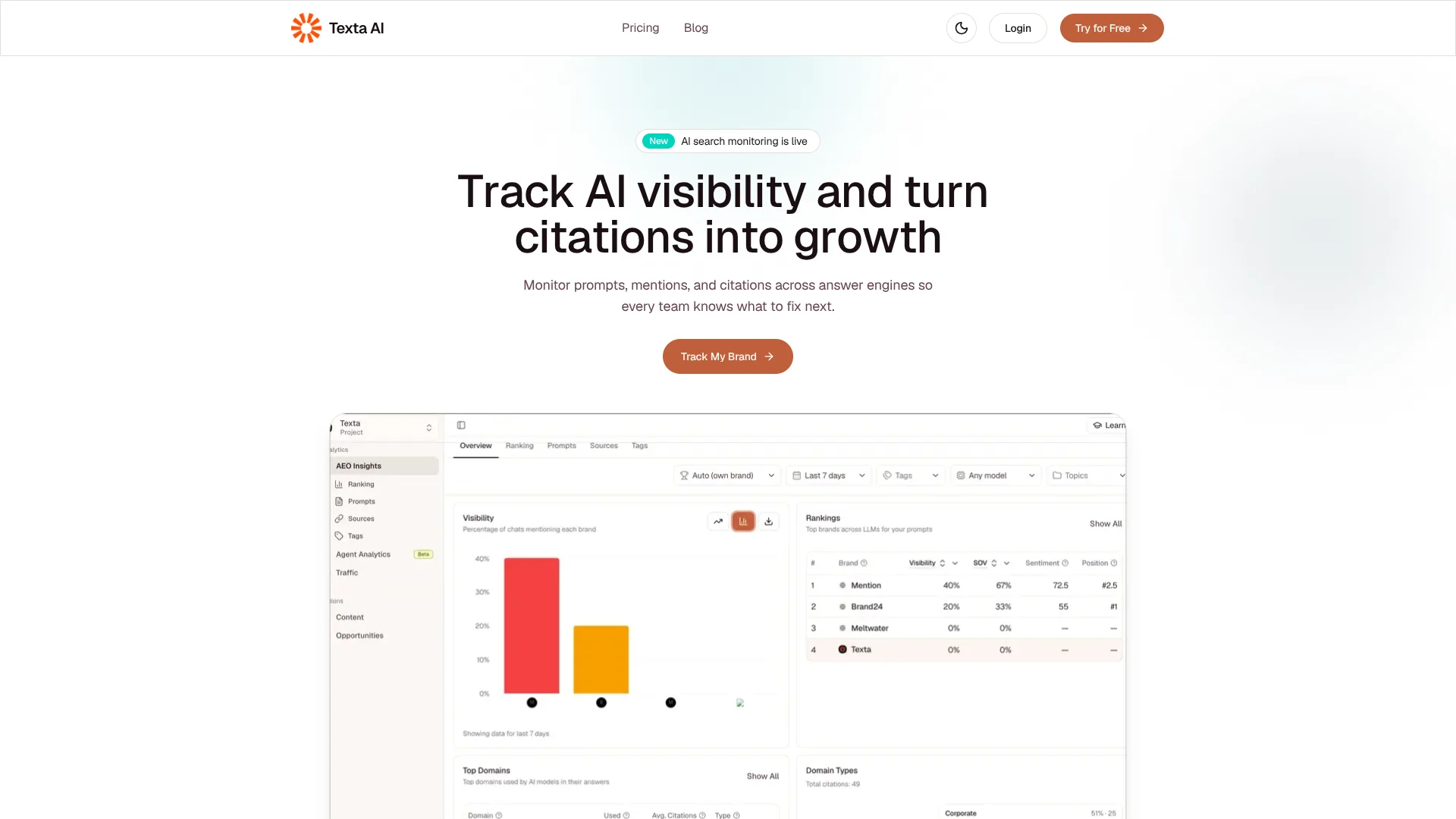
Texta shows marketing teams where their brand appears in AI-generated answers and which sources those answers cite. Teams track prompts across engines such as ChatGPT, Gemini, Claude, and Perplexity, then compare brand mentions and citation patterns over time. The aim is to help SEO, content, and growth teams see where their brand is missing and decide which pages or topics need attention.
Texta helps teams hand off visibility findings to SEO, content, and PR owners so they can coordinate follow-up work.
It is best suited to marketing teams running an ongoing program to improve their presence in AI answers. The listed paid plans cap tracking at 50, 150, or 350 prompts, so teams with larger needs must ask about Enterprise; Texta is most useful when AI-search visibility is the work to organize.
Who is Using Texta?
SEO Manager
Prompt coverage and source trends help identify content gaps to investigate.
Content Strategist
Citation analysis helps prioritize pages and topics with opportunities to appear in AI answers.
Growth Marketer
Visibility dashboards give growth teams figures to share when reviewing AI-search performance.
Public Relations Specialist
Earned-action tracking helps organize work to improve a brand’s presence on outside sites.
Uncommon Use Cases
Compare cited domains across competitor prompts; track the execution history and attribution of owned and earned improvements.
Key Features
Rating Breakdown
Pricing Plans
Starter
$49 per month
- 1 project workspace
- 50 tracked prompts
- Basic mention scoring
- Source analysis
Pro
$199 per month
- Everything in Starter
- 2 project workspaces
- 150 tracked prompts
- Advanced mention scoring
Advanced
$399 per month
- Everything in Pro
- 5 project workspaces
- 350 tracked prompts
- Advanced source analysis
Enterprise GEO Teams
- Custom monitoring
- Governance and workflows for complex organizations
Which Texta plan should you pick?
Start with Starter for a focused brand program, move to Pro or Advanced as prompt and workspace needs grow, and ask about Enterprise for custom monitoring.
Starter
Good for a focused brand team that needs one workspace and up to 50 tracked prompts.
Pro
Good for growth teams that need two workspaces, up to 150 prompts, and advanced mention scoring.
Advanced
Good for multi-brand teams that need five workspaces, up to 350 prompts, and advanced source analysis.
Enterprise GEO Teams
Good for complex organizations that need custom monitoring, governance, and workflows.
Texta Use Cases
Find AI Answer Visibility Gaps
A prompt-by-prompt view shows where a brand is missing from responses to branded or category questions.
Outcome: A clearer list of prompts and topics that need attention.
Investigate Citation Sources
Source analysis reveals which domains and URLs appear in tracked AI responses.
Outcome: Potential citation gaps to address through content or outside-site work.
Monitor Competitors
Competitor prompts and visibility alerts help teams follow changes in competing brands’ presence.
Outcome: Context for competitor shifts in AI answers.
Report AI Search Results
Dashboards bring mention share, citation quality, and downstream outcomes into a view for growth and SEO teams.
Outcome: A report of AI visibility trends and results.
Coordinate Visibility Improvements
Owner-ready actions connect tracked visibility changes to on-page updates or outside-site efforts.
Outcome: Prioritized work with execution history.
Workflow Ideas with Texta
Build a Brand Visibility Baseline
- 1Set up your brand and direct competitors.
- 2Create prompts based on branded, category, and competitor questions.
- 3Review the dashboard and compare visibility trends.
Turn Citation Gaps into Content Work
- 1Review the sources and URLs cited in tracked responses.
- 2Identify prompts where your brand or pages are missing.
- 3Prioritize an owned-page or earned-action task.
Review Competitor Movement
- 1Track competitor prompts alongside your own brand prompts.
- 2Check alerts and model-specific trends for changes.
- 3Record follow-up work and review execution history.
How Texta fits into your stack
AI Answer Engines
Texta tracks brand visibility and citations in answers from ChatGPT, Gemini, Claude, Perplexity, and other major engines.
Prompt and Source Analytics
The web platform organizes prompt coverage, competitor comparisons, cited domains, and cited URLs for review.
Marketing Workflows
The site lists Slack for routing coverage and citation alerts, and Make for automating recurring GEO workflows.
Team Reporting
Dashboards present visibility and citation measures for growth and SEO teams, with actions for owned and earned work.
Pros
- +Prompt-level view: See which tracked questions include your brand, not only an overall visibility score.
- +Source detail: Inspect cited domains and URLs to guide content and outreach work.
- +Action tracking: Organize owned-page and outside-site improvements, then review execution history.
- +Named connections: The site lists Slack, Make, Vercel, and Supabase among its integrations.
Cons
- −Focused scope: The paid platform is centered on AI-answer visibility rather than broad marketing work.
- −Prompt caps: The three published paid tiers range from 50 to 350 tracked prompts.
- −No ongoing free platform plan: The pricing page lists paid plans and a trial, not a permanent free tier.
Limitations & when to consider alternatives
Known limitations
- Published prompt limits. Starter includes 50 tracked prompts, Pro includes 150, and Advanced includes 350; Enterprise offers custom monitoring.
Look elsewhere when
- You need more than 350 tracked prompts without moving to a custom Enterprise arrangement.
- You need a general-purpose AI tool for drafting, coding, or document analysis as the main product.
How to Use Texta
- 1
Set Up Brands
Configure your brand and competitors so Texta can compare their visibility in tracked answers.
- 2
Create a Prompt Set
Add buyer-relevant questions that reflect branded, category, and competitor searches.
- 3
Organize Prompts
Group prompts with tags and topics to keep reporting focused on useful segments.
- 4
Review Visibility and Sources
Check the overview, ranking, chat, and source views to understand changes and the URLs behind them.
- 5
Prioritize Follow-Up Actions
Use the owned on-page and earned off-page action views to turn findings into work.
- 6
Check Results
Review action history and impact to connect completed work with visibility results.
Who is Texta For?
GEO Teams
Teams working to improve how often brands appear in generative AI answers can track prompts, citations, and changes.
SEO Teams
Search teams can use source analysis and visibility trends to prioritize pages and topics.
Growth Teams
Growth teams can monitor brand and competitor visibility and report on AI-search performance.
Multi-Brand Marketing Teams
Teams managing several brands can separate work into project workspaces and scale prompt tracking by plan.
Content and PR Teams
Content and PR owners can receive visibility findings tied to page updates and outside-site opportunities.
Frequently Asked Questions
What does Texta track?
It tracks brand visibility, prompt coverage, and citation patterns across major AI answer engines.
Which AI answer engines can it monitor?
The site names ChatGPT, Gemini, Claude, and Perplexity, along with other AI answer engines.
Can Texta monitor competitors?
Yes. Texta describes tracking competitor prompts and competitor visibility alerts.
Does Texta connect to other tools?
Its site lists integrations including Slack and Make, as well as Vercel and Supabase.
Is there a free plan?
The GEO platform pricing page lists a trial and paid plans, but no permanent free plan.
How many prompts can each paid plan track?
Starter includes 50 prompts, Pro includes 150, and Advanced includes 350. Enterprise monitoring is custom.
Community reviews
Be the first to share your experience.
Sign in to leave a review for Texta.
Texta Alternatives
Looking for alternatives to Texta? Here are similar tools in the same category: