
ThumbnailAI
Maximize clicks with AI-driven thumbnail effectiveness ratings.
Watch ThumbnailAI in Action
Key Takeaways
- What it is
- Maximize clicks with AI-driven thumbnail effectiveness ratings.
- Pricing
- Freemium
- Best for
- AI Rating System
- User-Friendly Interface
- Visual Appeal Analysis
- Rating
- 4.4/5
What is ThumbnailAI?
ThumbnailAI is a valuable tool tailored for content creators, particularly YouTubers and social media marketers, seeking to optimize their thumbnails to attract more clicks and engagement. In today's competitive digital landscape, where attention spans are short and visual appeal is crucial, ThumbnailAI offers an AI-powered solution to evaluate and enhance the effectiveness of YouTube thumbnails.
ThumbnailAI sets itself apart by focusing specifically on optimizing YouTube thumbnails, a critical component of video content creation often overlooked. By leveraging AI technology, ThumbnailAI provides creators with actionable insights to craft thumbnails that effectively capture viewers' attention and drive engagement.
ThumbnailAI emerges as a valuable tool for content creators seeking to optimize their YouTube thumbnails for maximum impact. With its user-friendly interface, AI-driven insights, and immediate feedback, ThumbnailAI empowers creators to craft visually compelling thumbnails that drive engagement and enhance their online presence. Whether you're a seasoned YouTuber or a social media marketer, ThumbnailAI offers a streamlined solution to elevate your content and attract more viewers.
Who is Using ThumbnailAI?
YouTubers
Utilize ThumbnailAI to create eye-catching thumbnails that stand out in crowded subscription feeds, driving higher click-through rates.
Social Media Agencies
Incorporate the tool into their content creation workflows to ensure clients' video content makes a strong first impression.
Content Strategists
Employ ThumbnailAI to refine visual content strategies for various campaigns and platforms.
Online Advertisers
Leverage the tool to design more clickable thumbnails for video advertisements, enhancing campaign performance.
Uncommon Use Cases
ThumbnailAI finds unexpected applications, such as in educational settings for teaching marketing principles and personal branding for amateur videographers.
Key Features
Rating Breakdown
Pricing Plans
Free Tier
Free
- ThumbnailAI offers a basic service for users to test the AI rating system at no cost
Premium Services
- Advanced features and detailed analytics may be available through premium subscription options
Which ThumbnailAI plan should you pick?
Start with Guest for occasional checks, use Free for regular low-volume analysis, and upgrade to Pro for higher quotas and thumbnail generation.
Guest
Good for trying the service without an account and needing up to three analyses per day.
Free
Good for casual creators who need up to ten thumbnail analyses per day at no cost.
Pro
Good for professional creators who need 100 analyses per day, 120 monthly generations, and priority support.
ThumbnailAI Use Cases
Analyze a YouTube thumbnail
Upload a thumbnail and receive CTR-focused analysis of audience fit, emotion, curiosity, clickbait level, strengths, and weaknesses.
Outcome: Identify what may improve the thumbnail’s click appeal.
Improve thumbnail concepts
Use the generated feedback and thumbnail variations to explore stronger visual alternatives.
Outcome: Produce alternative thumbnail concepts more quickly.
Develop stronger video titles
Provide an optional video title and receive title suggestions and title analysis.
Outcome: Compare alternative titles alongside thumbnail improvements.
Workflow Ideas with ThumbnailAI
Evaluate and refine a thumbnail
- 1Upload a YouTube thumbnail.
- 2Review the CTR-focused analysis and improvement tips.
- 3Revise the thumbnail and generate another evaluation.
Test thumbnail and title combinations
- 1Upload a thumbnail with an optional video title.
- 2Review the thumbnail analysis and title suggestions.
- 3Generate improved thumbnail and title alternatives.
How ThumbnailAI fits into your stack
Web-Based Tool
Accessible from any internet-connected device without requiring additional software installations.
Image Formats
Supports various image formats for upload and analysis, ensuring compatibility with different thumbnail designs.
Analytics Export
Enables users to export AI rating data for further analysis and integration into their content creation workflows.
Cross-Platform Application
While designed for YouTube, insights gained from ThumbnailAI can be applied to thumbnails across other video platforms, enhancing overall content strategy.
Pros
- +Increased Engagement: Helps creators generate thumbnails that are more likely to attract clicks, potentially leading to higher video views and engagement.
- +Data-Driven Decisions: Empowers users with AI-driven insights to make informed decisions about thumbnail designs, based on quantitative analysis.
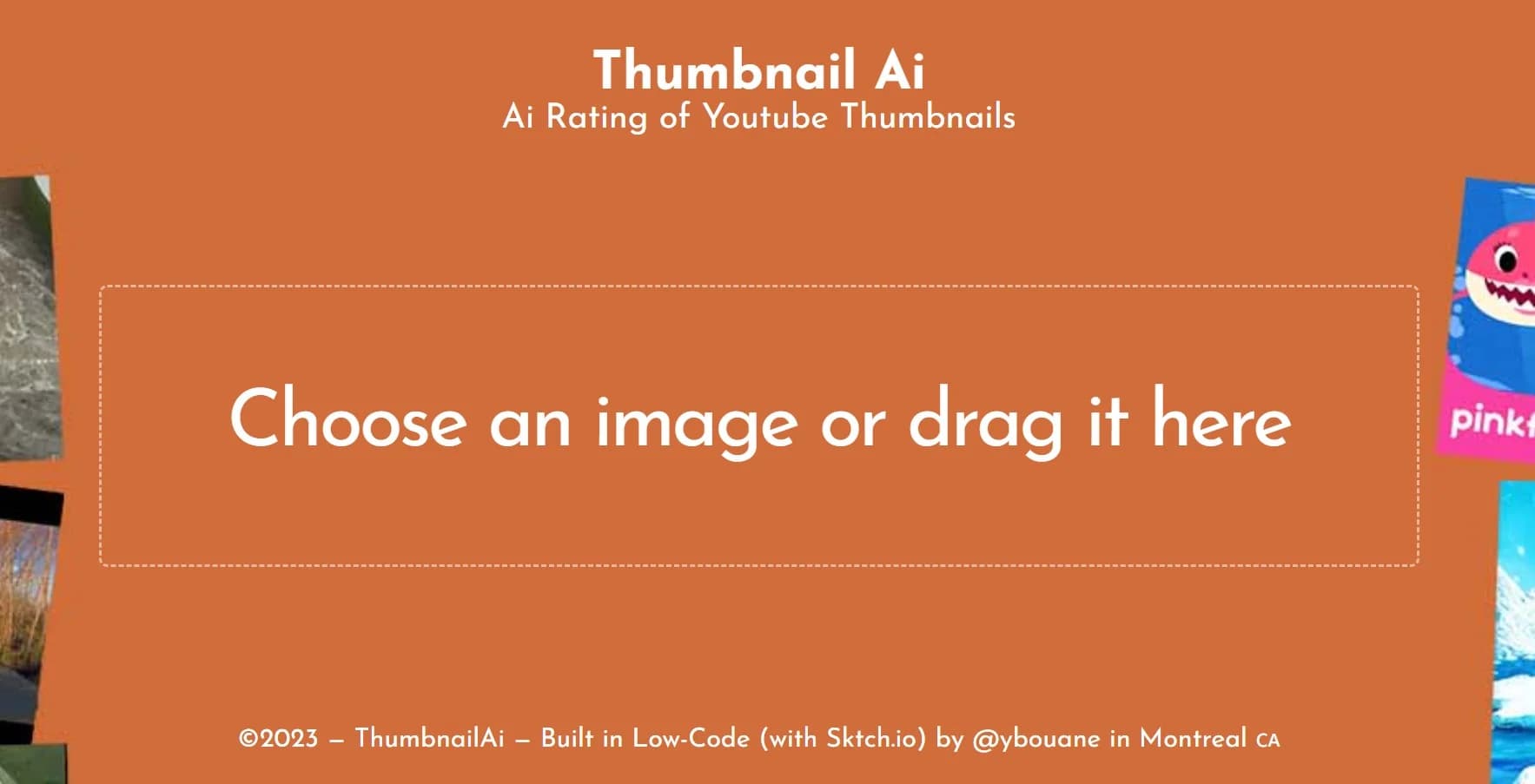
- +Ease of Use: With a straightforward drag-and-drop feature, ThumbnailAI simplifies the process of obtaining ratings on thumbnails, allowing for quick iterations and improvements.
- +Instant Feedback: Provides immediate feedback on thumbnail effectiveness, facilitating rapid adjustments to optimize visual impact.
Cons
- −Niche Specific: Primarily targeted at YouTube content creators, limiting its applicability for digital marketers operating on other platforms.
- −Internet Dependency: Requires a stable internet connection for real-time analysis and feedback.
- −Subjectivity of AI Interpretation: While AI offers quantitative analysis, human preferences for visual content may not be fully captured, leading to potential discrepancies.
Limitations & when to consider alternatives
Known limitations
- AI results are not guaranteed. The terms warn that outputs can be incomplete, inaccurate, biased, unavailable, corrupted, or unsuitable.
- Analysis or generation can fail. The privacy policy states that analysis failures, generation failures, interruptions, and inconsistent outputs can occur.
- Users must validate outputs. Users are solely responsible for reviewing and validating outputs before publishing or relying on them.
- Subscription fees are generally non-refundable. Subscription fees are final and non-refundable except where non-waivable law requires otherwise.
- Features may change or be discontinued. The terms state that features may change, be delayed, fail, or be discontinued at any time.
How to Use ThumbnailAI
- 1
While ThumbnailAI's intuitive design minimizes the need for extensive tutorials, users may find helpful resources and guidelines on the website or through community forums to maximize the tool's effectiveness.
Who is ThumbnailAI For?
Casual creators
The Free plan is specifically positioned for casual creators who need occasional thumbnail analysis.
Professional creators
The Pro plan is designed for professional creators needing higher analysis and generation quotas.
YouTube creators
The tool helps creators improve thumbnails, titles, and click-through-focused presentation for YouTube videos.
Frequently Asked Questions
What does Thumbnail AI do?
It analyzes YouTube thumbnails, provides CTR-focused feedback, suggests title alternatives, and generates improved thumbnail variations.
Can I use Thumbnail AI without an account?
Yes. The Guest plan requires no account and includes three thumbnail analyses per day.
Is there a free plan?
Yes. The Free plan costs $0 per month and includes up to ten analyses per day.
What does the Pro plan include?
Pro costs $9.99 per month and includes up to 100 analyses per day, 120 thumbnail generations per month, and priority support.
Are the AI results guaranteed?
No. The terms state that outputs may be incomplete, inaccurate, biased, unavailable, or unsuitable.
Who is responsible for reviewing generated outputs?
Users are responsible for reviewing, validating, and approving all outputs before use.
Community reviews
1 review from people who use ThumbnailAI.
Sign in to leave a review for ThumbnailAI.
makki bourkah
ThumbnailAI Alternatives
Looking for alternatives to ThumbnailAI? Here are similar tools in the same category:
Learn to Master ThumbnailAI
With Skill Leap courses
Get in-depth training on ThumbnailAI and 50+ other AI tools with our expert-led video courses.
Start 7-Day Free Trial