
Tickclip
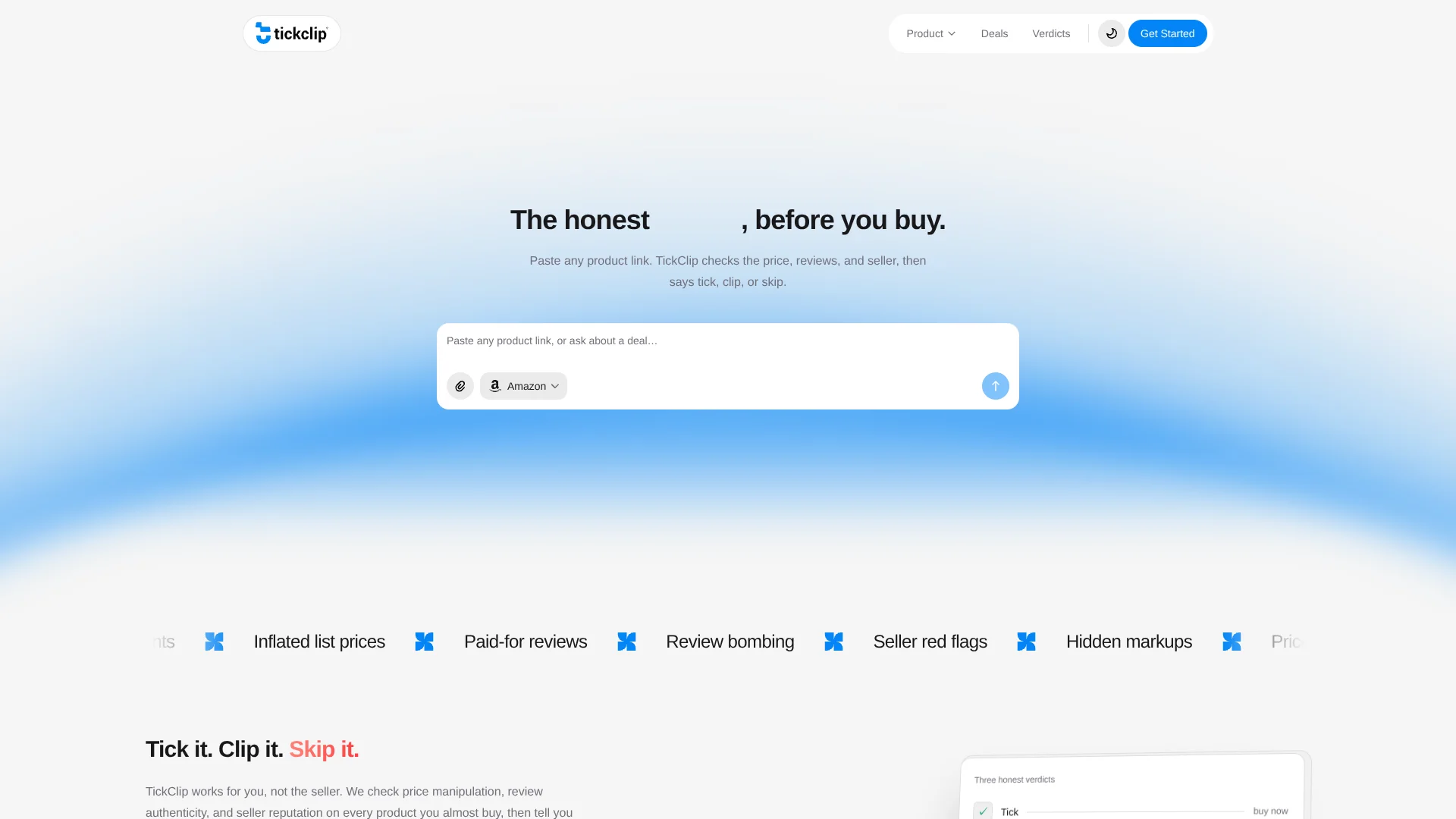
Labels Amazon links Tick, Clip, Skip.
Key Takeaways
- What it is
- Labels Amazon links Tick, Clip, Skip.
- Best for
- Tick, Clip or Skip verdicts
- Price-history analysis
- Marketplace review signals
Who is Using Tickclip?
Online shoppers
Buyers can check whether an Amazon product is worth buying now, waiting for, or avoiding.
Amazon buyers
The service is designed around Amazon links, ASINs and Amazon marketplace signals.
Research assistants and AI clients
The API and MCP interface let assistants retrieve published verdicts, product data, price history and deal information.
Key Features
Tickclip Use Cases
Amazon Deal Checker
Check an Amazon product's current price against recent history.
Outcome: Receive a clear Tick, Clip, or Skip buying verdict.
Fake Discount Checker
Compare an advertised discount with recent prices.
Outcome: See whether the apparent discount represents a real saving.
Amazon Price History
Review how an Amazon product's price has changed over time.
Outcome: Understand where today's offer sits in the recent price range.
Seller and review-risk checking
Evaluate seller context, aggregate marketplace signals, and review-count history.
Outcome: Identify potential quality, authenticity, or marketplace risks.
Shopping research
Describe what you want to buy and ask TickClip to investigate available options.
Outcome: Get a buyer-side recommendation with evidence and uncertainty.
Workflow Ideas with Tickclip
Check an Amazon deal
- 1Paste an Amazon product URL or ASIN
- 2TickClip checks price history, marketplace signals, seller evidence, and manipulation risks
- 3Review the Tick, Clip, or Skip verdict and supporting evidence
Investigate a questionable sale
- 1Submit the product link or describe the advertised deal
- 2Compare the current price with 30-day and 90-day averages
- 3Decide whether to buy now, wait, or avoid the offer
Query TickClip from an AI client
- 1Create an MCP access token
- 2Connect Codex, Claude Code, OpenCode, Hermes, Pi, or another MCP client
- 3Call verdict, verdict-list, or brand-summary tools for public shopping evidence
How Tickclip fits into your stack
Browser
TickClip is used as a web-based shopping decision layer: users paste an Amazon link or describe what they want and receive a verdict.
Shopping research
It sits between an Amazon product page and the purchase decision by checking price history, review signals, seller reputation and manipulation risk.
Automation and APIs
The documented API and MCP server expose public verdicts, product searches, price history, deals, promo codes and seller-trust data to AI clients and programs.
Pros
- +Free to use with no account required
- +Explains the evidence behind each verdict
- +Checks price history instead of relying on crossed-out list prices
- +No affiliate commission or paid placement
- +Documented API and MCP access
Cons
- −Currently focuses on Amazon listings
- −No browser extension to install
- −Verdicts and price data can become stale as prices, stock and sellers change
- −Does not claim to read individual customer review text
- −No native mobile or desktop app is documented
Limitations & when to consider alternatives
Known limitations
- Amazon-first retailer coverage. TickClip currently focuses on Amazon listings; support for more retailers is planned.
- Verdicts are informational. Prices, availability, seller signals, and AI responses can be incomplete, stale, or inaccurate.
- No physical product testing. TickClip does not physically test every product and cannot guarantee product quality or future outcomes.
- Review analysis is aggregate. TickClip evaluates aggregate ratings and rating-count history and does not claim to read individual review text unless explicitly sourced.
- MCP access is read-only. The MCP interface exposes public verdict and brand-signal data but cannot publish, edit account data, or read private conversations.
Look elsewhere when
- You need support for retailers beyond Amazon.
- You need a native mobile application.
- You need write-enabled automation.
How to Use Tickclip
- 1
Open TickClip
Use the TickClip website and start anonymously or sign in if you want account-linked history.
- 2
Paste a product link
Submit an Amazon product URL or ASIN so TickClip can identify the item and buying question.
- 3
Describe what you want
Ask a shopping question in natural language when you are researching a product or deal.
- 4
Review the verdict
Read the Tick, Clip, or Skip recommendation together with the score, confidence, reasons, and evidence.
- 5
Inspect price intelligence
Compare today's price with recent averages, tracked lows, and discount signals before deciding.
- 6
Use MCP if needed
Create a token and connect a supported AI client to query public verdicts and brand signals programmatically.
Who is Tickclip For?
Online shoppers
They can check whether a product is worth buying before continuing to the retailer.
Deal hunters
They can compare current prices with recent price history and identify genuine discounts.
Amazon buyers
They can evaluate Amazon listings using price, review, seller, demand, and manipulation signals.
Frequently Asked Questions
What is TickClip and how does it work?
TickClip is a buyer-first e-commerce decision layer. Submit a supported product link or describe what you are buying, and it evaluates price, marketplace, seller, and demand evidence.
What do Tick, Clip, and Skip mean?
Tick means buy now, Clip means wait or watch, and Skip means avoid the purchase because value or risk evidence is unfavorable.
Is TickClip free to use?
Yes. TickClip is free to get started and currently earns no affiliate commission from retailer links.
How does TickClip detect price manipulation?
It compares current prices with 30-day and 90-day averages to identify inflated prices and misleading discounts.
How does TickClip assess review signals?
It evaluates aggregate marketplace ratings and rating-count or review-count history when those data series are available.
Which stores does TickClip support?
TickClip is Amazon-first. Users can submit Amazon product links or ASINs, with support for additional retailers planned.
Community reviews
Be the first to share your experience.
Sign in to leave a review for Tickclip.
Tickclip Alternatives
Looking for alternatives to Tickclip? Here are similar tools in the same category:
Learn to Master Tickclip
With Skill Leap courses
Get in-depth training on Tickclip and 50+ other AI tools with our expert-led video courses.
Start 7-Day Free Trial