
TinyFish
Browse sites, pull data, and finish workflows.
Key Takeaways
- What it is
- Browse sites, pull data, and finish workflows.
- Pricing
- $0.015 per step · $15 per month · $150 per month
- Best for
- Natural language control
- Live execution streaming
- Stealth and proxy options
- Rating
- 4.4/5
What is TinyFish?
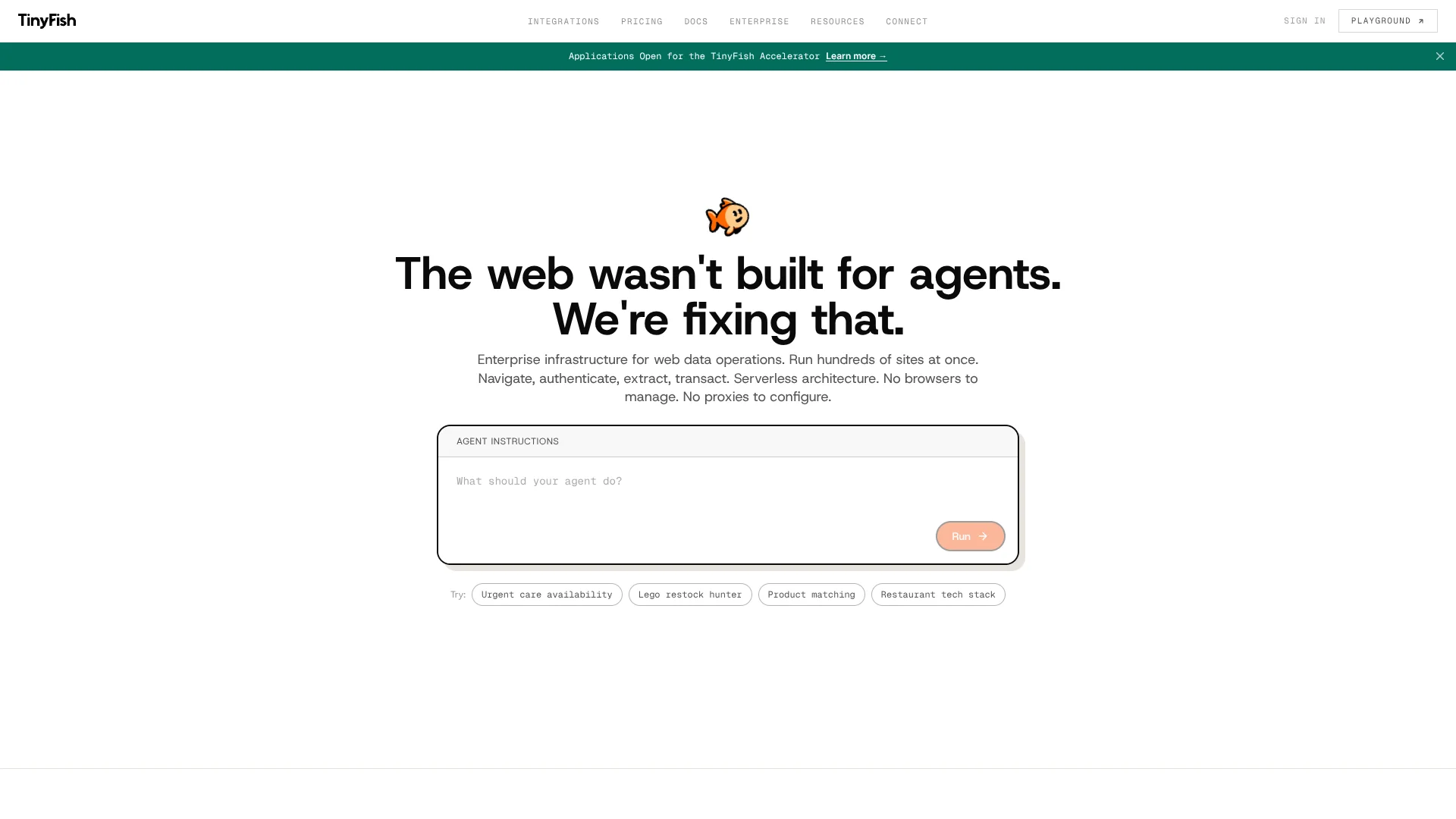
TinyFish is an AI web agent tool built for teams that need live web actions rather than static scraped data. It turns plain-English goals into browser actions, then navigates websites, logs in, extracts data, and completes workflows through a visual workbench or API. It is aimed more at developers, ops teams, and enterprise workflows than casual users, and that focus is part of its appeal.
TinyFish stands out by focusing on enterprise-grade web agents that can act on live sites, not just read them. The combination of natural-language control, anti-bot tooling, authenticated workflow support, observability, and high concurrency gives it a strong position for companies that need web automation to hold up in production.
TinyFish is best suited for teams that need AI agents to do real work across live websites at scale. It is not trying to be a cute chatbot with a browser tab. It is trying to be infrastructure, and that makes it a strong option for enterprises, developers, and ops teams that want web automation with more muscle and less babysitting.
Who is Using TinyFish?
E-commerce and retail teams
For product matching, pricing checks, and checkout monitoring.
Travel and hospitality businesses
For hotel availability, rate monitoring, and property data collection.
Sales and lead generation teams
For structured lead extraction from conference and company websites.
Developers and operations teams
For browser automation through APIs, async runs, and agent-based workflows.
Uncommon use cases
Sports scouting across global sources and healthcare portal unification stand out as more unusual but very fitting uses.
Key Features
Rating Breakdown
Pricing Plans
Pay-as-you-go
$0.015 per step
- Includes 2 concurrent agents, remote browser at $0 per hour, residential proxy at $0 per GB, all LLM costs included, anti-bot protection, 30-day run history, and email support
Starter
$15 per month
- Includes 1,650 steps per month, 10 concurrent agents, remote browser at $0 per hour, residential proxy at $0 per GB, all LLM inference costs included, anti-bot protection, 30-day run history with observability and screenshots, priority email support, and TinyFish Workbench, API, and MCP integration. Overage is $0.014 per step
Pro
$150 per month
- Includes 16,500 steps per month, 50 concurrent agents, remote browser at $0 per hour, residential proxy at $0 per GB, all LLM inference costs included, anti-bot protection, 180-day run history with observability and screenshots, priority email plus Slack/Discord community access, and TinyFish Workbench, API, and MCP integration. Overage is $0.012 per step
Enterprise
- Includes custom workflows, custom step volume, custom concurrent agents, custom auditability, advanced security and compliance, dedicated support engineer, custom SLA and contracts, and on-premise deployment options
Which TinyFish plan should you pick?
Start with Pay as you go for free Search and Fetch, then add wallet funds when Agent or Browser usage is required; upgrade to Enterprise for higher limits, SSO, audit logs, VPC deployment, and SLA support.
Pay as you go
Good for developers and teams who need free Search and Fetch, then metered Agent or Browser usage without subscriptions or monthly minimums.
Enterprise
Good for teams who need workload-specific limits, Enterprise SSO, audit logs, VPC deployment, ISO 27001, and a 99.99% uptime SLA.
TinyFish Use Cases
Real-Time Hotel Inventory
Monitor hotel listings across booking platforms.
Outcome: Accurate pricing and availability data for travel metasearch.
Social Listening Intelligence
Extract structured data from social media, forums, and review sites.
Outcome: Understand customer sentiment and emerging trends.
Competitive Price Monitoring
Monitor competitor product pages for prices, stock status, and promotions.
Outcome: Continuously detect competitive changes across retail sites.
Insurance Quoting Automation
Navigate multi-step quoting workflows, fill forms, handle authentication, and extract quote data.
Outcome: Structured insurance quotes at scale.
Autonomous QA Testing
Navigate and interact with web applications automatically.
Outcome: Validate application behavior at scale.
Workflow Ideas with TinyFish
Research and extract live web data
- 1Use Search to find relevant live web pages
- 2Use Fetch to retrieve clean page content
- 3Return structured data for downstream agents or pipelines
Automate an authenticated web task
- 1Connect a password manager through TinyFish Vault
- 2Select credentials for the run
- 3Navigate the authenticated site and extract structured results
Combine APIs for a production workflow
- 1Use Search to narrow the target pages
- 2Use Fetch or Browser for page access
- 3Use Agent to complete multi-step interactions and return JSON
How TinyFish fits into your stack
Browser
Provides Search, Fetch, Agent, and managed Browser APIs for live websites, dynamic pages, authenticated portals, and multi-step browser automation.
Automation and APIs
Runs natural-language web automations through REST APIs, Python and TypeScript SDKs, CLI commands, webhooks, and structured JSON outputs.
Desktop / IDE
Connects to Claude Desktop, Claude Code, Cursor, and Windsurf through its MCP server, allowing those assistants to search, browse, and automate websites.
Team chat and tickets
Can be connected through n8n workflows that route structured TinyFish results to destinations such as Slack, Telegram, Google Sheets, databases, and CRMs.
Pros
- +Free Search and Fetch APIs
- +Natural-language multi-step web automation
- +Managed Chromium browser with Playwright and CDP control
- +Built-in residential proxies and anti-bot handling
- +REST API, SDKs, CLI, MCP, and webhook support
Cons
- −Not especially beginner-first: The product language and setup lean toward technical or workflow-heavy teams.
- −CAPTCHA handling is still limited: TinyFish states CAPTCHAs cannot currently be solved automatically.
- −Public integration detail is fairly light: API and MCP support are clear, but the site exposes fewer ready-made app details than some rivals.
Limitations & when to consider alternatives
Known limitations
- Agent and Browser require wallet funds. Search and Fetch remain free, but Agent and Browser consume wallet funds and cannot start without sufficient balance.
- Self-serve concurrency limits apply. Accounts start with two concurrent Agent runs and five concurrent Browser sessions.
- Fetch has URL and timeout limits. Fetch supports up to 10 URLs per request, with a 110-second backend timeout per URL and a 120-second CDN ceiling for a full batch.
- Image files are not supported by Fetch. PNG and JPG inputs return an error indicating that no extractable content was found.
- Completion does not guarantee goal success. A completed run can still contain failure signals such as captcha, blocked, or access denied, so the result must be checked.
Look elsewhere when
- You need a native mobile app.
- You need file or image upload analysis.
- You need shared seats and workspace collaboration.
How to Use TinyFish
- 1
Create a TinyFish account
Sign up for an account before using the APIs, SDKs, CLI, or MCP integration.
- 2
Create an API key
Open the API Keys page, create a key, and store it securely because keys are shown only once.
- 3
Choose an API surface
Use Search for ranked web results, Fetch for rendered page content, Agent for natural-language automation, or Browser for Playwright/CDP control.
- 4
Run your first workflow
Provide a URL and natural-language goal, then optionally define an output schema for structured JSON results.
- 5
Connect an AI assistant
Install the TinyFish MCP server in Claude, Cursor, Windsurf, or another MCP-compatible client.
- 6
Add credentials when needed
Connect 1Password or Bitwarden through Vault and select specific credentials for authenticated runs.
Who is TinyFish For?
AI agents
TinyFish gives agents live search, page fetching, browser sessions, and multi-step web automation.
Developers
Developers can integrate REST APIs, Python and TypeScript SDKs, CLI commands, browser sessions, and MCP.
Teams running web data workflows
TinyFish is positioned for teams handling dynamic pages, authenticated flows, structured outputs, and production-scale reliability.
Travel metasearch companies
The platform supports monitoring hotel listings, pricing, and availability across booking platforms.
QA and automation teams
Teams can use browser automation to navigate, interact with, and validate web application behavior at scale.
Frequently Asked Questions
What is TinyFish Web Agent?
It is an AI-powered web automation API that lets users automate websites using natural language instead of brittle selectors.
What sites can I automate?
TinyFish supports publicly accessible websites. Authenticated sites can be automated with login steps or connected vault credentials, and stealth mode is available for bot-protected sites.
Can I see the browser?
Yes. Runs provide a streaming URL for watching the browser execute live for 24 hours after completion.
What authentication method does TinyFish use?
REST API requests use an X-API-Key header. MCP integrations use OAuth 2.1.
What browsers does TinyFish use?
TinyFish uses Chromium-based browsers with Lite and Stealth profiles.
Can I automate authenticated content?
Yes. Users can connect 1Password or Bitwarden through Vault, select credentials per run, and let TinyFish handle login without exposing passwords to the agent.
Community reviews
Be the first to share your experience.
Sign in to leave a review for TinyFish.
TinyFish Alternatives
Looking for alternatives to TinyFish? Here are similar tools in the same category:
Learn to Master TinyFish
With Skill Leap courses
Get in-depth training on TinyFish and 50+ other AI tools with our expert-led video courses.
Start 7-Day Free Trial