
tl;dv
AI-driven tool for recording, transcribing, and summarizing meetings.
Key Takeaways
- What it is
- AI-driven tool for recording, transcribing, and summarizing meetings.
- Pricing
- Freemium
- Best for
- AI Notes & Summaries
- Recording & Transcription
- Multi-Meeting AI Insights
- Rating
- 4.5/5
What is tl;dv?
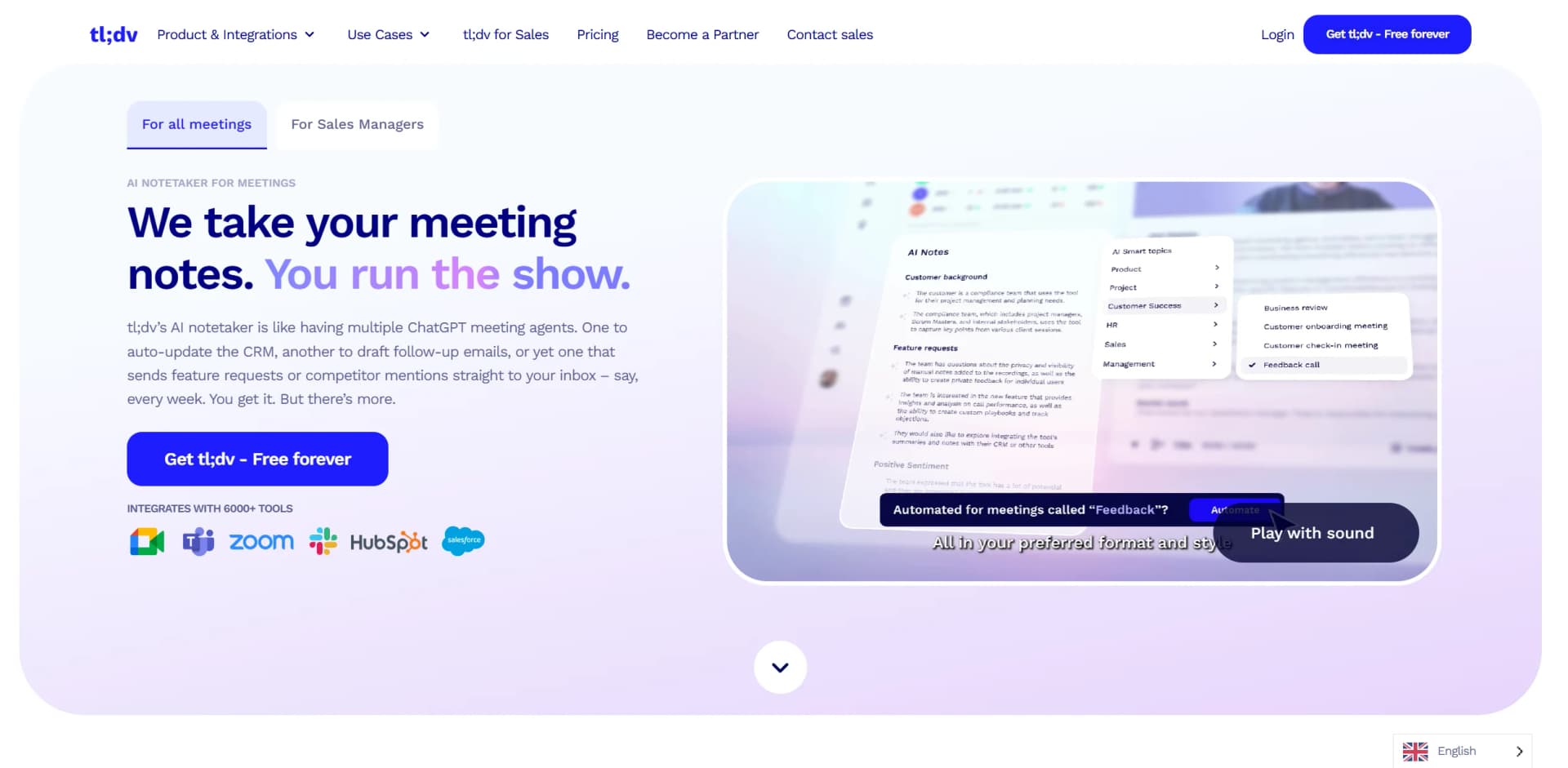
tldv, available at tldv.io, is an AI-driven notetaker designed to transform the way meetings are documented and analyzed. It offers seamless recording, transcription, and summarization of meetings held on platforms like Zoom, Microsoft Teams, and Google Meet. Tailored for professionals and organizations looking to enhance productivity, tldv simplifies capturing key insights and action points, making it an invaluable tool for efficient meeting management.
tldv stands out with its ability to seamlessly integrate with thousands of tools, making it a versatile solution for diverse organizational needs. Its advanced AI-driven insights transform meeting data into actionable intelligence, setting it apart from traditional meeting recording tools.
tldv offers a comprehensive solution for modern meeting management, combining robust AI capabilities with extensive integration options. Its focus on delivering high-quality transcriptions and actionable insights makes it an indispensable tool for organizations aiming to optimize productivity and enhance collaboration. With its commitment to data security and user-friendly features, tldv is an excellent choice for those looking to streamline their meeting processes.
Who is Using tl;dv?
Sales Teams
Leveraging AI-driven insights to refine sales strategies and improve customer interactions.
Business Leaders
Utilizing meeting summaries to align organizational goals with customer feedback and market trends.
Customer Success Teams
Enhancing team performance through automated CRM updates and follow-up email drafts.
Marketing Professionals
Gaining deeper customer insights from real conversations to refine marketing strategies.
Uncommon Use Cases
Academic institutions using tldv for transcribing lectures; non-profit organizations employing it for documenting stakeholder meetings.
Key Features
Rating Breakdown
Pricing Plans
Free Tier
Free
- Offers a no-time-limit free plan
- Allowing users to explore all features
Which tl;dv plan should you pick?
Start with Free for unlimited recording and transcription, upgrade to Pro for unrestricted AI and integrations, choose Business for team intelligence, or contact tl;dv for Enterprise controls.
Free
Good for individuals and teams testing meeting recording and transcription with limited AI, storage and integration allowances.
Pro
Good for regular meeting users who need unlimited single-meeting AI, uploads, CRM integrations, API access and webhooks.
Business
Good for sales and customer-success teams needing multi-meeting insights, playbooks, scheduled reports and team workflows.
Enterprise
Good for organizations needing custom retention, SCIM, custom SSO, private AI hosting and advanced administration.
tl;dv Use Cases
Automated meeting minutes
Record meetings, transcribe conversations and generate structured summaries with decisions, topics and action items.
Outcome: Less manual note-taking and faster access to meeting outcomes.
CRM follow-up
Map AI meeting-note templates to CRM fields and automatically populate records after calls.
Outcome: Reduced manual data entry and more consistent CRM updates.
Sales coaching
Use playbooks, objection handling and meeting feedback to review sales conversations.
Outcome: More consistent coaching and visibility into sales execution.
Cross-meeting analysis
Ask AI questions across multiple meetings and generate scheduled reports from recurring topics.
Outcome: Faster identification of patterns, decisions and follow-up items.
Bot-free recording
Use the desktop app to record system audio from platforms that do not support the tl;dv bot.
Outcome: Meeting capture across a broader range of communication platforms.
Workflow Ideas with tl;dv
Capture and distribute meeting minutes
- 1Connect tl;dv to Google Meet, Zoom or Microsoft Teams.
- 2Enable automatic recording or start a desktop recording manually.
- 3Review the generated minutes and share them with teammates or connected tools.
Automate CRM updates
- 1Connect a CRM such as HubSpot, Salesforce or Pipedrive.
- 2Configure a meeting-note template and map its fields to the CRM.
- 3Run the workflow after recorded meetings to populate notes and outcomes.
Create recurring meeting intelligence
- 1Select meetings or topics to analyze in Ask tl;dv AI.
- 2Define the questions or report criteria.
- 3Schedule the AI report for delivery to your inbox.
How tl;dv fits into your stack
Browser
tl;dv operates as a web app for meeting recordings, transcripts, AI notes, searchable meeting libraries, and collaboration. Its Chrome extension adds recording controls directly inside Google Meet.
Desktop
The Windows and macOS desktop app records meetings without requiring a bot in the call. It can capture system audio from platforms such as Slack huddles, Discord, Zoom, Google Meet, and Microsoft Teams.
Team chat and tickets
Team workflows can automatically send meeting notes, recordings, and insights to collaboration tools such as Slack and Notion, while CRM integrations update systems including HubSpot, Salesforce, Pipedrive, and other sales platforms.
Automation and APIs
Pro and Business plans provide API access, webhooks, and integrations through Zapier. Teams can trigger workflows when meetings or transcripts finish processing and send structured meeting data to external systems.
Pros
- +Time Efficiency: Significantly reduces the time spent on manual note-taking and post-meeting tasks.
- +Global Language Support: Offers transcription in multiple languages, catering to diverse and international teams.
- +Enhanced Collaboration: Facilitates easy sharing of meeting notes and recordings across team collaboration apps.
- +Data Security: Ensures data privacy with GDPR-compliant, encrypted services, providing peace of mind for users.
Cons
- −Initial Setup Complexity: Users may experience a slight learning curve when integrating tldv with existing systems and workflows.
- −Limited Mobile Functionality: Currently, there is no native mobile app, which may limit on-the-go accessibility.
Limitations & when to consider alternatives
Known limitations
- Three-hour recording limit. Recorded and uploaded meetings cannot exceed three hours on any plan.
- Free-plan storage expires. Free-plan recordings are stored for three months before scheduled deletion.
- Free AI-note limits. After the first ten meetings, automatic AI notes cover only the first ten minutes of each Free-plan meeting.
- Uploads are limited on Free. The Free plan allows only a limited number of manual uploads, while Pro and Business remove the upload limit.
- Uploaded recordings lack speaker recognition. Uploaded files currently identify speakers generically as Speaker 1, Speaker 2 and so on.
Look elsewhere when
- You need a native mobile app for recording online meetings.
- You need webinar recording.
How to Use tl;dv
- 1
Connect your meeting platform
Connect Google Meet, Zoom or Microsoft Teams, or install the desktop app for bot-free recording on other platforms.
- 2
Configure recording
Enable automatic recording for scheduled meetings or manually start recording through the Chrome extension or desktop app.
- 3
Review the transcript and notes
After the meeting, review the recording, transcript, AI summary, topics, decisions and action items.
- 4
Customize meeting outputs
Use custom templates, prompts or topic trackers to focus notes on the information your team needs.
- 5
Share and collaborate
Publish recordings to your organization or team, share folders, assign action items and leave feedback.
- 6
Connect follow-up workflows
Send meeting insights to Slack, Notion, CRMs, Zapier workflows or other supported integrations.
Who is tl;dv For?
Sales managers
Use meeting recordings, playbooks, objection handling and team workflows to improve sales execution.
Business leaders
Capture organizational meeting knowledge, decisions and action items in a searchable workspace.
Customer success leaders
Review customer conversations, identify important moments and standardize follow-up workflows.
Customer success representatives
Use transcripts, summaries and action items to keep customer work organized after calls.
Product and marketing teams
Turn customer and internal conversations into searchable insights that can be shared across teams and tools.
Frequently Asked Questions
Does tl;dv offer a free plan?
Yes. The Free plan includes unlimited recordings and transcripts, with limits on AI features, storage, uploads, and integrations.
How long can a tl;dv recording be?
Recorded or uploaded meetings can be up to three hours long on all plans.
Which languages does tl;dv support?
tl;dv supports more than 30 transcription languages, including English, Spanish, French, German, Portuguese, Japanese, Korean and others.
Can tl;dv record meetings without a bot?
Yes. The desktop app can record system audio without a bot on platforms such as Slack, Discord and other meeting tools.
Can I upload existing recordings?
Yes. Users can upload supported video and audio files for transcription, summaries and AI insights.
Does tl;dv provide an API?
Yes. The documented API supports API keys, meeting imports, meeting retrieval, recordings, transcripts and notes.
Community reviews
Be the first to share your experience.
Sign in to leave a review for tl;dv.
tl;dv Alternatives
Looking for alternatives to tl;dv? Here are similar tools in the same category:
Learn to Master tl;dv
With Skill Leap courses
Get in-depth training on tl;dv and 50+ other AI tools with our expert-led video courses.
Start 7-Day Free Trial