
Topaz Labs
AI-enhanced photo, video editing; local, secure processing.
Key Takeaways
- What it is
- AI-enhanced photo, video editing; local, secure processing.
- Pricing
- $199 · $299 · $99
- Best for
- AI-Powered Enhancement
- Video Stabilization
- Image Upscaling
- Rating
- 4.5/5
What is Topaz Labs?
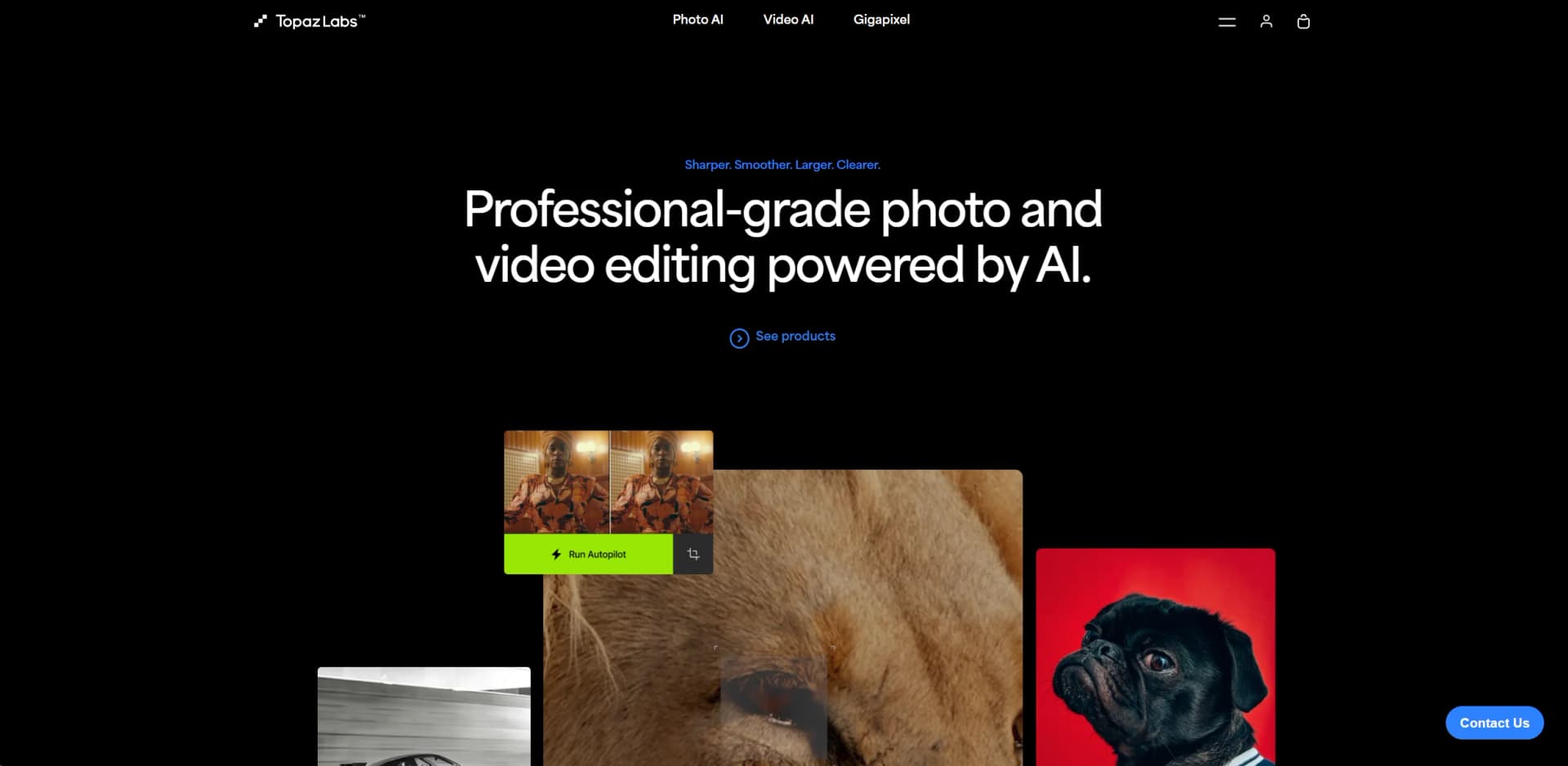
Topaz Labs is a cutting-edge software company specializing in AI-driven photo and video enhancement tools. With a strong emphasis on professional-grade quality, Topaz Labs offers a suite of products designed to transform ordinary images and footage into visually stunning masterpieces. Their tools leverage advanced AI algorithms to enhance clarity, stabilize video, upscale images, and much more, making them an indispensable asset for photographers, videographers, and digital artists.
Topaz Labs stands out with its commitment to leveraging AI for enhancing visual media, a game-changer for professional editing. Its ability to process files locally combines performance with privacy, setting it apart in the industry.
Topaz Labs excels in providing top-tier, AI-enhanced photo and video editing capabilities, making it an essential tool for professionals in the visual media industry. Its standout feature of local processing not only ensures rapid performance but also guarantees the security of your data, offering a significant advantage over cloud-based alternatives.
Who is Using Topaz Labs?
Professional Photographers
Rely on Topaz Labs for quick and efficient photo enhancements.
Videographers
Utilize the stabilization and enhancement features for producing high-quality video content.
Digital Artists
Employ the tool to refine their artwork and create detailed digital images.
Film Production Companies
Use the software to enhance and stabilize film footage.
Uncommon Use Cases
Academic researchers use Topaz Labs for enhancing images for detailed analysis; Real estate agents use it to improve property photos for listings.
Key Features
Rating Breakdown
Pricing Plans
Photo AI
$199
- A one-time purchase
Video AI
$299
- Offering comprehensive video enhancement capabilities
Gigapixel AI
$99
- Specializing in image upscaling
Which Topaz Labs plan should you pick?
Start with an Individual app or web plan for personal, hobbyist, restoration, or freelance work; upgrade to Pro for additional seats, higher limits, and broader commercial use.
Topaz Studio
Good for users who need the full collection of Topaz desktop, mobile, and web applications with local and cloud rendering.
Topaz Photo
Good for photographers who need dedicated photo enhancement models and desktop processing.
Topaz Gigapixel
Good for users focused on image upscaling, enlargement, and detail recovery.
Topaz Video
Good for users focused on video enhancement, upscaling, frame interpolation, and related video workflows.
Topaz for Web - Pro
Good for professional users who need image and video workflows, higher concurrency, higher image-resolution limits, and full commercial use.
Topaz Labs Use Cases
Upscale low-resolution images
Use Gigapixel or mobile workflows to enlarge images while preserving detail.
Outcome: Higher-resolution assets suitable for prints, posters, and other large-format uses.
Restore old photographs
Apply restoration, denoising, sharpening, face recovery, and colorization workflows.
Outcome: Cleaner and more legible restored photos.
Enhance video footage
Use Topaz Video workflows for upscaling, frame interpolation, slow motion, stabilization, and HDR conversion.
Outcome: Improved-resolution and smoother video footage.
Process images from a phone
Upload batches of photos in Topaz for Mobile and apply configured enhancement workflows.
Outcome: Enhanced camera-roll images accessible across mobile and web.
Integrate photo enhancement into editing workflows
Launch Topaz Photo from Lightroom Classic, Photoshop, Capture One, Apple Photos, or Affinity Photo.
Outcome: Topaz enhancement results incorporated into supported editing applications.
Workflow Ideas with Topaz Labs
Restore an old photo
- 1Upload or open the photograph in Topaz Photo or Topaz for Mobile
- 2Apply restoration, denoise, sharpen, face recovery, or colorize workflows
- 3Export the enhanced image
Upscale a photo for print
- 1Open the image in Topaz Gigapixel
- 2Choose an upscale model and target enlargement
- 3Export the high-resolution image for printing
Enhance video through the API
- 1Create a video request with the desired filters and output settings
- 2Accept the request and upload the video using the provided URLs
- 3Check processing status and download the enhanced video
How Topaz Labs fits into your stack
Photoshop Integration
Seamlessly works with Adobe Photoshop for enhanced workflow.
After Effects and DaVinci Resolve
Integrates well with popular video editing software.
Apple Silicon and Nvidia/AMD GPUs
Optimized for high performance on the latest hardware.
Standalone Application
Offers a standalone app for those who prefer not using plugins.
Pros
- +Enhanced Productivity: Drastically reduces the time required for editing photos and videos.
- +High-Quality Output: Delivers superior quality enhancements that are difficult to achieve manually.
- +Versatility: Suitable for various professional and creative needs, from simple edits to complex projects.
- +Secure and Private: Local processing means files never leave your computer, ensuring privacy and security.
Cons
- −Hardware Requirements: Demands high-performance hardware for optimal functionality.
- −Cost: Premium pricing could be a barrier for hobbyists or freelancers on a tight budget.
- −Complex Features: Some features may have a steep learning curve for beginners.
Limitations & when to consider alternatives
Known limitations
- Internet connection required for installation and updates. Topaz Gigapixel requires internet access to install, activate, and update the application.
- Operating-system and hardware requirements. Desktop applications require supported Mac or Windows computers that meet Topaz system requirements.
- Cloud export and concurrency limits. Web and mobile plans impose limits such as maximum export resolution and the number of simultaneous renders.
- Video credits expire monthly. Included monthly video credits do not roll over to the next month.
- Some file formats are unsupported. Topaz Photo does not directly support certain formats, including PDF and PSD, and recommends conversion or plugin workflows.
Look elsewhere when
- You need a browser extension rather than a web application.
- You need shared workspaces with roles and invitations.
- You need fine-tuning or training on your own data.
- You need code-generation capabilities.
How to Use Topaz Labs
- 1
Explore an extensive range of tutorials on the Topaz Labs website, covering everything from basic setups to advanced tool usage.
Who is Topaz Labs For?
Photographers
Topaz provides photo enhancement, restoration, denoising, sharpening, face recovery, and upscaling workflows.
Filmmakers
Topaz Video provides video enhancement, upscaling, frame interpolation, stabilization, and HDR workflows.
Professional AI users
Pro subscriptions provide higher limits, additional seats, and commercial-use support for professional work.
Small studios and agencies
Topaz Pro subscriptions support additional seats and increased concurrent cloud rendering.
Hobbyists and restorers
Individual subscriptions are positioned for prosumers, hobbyists, AI users, restorers, and freelancers.
Frequently Asked Questions
What products does Topaz Labs offer?
Topaz Labs offers desktop applications including Topaz Photo, Topaz Gigapixel, and Topaz Video, plus web and mobile applications.
Is Topaz Labs available on desktop?
Yes. Topaz desktop applications are downloadable for supported Mac and Windows computers.
Is Topaz Labs available on mobile?
Yes. Topaz for Mobile is available on iOS and provides image enhancement workflows such as upscaling, denoising, sharpening, and face enhancement.
Does Topaz Labs provide an API?
Yes. Topaz provides documented image and video APIs authenticated with API keys.
Which third-party applications integrate with Topaz Photo?
Supported integrations include Lightroom Classic, Photoshop, Capture One, Apple Photos, and Affinity Photo.
What are the main limitations of Topaz for Mobile?
Plans impose limits such as maximum export resolution, concurrency, storage, and commercial-use restrictions.
Community reviews
Be the first to share your experience.
Sign in to leave a review for Topaz Labs.
Topaz Labs Alternatives
Looking for alternatives to Topaz Labs? Here are similar tools in the same category:
Learn to Master Topaz Labs
With Skill Leap courses
Get in-depth training on Topaz Labs and 50+ other AI tools with our expert-led video courses.
Start 7-Day Free Trial