
Topview AI
Turn product links into polished, viral-ready marketing videos.
Key Takeaways
- What it is
- Turn product links into polished, viral-ready marketing videos.
- Pricing
- Freemium · $29 per month · $75 per month
- Best for
- Viral Video Agent
- AI Avatars
- Automated Video Generation
- Rating
- 4.6/5
What is Topview AI?
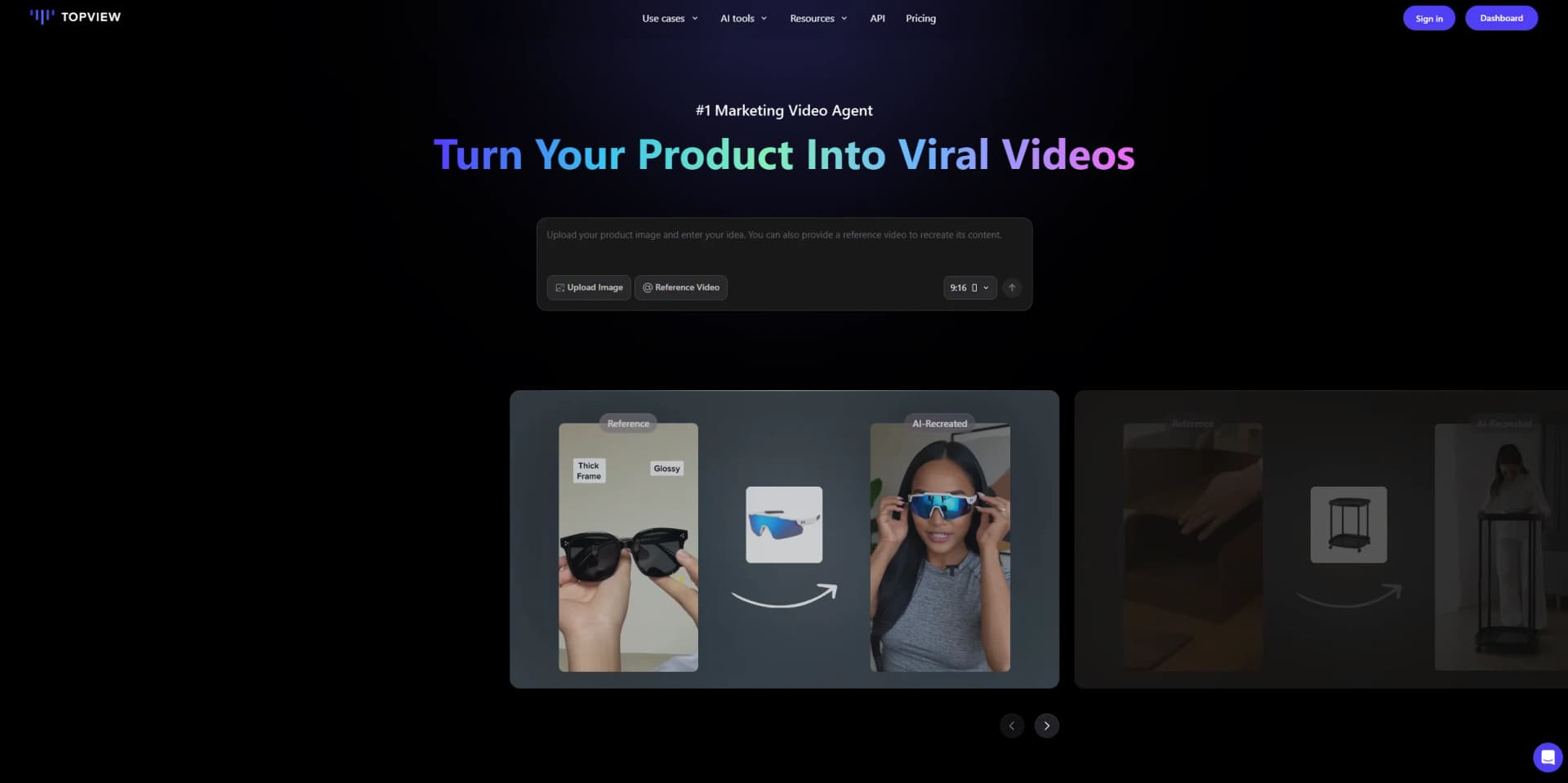
Topview AI transforms the marketing video production process, offering a suite of automated tools for generating compelling, realistic videos at a fraction of traditional costs. With its core focus around advanced AI-driven video generation and editing, Topview AI is designed for marketers, small business owners, e-commerce shops, and creators looking to maximize impact while minimizing time and expenses. This web-based solution streamlines everything from avatar-powered product demos to authentic UGC-style clips, slashing the effort needed to create effective marketing content.
Topview AI shines with its powerful avatar and UGC-style video synthesis, automating every step, from scriptwriting and voice to delivery. Its ability to turn almost any product or website into a ready-to-market video within minutes, while allowing avatar customization and ultra-fast editing, puts creative control directly in users’ hands and leaves competitors looking a bit dated.
For anyone tired of burning money and hours on product videos, Topview AI hits the sweet spot: crank out authentic, brand-aligned marketing content at lightning speed, all with a dash of future-facing AI creativity. The platform’s avatar features offer a playful, professional edge, letting users showcase anything from a new app to a fashion line while looking polished and original. While it could go a bit further in integrations or nuanced avatar reactions, few tools can compete with its sheer video wizardry and bottom-line impact for marketers.
Who is Using Topview AI?
E-commerce Businesses
Streamlining product showcases with automated try-on and demo videos.
Digital Marketing Agencies
Rapid content creation for ad campaigns and client marketing initiatives.
Social Media Managers
Scaling daily story and post production with personalized, AI-powered content.
Small Business Owners
Gaining professional-quality videos without the need to hire designers or videographers.
Uncommon Use Cases
Educational institutions building marketing curricula using real-world AI case studies; Event planners creating personalized promotional teasers featuring avatar-driven messaging.
Key Features
Rating Breakdown
Pricing Plans
Free Plan
Free
- Includes 10 credits, basic video agent features with limited TikTok Ad Library access, 15s max agent length, 1 custom avatar, 1 saved product avatar, 5GB storage, and watermark on outputs
Pro Plan
$29 per month
- Includes 80 monthly credits, full video agent features, 15s max agent length, 2,000+ avatars and voices, up to 200 custom avatars, unlimited product avatars, 5 free voice clones, 50GB storage, no watermark, and faster rendering speed
Business Plan
$75 per month
- Includes 250 monthly credits, 25s max agent length, up to 1,000 custom avatars, unlimited product avatars, 30 free voice clones, 300GB storage, early access to new features, and first-priority rendering
Enterprise Plan
- Includes tailored team seats, credit allocations, avatars, AI voices, and specialized functions
Which Topview AI plan should you pick?
Start with Pro for individual creation, upgrade to Business for higher-volume production, choose Team for collaboration, and contact Enterprise for custom capacity and organizational controls.
Pro
Good for individual AI creators who need all models, in-platform features, API access, and a smaller credit allocation.
Business
Good for filmmakers, short-series creators, and higher-volume users who need more credits, concurrency, and API access.
Team
Good for teams who need shared content, real-time co-editing, shared assets, team seats, and credit controls.
Enterprise
Good for organizations needing custom credits, seats, concurrency, shared workspaces, analytics, and enterprise support.
Topview AI Use Cases
URL-to-video product advertising
Enter a product page, add product details, generate multiple scripts and video styles, then edit and export.
Outcome: A polished marketing video from a product URL.
Image-to-video generation
Upload an image, choose a video model, enter a prompt, set duration, and generate a clip.
Outcome: A dynamic video from a static image.
Talking avatar marketing
Provide a script or audio and use a public or custom avatar to create a lip-synced marketing video.
Outcome: A localized talking-avatar video.
Video character replacement
Upload a target video, mark the character and protected product areas, select a replacement character, and generate.
Outcome: A revised video that preserves product placement and motion.
Virtual try-on and lifestyle imagery
Upload a product and place it into lifestyle scenes or virtual try-on compositions.
Outcome: Product visuals for merchandising and advertising.
Workflow Ideas with Topview AI
Product URL to exported ad
- 1Enter the product URL and product details
- 2Generate scripts and video styles
- 3Edit the script, voiceover, clips, or music
- 4Export the finished video
Image to AI video
- 1Choose an image-to-video model
- 2Upload an image and write a prompt
- 3Select duration, quality, and generation count
- 4Generate and download the video
Team creative review
- 1Create or open an AI Board
- 2Share the board with another Topview user
- 3Rate and comment on creatives
- 4Re-edit, remix, or batch-manage selected assets
How Topview AI fits into your stack
Browser
Topview operates as a web-based creative workspace for generating, editing, and organizing marketing videos, images, audio, and avatars. Its AI Board supports shared projects, comments, ratings, and editable canvases.
Automation and APIs
The REST API supports URL-to-video, materials-to-video, avatar, product-avatar, and product-anyshoot workflows. It provides asynchronous task submission, polling, signed output URLs, and automation-ready structured outputs.
Pros
- +Relieves marketing teams from the pain of tedious manual video production with bulk AI generation.
- +Delivers convincing, brand-consistent avatars that can display, hold, or wear products for instant try-ons or demonstrations.
- +Enables high-quality content creation for a small fraction of the cost of hiring agencies or professional editors.
- +No prior editing skills required—offers an intuitive interface that fast-tracks output without steep learning curves.
Cons
- −Avatars, while realistic, may occasionally fall short of true-life nuance in complex expressions or context-sensitive campaigns.
- −Integration options with external marketing or content management tools may be limited, requiring manual content upload in some workflows.
- −Highly specialized for marketing videos, which may restrict flexibility for use in other video genres or educational content.
Limitations & when to consider alternatives
Known limitations
- URL-to-video uploads are limited. Local uploads for URL-to-Video must be MP4 files no larger than 1GB and no longer than 10 minutes.
- Close-up avatar customization is unsupported. Topview says avatar customization requires photos showing at least the upper half of the body.
- Unlimited usage is web-only. Unlimited generations are not available through API calls, scripts, or other automated workflows.
- Team plans do not include API access. The pricing page lists Team API access as unavailable, although Team includes MCP access.
- API model capabilities vary. Supported resolutions, durations, audio, reference inputs, and other parameters differ by model and endpoint.
Look elsewhere when
- You need a dedicated desktop installer.
- You need SSO or SAML administration.
- You need model fine-tuning on your own training data.
- You need a programming-focused code-generation tool.
How to Use Topview AI
- 1
Choose a creation workflow
Open AI Video, URL to Video, AI Avatar, AI Board, or another documented tool based on the asset you want to produce.
- 2
Add source material
Upload images, videos, audio, or reference files, or provide a product URL for automatic content extraction.
- 3
Configure generation
Select a model, prompt, duration, quality, aspect ratio, voiceover, and other available settings.
- 4
Generate and review
Run the generation, inspect the result, and use editing, remix, character replacement, or upscale features as needed.
- 5
Collaborate or export
Share the AI Board for comments and co-editing, then export the completed video or retrieve API output URLs.
- 6
Scale with the API
Create an API key in API Settings, submit asynchronous tasks, poll task status, and process signed output URLs programmatically.
Who is Topview AI For?
Ecommerce sellers
Create product demonstrations, URL-based marketing videos, virtual try-ons, and catalog-scale ad variants.
DTC brands
Produce marketing videos and localized avatar campaigns across products, platforms, and languages.
Content creators
Generate short-form videos, recreate viral formats, and produce consistent social content.
Marketers
Test hooks, scripts, creative angles, and product-video variations more quickly.
Educators and event organizers
Transform web content, lesson plans, event pages, and highlights into engaging videos.
Frequently Asked Questions
What is Topview?
Topview is an AI-powered video creation platform for generating, editing, upscaling, and transforming marketing videos.
Can Topview turn a product URL into a video?
Yes. URL to Video extracts product content, generates scripts and videos in multiple styles, and supports further editing before export.
Does Topview offer an API?
Yes. Topview provides REST APIs, API keys, asynchronous task processing, polling endpoints, and signed output URLs.
Can Topview create avatar videos?
Yes. The Video Avatar API creates talking-avatar videos from text or audio and supports custom avatar creation from a short reference video.
Can teams collaborate in Topview?
Yes. Team plans include team-wide content access, real-time co-editing, shared asset libraries, boards, and Brand Kits.
Can Topview be used through an API for unlimited generations?
No. Unlimited usage is limited to the Topview web interface and cannot be used through API calls, scripts, or automated workflows.
Community reviews
Be the first to share your experience.
Sign in to leave a review for Topview AI.
Topview AI Alternatives
Looking for alternatives to Topview AI? Here are similar tools in the same category:
Learn to Master Topview AI
With Skill Leap courses
Get in-depth training on Topview AI and 50+ other AI tools with our expert-led video courses.
Start 7-Day Free Trial