TradeOS AI
Turn trading ideas into 24/7 automated agents.
Key Takeaways
- What it is
- Turn trading ideas into 24/7 automated agents.
- Pricing
- Freemium · $4.50 per month · $9.50 per month
- Best for
- Natural-language strategy builder
- Multimodal technical analysis
- 24/7 autonomous agents
- Rating
- 4.2/5
What is TradeOS AI?
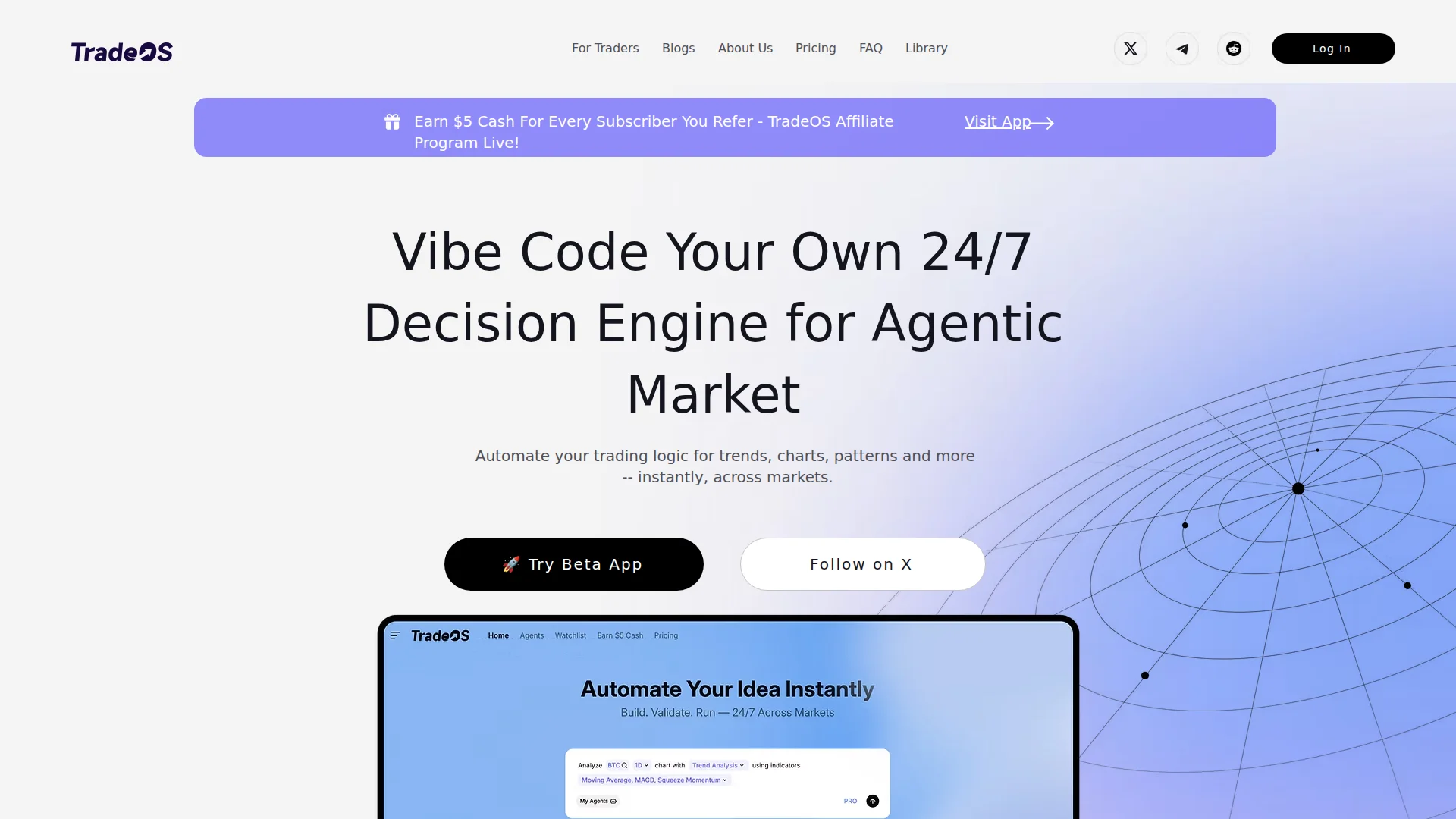
TradeOS AI focuses on turning a trader’s own logic and intuition into 24/7 autonomous agents that watch markets, analyze signals, and act according to rules described in natural language. Instead of hand-coding strategies, traders describe patterns, conditions, and risk preferences in plain English, and the system’s AI models translate that into executable decision engines. Sitting on top of pro-grade data and infrastructure, it aims to give retail and professional traders institutional-style automation and “agentic” workflows without writing code.
TradeOS AI does more than bolt AI onto a charting tool. It pushes toward an “agentic market” model where both human traders and machine agents interact over shared data, services, and execution rails. The natural-language “vibe coding” approach makes it feel closer to describing how a seasoned discretionary trader thinks, rather than forcing everything into rigid if-then logic. Add in a marketplace that lets professionals plug in data and quant services directly into those agents, and traders effectively get a configurable AI trading stack that would have taken a full engineering team a few years ago. For anyone who prefers to sleep while their ideas run all night, that is a pretty appealing setup.
TradeOS AI offers a focused proposition: take how traders already think about markets and let AI run that logic at machine scale. For active traders, educators, and data providers who want serious automation without building infrastructure from scratch, it presents a forward-looking toolset that blends natural-language strategy design, pro-level data access, and continuous autonomous monitoring and execution. There is still maturity and transparency to be earned, but for users comfortable with experimentation and risk controls, it delivers a notably modern take on AI-driven trading workflows.
Who is Using TradeOS AI?
Active Retail Day Traders
Using autonomous agents to track intraday setups so they are not glued to every chart.
Swing and Position Traders
Encoding multi-day or multi-week conditions into rules that run continuously while they are offline.
Crypto and FX Traders
Relying on 24/7 monitoring for highly volatile, round-the-clock markets.
Trading Educators and Communities
Packaging their own playbooks as reusable AI decision engines for students or followers.
Quant Data Vendors and Signal Providers
Plugging proprietary data and models into the TradeOS network to reach more traders.
Uncommon Use Cases
Used by fintech startups to prototype AI trading copilots without building infrastructure; adopted by research teams modeling agent-based market behavior.
Key Features
Rating Breakdown
Pricing Plans
Free
Free
- 2 agents, 15 Pro-Research queries per day (2 credits), 3 Pro trials per day, access to basic AI models, Pro data sources, and full history with real-time data
Plus
$4.50 per month
- Up to 5 agents, ~500 Pro-Research queries per month (10 credits), 3 Pro trials per day, access to premium AI models, Pro data sources, and full history with real-time data
Pro
$9.50 per month
- Unlimited agents, ~1,000 Pro-Research queries per month (20 credits), unlimited Pro feature usage, access to premium AI models and institutional data sources, and full history with real-time data
Ultimate
- Everything in Pro, plus custom enterprise features, API support, and SLA with dedicated CSM
Which TradeOS AI plan should you pick?
Start with Plus for a small number of agents and moderate research, then upgrade to Pro for unlimited agents and advanced analysis; choose Pro Max or Team for higher research volume, API access, or business support.
Free Trial
Good for evaluating the workspace with two agents and limited daily research before subscribing.
Plus
Good for individual traders who need up to five agents, premium models, and about 500 monthly pro-research uses.
PRO
Good for active traders who need unlimited agents, unlimited pro features, institutional data, and about 1,000 monthly pro-research uses.
PRO Max
Good for high-volume users who need about 5,000 monthly pro-research uses and API support.
Team
Good for business usage requiring higher research limits, unlimited pro-feature usage, institutional data, and full history.
Enterprise
Good for organizations needing custom enterprise features, API support, SLA coverage, and a dedicated customer-success manager.
TradeOS AI Use Cases
Continuous market scanning
Create agents that monitor thousands of assets and identify setups matching defined rules.
Outcome: Less manual chart scanning.
Multi-timeframe analysis
Compare timeframes from 1-minute through 4-week windows using trend, momentum, volatility, and support/resistance context.
Outcome: More structured setup validation.
Spread and relative-strength analysis
Compare assets as ratio charts across equities, crypto, commodities, and FX.
Outcome: Faster divergence and leadership analysis.
Macro and news research
Combine chart analysis with macro, policy, and market-event context.
Outcome: More grounded explanations for price movement.
Reusable trading agents
Save tickers, intervals, strategies, indicators, prompts, and trigger logic as custom agents.
Outcome: Repeatable monitoring and decision workflows.
Workflow Ideas with TradeOS AI
Create a recurring market-monitoring agent
- 1Describe the trading logic in natural language
- 2Select assets, indicators, intervals, and trigger conditions
- 3Save the configuration as a reusable custom agent
Validate a multi-asset setup
- 1Ask TradeOS to search or disambiguate tickers
- 2Run multi-timeframe and spread analysis
- 3Review the structured market reasoning and setup context
Use TradeOS through an AI coding environment
- 1Install or connect TradeOS MCP to Cursor, Claude, or Windsurf
- 2Authenticate the MCP connection
- 3Ask the AI environment to call TradeOS market-analysis tools
How TradeOS AI fits into your stack
Browser
TradeOS is accessed through its AI Workspace at ai.tradeos.xyz, where users create and run trading agents.
Automation and APIs
TradeOS supports MCP/API connectivity and exposes market analysis, ticker search, spread analysis, macro context, and custom-agent workflows to MCP-compatible environments.
Desktop / IDE
The TradeOS MCP integration brings market intelligence into Cursor, Claude, Windsurf, and other AI-native development environments.
Knowledge and files
TradeOS positions its long-context reasoning layer for filings, research, trade histories, files, internal documents, market data, and news.
Pros
- +No-code automation for non-programmers: Strategy creation through natural language lowers the barrier for traders who do not code.
- +Scales personal “edge” across markets: Lets one trader’s logic monitor large watchlists and multiple asset classes simultaneously.
- +Professional data access: Open Market integrations give individual traders access to institutional-style data and signals.
- +Good fit for both traders and providers: Serves traders, but also gives data vendors and quants a distribution and monetization channel.
Cons
- −Complexity for beginners: Truly new traders may find agent design and risk configuration overwhelming despite the no-code interface.
Limitations & when to consider alternatives
Known limitations
- No price prediction or guaranteed profits. TradeOS says its agents monitor user-defined conditions rather than predict prices or guarantee returns.
- Trading decisions remain with the user. The platform reports whether conditions fit a trading plan; the final trading decision stays with the user.
- Free access is time-limited. The pricing page lists a limited-days Free Trial rather than a permanent $0 plan.
- Advanced usage is plan-dependent. Agent limits, research credits, premium models, institutional data, API support, and SLA/CSM access vary by plan.
Look elsewhere when
- You need a permanent free plan.
- You need native iOS or Android access.
- You need built-in price prediction or guaranteed trading signals.
- You need a documented shared team workspace with roles or invites.
How to Use TradeOS AI
- 1
Start the workspace
Open the TradeOS workspace and begin with the Free Trial or a paid plan.
- 2
Describe your trading logic
Explain the strategy, patterns, indicators, or risk rules in natural language so TradeOS can structure the workflow.
- 3
Configure the agent
Choose tickers, intervals, indicators, strategies, prompts, and trigger conditions.
- 4
Run market analysis
Use technical, multi-timeframe, spread, relative-strength, macro, and news analysis to validate setups.
- 5
Save and monitor
Save the configuration as a custom agent for repeatable analysis and ongoing market monitoring.
- 6
Connect external AI tools
For developer workflows, connect TradeOS MCP to Cursor, Claude, Windsurf, or another MCP-compatible environment and authenticate once.
Who is TradeOS AI For?
Traders at all levels
Build agents for technical or fundamental strategies by describing the approach in plain language.
Professional traders
Use continuous market monitoring, multi-timeframe analysis, spread analysis, and custom trading agents.
AI-native developers
Connect TradeOS MCP to Cursor, Claude Code, Windsurf, or other MCP-compatible environments.
Strategy builders and quants
Turn market logic into repeatable AI workflows with custom assets, indicators, prompts, and triggers.
Financial institutions
Connect market data, internal knowledge, and decision policies through an auditable agent workspace.
Frequently Asked Questions
What is TradeOS?
TradeOS is a no-code AI trading analysis platform that turns a trader’s logic into repeatable 24/7 agent workflows.
Who is TradeOS for?
It is built for traders who already have strategy or decision logic and want to automate manual charting and decision workflows.
Do I need coding skills to use TradeOS?
No. Users describe trading logic in natural language, and TradeOS turns it into structured agent workflows.
What markets and assets does TradeOS support?
TradeOS supports more than 13,000 assets across stocks, commodities, and forex, with additional markets being added.
Is TradeOS a signal service?
No. Agents are built around the user’s own strategy, and alerts are generated from the user’s rules.
Does TradeOS predict stock or forex prices?
No. Agents monitor market conditions against user-defined rules; trading decisions remain with the user.
Community reviews
Be the first to share your experience.
Sign in to leave a review for TradeOS AI.
TradeOS AI Alternatives
Looking for alternatives to TradeOS AI? Here are similar tools in the same category:
Learn to Master TradeOS AI
With Skill Leap courses
Get in-depth training on TradeOS AI and 50+ other AI tools with our expert-led video courses.
Start 7-Day Free Trial