
TraeAI
Streamline coding with real-time suggestions and corrections.
Key Takeaways
- What it is
- Streamline coding with real-time suggestions and corrections.
- Pricing
- Freemium
- Best for
- Adaptive AI Collaboration
- Comprehensive Documentation Integration
- Multi-Platform Support
- Rating
- 4.3/5
What is TraeAI?
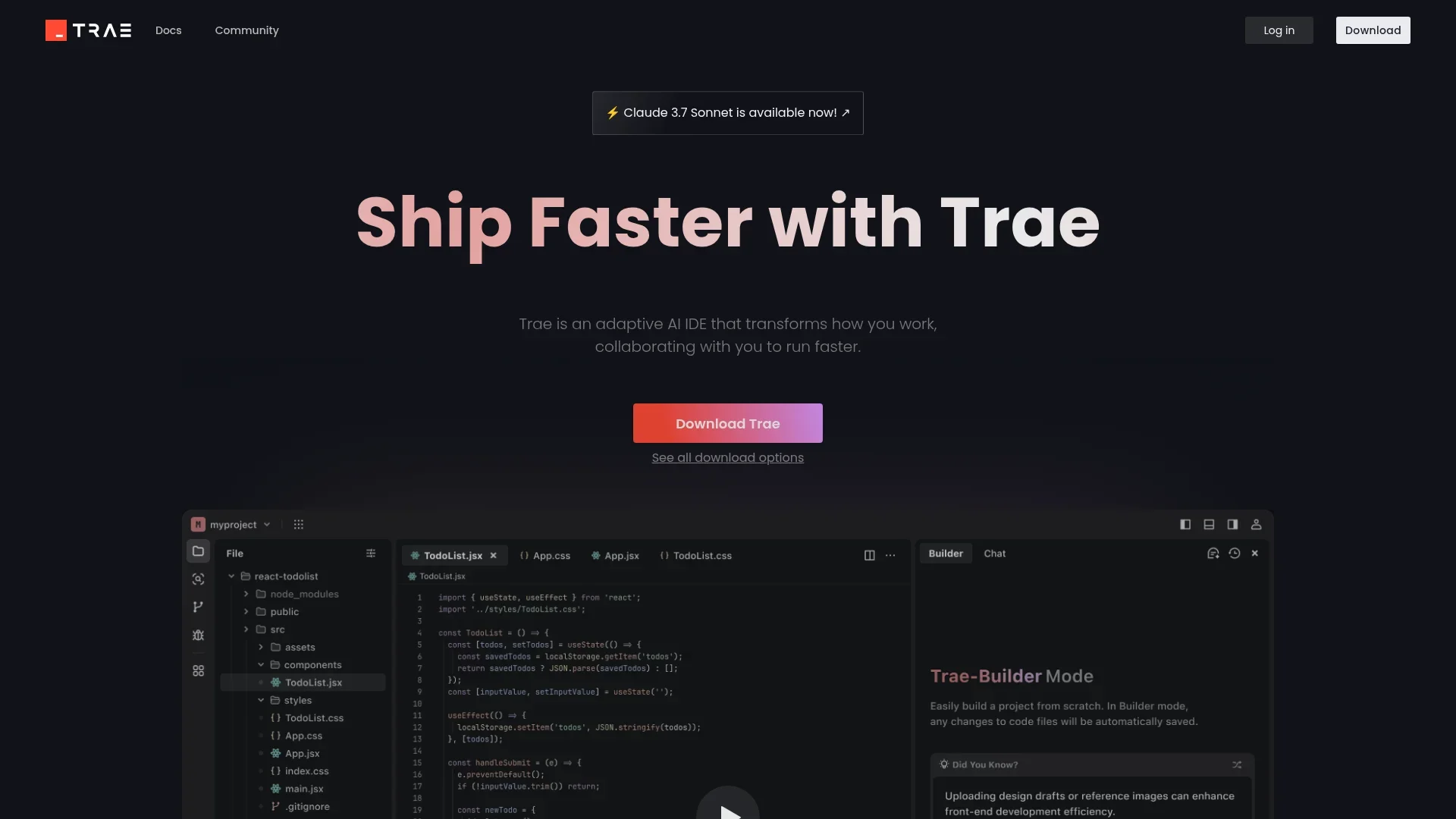
TraeAI is an innovative AI tool designed to revolutionize the way developers work by offering an adaptive AI Integrated Development Environment (IDE). It aims to enhance productivity and efficiency by collaborating with users to streamline coding processes. TraeAI is ideal for developers seeking to expedite their workflow and improve code quality while minimizing errors.
TraeAI stands out with its adaptive AI collaboration feature, a game-changer for developers looking to enhance their coding efficiency. Its ability to provide real-time code suggestions and error corrections sets it apart, making it an invaluable tool for both novice and experienced developers.
TraeAI offers a cutting-edge solution for developers seeking to enhance their productivity and code quality. With its adaptive AI collaboration and intuitive user interface, TraeAI transforms the coding experience, making it faster and more efficient. Whether you're a seasoned developer or just starting out, TraeAI provides the tools you need to advance your projects and achieve your goals.
Who is Using TraeAI?
Software Developers
Utilizing TraeAI to enhance coding efficiency and accuracy.
Tech Startups
Employing the tool to accelerate product development cycles.
Educational Institutions
Leveraging TraeAI for teaching programming and software development.
Freelance Coders
Using the AI IDE to streamline project workflows and improve code quality.
Uncommon Use Cases
Adopted by research labs for algorithm development; Used by hobbyist programmers for personal projects.
Key Features
Rating Breakdown
Pricing Plans
Free
Free
- Experience TraeAI for free to explore some of its features
Pro Tier
- The Pro Tier starts at competitive pricing
- Offering advanced functionalities for professional developers
Which TraeAI plan should you pick?
Start with Free to evaluate TRAE; upgrade to Lite for light use, Pro for heavier usage, or Pro+/Ultra for substantially higher capacity and concurrent tasks.
Free
Good for users evaluating TRAE who need limited usage, basic autocomplete, and access to SOLO mode.
Lite
Good for light builders who need $5 of basic usage, unlimited autocomplete, SOLO mode, and two concurrent cloud tasks.
Pro
Good for regular users who need $20 of basic usage, unlimited autocomplete, SOLO mode, and up to 10 concurrent cloud tasks.
Pro+
Good for heavier users who need 3.5 times more usage than Pro and up to 15 concurrent cloud tasks.
Ultra
Good for intensive users who need substantially higher usage, model early access, and up to 20 concurrent cloud tasks.
TraeAI Use Cases
Build a full-stack application
Describe a product idea and let SOLO create project structure, frontend and backend code, database schemas, APIs, and UI components.
Outcome: A working full-stack application or prototype.
Turn design mockups into code
Provide a visual design or reference and have TRAE translate the design into production-ready code.
Outcome: Interactive implementation based on the visual design.
Create a product requirements document
Upload meeting notes, proposals, or competitor materials and ask TRAE to synthesize them into a PRD.
Outcome: A structured product requirements document.
Analyze datasets and reports
Upload datasets or research materials and ask TRAE to analyze information, generate visualizations, or compile reports.
Outcome: Structured analysis and professional deliverables.
Apply project coding standards
Add project or user rules describing coding style, architecture, testing, and language preferences.
Outcome: Generated work that better follows the project's conventions.
Workflow Ideas with TraeAI
From requirements to deployed application
- 1Describe the product requirements in TRAE
- 2Let SOLO analyze the project and generate frontend, backend, APIs, and configuration
- 3Review, test, and deploy the resulting application
Document-informed engineering
- 1Upload specifications, API guides, or team documentation through #Doc
- 2Reference the document set in a TRAE prompt
- 3Generate or revise implementation using the documented requirements
Parallel development tasks
- 1Create separate tasks for features, refactoring, testing, or documentation
- 2Run multiple agents or cloud tasks concurrently
- 3Review progress and changes through task status and diff views
How TraeAI fits into your stack
Browser
TraeWork Web runs in the browser as a conversational workspace where users define tasks, review results, and monitor cloud execution. https://work.trae.ai
Desktop / IDE
TraeCode is a downloadable AI-native IDE for macOS, Windows, and Linux packages, while TraeWork Desktop handles local workspaces and files.
Knowledge and files
TraeWork provides a unified project workspace for uploaded documents, datasets, presentations, code, images, and other project assets.
Automation and APIs
TRAE agents use MCP to access external resources, and official integrations support Vercel deployment and Vercel AI Gateway.
Pros
- +Increased Productivity: Significantly reduces development time by automating repetitive tasks.
- +Error Reduction: Minimizes coding errors through real-time code analysis and intelligent suggestions.
- +User-Friendly Interface: The intuitive design ensures a smooth user experience, even for those new to AI-powered tools.
- +Cross-Platform Compatibility: Supports multiple operating systems, making it accessible to a wide range of developers.
Cons
- −Learning Curve: Users may require some time to fully harness the tool's advanced features and capabilities.
- −Integration Limitations: Currently, integration with certain third-party platforms may be limited, potentially affecting workflow for some users.
Limitations & when to consider alternatives
Known limitations
- Document upload limits. Local document sets support Markdown or text files up to 10 MB per file, 50 MB total, and 1,000 files.
- Rules size limit. TRAE rules support a maximum of 20,000 bytes.
- Plan-based usage limits. Free and paid plans have different usage allowances, queue priority, autocomplete limits, and concurrent cloud-task limits.
- Platform availability varies by product. TRAE Work and TRAE IDE have different desktop, web, and mobile availability and capabilities.
Look elsewhere when
- You need a documented public developer API.
- You need a browser extension.
- You need shared multi-user workspaces with roles and invitations.
How to Use TraeAI
- 1
Choose your TRAE product
Use TRAE Work for research, writing, data analysis, planning, coordination, and broader professional tasks; use TRAE IDE for software engineering.
- 2
Create or open a workspace
Open a local project in the desktop product or use the web workspace for cloud-based tasks.
- 3
Provide context
Use #Code, #File, #Folder, #Workspace, #Doc, or #Web to give TRAE the project files, documentation, and online references it needs.
- 4
Describe the task
Explain the desired result in natural language, such as building a feature, drafting a PRD, analyzing data, or converting a design into code.
- 5
Review and iterate
Inspect generated documents, code, previews, task progress, and diffs, then provide feedback or request revisions.
- 6
Apply, test, and deploy
Accept changes, run tests and commands, use the available agents or cloud tasks for follow-up work, and deploy when the project is ready.
Who is TraeAI For?
Software developers
TRAE IDE provides AI-assisted development, code generation, code review, agents, context management, and autonomous coding workflows.
Product managers
TRAE Work helps product managers structure requirements, draft PRDs, analyze information, and turn ideas into working prototypes.
Data analysts
TRAE Work supports dataset analysis, visualization generation, and findings summaries without requiring scripts from scratch.
Marketing and operations teams
TRAE Work can draft campaigns, analyze performance data, and produce professional deliverables.
Designers and creatives
TRAE supports visual references, design mockups, design systems, and visual editing that updates the underlying code.
Frequently Asked Questions
What is TRAE?
TRAE is an AI work assistant and coding environment. TRAE Work supports research, writing, data analysis, planning, coordination, and coding, while TRAE IDE focuses on software development.
What does the Free plan include?
The Free plan provides limited usage, 5,000 monthly autocompletions, concurrent cloud tasks, and access to TraeCode SOLO mode.
What are the paid TRAE plans?
The pricing page lists Lite, Pro, Pro+, and Ultra plans, with increasing usage, cloud-task limits, and model benefits.
Can TRAE work with existing projects?
SOLO can work directly in an existing codebase, understand its architecture, and follow project conventions.
Can TRAE process uploaded documents?
TRAE can upload and index local Markdown or text files and use documents such as product specifications, API guides, and onboarding materials as context.
Can TRAE generate complete applications?
TRAE can generate frontend and backend code, configure environments, create APIs, debug automatically, test, and support deployment workflows.
Community reviews
Be the first to share your experience.
Sign in to leave a review for TraeAI.
TraeAI Alternatives
Looking for alternatives to TraeAI? Here are similar tools in the same category:
Learn to Master TraeAI
With Skill Leap courses
Get in-depth training on TraeAI and 50+ other AI tools with our expert-led video courses.
Start 7-Day Free Trial