
Transcriptik
Turn TikToks into searchable transcripts and stats.
Key Takeaways
- What it is
- Turn TikToks into searchable transcripts and stats.
- Pricing
- Freemium · $5.99 per month · $9.99 per month · $19.99 per month
- Best for
- AI TikTok transcription
- Multilingual support
- Video metadata preview
- Rating
- 4.5/5
What is Transcriptik?
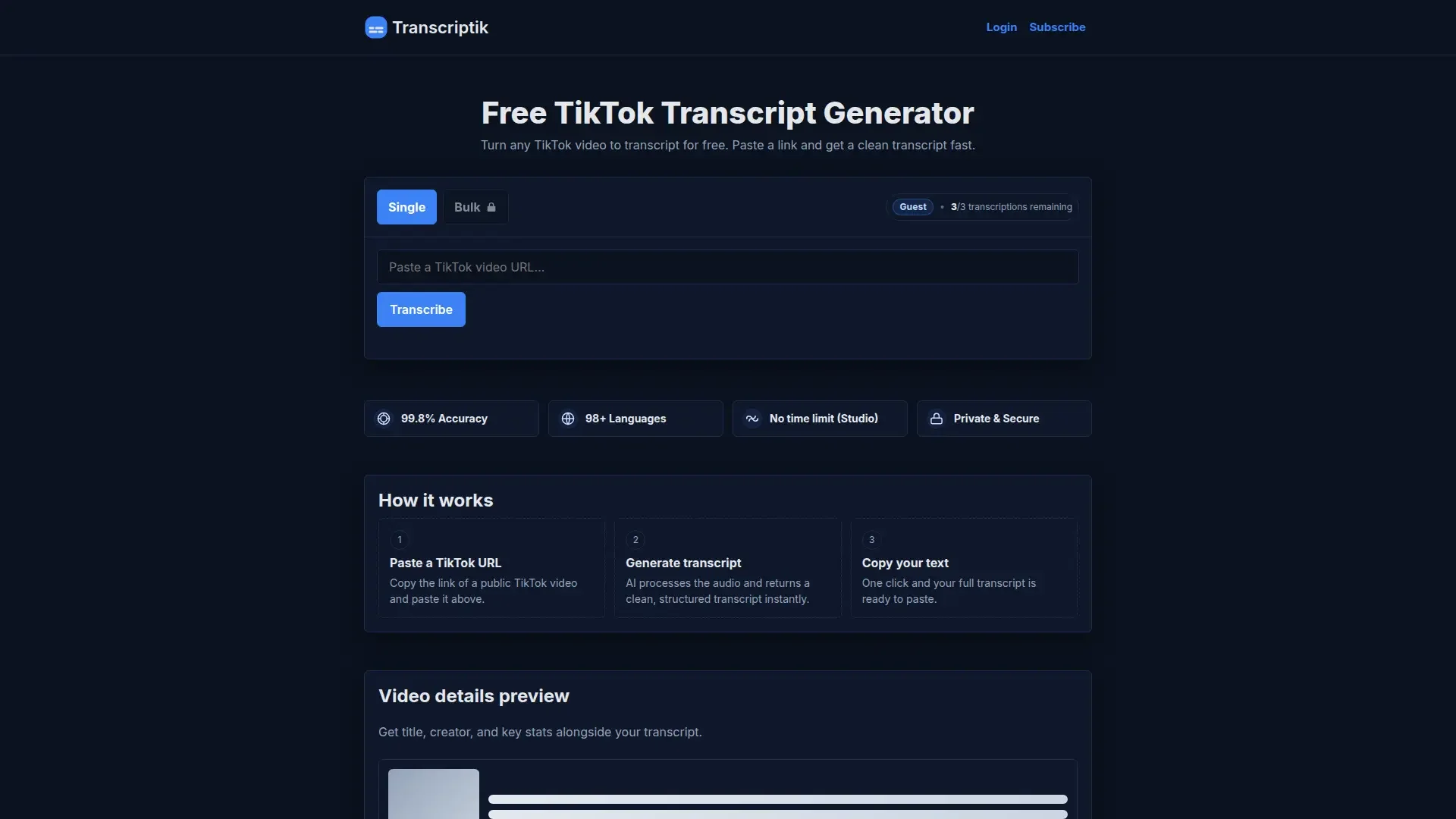
Transcriptik converts public TikTok videos into accurate text transcripts using AI speech recognition. Paste a TikTok URL, and it returns a clean transcript plus key video stats, helping creators, marketers, and researchers reuse content and analyze clips more efficiently.
Transcriptik stands out by focusing squarely on TikTok, pairing accurate multilingual transcription with video stats, bulk queues, AI rewriting, and a handy browser extension.
Transcriptik gives TikTok heavy users a quick, AI driven way to turn clips into working text, trimming editing time for captions, scripts, and reports while keeping the day to day workflow pleasantly straightforward.
Who is Using Transcriptik?
TikTok creators and influencers
Turning talking videos into captions, scripts, and newsletter snippets.
Social media managers
Documenting campaigns, pulling quotes, and planning cross platform content.
Content repurposing agencies
Converting client TikToks into blogs, emails, and other short form scripts.
Researchers and analysts
Studying trends or sentiment on TikTok without replaying every clip.
Uncommon Use Cases
Used by podcasters sharing TikTok teasers; adopted by product teams gathering user reviews.
Key Features
Rating Breakdown
Pricing Plans
Free Plan
Free
- Up to 1 minute
- No Rewrite or Bulk
Starter
$5.99 per month
- 100 transcriptions per month, up to 5-minute videos, rewrite feature, bulk mode for 5 URLs, support for 98+ languages, and high accuracy
Pro
$9.99 per month
- 200 transcriptions per month, up to 10-minute videos, rewrite feature, bulk mode for 10 URLs, support for 98+ languages, and high accuracy
Studio
$19.99 per month
- 600 transcriptions per month, no video length limit, rewrite feature, bulk mode for 20 URLs, support for 98+ languages, and high accuracy
Which Transcriptik plan should you pick?
Start with Free for occasional short transcripts; choose Starter, Pro, or Studio when you need higher quotas, longer media, bulk processing, larger uploads, and exports.
Free
Good for users who need up to 3 short transcriptions per month and uploads up to 10 MB.
Starter
Good for users who need 150 monthly transcriptions, media up to 30 minutes, bulk processing up to 5 items, and transcript downloads.
Pro
Good for users who need 350 monthly transcriptions, media up to 60 minutes, and bulk processing up to 10 items.
Studio
Good for heavier users who need 1000 monthly transcriptions, media up to 90 minutes, and bulk processing up to 25 items.
Transcriptik Use Cases
Create captions and subtitles
Generate transcripts from TikTok, Instagram, YouTube, and uploaded media.
Outcome: Reusable text for captions, subtitles, and edits.
Analyze viral videos
Study hooks, scripts, offers, calls to action, and storytelling patterns in social videos.
Outcome: A text-based view of creator content.
Repurpose video content
Convert transcripts into blog posts, newsletters, social posts, summaries, scripts, or briefs.
Outcome: Source material for additional content formats.
Process media in bulk
Submit multiple URLs or files together on paid plans.
Outcome: Faster transcription of batches of media.
Export transcript files
Download paid-plan transcripts as TXT, DOCX, SRT, or VTT files.
Outcome: Transcript files ready for editing or subtitle workflows.
Workflow Ideas with Transcriptik
Turn a YouTube video into a transcript file
- 1Copy the YouTube video or Shorts URL
- 2Paste it into Transcriptik and generate the transcript
- 3Download the result as TXT, DOCX, SRT, or VTT on a paid plan
Analyze multiple social videos
- 1Collect TikTok, Instagram, or YouTube URLs
- 2Submit them together using paid bulk URL processing
- 3Review the generated transcripts for hooks, scripts, and calls to action
Transcribe an uploaded media file
- 1Upload a supported audio or video file
- 2Generate the transcript with timestamps when available
- 3Copy the text or export it using a paid plan
How Transcriptik fits into your stack
Browser
Transcriptik is primarily a browser-based transcription tool. Users paste TikTok, Instagram, YouTube, or direct media URLs, or use the Chrome extension for one-click submission.
Knowledge and files
Users upload audio and video files for transcription, then copy or export results as TXT, DOCX, SRT, or VTT on paid plans.
Pros
- +Fast to start: No account needed for three free monthly transcriptions.
- +TikTok focused: Interface, copy, and metadata are tailored entirely around TikTok videos.
- +High accuracy claim: Aims for 99.8 percent accuracy, reducing manual clean up work.
- +Affordable tiers: Starter, Pro, and Studio pricing suit individuals, teams, and agencies.
Cons
- −TikTok only: Does not currently transcribe content from other video platforms.
- −Limited free plan: Only three short videos per month, up to one minute each.
- −Few integrations: No direct connections to editing tools or social schedulers yet.
Limitations & when to consider alternatives
Known limitations
- Free monthly quota. The Free plan provides 3 transcriptions per month.
- Free duration limit. Free transcriptions are limited to media up to 5 minutes.
- Free upload size limit. Free uploads are limited to 10 MB.
- Paid plan quotas. Starter, Pro, and Studio plans provide 150, 350, and 1000 transcriptions per month respectively.
- Downloads require a paid plan. Free users can generate and copy transcripts but cannot download transcript files.
Look elsewhere when
- You need native mobile apps.
- You need developer API access.
- You need shared team workspaces.
- You need image analysis or code generation.
How to Use Transcriptik
- 1
Choose an input
Paste a TikTok, Instagram, YouTube, or direct media URL, or select an audio/video file to upload.
- 2
Generate the transcript
Click Transcribe to convert the media into clean text, with timestamps when available.
- 3
Review and copy
Review the generated transcript and copy the text for notes, research, captions, or repurposing.
- 4
Export if needed
On a paid plan, download the transcript as TXT, DOCX, SRT, or VTT.
- 5
Use bulk mode
On a paid plan, submit multiple URLs or files together within your plan's bulk-processing limit.
Who is Transcriptik For?
Creators
Creators can transcribe TikTok, Instagram, and YouTube videos for captions, scripts, and content repurposing.
Marketers
Marketers can quickly convert social video content into searchable text for analysis and reuse.
Researchers
Researchers can extract spoken content from online videos and uploaded media for study and review.
Frequently Asked Questions
What can I transcribe?
You can transcribe TikTok, Instagram, YouTube, direct media links, and uploaded audio or video files.
Which languages are supported?
Transcriptik supports over 99 languages and can automatically detect the spoken language in most cases.
Do I need an account to try it?
No account is required to use the free plan and generate up to 5 transcripts per month.
What are the Free plan limits?
Free users receive 3 transcriptions per month, up to 5 minutes each, with uploads up to 10 MB. Bulk processing and downloads are excluded.
Which export formats are available on paid plans?
Paid users can download or export transcripts as TXT, DOCX, SRT, or VTT.
Can I transcribe multiple links or files at once?
Yes. Paid plans support bulk URL transcription and bulk file uploads, with limits depending on the plan.
Community reviews
Be the first to share your experience.
Sign in to leave a review for Transcriptik.
Transcriptik Alternatives
Looking for alternatives to Transcriptik? Here are similar tools in the same category:
Learn to Master Transcriptik
With Skill Leap courses
Get in-depth training on Transcriptik and 50+ other AI tools with our expert-led video courses.
Start 7-Day Free Trial