
Transkriptor
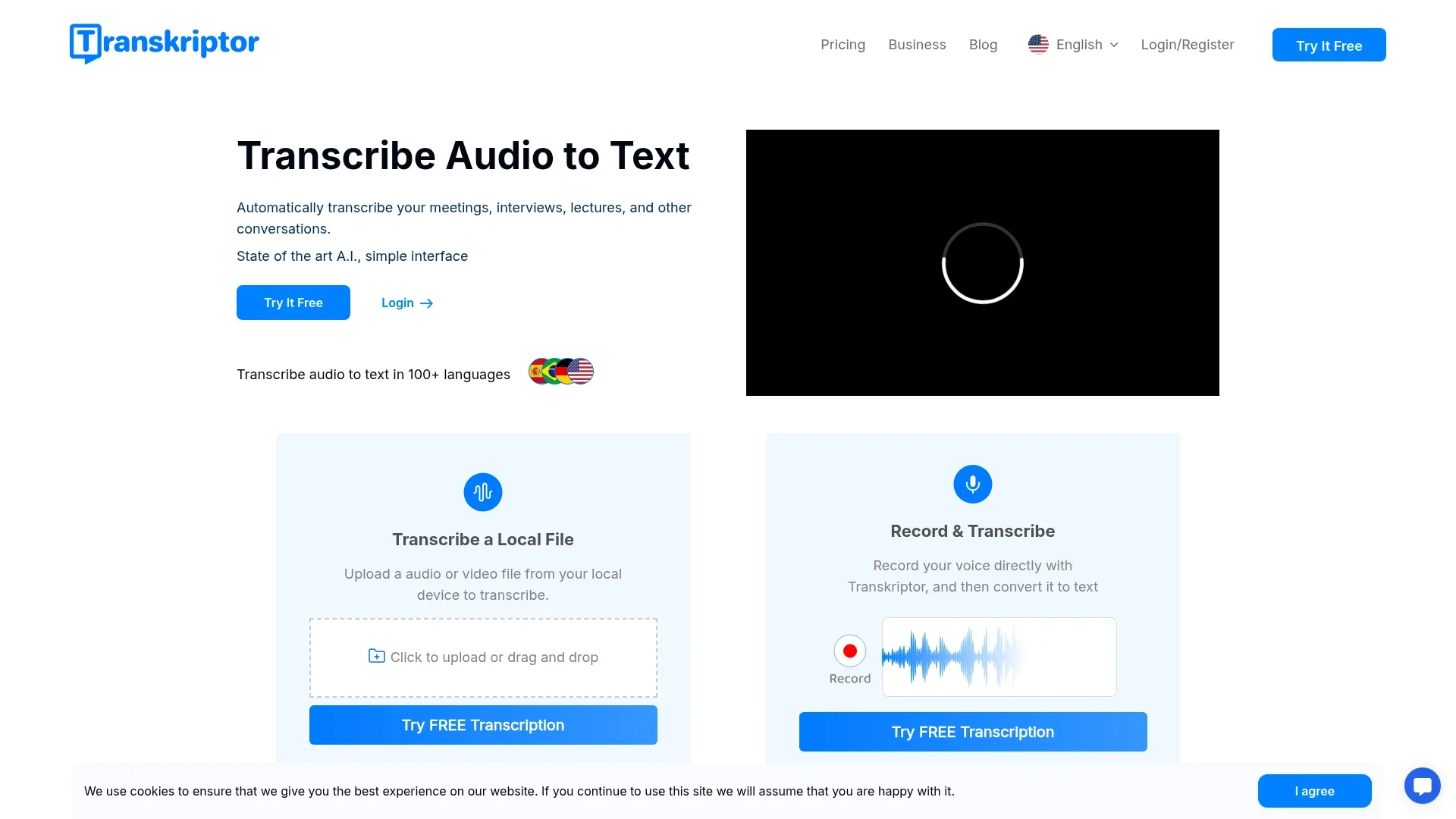
Effortlessly transcribe audio to text across 100+ languages.
Key Takeaways
- What it is
- Effortlessly transcribe audio to text across 100+ languages.
- Pricing
- $19.99 per month · $30 per month per seat
- Best for
- Automatic Transcription
- Multi-Language Support
- Rich Export Options
- Rating
- 4.6/5
What is Transkriptor?
Transkriptor is an innovative AI-driven transcription tool designed to convert audio into text efficiently. Whether you're transcribing meetings, interviews, or lectures, Transkriptor offers a seamless experience with its state-of-the-art artificial intelligence technology. It's tailored for individuals and professionals who need to simplify the transcription process, ensuring accuracy and speed across 100+ languages.
Transkriptor stands out with its ability to transcribe multiple languages with remarkable accuracy, making it a versatile tool for a global audience. Its integration of a smart meeting assistant and AI chat assistant, Tor, for summarizing transcriptions, sets it apart by offering users more than just transcription—it's a comprehensive productivity enhancer.
Transkriptor is reshaping how professionals and individuals handle transcription tasks. With its robust AI capabilities, users can expect swift, accurate transcriptions that are easy to manage and share. Its commitment to security and cost-effectiveness further enhances its appeal, making it a valuable tool for anyone needing reliable transcription services.
Who is Using Transkriptor?
Journalists
For transcribing interviews and press conferences.
Academics
To transcribe lectures and seminars for research purposes.
Legal Professionals
Utilize it for transcribing court hearings and legal discussions.
Healthcare Providers
Use it to transcribe patient consultations and medical dictations.
Uncommon Use Cases
Used by podcasters for generating episode transcripts; Employed by language learners to improve comprehension and writing skills.
Key Features
Rating Breakdown
Pricing Plans
Pro
$19.99 per month
- Includes 2,400 transcription minutes, fast and accurate transcriptions, meeting and voice recording, translation, collaboration tools, and mobile app access
Team
$30 per month per seat
- Includes 3,000 transcription minutes per seat, shared team spaces, auto-recording with calendar integration, knowledge bases, centralized billing, and user management
Enterprise
- Includes custom seats and transcription quotas, API access, custom workflows, feature development, system integrations, knowledge base insights, and advanced security
Which Transkriptor plan should you pick?
Start with Lite for occasional individual transcription, upgrade to Pro for higher-volume AI features and shared workspaces, and choose Team for multi-user administration and analytics.
Lite
Good for individuals who need 300 minutes per month, file uploads, transcript editing, sharing, and mobile access.
Pro
Good for users who need 2,400 minutes per month, calendar-based meeting recording, summary templates, AI knowledge-base access, and shared workspaces.
Team
Good for teams who need 3,000 minutes per seat monthly, shared team workspaces, call analytics, advanced usage analytics, and roles and permissions.
Transkriptor Use Cases
Meeting transcription
Record Zoom, Teams, Google Meet, or in-person meetings and produce speaker-labeled transcripts.
Outcome: A searchable transcript with summaries, decisions, and action items.
Interview transcription
Upload or record interviews, identify speakers, and edit the resulting transcript.
Outcome: A structured interview record ready for review or export.
Lecture and research transcription
Capture lectures, focus groups, and academic recordings in more than 100 languages.
Outcome: Timestamped notes suitable for study or qualitative analysis.
Subtitle creation
Convert audio or video into subtitle files and export them in formats such as SRT.
Outcome: Downloadable subtitles for video content.
Automated cloud-file transcription
Connect cloud storage such as OneDrive, Dropbox, or Google Drive and process new audio or video files.
Outcome: New recordings are transcribed and routed through an automated workflow.
Workflow Ideas with Transkriptor
OneDrive-to-transcript workflow
- 1Create a Zapier workflow with OneDrive as the trigger
- 2Select Transkriptor as the action for new audio or video files
- 3Automatically save or export the completed transcript
Meeting-to-action-items workflow
- 1Record a Zoom, Teams, or Google Meet meeting
- 2Let Transkriptor generate the transcript and summary
- 3Review extracted decisions and action items for follow-up
Chrome meeting capture workflow
- 1Install the Transkriptor Chrome extension
- 2Select microphone, system audio, camera, or screen recording options
- 3Stop recording and edit, summarize, share, or export the transcript
How Transkriptor fits into your stack
Browser
Transkriptor operates as a web app for uploading or recording audio and video, generating searchable transcripts, summaries, translations, and action items.
Desktop
The Windows and Mac desktop app records system audio and microphone input from meetings without requiring a meeting bot, then syncs recordings and transcripts to the account.
Mobile
Native iOS and Android apps support voice memos, meeting recording, audio/video transcription, transcript chat, summaries, and file imports.
Automation and APIs
Transkriptor provides a documented developer API and integrations with tools such as Zapier, Google Drive, OneDrive, Dropbox, Slack, Notion, Salesforce, and ChatGPT for routing transcripts and triggering follow-up actions.
Knowledge and files
Uploaded or recorded content is organized into folders and knowledge bases, with transcript search, AI questions, speaker labels, editing, collaboration, and exports including TXT, SRT, PDF, DOCX, and JSON.
Pros
- +High Accuracy: Achieves up to 99% accuracy depending on the audio quality.
- +Time-Saving: Transcribes audio in half the time it takes to listen to it.
- +User-Friendly Interface: Intuitive design that simplifies the transcription process.
- +Cost-Effective: Offers competitive pricing, making it accessible to a wide range of users.
Cons
- −Initial Learning Curve: Users may need some time to familiarize themselves with all features.
- −Limited Integration: While it integrates with popular platforms, further expansion of integrations would enhance its utility.
- −Dependency on Audio Quality: Accuracy can vary significantly with poor-quality audio.
Limitations & when to consider alternatives
Known limitations
- Free usage is limited. The free option provides limited daily transcription rather than unlimited usage.
- Plan minutes expire. Unused monthly transcription minutes expire after one month according to the pricing FAQ.
- API access is plan-dependent. The developer documentation states that API access is available only on Pro, Team, and Enterprise plans; Trial and Lite plans do not support API usage.
- Accuracy depends on recording quality. Transcription accuracy varies with microphone quality, background noise, speaker count, and overlapping speech.
- Desktop operating-system coverage is limited. The dedicated desktop app is documented for Windows and macOS; Linux is not listed.
Look elsewhere when
- You need image understanding rather than audio or video transcription.
- You need custom model fine-tuning on your own data.
- You need Linux desktop support.
How to Use Transkriptor
- 1
Choose an access method
Use the web app, mobile app, Chrome extension, or Windows/macOS desktop app depending on where the audio originates.
- 2
Record or upload media
Record a meeting, lecture, interview, screen, or voice note, or upload an audio/video file for processing.
- 3
Select the language and output
Choose a supported language and select transcript, subtitle, or both when using the desktop workflow.
- 4
Review the transcript
Use speaker labels, playback, search, editing, and inline comments to correct and organize the transcript.
- 5
Generate insights
Use AI summaries, key takeaways, action items, or AI chat to analyze the transcript.
- 6
Share or automate delivery
Download the result as TXT, SRT, DOCX, PDF, or JSON, share it with collaborators, or send it to connected services through integrations.
Who is Transkriptor For?
Researchers and academics
They can record interviews and focus groups, then use timestamped, speaker-labeled transcripts for qualitative analysis.
Legal professionals
They can transcribe witness interviews in multiple languages and export transcripts to DOCX for case files.
HR professionals
They can record candidate interviews and automatically identify speakers for easier review.
Students and educators
They can transcribe lectures, generate summaries, and create quizzes from lecture notes.
Teams and meeting participants
They can record meetings, generate summaries and action items, and collaborate in shared workspaces.
Frequently Asked Questions
Does Transkriptor have a free plan?
Yes. The free option provides limited daily transcription, with the homepage describing up to 30 minutes of audio per day.
Which platforms does Transkriptor support?
Transkriptor is available through the web, iOS, Android, Chrome extension, Windows, and macOS desktop applications.
Which meeting platforms can Transkriptor record?
The desktop app can record meetings from Zoom, Microsoft Teams, Google Meet, Webex, and other desktop meeting environments.
How many languages does Transkriptor support?
Transkriptor supports more than 100 languages and dialects, and can translate transcripts into other languages.
How does Transkriptor protect recordings and transcripts?
The security page states that data is protected with TLS 1.2 in transit and AES-256 encryption at rest.
Does the desktop app require a meeting bot?
No. The desktop app records audio directly from the device, so no bot joins the meeting.
Community reviews
Be the first to share your experience.
Sign in to leave a review for Transkriptor.
Transkriptor Alternatives
Looking for alternatives to Transkriptor? Here are similar tools in the same category:
Learn to Master Transkriptor
With Skill Leap courses
Get in-depth training on Transkriptor and 50+ other AI tools with our expert-led video courses.
Start 7-Day Free Trial