
Trello
Streamline teamwork with visual boards, automation, and mobile apps.
Key Takeaways
- What it is
- Streamline teamwork with visual boards, automation, and mobile apps.
- Pricing
- Freemium · $5 per user/month. if billed annually
- Best for
- Visual Project Boards
- Butler Automation
- Power-Ups
- Rating
- 4.6/5
What is Trello?
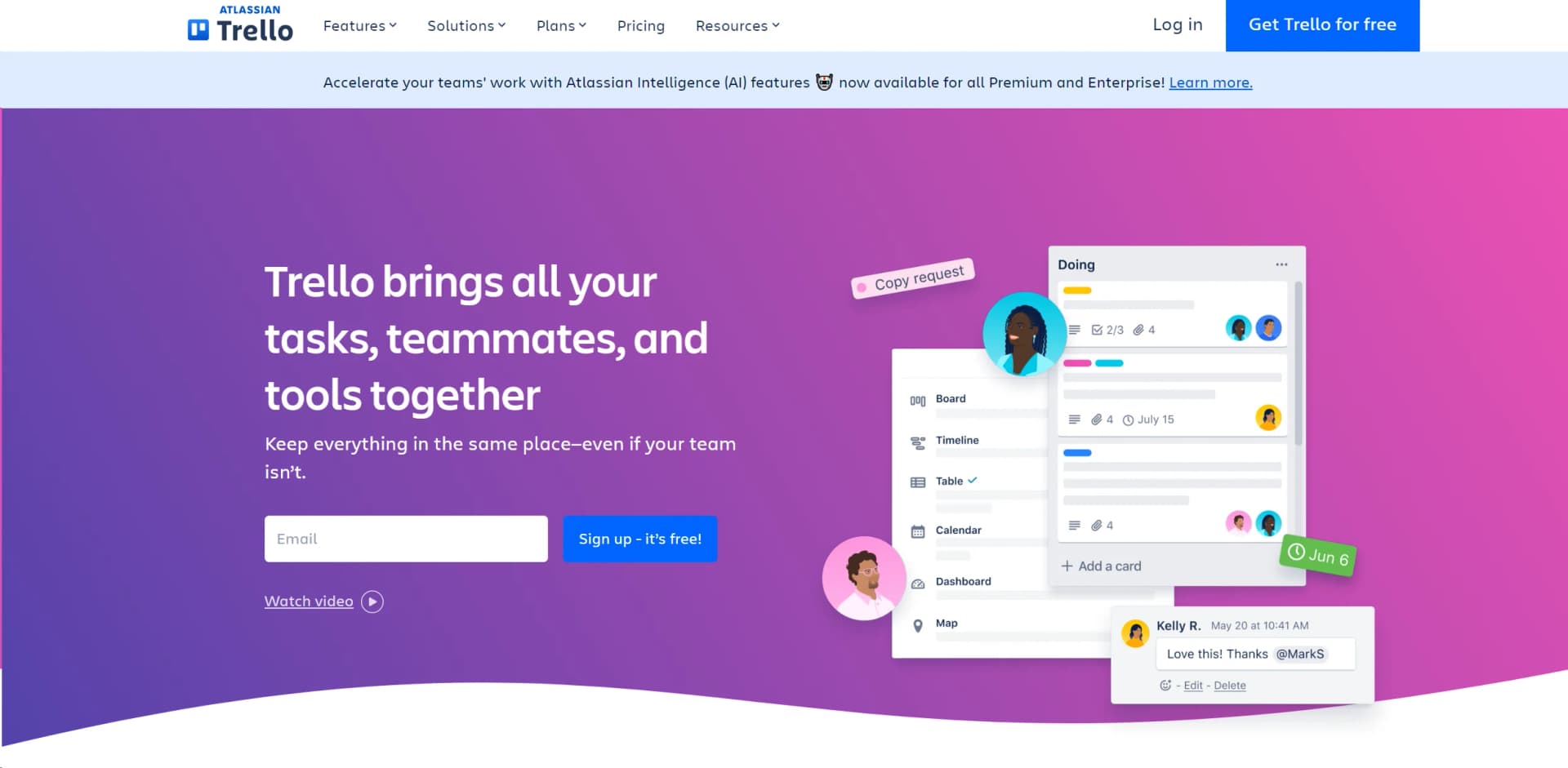
Trello is a dynamic project management tool that revolutionizes team collaboration and workflow efficiency. Designed for individuals and teams across various industries, it simplifies project tracking and enhances productivity with its intuitive interface and versatile feature set. Whether you're managing a small project or coordinating multiple large-scale operations, Trello provides a clear visual overview of tasks and progress. It's about turning the chaos of coordination into a streamlined workflow that enhances team productivity.
Trello stands out with its highly visual and intuitive design, making it accessible for users of all technical levels. Its customization through Power-Ups and automation with Butler sets it apart, allowing teams to tailor the tool extensively to their specific workflow needs.
Trello excels in providing a flexible and intuitive platform for project management, making it an essential tool for teams seeking to enhance productivity and collaboration. Its ability to adapt to various business needs through extensive customization options offers an unmatched advantage in streamlining workflows and improving task management.
Who is Using Trello?
Marketing Teams
Plan and track marketing campaigns, from ideation to execution.
Software Developers
Manage sprints, backlogs, and bug tracking to enhance software development processes.
Project Managers
Oversee multiple projects, ensuring deadlines are met and resources are allocated efficiently.
Educational Institutions
Organize academic projects and administrative tasks.
Uncommon Use Cases
Used by event planners for organizing large-scale events; utilized by non-profits for grant and volunteer management.
Key Features
Rating Breakdown
Pricing Plans
Free Plan
Free
- Manage tasks with basic features at no cost
Standard Plan
$5 per user/month. if billed annually
- Offering advanced board and timeline views
Premium Plan
- Includes additional automation and integration capabilities
Enterprise Plan
- Comprehensive control and support for larger organizations
Which Trello plan should you pick?
Start with Free for personal organization or small teams, then upgrade to Standard for unlimited boards, Premium for AI and advanced views, or Enterprise for organization-wide controls and SSO.
Free
Good for individuals and small Workspaces needing basic boards, cards, checklists, attachments, and collaboration.
Standard
Good for growing teams who need unlimited boards, custom fields, advanced checklists, and increased automation.
Premium
Good for teams who need AI features, Calendar, Timeline, Table, Dashboard, Map views, and advanced administration.
Enterprise
Good for organizations needing unlimited Workspaces, organization-wide permissions, attachment controls, and SSO.
Trello Use Cases
Launch a new website
Create a board to organize website tasks, details, owners, and due dates.
Outcome: A shared view of website progress.
Track sales leads
Move sales cards through lists representing stages of the sales process.
Outcome: A visual sales pipeline.
Plan an event
Use cards, checklists, labels, due dates, and attachments to coordinate event preparation.
Outcome: A structured event-planning workspace.
Manage a marketing campaign
Organize campaign tasks, content, approvals, and launch activities on a shared board.
Outcome: Centralized campaign coordination.
Organize personal productivity
Capture personal tasks and ideas in Inbox, boards, cards, checklists, and Planner.
Outcome: A consolidated personal task system.
Workflow Ideas with Trello
Capture and organize incoming work
- 1Capture a task, message, or email in Trello Inbox
- 2Convert the item into a card
- 3Move the card onto the appropriate board and list
Automate cross-tool project updates
- 1Connect Trello to Jira, Slack, or Bitbucket
- 2Define a trigger or card event
- 3Automatically create tickets, send messages, or open pull requests
Create a project board with AI
- 1Choose Create board with AI
- 2Describe the project and desired workflow
- 3Review and edit the generated lists, cards, checklists, labels, and due dates
How Trello fits into your stack
Extensive Power-Up Integrations
Connect with tools like Jira, Confluence, and hundreds of other apps.
API Access
Developers can build custom integrations and features with Trello’s well-documented API.
Cross-Platform Availability
Available on Web, iOS, and Android platforms, ensuring accessibility across all devices.
Real-Time Sync
Keeps all team members updated instantly, enhancing collaborative efforts.
Pros
- +Enhanced Collaboration: Keeps teams synchronized, regardless of location, facilitating remote work and real-time updates.
- +Customizable Workflows: Adapt the tool to fit different project needs and team sizes, making it suitable for a wide range of industries.
- +User-Friendly Interface: Easy to use for beginners, with drag-and-drop functionality and a simple, clean design.
- +Scalability: Suitable for both small startups and large enterprises, with features that cater to varying levels of complexity.
Cons
- −Overwhelming for Large Teams: While scalable, the interface can become cluttered with too many boards or cards, potentially overwhelming users.
- −Limited Offline Functionality: Relies heavily on internet connectivity, which can be a limitation in areas with poor internet access.
- −Feature Limitations in Free Version: Some advanced features are only available in paid versions, which might restrict smaller teams or individuals.
Limitations & when to consider alternatives
Known limitations
- Free Workspaces are limited to 10 collaborators. Anyone invited to a board counts as a collaborator, and Free Workspaces cannot exceed 10 collaborators.
- Free attachments are limited to 10 MB. The per-attachment upload limit is 10 MB for Free members and 250 MB for paid members.
- Desktop apps require an internet connection. Trello’s macOS and Windows desktop apps do not support offline syncing.
- AI board creation is unavailable on mobile. AI board builder is currently available on web and desktop, with mobile support planned for a future release.
- Trello MCP supports one Workspace per connection. Each Trello MCP connection supports one Workspace; multi-Workspace support is planned.
Look elsewhere when
- You need a Linux desktop application.
- You need offline desktop syncing.
- You need AI board creation on mobile.
How to Use Trello
- 1
Explore a wealth of resources from Trello’s guides and webinars, which cover everything from basic setup to advanced features and best practices.
Who is Trello For?
Design teams
Trello supports creative requests, project tracking, and cross-team collaboration for design work.
Engineering teams
Engineering teams can use Trello to manage development work and support agile processes.
Marketing teams
Marketing teams can organize product launches, campaigns, and content production.
Remote teams
Remote teams can use Trello to stay connected and coordinate work across locations.
Startups
Startups can organize hiring, operational work, and progress toward revenue goals.
Frequently Asked Questions
What is Trello?
Trello is a visual work-management tool built around boards, lists, and cards for organizing projects and workflows.
Does Trello have a free plan?
Yes. Trello offers a $0 Free plan with unlimited cards, up to 10 boards per Workspace, mobile apps, and limited automation.
Can Trello automate workflows?
Yes. Trello Automation can trigger actions inside Trello and across connected applications such as Jira, Slack, and Bitbucket.
Can Trello integrate with other tools?
Yes. Trello lists integrations including Slack, JIRA Cloud, Microsoft Teams, Gmail, Telegram, Miro, and many others.
Does Trello support AI features?
Standard, Premium, and Enterprise plans include AI features such as AI-generated boards, checklists, content transformation, and card merging.
What file sizes can Trello attachments have?
Free members have a 10 MB per-attachment upload limit. Paid members can upload attachments up to 250 MB.
Community reviews
Be the first to share your experience.
Sign in to leave a review for Trello.
Trello Alternatives
Looking for alternatives to Trello? Here are similar tools in the same category:
Learn to Master Trello
With Skill Leap courses
Get in-depth training on Trello and 50+ other AI tools with our expert-led video courses.
Start 7-Day Free Trial