Trigify
Social buying signals that help revenue teams spot interested prospects.
Key Takeaways
- What it is
- Social buying signals that help revenue teams spot interested prospects.
- Best for
- Social Signals
- Social Listening
- Jarvis AI
- Rating
- 3.0/5
What is Trigify?
Trigify turns social posts, profile activity, and company changes into signals that revenue teams can act on. Its workflows can monitor business network activity, enrich people and companies, score accounts, and send results to tools such as HubSpot, Salesforce, Slack, Airtable, or Google Sheets. Jarvis AI can also draft workflows from plain-language instructions.
Trigify's most specific strength was its Social Signals layer, which watched selected profiles and companies for buying-window activity, role changes, hiring moves, competitor engagement, and other intent signals, then made those events available as workflow triggers.
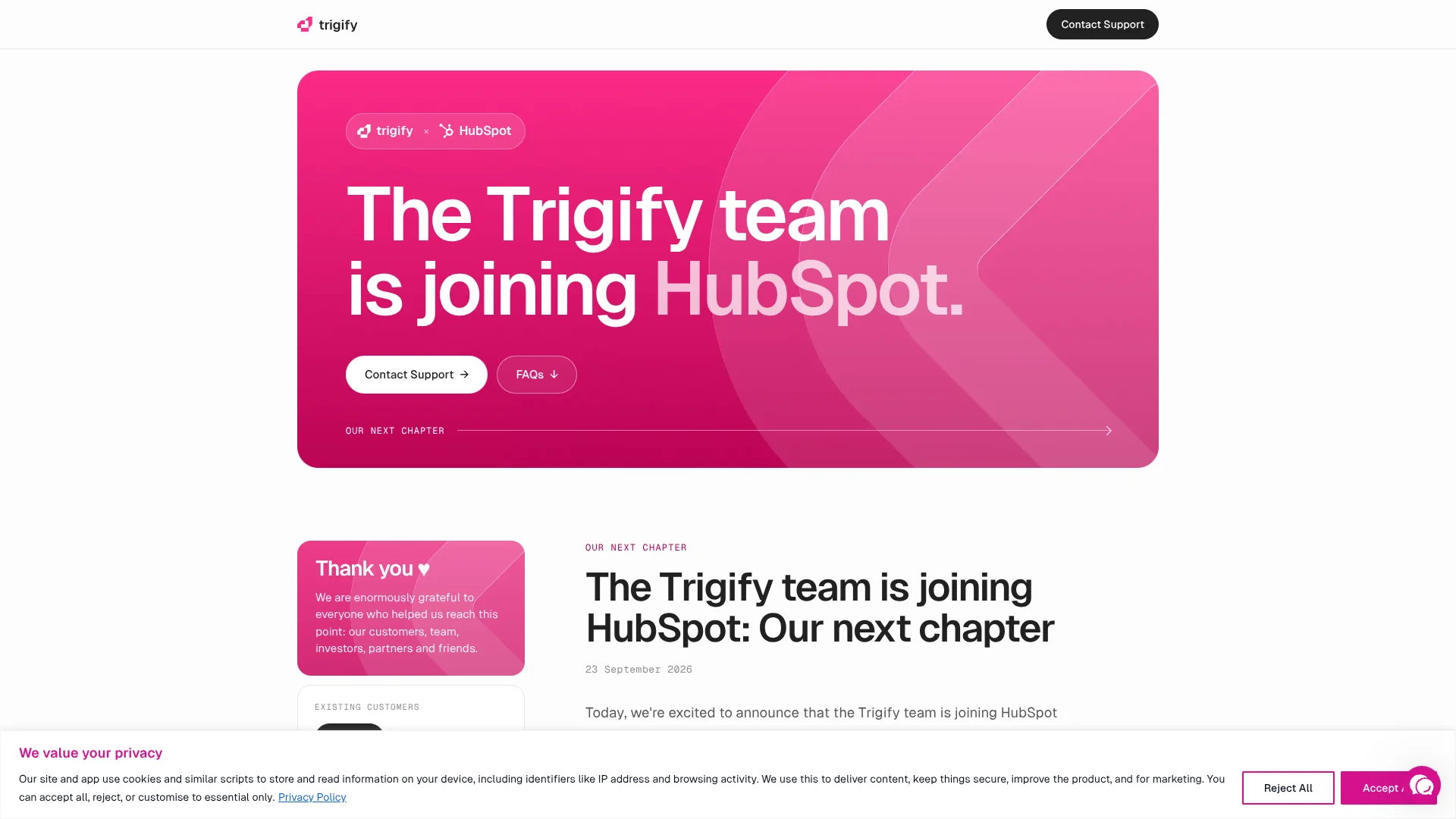
The standalone platform was retired, and standard customer access ended at 11:59pm BST on October 22, 2026; customers with different contractual notice periods may have different end dates.
Who is Using Trigify?
Sales development representatives
Relevant role changes, hiring activity, and buying signals could help them prioritize accounts for outreach.
Account executives
Account-level activity and AI-generated insights could provide context before a prospecting or expansion conversation.
Marketing operations managers
Saved searches and workflows could collect topic, competitor, and brand activity into structured destinations.
Revenue operations managers
CRM actions, conditions, enrichment, and credit usage controls could support repeatable revenue processes.
Customer research teams
Listening searches could collect public conversations and route selected findings to shared sheets or internal systems.
Uncommon Use Cases
Product teams could monitor competitor feature discussions; support teams could turn negative public feedback into internal alerts.
Key Features
Rating Breakdown
Pricing Plans
Free Trial
- 14-day free access to explore features without commitment
Subscription Plans
- Starting from a base price
- Customized according to the features and scale of use
Which Trigify plan should you pick?
There is no plan to start because the standalone Trigify service has been retired; the published tiers below describe the last listed offering for existing-customer reference.
Starter
Previously suited smaller teams that needed lighter social monitoring and workflow usage.
Max
Previously suited teams that needed higher credit limits, more searches, more workspaces, BYOK, and free Jarvis execution.
Enterprise
Previously suited organizations needing custom limits, unlimited seats, SSO/SAML, custom support, and dedicated service.
Trigify Use Cases
Account intent monitoring
Selected people and companies become monitored targets for buying-window, hiring, role-change, and competitor signals.
Outcome: A live feed of account activity that can trigger follow-up workflows.
Social listening
Saved searches collect relevant posts across supported social and media sources before the team decides what deserves action.
Outcome: A reviewable stream of topic, brand, and competitor conversations.
Lead enrichment
A matching post or signal can start a workflow that enriches the author and company before routing the record to sales.
Outcome: More complete lead records in a CRM or data destination.
Automated CRM routing
Conditions can decide whether a record goes to HubSpot, Attio, Salesforce, Slack, Google Sheets, Airtable, or another API.
Outcome: Less manual copying between research and revenue systems.
AI workflow drafting
Jarvis can turn a written process into a draft that includes triggers, actions, integrations, and workflow logic.
Outcome: A faster starting point for building a multi-step automation.
Workflow Ideas with Trigify
Buying signal to CRM
- 1Monitor selected people and companies for buying-window signals.
- 2Enrich the matching person and company.
- 3Create or update the record in HubSpot or Salesforce.
Competitor mention alert
- 1Run a saved search for competitor mentions.
- 2Classify the post or apply a condition.
- 3Send qualifying posts to Slack and a shared Google Sheet.
Hiring signal research flow
- 1Watch target companies for relevant hiring activity.
- 2Collect company and role details.
- 3Route qualified accounts to a CRM or outbound workflow.
How Trigify fits into your stack
Social data layer
Trigify sat upstream of sales and marketing systems by collecting posts, profile activity, company changes, and intent signals.
CRM and enrichment
Native workflow actions could send enriched contacts and companies to HubSpot, Attio, or Salesforce.
Tables and databases
Airtable and Google Sheets actions could store leads, monitoring results, and recurring reports for team review.
Messaging and alerts
Workflows could send qualifying activity to Slack or create internal signals for follow-up.
Custom APIs
The HTTP Request node could send data to any service with a REST API, including internal tools and webhook destinations.
Pros
- +Intent monitoring: Tracked accounts could produce buying-window and engagement signals instead of requiring constant manual checking.
- +AI workflow creation: Jarvis could turn a written process into a draft workflow that users could review and edit.
- +Broad data routing: Native connections covered CRM, spreadsheet, database, messaging, and custom API destinations.
- +Flexible automation: Conditions, delays, enrichment steps, and HTTP requests supported multi-step revenue workflows.
Cons
- −Service retirement: The standalone Trigify platform is being wound down and is not suitable for new long-term deployments.
- −Credit-based billing: Actions, searches, enrichments, and Jarvis activity consume credits, which can make high-volume usage harder to forecast.
- −Setup responsibility: Jarvis could create a draft, but users still needed to review connections, fields, conditions, and workflow behavior.
Limitations & when to consider alternatives
Known limitations
- Standalone service retirement. Trigify announced that the standalone platform is being retired and will not continue as a HubSpot product.
- Access end date. For customers on the standard notice period, access ended at 11:59pm BST on October 22, 2026; account-specific agreements may have different dates.
- Integrations and API shutdown. Trigify states that integrations, API access, monitoring, and signal collection stop when the customer's account access ends.
- Jarvis still needs review. Jarvis creates or edits workflow drafts, but users remain responsible for checking its changes and completing connection setup.
- Signals are source-dependent. Social Signals supports business network monitoring, while other sources and signal types depend on the relevant search or workflow feature.
Look elsewhere when
- You need an actively supported platform for new social listening workflows.
- Your team needs a long-term CRM automation service with guaranteed integrations and API availability.
- You need a native mobile app, browser extension, or desktop application.
How to Use Trigify
- 1
Create a saved search
Choose keywords, profiles, platforms, frequency, and filters, then inspect the results feed before automating anything.
- 2
Set up monitored accounts
Add the people or companies that matter to your territory and select the signal types worth tracking.
- 3
Build a workflow
Start from a trigger and add enrichment, conditions, delays, notifications, CRM actions, or custom API requests.
- 4
Try Jarvis AI
Describe the desired workflow in plain language, then review the generated nodes and connect any requested tools.
- 5
Test and publish
Check sample outputs, field mappings, and credit usage before publishing the workflow.
- 6
Export before closure
Save information and review connected automations because Trigify integrations, API access, monitoring, and signal collection stop when the account closes.
Who is Trigify For?
Go-to-market teams
Revenue teams could turn social activity and account changes into qualified signals for sales and marketing workflows.
Sales teams
Sales teams could monitor target people and companies for buying-window activity, job changes, and relevant posts.
Marketing teams
Marketing teams could track brand, competitor, topic, and customer conversations across supported sources.
RevOps teams
Revenue operations teams could connect monitoring, enrichment, scoring, CRM updates, and notifications in one workflow editor.
Frequently Asked Questions
Is Trigify still available for new customers?
No. Trigify announced that the standalone platform is being retired, so it should not be selected for a new production deployment.
What happened to Trigify?
The Trigify team announced on September 23, 2026 that it was joining HubSpot and winding down the standalone Trigify service.
What were Trigify's published plans?
The pricing page listed Starter at $40 per month, Max at $199 per month, and Enterprise with custom pricing, plus a 14-day free trial.
Did Trigify have an API?
Yes. The pricing page listed API Access, and the help center documented custom HTTP requests and developer access.
Could Jarvis build workflows?
Yes. Jarvis could create and edit workflows from plain-language instructions, although users still needed to review the result and connect required tools.
What should existing customers do?
Existing customers should export information they want to keep and review workflows, integrations, and API dependencies before their account-specific service end date.
Community reviews
Be the first to share your experience.
Sign in to leave a review for Trigify.
Trigify Alternatives
Looking for alternatives to Trigify? Here are similar tools in the same category: