
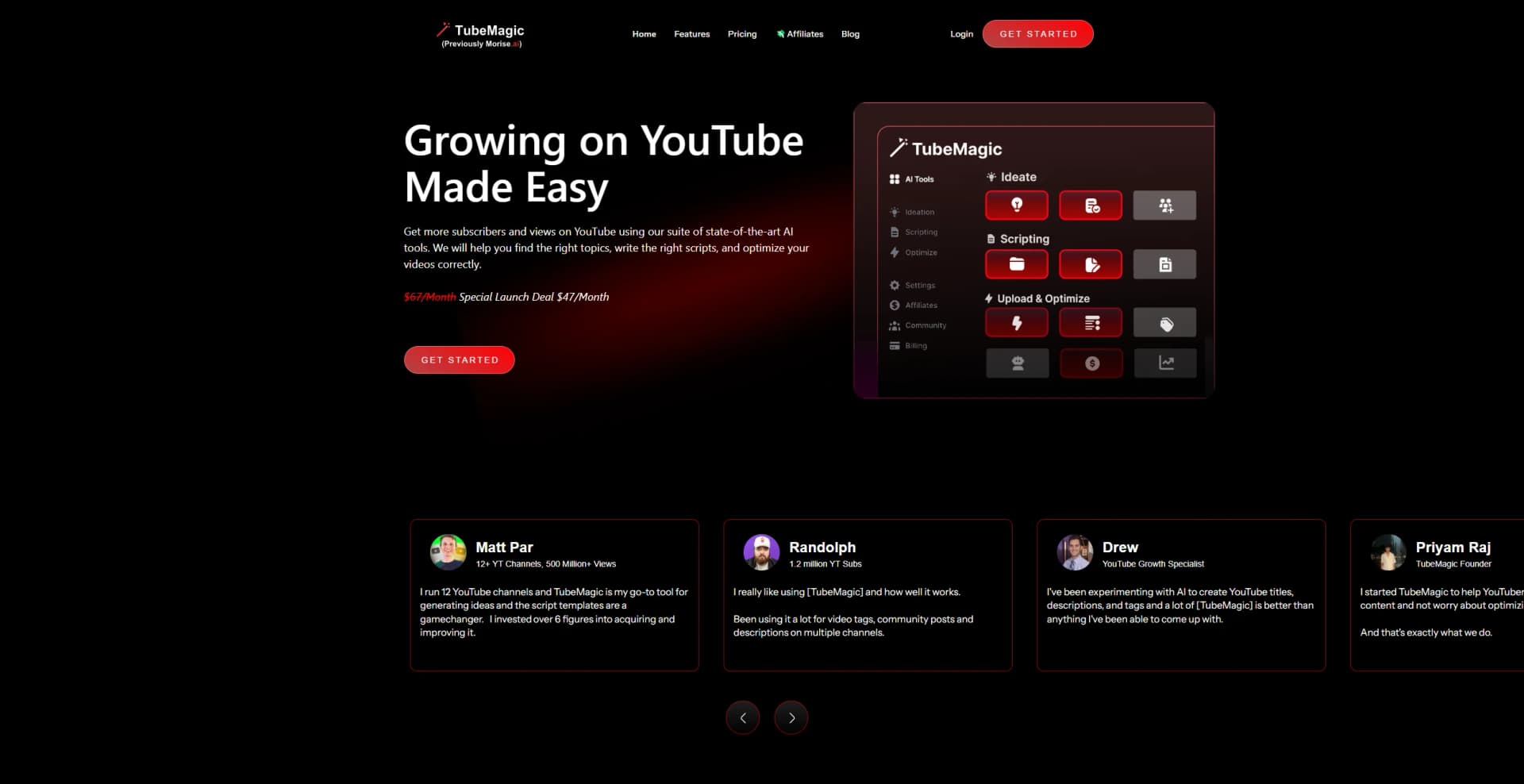
TubeMagic
Elevate your YouTube game: AI-driven ideation, scripting, and SEO optimization.
Key Takeaways
- What it is
- Elevate your YouTube game: AI-driven ideation, scripting, and SEO optimization.
- Best for
- Unlimited Video Ideas
- Automatic Script Writing
- Optimization Tools
- Rating
- 4.4/5
What is TubeMagic?
TubeMagic is a cutting-edge tool that promises to revolutionize your presence on YouTube by providing a comprehensive suite of AI-driven features. Tailored with content creators in mind, it aims to simplify the entire process of YouTube video creation, from brainstorming ideas to optimizing content for maximum reach. As someone familiar with the challenges of managing a YouTube channel, I understand the importance of consistently producing engaging content that resonates with viewers. TubeMagic claims to address this by leveraging state-of-the-art technology to assist in finding relevant topics, crafting compelling scripts, and optimizing videos for increased subscribers and views.
TubeMagic stands out for its comprehensive approach to YouTube channel management. Its unique value lies in its ability not only to suggest video ideas but also to develop them into full scripts and then optimize them for YouTube algorithms, all within a single platform.
TubeMagic emerges as a powerful asset for anyone serious about growing their YouTube channel. Its comprehensive set of tools addresses the core needs of content creators, from ideation to optimization. The platform's focus on SEO and multi-language support opens up new possibilities for reaching a broader audience. While the absence of a free trial is a drawback, the 30-day money-back guarantee mitigates this concern, offering users a chance to experience TubeMagic's capabilities without immediate commitment. Overall, it's a robust solution that can significantly enhance the YouTube experience for creators of all levels.
Who is Using TubeMagic?
Aspiring YouTubers
Individuals looking to kickstart their YouTube journey with AI-assisted content creation.
Established Content Creators
Veterans seeking to optimize their workflow and enhance their channel's performance.
Digital Marketers
Professionals leveraging TubeMagic for strategic content planning and execution on YouTube.
Video Production Agencies
Teams utilizing the tool to streamline scriptwriting and video optimization for clients.
Uncommon Use Cases
Non-profit organizations using the tool to spread awareness and educators incorporating it into multimedia teaching strategies.
Key Features
Rating Breakdown
Pricing Plans
30-Day Money-Back Guarantee
- Offers a risk-free trial period with the option for a full refund within 30 days of purchase
Secure Payments
- Transactions are processed securely through Stripe for user peace of mind
Which TubeMagic plan should you pick?
Start with Premium if you need the full YouTube toolkit; upgrade usage through additional credits when the included limits are insufficient.
Premium
Good for YouTube creators who need all tools, higher daily generation limits, premium models, monthly premium credits, and priority support.
TubeMagic Use Cases
Generate video ideas
Enter a channel link, keyword, or topic to generate optimized YouTube ideas.
Outcome: A larger pipeline of niche-relevant video concepts.
Write YouTube scripts
Provide a title, prompt, desired length, or template and generate a structured script.
Outcome: A draft script ready for editing and production.
Research keywords and competitors
Search keywords and YouTube videos, then filter results by volume, competition, views, dates, or duration.
Outcome: Better-informed topic and content decisions.
Optimize a video upload
Provide an unlisted video link and generate titles, descriptions, and tags.
Outcome: SEO-oriented metadata before publishing.
Create thumbnails and channel assets
Use the thumbnail and channel-name generators to develop visual and branding concepts.
Outcome: More options for packaging and positioning content.
Workflow Ideas with TubeMagic
Research-to-script workflow
- 1Search a keyword or niche in Keyword Research
- 2Review related videos in Video Research
- 3Generate a script using the selected topic and inspiration videos
Channel-specific content workflow
- 1Enter a YouTube channel link
- 2Generate ideas matching the channel's niche and style
- 3Save and organize selected ideas in Ideas Manager
Upload optimization workflow
- 1Provide the video's unlisted YouTube link
- 2Generate optimized titles, descriptions, and tags
- 3Review and apply the metadata before publishing
How TubeMagic fits into your stack
Platform Independence
TubeMagic is a web-based tool accessible from any device with internet connectivity.
Multilingual Support
With support for over 95 languages, the tool is highly versatile for global content creators.
Stripe Payment Processing
Ensures secure and reliable payment processing for users worldwide.
Email Support
Direct support is available, promising quick response times on weekdays.
Pros
- +Content Creation Efficiency: Drastically reduces the time needed for brainstorming and producing video content.
- +SEO Advantage: Automatically generates tags, descriptions, and titles optimized for search, potentially boosting visibility.
- +User-Friendly Interface: Easy navigation and feature utilization contribute to a seamless user experience.
- +Diverse Language Options: Break language barriers by creating content in multiple languages, expanding your audience reach.
Cons
- −No Free Trial: Currently lacks a free trial option, potentially discouraging users from trying out the service.
- −Learning Curve: Some users may require time to fully understand and utilize all features effectively.
- −Customer Support Prioritization: Paying customers may receive priority support, potentially affecting the experience for lower-tier plan users.
Limitations & when to consider alternatives
Known limitations
- No current free trial. TubeMagic says free trials are disabled because of spam, although it offers a 30-day money-back guarantee.
- Daily generation limits. The Premium pricing page limits usage to up to 100 generations per day per tool.
- Monthly premium-credit limit. Premium models use a shared allowance of 500 premium credits per month.
- No documented native mobile app. The available product documentation describes website and browser-based access rather than a dedicated iOS or Android app.
- No documented developer API. The roadmap lists API integration as a future item, but TubeMagic does not publish API keys, endpoints, or developer documentation.
Look elsewhere when
- You need a documented developer API.
- You need a native iOS or Android app.
- You need SSO or SAML authentication.
- You need shared team workspaces with roles or invitations.
How to Use TubeMagic
- 1
TubeMagic provides tutorials and guides to help users maximize the platform's potential. These resources are accessible through their support channels and documentation.
Who is TubeMagic For?
YouTube creators
TubeMagic helps creators research topics, write scripts, and optimize video metadata.
YouTubers growing their channels
The product is designed to help YouTubers save time, improve retention, and produce content faster.
Creators managing multiple channels
TubeMagic's tools support channel-specific ideas, writing styles, research, and upload optimization.
Frequently Asked Questions
Does TubeMagic offer a free trial?
TubeMagic says free trials are currently disabled because of spam concerns, but offers a 30-day money-back guarantee.
Does TubeMagic support languages other than English?
Yes. TubeMagic supports more than 95 languages for descriptions, titles, tags, community posts, and video ideas.
Can I get a refund?
Yes. Customers can request a full refund within 30 days of payment.
Can I cancel my subscription at any time?
Yes. TubeMagic says subscriptions can be canceled at any time.
Are payments secure?
Payments are processed through Paddle, and TubeMagic says it does not store payment information.
What does the Premium plan include?
Premium includes all tools, up to 100 generations per day per tool, 500 premium credits monthly, premium models, and priority support.
Community reviews
2 reviews from people who use TubeMagic.
Sign in to leave a review for TubeMagic.
Jem Lang
Thibault BM
TubeMagic Alternatives
Looking for alternatives to TubeMagic? Here are similar tools in the same category:
Learn to Master TubeMagic
With Skill Leap courses
Get in-depth training on TubeMagic and 50+ other AI tools with our expert-led video courses.
Start 7-Day Free Trial