
Undetectable AI Pro
Rewrite AI text into fluent, human-sounding content.
Key Takeaways
- What it is
- Rewrite AI text into fluent, human-sounding content.
- Pricing
- $9.99 per month · $25 per month · $59 per month
- Best for
- AI Text Humanization
- AI Detector Avoidance Focus
- SEO Preservation
- Rating
- 3.8/5
What is Undetectable AI Pro?
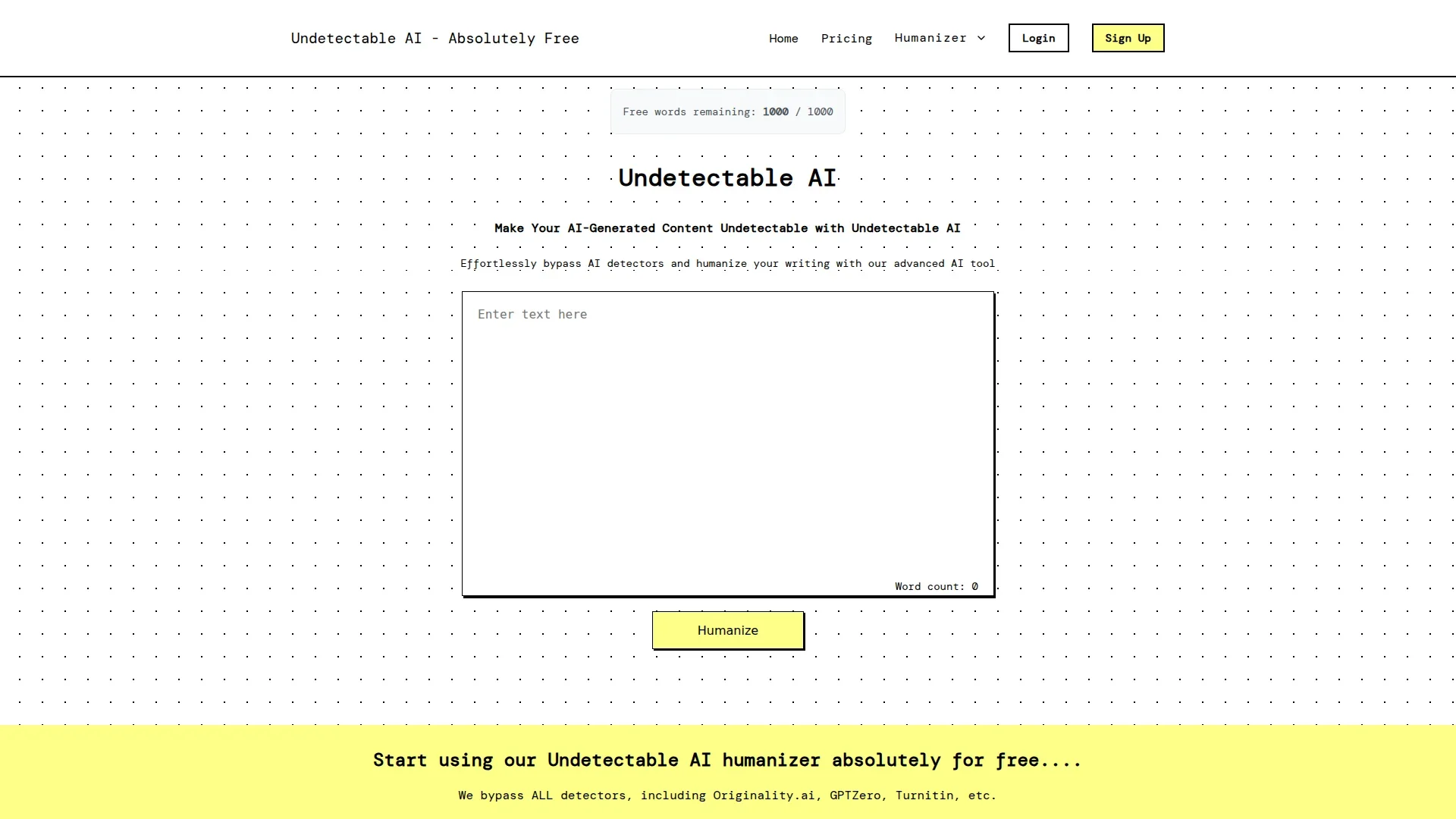
Undetectable AI Pro is a web based AI text humanizer hosted at undetectableai.pro. It rewrites AI generated content so it reads more like human writing and is marketed as capable of bypassing popular AI detectors such as Originality.ai, GPTZero, Turnitin, and others. Users paste AI written text into a simple editor, click a button, and receive a rephrased version in seconds that aims to preserve meaning while varying vocabulary, grammar, and sentence structure for more natural flow and better readability. The site also publishes an ethics statement describing the tool as an “ethical AI humanizer” meant to improve clarity and tone, and explicitly condemns use for academic dishonesty or for trying to trick detection systems.
Undetectable AI Pro sits in a niche: it does not generate text from scratch, but instead reshapes existing AI output so it reads as if a human edited it, while marketing itself as able to dodge AI detectors. The combination of instant, free access, strong promises about detector evasion, an explicit ethics policy that tries to distance the tool from cheating, and messaging around preserving SEO value gives it a distinct identity among AI paraphrasers.
Used thoughtfully, Undetectable AI Pro can save time by turning stiff AI drafts into more fluent, human sounding prose while keeping the original message and SEO intent. Its no cost, no signup model makes it attractive for quick rewriting jobs, especially in content and marketing workflows. At the same time, its detector evasion pitch and lack of clear, transparent pricing details mean it suits mature, policy aware users who understand both the ethical boundaries and the technical limits of any “undetectable” claim.
Who is Using Undetectable AI Pro?
Students
Attempting to rewrite AI assisted drafts into text that feels more like their own voice, though this use often conflicts with academic policies.
Content Creators & Bloggers
Cleaning up AI written blog posts, newsletters, and scripts so they read less mechanical and more conversational.
Marketing Professionals
Reworking AI generated ads, landing pages, and email sequences into copy with more varied style while keeping the same pitch.
Business Executives & Website Owners
Rephrasing AI written site copy and documentation to reduce the chance of being flagged by automated screeners or spam filters.
Uncommon Use Cases
Used by non native speakers to polish AI translated text so it sounds more natural; adopted by small creators refining AI drafted course materials or community posts before publishing.
Key Features
Rating Breakdown
Pricing Plans
Lite
$9.99 per month
- Up to 5,000 words per month, bypasses advanced AI detection tools (Turnitin, Originality AI, etc), access to all rewrite modes, and unlimited words per process
Pro
$25 per month
- Up to 25,000 words per month, bypasses advanced AI detection tools (Turnitin, Originality AI, etc), access to all rewrite modes, unlimited words per process, and priority support
Unlimited
$59 per month
- Up to 1,000,000 words per month, bypasses advanced AI detection tools (Turnitin, Originality AI, etc), access to all rewrite modes, unlimited words per process, and priority support
Which Undetectable AI Pro plan should you pick?
Start with Lite for basic rewriting and plagiarism checks; upgrade to Pro for priority support or Unlimited for the highest listed allowance.
Lite
Good for users who need the basic rewrite modes and plagiarism checking.
Pro
Good for users who need the listed Lite features plus priority support.
Unlimited
Good for users who need the highest listed usage level and priority support.
Undetectable AI Pro Use Cases
Humanize an AI draft
Paste AI-generated text into the humanizer and run the rewrite.
Outcome: The output is intended to have more natural flow, vocabulary, and sentence structure.
Check text for AI patterns
Submit an essay, report, or other text to the AI detector.
Outcome: The tool returns a probability score indicating the likelihood of AI involvement.
Check plagiarism
Submit text to compare it against web pages, academic papers, and published documents.
Outcome: The tool provides a similarity score and matched-source list.
Rewrite flagged sections
From the plagiarism results, select the option to rephrase flagged sections in the Humanizer.
Outcome: The selected text is rewritten while preserving its meaning.
Review student coursework
Teachers, professors, or academic staff submit student papers for analysis.
Outcome: The detector provides evidence to support further academic-integrity review.
Workflow Ideas with Undetectable AI Pro
Humanize and verify a draft
- 1Paste the AI-generated draft into the Humanizer
- 2Click Humanize to restructure the text
- 3Review the output and inspect the AI detection score
Check originality before publishing
- 1Paste the article or report into the Plagiarism Checker
- 2Review the similarity percentage and matched sources
- 3Rephrase flagged sections in the Humanizer and check again
Review a student submission
- 1Paste or upload the student's paper
- 2Run the AI detection check
- 3Review the probability score alongside writing history and other evidence
How Undetectable AI Pro fits into your stack
Browser
Undetectable AI is delivered as a web-based interface where users paste text, humanize it, detect AI content, or check plagiarism.
Docs and writing
The Humanizer rewrites text while preserving meaning, and the detector evaluates essays, articles, emails, scripts, and social posts.
Knowledge and files
The plagiarism checker accepts uploaded .txt, .docx, and .pdf files and returns similarity scores with matched-source links.
Pros
- +Frictionless access: No registration, logins, or credit card required to start rewriting AI generated text.
- +Completely free at the point of use: The homepage repeatedly states that the humanizer is free and unrestricted.
- +Very fast processing: Turning AI output into a “humanized” variant usually takes only a few seconds, which suits high volume drafting.
- +Clear ethical stance on paper: The ethics page gives educators and professionals something to reference when discussing acceptable use.
Cons
- −No guarantee of detector success: AI detectors and paraphrasers change frequently, so any claim of bypassing “all” detectors should be treated as marketing, not a hard guarantee.
Limitations & when to consider alternatives
Known limitations
- AI detection is probabilistic. The detector returns a probability score rather than definitive proof, and the site acknowledges that false positives can occur.
- Very short text may be unreliable. The teacher detector says a minimum amount of text is needed for a meaningful result; a few sentences may not produce a reliable score.
- Free plagiarism checking is limited. Free accounts receive 500 words per day for plagiarism checking; paid plans remove the daily limit.
- Free humanization uses word limits. The free humanizer provides 1,000 words without an account and another 1,000 words after creating a free account.
- The tools are text-focused. The documented workflows focus on pasted or uploaded text and do not document image understanding, code generation, or desktop software.
Look elsewhere when
- You need a native mobile app from the same vendor.
- You need an API for programmatic processing.
- You need shared team workspaces or role-based collaboration.
- You need image analysis or multimodal understanding.
How to Use Undetectable AI Pro
- 1
Open the Humanizer
Go to the AI Humanizer and paste the draft you want to improve.
- 2
Run Humanize
Click Humanize so the tool can restructure sentences and reduce repetitive AI patterns.
- 3
Review and copy
Read the rewritten result, confirm that the meaning is correct, and copy the final text.
- 4
Check for AI patterns
Use the built-in detector to view the output's AI probability score across the site's detector checks.
- 5
Run a plagiarism check
Submit the text to the Plagiarism Checker to review similarity percentages and matched sources.
- 6
Rephrase flagged sections
Use the Humanizer link from the plagiarism results to rewrite sections with high similarity.
Who is Undetectable AI Pro For?
Students
They can check essays and coursework for AI-generated writing or plagiarism before submission.
Content creators and writers
They can rewrite AI-assisted drafts into more natural-sounding content while preserving the original meaning.
Marketing professionals
They can refine marketing copy, landing pages, and other business content for readability and natural flow.
Educators and teachers
They can review student submissions for patterns associated with AI-generated writing.
Researchers
They can polish literature summaries and grant drafts while retaining a formal register.
Frequently Asked Questions
Is the AI humanizer free?
Yes. The site provides 1,000 free words without an account, and creating a free account adds another 1,000 words.
Do I need to sign up to use it?
No. The humanizer can be used without an account, although signing up provides additional words.
Will it change what my text actually says?
The site says the rewrite changes sentence construction rather than the underlying claims, facts, figures, or argument.
Does it work with ChatGPT, Claude, and Gemini text?
Yes. The site says text from ChatGPT, Claude, Gemini, and other assistants can be pasted into the humanizer.
Is my text stored or shared?
The humanizer page says input and output are not published, shared, or shown to anyone else. The privacy policy separately describes data collection and retention practices.
Can it detect AI-generated content?
Yes. The detector analyzes linguistic and structural patterns and returns a probability score rather than a definitive verdict.
Community reviews
Be the first to share your experience.
Sign in to leave a review for Undetectable AI Pro.
Undetectable AI Pro Alternatives
Looking for alternatives to Undetectable AI Pro? Here are similar tools in the same category:
Learn to Master Undetectable AI Pro
With Skill Leap courses
Get in-depth training on Undetectable AI Pro and 50+ other AI tools with our expert-led video courses.
Start 7-Day Free Trial