
UniAI
Create designs, videos across 100 models.
Key Takeaways
- What it is
- Create designs, videos across 100 models.
- Pricing
- Freemium · $9/month or $96/year · $20/month or $216/year · $100/month or $1,080/year · $200/month or $2,160/year
- Best for
- Multi-model AI chat
- Canvas workflows
- Image and video creation
Who is Using UniAI?
Students
Use writing, summarization, translation, document processing, and general AI chat in one workspace.
Content creators
Create images, videos, audio, podcasts, and written content using a unified credit pool.
Designers
Use the infinite canvas, image editing, visual workflows, storyboards, and multimedia generation.
Developers
Generate code through the platform or CLI and access AI capabilities programmatically.
Researchers and enterprise users
Use AI agents, team workspaces, shared resources, roles, and centralized credit quotas.
Key Features
Pricing Plans
Free
Free
- 1,000 monthly credits
Basic
$9/month or $96/year
- 9,500 monthly credits
Plus
$20/month or $216/year
- 22,000 monthly credits
Pro
$100/month or $1,080/year
- 115,000 monthly credits
Max
$200/month or $2,160/year
- 240,000 monthly credits
Which UniAI plan should you pick?
Start with Free to test core features; upgrade to Basic, Plus, Pro, or Max when your monthly credit usage becomes consistent.
Free
Good for trying UniAI with 1,000 monthly credits and no subscription cost.
Basic
Good for regular users who need 9,500 monthly credits.
Plus
Good for heavier users who need 22,000 monthly credits.
Pro
Good for high-volume users who need 115,000 monthly credits.
Max
Good for intensive users who need 240,000 monthly credits.
UniAI Use Cases
Multimodal AI chat
Chat with multiple models while uploading images and files for analysis.
Outcome: Answers, summaries, and generated documents.
AI image and video production
Generate and edit images, create videos, remove backgrounds, upscale, and inpaint.
Outcome: Finished visual assets and short videos.
Document and subtitle translation
Translate text, PDF, Word, PowerPoint, and subtitle files across 50+ languages.
Outcome: Translated content with layouts or timelines preserved.
AI-assisted writing
Use writing assistance, grammar correction, summarization, and reply generation.
Outcome: Improved business, academic, and everyday writing.
Research and data agents
Use specialized agents for research, marketing, and data analysis.
Outcome: Structured results from multi-step agent execution.
Workflow Ideas with UniAI
Product promotional video pipeline
- 1Enter a product description in a text node
- 2Connect the text node to an image-generation node
- 3Connect the image output to video generation and TTS nodes
Batch poster generation
- 1Create multiple text nodes with different copy
- 2Connect each text node to an image-generation node
- 3Run the connected nodes to produce multiple posters
Multi-style image comparison
- 1Upload or create a source image
- 2Connect it to multiple image-editing nodes
- 3Generate alternative versions in different styles
How UniAI fits into your stack
Browser
A sidebar extension sits beside webpages for translation, summarization, screenshot questions, writing, OCR, and grammar checks.
Knowledge and files
Chat accepts uploaded files and images, while document translation supports PDF, Word, and PowerPoint files.
Desktop / IDE
The macOS desktop client provides local access, offline support, shortcuts, and system integration; the CLI can be used with coding agents.
Automation and APIs
The CLI and API endpoint expose chat, code, search, OCR, image, video, and speech operations through personal access tokens.
Pros
- +Free plan and free registration credits
- +One credit pool across multiple AI capabilities
- +Broad multimodal feature set
- +Native macOS client with offline support
- +Team roles, shared resources, and shared credit quotas
Limitations & when to consider alternatives
Known limitations
- Mobile apps are not yet available. The official downloads page lists Android and iOS applications as coming soon.
- Premium features require sufficient credits. Image generation, video generation, music generation, voice cloning, and related features require a higher account balance.
- CLI requires Node.js 20 or newer. The documented UniAI CLI installation requires Node.js version 20 or later.
- Image editing through the CLI requires a URL. The CLI documentation says image editing requires an image URL and does not support local-file uploads for that command.
Look elsewhere when
- You need a native iOS or Android app.
- You need documented SSO or SAML support.
- You need named third-party integrations such as Slack, Zapier, or Notion.
How to Use UniAI
- 1
Create an account
Sign up at UniAI and receive the 1,000-credit welcome bonus.
- 2
Choose a capability
Open Chat, Image, Video, Audio, Translate, Writing, Design, or an AI Agent based on the task.
- 3
Upload inputs when needed
Add files or images for multimodal chat, OCR, translation, image analysis, or creative references.
- 4
Build a canvas workflow
Add text, image, video, or audio nodes and connect them so outputs become inputs for later steps.
- 5
Use the CLI for programmatic work
Install the UniAI CLI, authenticate with a personal access token, and run chat, code, OCR, image, video, or speech commands.
- 6
Upgrade or top up credits
Use the Free plan initially, then purchase credit packs or select a subscription when usage increases.
Who is UniAI For?
Students
Use writing, translation, summarization, chat, and document-processing tools.
Content creators
Create text, images, videos, audio, and social-media assets in one workspace.
Designers
Use the infinite canvas, image tools, video tools, and node-based creative workflows.
Developers
Use code generation, CLI commands, API access, and multiple AI models.
Enterprise users
Use team workspaces, member permissions, shared resources, and shared credit quotas.
Frequently Asked Questions
What is UniAI?
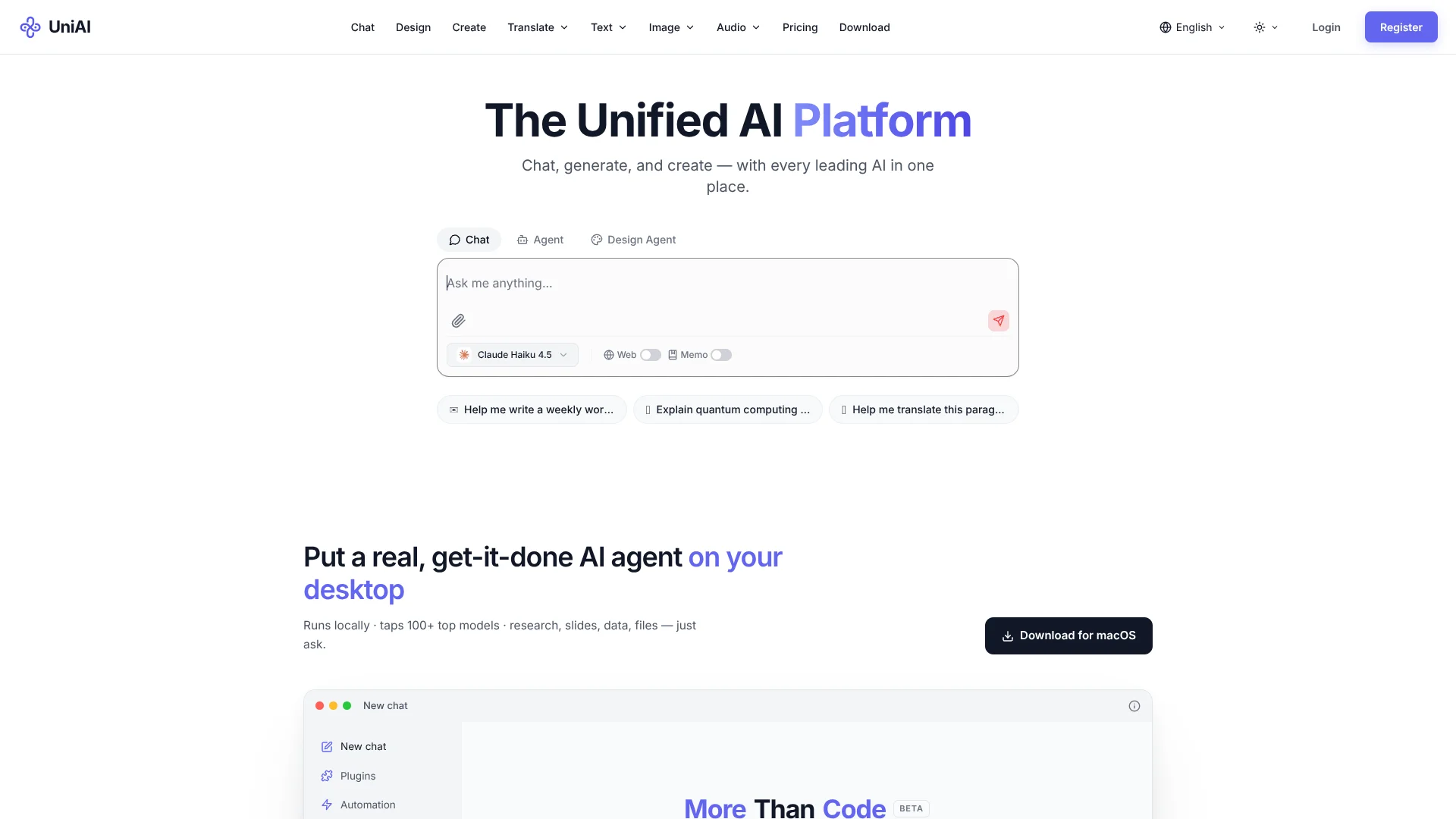
UniAI is a unified AI platform combining chat, design, creation, translation, text, image, and audio capabilities.
How do I get started?
Sign up to receive 1,000 free credits without providing a credit card.
How are credits priced?
UniAI uses one shared credit pool, with consumption varying by model and task complexity.
Should I use a subscription or credit pack?
Subscriptions provide recurring monthly credits, while credit packs are one-time purchases that do not expire.
Will my data be used for training?
UniAI states that conversations, uploads, and outputs are not used for model training.
Does UniAI support teams?
Teams can share credit pools, asset libraries, conversation history, and role-based permissions.
Community reviews
Be the first to share your experience.
Sign in to leave a review for UniAI.
UniAI Alternatives
Looking for alternatives to UniAI? Here are similar tools in the same category:
Learn to Master UniAI
With Skill Leap courses
Get in-depth training on UniAI and 50+ other AI tools with our expert-led video courses.
Start 7-Day Free Trial