
Unreal Speech
Transform text into lifelike, customizable voiceovers effortlessly.
Key Takeaways
- What it is
- Transform text into lifelike, customizable voiceovers effortlessly.
- Pricing
- Freemium · $4.99 per month (discounted for the first 6 months) · $499 per month · $1,499 per month · $4,999 per month
- Best for
- Lifelike Voice Synthesis
- Custom Voice Options
- Text-to-Speech Conversion
- Rating
- 4.5/5
What is Unreal Speech?
Unreal Speech is an innovative AI tool designed to revolutionize the way we create and consume audio content. As an advanced text-to-speech (TTS) platform, it offers lifelike voice synthesis, enabling users to transform written text into natural-sounding speech. This tool is perfect for content creators, educators, and businesses looking to enhance their audio experiences with authentic and engaging voiceovers. Unreal Speech simplifies the process of generating high-quality audio, making it accessible to a wide range of users.
Unreal Speech stands out with its cutting-edge voice synthesis technology, a game-changer for creating realistic audio content. Its ability to offer custom voice options and lifelike intonation sets it apart, making it an invaluable tool for those seeking to produce professional-grade audio without the need for extensive resources or technical expertise.
Unreal Speech offers a robust solution for anyone looking to enhance their audio content with ease and efficiency. Its lifelike voice synthesis and customizable options make it a standout choice for professionals across various industries. Whether you're a content creator, educator, or business professional, Unreal Speech provides the tools you need to produce high-quality audio content that captivates and engages your audience. With its competitive pricing and user-friendly interface, Unreal Speech is a valuable addition to your toolkit, promising to elevate your audio projects to new heights.
Who is Using Unreal Speech?
Content Creators
Leveraging the tool for producing engaging podcasts and audiobooks.
Educators
Utilizing the tool to create audio versions of educational materials for enhanced learning.
Businesses
Employing the tool for creating professional voiceovers for presentations and training videos.
Marketing Professionals
Using the tool to develop compelling audio content for advertising campaigns.
Uncommon Use Cases
Adopted by video game developers for character voiceovers; Employed by language learning platforms to create audio lessons.
Key Features
Rating Breakdown
Pricing Plans
Free
Free
- Includes 250K characters and 6 hours of audio
Basic
$4.99 per month (discounted for the first 6 months)
- Includes 3M characters and 67 hours of audio
Plus
$499 per month
- Includes 42M characters and 933 hours of audio
Pro
$1,499 per month
- Includes 150M characters and 3K hours of audio
Enterprise
$4,999 per month
- Includes 625M characters and 14K hours of audio
Custom
- High-volume pricing for 1B+ characters with volume discounts
Which Unreal Speech plan should you pick?
Start with Free for evaluation and small projects, then upgrade to Basic, Plus, Pro, Enterprise, or Custom as monthly character volume grows.
Free
Good for testing the API or studio with 250K characters and approximately 6 hours of audio.
Basic
Good for smaller production workloads needing 3M characters and approximately 67 hours of audio.
Plus
Good for higher-volume applications needing 42M characters and approximately 933 hours of audio.
Pro
Good for substantial workloads needing 150M characters and approximately 3,000 hours of audio.
Enterprise
Good for enterprise-scale use needing 625M characters and approximately 14,000 hours of audio.
Custom
Good for high-volume customers needing more than 1B characters and negotiated volume discounts.
Unreal Speech Use Cases
Real-time application speech
Use the /stream endpoint for short, time-sensitive text such as chatbot responses.
Outcome: Audio can be streamed with low latency.
Medium-length voiceovers
Send up to 3,000 characters to the /speech endpoint and receive MP3 audio with timestamp URLs.
Outcome: Produces downloadable, timestamped speech for applications and content.
Long-form audio generation
Use /synthesisTasks for longer text such as audiobooks and other long-form content.
Outcome: Supports asynchronous generation of extended audio.
Multilingual narration
Select among 48 voices across 8 supported languages.
Outcome: Creates narration for audiences in multiple languages.
Browser voiceover creation
Choose a voice, enter or paste text, generate the voiceover, and download an MP3.
Outcome: Creates a voiceover without integrating the API.
Workflow Ideas with Unreal Speech
Generate a real-time chatbot response
- 1Create an Unreal Speech API key
- 2Send short text to the /stream endpoint
- 3Play or route the returned audio in the application
Create a timestamped voiceover
- 1Send up to 3,000 characters to /speech
- 2Choose a voice, bitrate, speed, pitch, and timestamp type
- 3Use the returned MP3 and timestamp URLs in the application
Produce long-form audio
- 1Submit longer text through /synthesisTasks
- 2Record the returned synthesis task ID
- 3Poll the task status until the generated audio is ready
How Unreal Speech fits into your stack
Browser
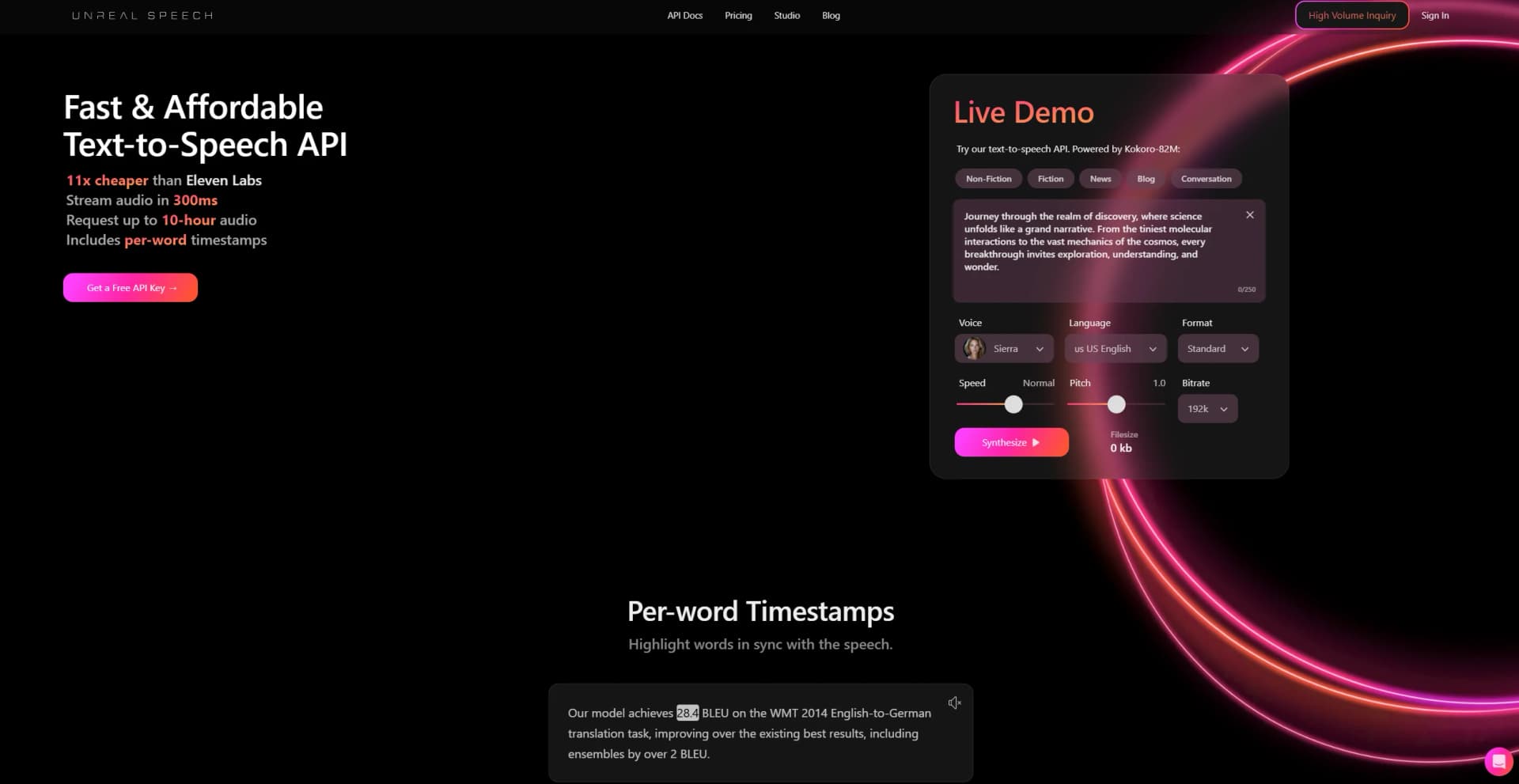
Unreal Speech Studio is a browser-based text-to-speech workspace where users enter or paste text, select a voice, generate audio, and download MP3 files.
Automation and APIs
Its documented API supports streaming short text, synchronous speech generation, and asynchronous synthesis tasks for longer audio. SDK documentation is available for integrations such as Node.js and React Native.
Pros
- +Time Efficiency: Significantly reduces the time required to create voiceovers compared to traditional methods.
- +Cost-Effective: Provides a budget-friendly solution for producing professional-grade audio content.
- +Versatile Applications: Suitable for a wide range of uses, from educational materials to marketing campaigns.
- +High-Quality Output: Delivers clear and natural-sounding audio, enhancing the listener's experience.
Cons
- −Initial Learning Curve: Some users may require time to explore all the advanced features.
- −Limited Integration: Currently, it supports a limited number of third-party platforms.
Limitations & when to consider alternatives
Known limitations
- Character limits vary by endpoint. The API supports up to 1,000 characters on /stream and up to 3,000 characters on /speech; longer content requires /synthesisTasks.
- Studio limits vary by account state. The help center lists 500 characters for guests, 1,000 for signed-in users, and 5,000 for Pro users per voiceover.
- Guest users cannot download audio. Guests can generate and play voiceovers but must sign in to download; high-quality downloads require Pro.
- Custom voice cloning is unavailable. The official FAQ says custom voices are not currently available.
- Free-plan attribution is required. Published audio generated under the free plan must include a link to unrealspeech.com.
Look elsewhere when
- You need native mobile apps.
- You need voice cloning today.
- You need document or image processing.
How to Use Unreal Speech
- 1
Choose a voice
Select a voice and preview it before generating speech.
- 2
Enter or paste text
Add the text to convert, staying within the character limit for your account or endpoint.
- 3
Configure speech settings
For API use, set voice ID, bitrate, speed, pitch, codec, and timestamp type as needed.
- 4
Generate audio
Click Generate in the studio or call /stream, /speech, or /synthesisTasks through the API.
- 5
Review and download
Play the generated voiceover, jump through word timestamps in the studio, and download the MP3 when permitted.
- 6
Scale the plan
Monitor character usage and move to a higher pricing tier when the monthly allowance or rate limit is insufficient.
Who is Unreal Speech For?
Developers
The documented API, API keys, SDK, and multiple endpoints support programmatic text-to-speech integration.
Content creators
The browser studio generates downloadable MP3 voiceovers for content such as videos, podcasts, and social media.
E-learning platforms
Text can be converted into narrated educational material and audio versions of learning content.
Accessibility users
Text-to-speech can make written content available in an audio format for people with visual impairments or reading difficulties.
Enterprise and high-volume users
Enterprise and Custom plans provide large character allowances and volume-discount options.
Frequently Asked Questions
Does Unreal Speech offer voices in multiple languages?
Yes. Unreal Speech provides 48 voices across 8 languages, including US English, UK English, Mandarin Chinese, Hindi, Spanish, Portuguese, Japanese, and French.
Can users create custom voices or clone voices?
Not currently. The official FAQ says custom voices and voice cloning are not available yet.
What happens when the monthly character allowance is exceeded?
Additional usage is charged daily according to the current plan’s per-million-character rate.
Do unused characters roll over?
Free-plan characters reset on the first day of each month. Paid-plan characters roll over to the next billing cycle.
Can generated audio be used commercially?
Yes. Free-plan publishing requires attribution linking to unrealspeech.com; paid plans do not require attribution.
How do users cancel or update billing?
Users can manage payment methods and cancel subscriptions from the Dashboard’s Manage Subscription area.
Community reviews
1 review from people who use Unreal Speech.
Sign in to leave a review for Unreal Speech.
Code ninja
Unreal Speech Alternatives
Looking for alternatives to Unreal Speech? Here are similar tools in the same category:
Learn to Master Unreal Speech
With Skill Leap courses
Get in-depth training on Unreal Speech and 50+ other AI tools with our expert-led video courses.
Start 7-Day Free Trial