
VEED.IO
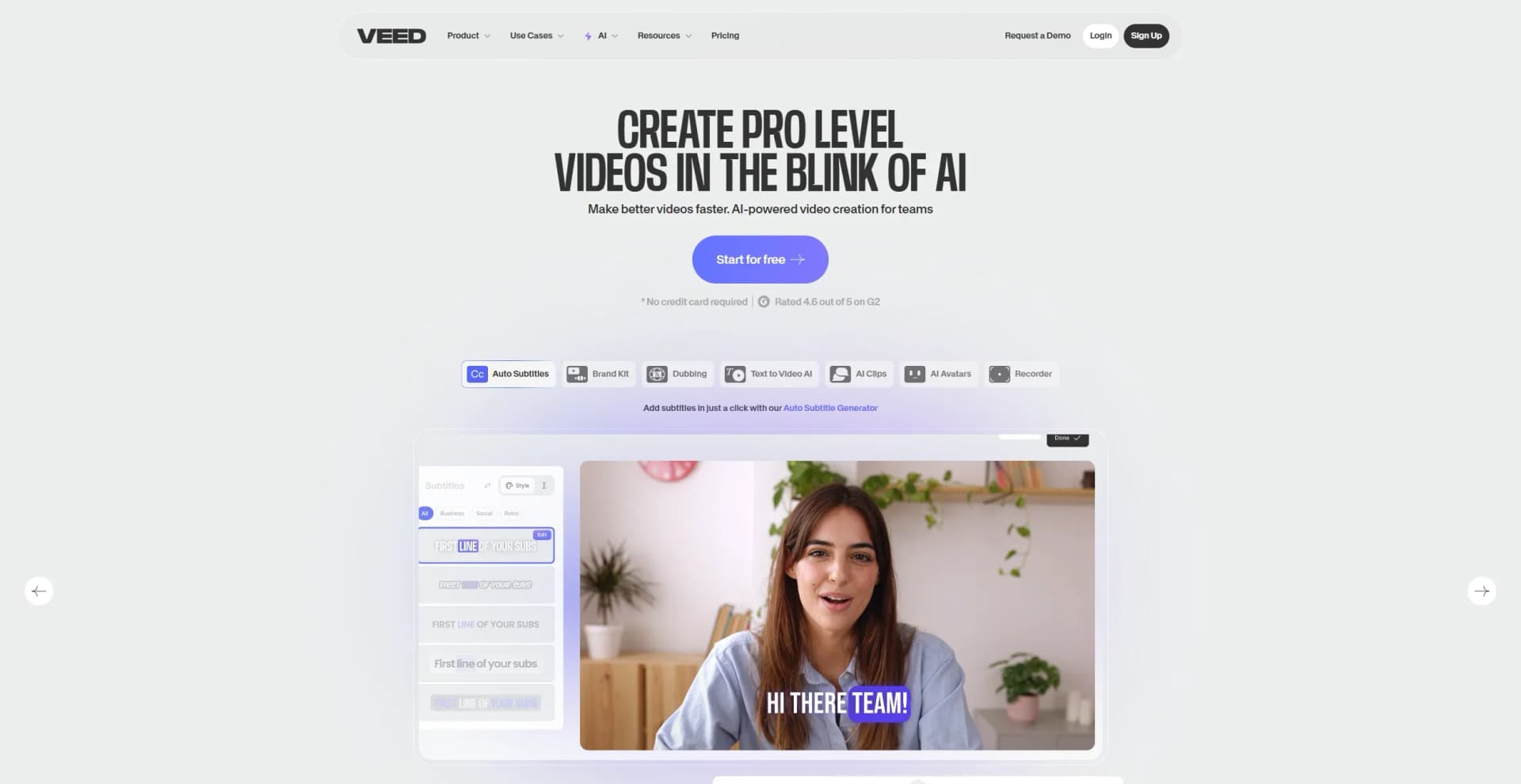
Create, edit, subtitle, and translate pro-grade videos instantly.
Watch VEED.IO in Action
Key Takeaways
- What it is
- Create, edit, subtitle, and translate pro-grade videos instantly.
- Pricing
- Freemium · $18 per month. unlocking features like unlimited stock assets
- Best for
- AI Subtitles and Transcription
- Magic Cut
- AI Avatars and Cloning
- Rating
- 4.6/5
What is VEED.IO?
VEED.IO is a browser-based video editing suite focused on making content creation accessible, fast, and professional for individuals and teams alike. Sporting a full spectrum of AI-powered tools, VEED.IO helps users create, edit, subtitle, and publish videos directly in their browser, streamlining processes that would typically require several separate platforms. From automatic subtitling to voice cloning, VEED.IO targets everyone from social creators to large enterprises looking to elevate their video output without the headache of complicated desktop software.
VEED.IO offers not just rapid browser-based editing but layers in AI subtitling, translation, and even digital avatars, making it possible to shoot, edit, and publish global-ready videos in a matter of minutes. Its eye contact correction and real human avatar features might just make users feel like they have a virtual production crew on hand. The sheer reduction in process steps, record once, edit, translate, and share, all in the same environment, means content that’s ready for prime time in record speed.
VEED.IO trims the bloat from video editing and puts pro-level AI tools in the hands of everyday creators, business teams, and busy professionals. With its unique combination of auto-captioning, avatar generation, and collaboration features, it stands out as a user-friendly choice for anyone looking to create and scale high-quality video content without breaking the bank or spending hours learning a new platform. VEED.IO makes video production as effortless as sending an email, while still impressing even the toughest critics with its AI-powered magic.
Who is Using VEED.IO?
Social Media Managers
Crafting viral content and subtitled ads for platforms like TikTok, Instagram, and YouTube.
Corporate Teams
Standardizing training modules and branding assets, especially with the convenience of AI-generated spokesperson videos.
Educators
Creating visually rich learning materials and lecture recaps, aided by automated subtitles and translation.
Marketing Agencies
Rapidly producing ad content, sizzle reels, and campaign materials with a unified brand voice.
Uncommon Use Cases
Healthcare professionals building accessible, subtitled patient education; Nonprofits translating outreach content for global audiences.
Key Features
Rating Breakdown
Pricing Plans
Free Tier
Free
- Get started with basic editing and watermark-free exports for short videos
Pro Tier
$18 per month. unlocking features like unlimited stock assets
- Advanced AI tools
- Collaboration
Enterprise Tier
- Options for white-labeling
- Brand kits
- Priority support
Which VEED.IO plan should you pick?
Start with Free to test editing and AI tools, then upgrade to Creator or Pro for higher-quality exports and advanced features; choose Studio or Enterprise for larger teams and organizational controls.
Free
Good for individuals testing VEED's core editing and video-creation features with limited exports.
Creator
Good for creators who need additional features and watermark-free exports.
Pro
Good for professional users who need advanced editing and AI capabilities.
Studio
Good for small teams that need more collaborators and shared workspace capabilities.
Enterprise
Good for organizations that need advanced collaboration, SSO, security, and enterprise support.
VEED.IO Use Cases
Social media video production
Upload or generate footage, add captions and AI enhancements, resize it for platforms, and export.
Outcome: Post-ready social videos.
Employee onboarding and training
Enter a training topic or script, select an avatar or voice, add branding, and generate a narrated video.
Outcome: Professional training content produced in minutes.
Course creation
Turn course ideas or scripts into lessons with AI avatars, voiceovers, subtitles, animations, and branded media.
Outcome: Shareable or embeddable course videos.
Video localization
Generate subtitles or dub uploaded videos into multiple languages, then proofread and export the result.
Outcome: Videos accessible to international audiences.
Video hosting and review
Upload and edit a video, share it through a link, and collect timestamped comments from viewers or colleagues.
Outcome: Browser-based review and collaboration.
Workflow Ideas with VEED.IO
Script-to-training-video workflow
- 1Enter a training topic or paste a script
- 2Choose an avatar or voice, language, and background music
- 3Preview, edit scenes, add branding, and export or share
Long-video-to-social-clips workflow
- 1Upload a long video
- 2Run Magic Cut to remove silences and filler words
- 3Add subtitles, resize for social platforms, and export clips
Automated video production with n8n
- 1Connect data sources such as Google Sheets and social platforms
- 2Generate videos with VEED through an automated n8n workflow
- 3Route videos through approval steps and publish them automatically
How VEED.IO fits into your stack
Browser
VEED is primarily a browser-based video editor, recorder, subtitle, translation, and AI video workspace.
Mobile
The native iPhone/iPad app keeps projects synchronized across web and mobile for editing and publishing.
Automation and APIs
VEED exposes subtitle and Fabric video APIs for programmatic generation, processing, and workflow integration.
Team workspace
Shared workspaces let teams invite editors, organize projects in spaces, manage brand kits, and share videos.
Pros
- +Free tier available
- +Native iPhone and iPad app
- +Shared workspaces with collaborators
- +Documented video APIs
- +Browser-based editing with no desktop installation
Cons
- −Limited Power User Controls: May not meet the demands of experienced editors seeking granular, frame-level control.
- −Browser Reliance: Performance and feature access are tied to the quality of the user's internet connection and browser choice.
- −Integration Scope: Supports plenty, but fewer third-party integrations than advanced video suites.
Limitations & when to consider alternatives
Known limitations
- Free-plan export restrictions. The free plan has limitations on features and export quality, including watermark-related restrictions.
- Free upload size limit. Free-plan uploads are limited to 1 GB per file.
- Android availability. The native VEED mobile app is currently available on iOS; the Android version is still in development.
- Magic Cut language support. The Magic Cut tool currently works only with videos spoken in English.
- Project transfer restrictions. Projects cannot be moved between VEED workspaces.
Look elsewhere when
- You need a dedicated desktop installer.
- You need native Android editing today.
- You need model fine-tuning on your own training data.
How to Use VEED.IO
- 1
Create an account and workspace
Sign up at VEED, create a workspace, and choose the Free plan or another available plan.
- 2
Start a project
Begin from an AI prompt, paste a script, select a template, open a blank editor project, or record directly.
- 3
Add media
Upload video, audio, or image files from your device, use stock media, record footage, or generate assets with AI.
- 4
Edit with VEED tools
Add captions, text, music, branding, AI voiceovers, avatars, translations, effects, and other timeline edits.
- 5
Collaborate and review
Invite workspace collaborators or share an exported video for timestamped comments and feedback.
- 6
Export or publish
Export the finished video, download it, share a link, embed it, or publish it to supported destinations.
Who is VEED.IO For?
Creators
Create short-form videos, captions, AI videos, and social-ready content without advanced editing skills.
Marketers
Produce promotional videos, product demos, social content, and branded campaigns using templates and AI tools.
Businesses and teams
Collaborate in shared workspaces, apply brand kits, and create internal or customer-facing video communications.
Educators and trainers
Create training, onboarding, course, and instructional videos with AI narration, avatars, subtitles, and translations.
Developers
Integrate video generation, subtitles, lip sync, background removal, and green-screen processing through VEED APIs.
Frequently Asked Questions
Is VEED free to use?
Yes. VEED offers a free plan that can be used indefinitely, with limitations on features and export quality.
Can I use VEED on mobile?
VEED currently offers a native iOS app. The app shares projects, workspaces, and subscriptions with the web version.
Can I invite collaborators?
Yes. Workspace owners can invite collaborators to help edit projects. Collaborators generally have the same editing capabilities as the account holder.
Does VEED support SSO?
SSO is available for Enterprise plan users.
How many languages does AI dubbing support?
VEED's AI dubbing supports over 70 source languages, including English, Mandarin, Spanish, French, German, Arabic, and Hindi.
What file types can I upload?
VEED supports common video, audio, and image formats, including MP4, MOV, WEBM, AVI, MP3, WAV, JPG, PNG, and WEBP.
Community reviews
Be the first to share your experience.
Sign in to leave a review for VEED.IO.
VEED.IO Alternatives
Looking for alternatives to VEED.IO? Here are similar tools in the same category:
Learn to Master VEED.IO
With Skill Leap courses
Get in-depth training on VEED.IO and 50+ other AI tools with our expert-led video courses.
Start 7-Day Free Trial