
Vellum
Unleash AI's potential: automate, fine-tune, deploy with ease and security.
Key Takeaways
- What it is
- Unleash AI's potential: automate, fine-tune, deploy with ease and security.
- Best for
- Integration with Microsoft Azure Hosted OpenAI Models
- Workflow Automation
- Fine-Tuning Capabilities
- Rating
- 4.4/5
What is Vellum?
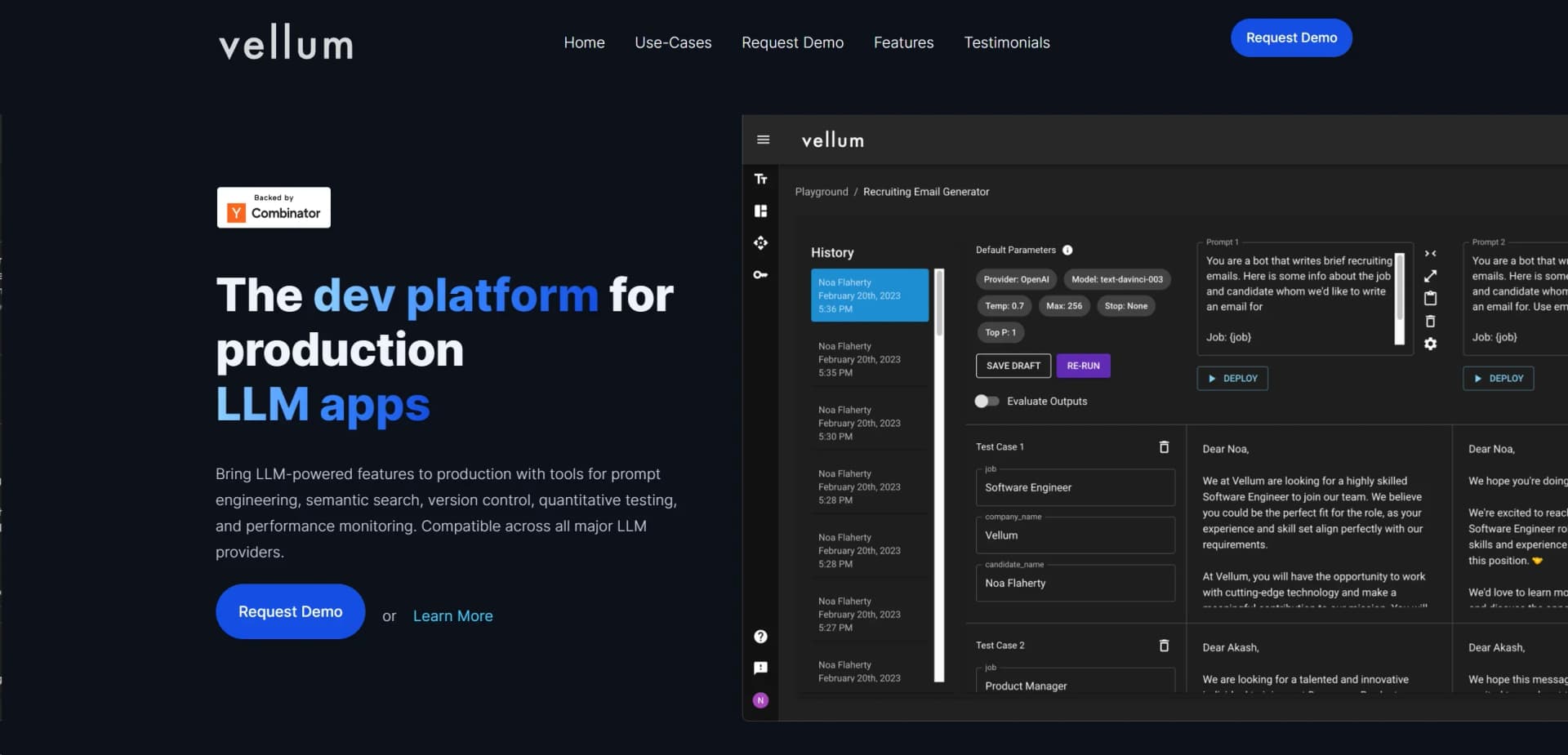
Vellum is an advanced AI product development platform empowering users to confidently deploy large language model (LLM) powered features. It's designed for a wide range of applications including workflow automation, document analysis, fine-tuning for machine learning models, and various forms of content generation. Aimed at professionals and organizations seeking to leverage AI, Vellum simplifies the complex process of integrating AI into production environments.
Vellum stands out with its robust evaluation and deployment tools for prompt engineering and workflow automation. It enables high customization and continuous improvement, crucial for seamless integration of AI applications into production environments.
Vellum excels as an AI product development platform, offering tools for businesses to deploy LLM-powered features effectively. Its capabilities in workflow automation, fine-tuning, evaluation, and deployment make it valuable for integrating AI into production systems. With a focus on collaboration, scalability, and security, Vellum supports diverse AI applications across industries.
Who is Using Vellum?
Tech Startups
Rapid deployment of LLM-powered features with small development teams.
Healthcare Organizations
HIPAA compliant use of AI for sensitive data processing.
Educational Institutions
Leveraging AI to enhance learning experiences and administrative efficiency.
Customer Support Services
Utilizing chatbots and content generation tools for improved customer interaction.
Uncommon Use Cases
Non-ML engineers building, deploying, and managing models without prior AI knowledge; Product teams collaborating on AI feature development.
Key Features
Rating Breakdown
Pricing Plans
Customized Plans
- Tailored solutions based on enterprise needs
Request a Demo
- Potential users can explore capabilities before committing
Which Vellum plan should you pick?
Start with Base to explore Vellum for free, then upgrade to Mighty, Super, Ultra, or Custom when you need more compute, storage, included usage, or platform features.
Base
Good for individuals starting with a free assistant and needing basic compute, storage, and pay-as-you-go usage.
Mighty
Good for users who need more consistent use, 10 GiB of storage, and a small computer tier.
Super
Good for heavier workloads requiring a medium computer, 30 GiB of storage, assistant email, and a subdomain.
Ultra
Good for demanding workloads requiring the largest preset computer tier, 60 GiB of storage, and included Ultra Usage.
Custom
Good for users who need to choose machine size, storage, and usage components individually.
Vellum Use Cases
Email and messaging management
Connect Gmail, Slack, Telegram, or other messaging services to read, search, summarize, and send messages.
Outcome: Communication tasks can be handled from one assistant.
Calendar and task planning
Use calendar, task, scheduling, follow-up, and daily briefing capabilities to organize work and personal commitments.
Outcome: Schedules, reminders, and follow-ups stay coordinated.
Browser automation
Use the browser extension or browser skill to navigate pages, click controls, fill forms, and extract information.
Outcome: Web-based tasks can be completed through browser automation.
Document and media work
Write documents, process video and audio, transcribe recordings, and generate or edit images.
Outcome: Content creation and media processing happen through the assistant.
App and tool building
Use App Builder, coding capabilities, and custom skills to create interactive apps, dashboards, tools, and automations.
Outcome: Reusable software tools and workflows can be produced from requests.
Workflow Ideas with Vellum
Daily briefing and follow-up workflow
- 1Connect Gmail, Google Calendar, Slack, and task services.
- 2Ask Vellum for a daily briefing covering messages, meetings, tasks, and follow-ups.
- 3Use the assistant to draft replies, create reminders, or schedule actions.
Research and report workflow
- 1Ask Vellum to search the web and gather relevant sources.
- 2Have it extract and organize findings into a document.
- 3Review the resulting report and approve any external actions.
Browser task automation workflow
- 1Install and connect the Vellum Assistant browser extension.
- 2Ask Vellum to inspect the active tab and navigate or fill forms.
- 3Approve sensitive actions before the assistant submits or changes information.
How Vellum fits into your stack
Microsoft Azure
Seamless integration for using OpenAI models.
API Access
Enhances adaptability with API access for custom integrations.
Collaboration Tools
Supports collaboration with multiple team members on AI workflows.
Data Privacy
Configurable data retention and access meet diverse privacy needs.
Pros
- +Ease of Use: User-friendly interface simplifies interaction with complex AI functionalities.
- +Scalability: Highly scalable architecture suitable for enterprises of all sizes.
- +Collaboration-Friendly: Facilitates seamless collaboration among team members, including non-technical personnel.
- +Security Compliance: Adheres to best-in-class security standards, including SOC2 and HIPAA compliance.
- +Continuous Improvement: Allows ongoing improvements to LLM features in production for quality, cost, and latency.
Cons
- −Learning Curve: New users may need time to grasp the platform's extensive features.
- −Dependency on Third-Party Models: Relies on external LLM providers, introducing variability in service availability or performance.
- −Pricing Transparency: Specific pricing details may require direct inquiries.
Limitations & when to consider alternatives
Known limitations
- Browser access is cloud-only. The browser interface cannot access the local machine, host files, shell commands, computer use, or screen watch; those capabilities require the desktop app.
- iOS has restricted local-device capabilities. The iOS app is cloud-only, so host file access, shell commands, computer use, and screen watch remain desktop capabilities.
- Sensitive actions require approval. Actions such as sending email, making purchases, controlling the desktop, or accessing new services require explicit approval unless trust rules allow them.
- Cloud conversations are sent to the model provider. Vellum states that conversation context is sent to the AI model provider, currently Anthropic, to generate responses.
- No shared team workspace. Vellum describes itself as a personal assistant rather than a team tool or shared resource.
Look elsewhere when
- You need a shared team workspace with collaborative editing.
- You need enterprise administration or SSO.
- You need custom model fine-tuning on your data.
How to Use Vellum
- 1
Learning resources including tutorials on prompt engineering and workflow automation are available to help users get acquainted with the platform.
Who is Vellum For?
Individuals seeking a personal AI assistant
Vellum is designed around a persistent assistant with personal identity, memory, tools, and cross-device access.
People who want data control
Users can choose Vellum Cloud, local hosting, or user-hosted infrastructure, including self-hosting on a Mac.
People who want computer automation
The macOS app can control applications, read local files, run shell commands, and observe the screen with permission.
Developers and technical users
Vellum provides API access, a CLI, custom skills, app building, code execution, and MCP server support.
Users who work across many services
OAuth integrations connect services such as Google, GitHub, Slack, Notion, Linear, Asana, and Microsoft.
Frequently Asked Questions
What is Vellum?
Vellum is a personal AI assistant that can read files, manage calendars, browse the web, run code, control a Mac, communicate across services, and remember context across conversations.
Is Vellum free?
Vellum offers a free Base plan. Local hosting can also run without Vellum platform charges when using your own Anthropic API key, aside from API usage.
What platforms does Vellum support?
Vellum is available through the web, iPhone and iPad apps, a macOS desktop app, command line, Telegram, Slack, email, and phone calls.
Can Vellum access my files?
Workspace files are accessible to the assistant, while files outside the workspace require explicit permission for each access.
Does Vellum train on my data?
Vellum states that user data is not used for training or fine-tuning.
Can other people access my assistant?
Trusted contacts can receive limited access through channels such as Telegram or Slack, but cannot access memories, modify the workspace, or use sensitive tools without approval.
Community reviews
Be the first to share your experience.
Sign in to leave a review for Vellum.
Vellum Alternatives
Looking for alternatives to Vellum? Here are similar tools in the same category:
Learn to Master Vellum
With Skill Leap courses
Get in-depth training on Vellum and 50+ other AI tools with our expert-led video courses.
Start 7-Day Free Trial