
Verdent
Plan, code, and review software in parallel.
Key Takeaways
- What it is
- Plan, code, and review software in parallel.
- Pricing
- Freemium · $19 per month · $59 per month · $179 per month
- Best for
- Parallel AI Agents
- Workspace Isolation
- Plan Mode
- Rating
- 4.4/5
What is Verdent?
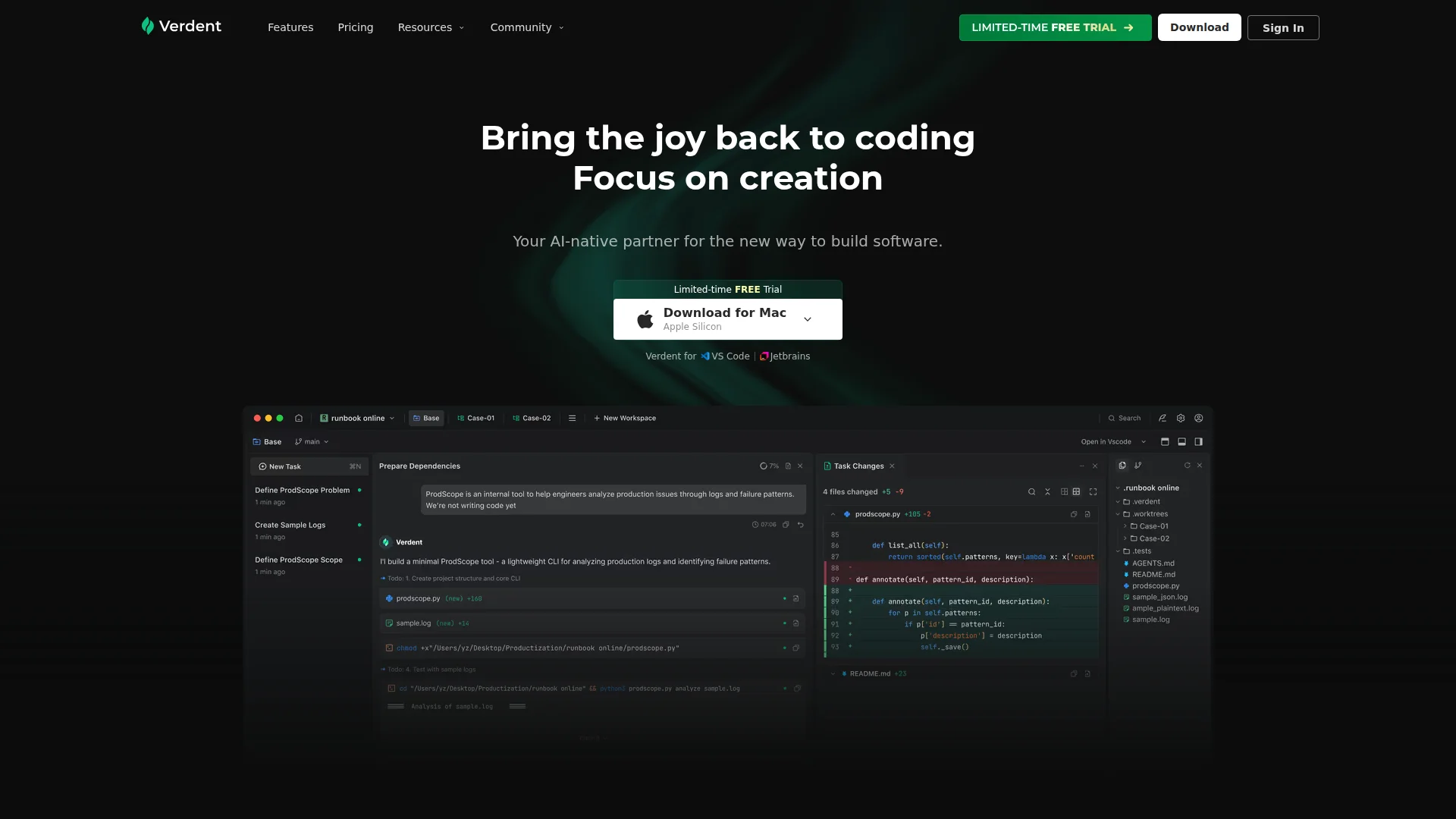
Verdent is an AI-native coding environment for developers and engineering teams. It coordinates multiple AI agents to plan, write, review, and verify code across active repositories, with structured planning, isolated workspaces, and diff-focused oversight. Rather than acting like a basic autocomplete tool, it operates more like an AI coding workspace for parallel task execution and tighter review control.
Verdent stands out by treating AI coding as coordinated project work instead of a single chat thread. Its mix of parallel agents, Git workspace isolation, plan-first execution, and review-focused oversight gives users more control across the full coding cycle. That makes it feel less like a prompt box and more like an AI pit crew for real repositories.
Verdent offers a focused AI coding environment for teams and developers who care about both speed and control. Its biggest appeal comes from multi-agent execution, planning before editing, and review steps that keep code changes visible instead of mysterious. For users handling active repos and larger engineering tasks, Verdent looks less like a novelty and more like a serious productivity tool.
Who is Using Verdent?
Software Engineers
Using Verdent for feature development, refactoring, debugging, and code review.
Tech Leads
Using it to plan larger changes and supervise AI-generated work before merge.
Engineering Teams
Using it to split work across parallel agents and move faster on shared repos.
Indie Founders
Using it to build MVPs and ship product updates without a larger team.
Data and ML Engineers
Using it for pipeline edits, scripts, internal tooling, and documentation updates.
Uncommon Use Cases
Used by accessibility-focused teams for pre-release code checks; used by instructors to demonstrate multi-agent coding workflows in software engineering courses.
Key Features
Rating Breakdown
Pricing Plans
Free Trial
Free
- A 7-day free trial with 100 credits, access to Claude Sonnet 4.6/Opus 4.6, GPT-5.4, Gemini 3.1 Pro, GLM-5, and MiniMax M2.7, plus about 200 frontier model requests
Starter
$19 per month
- 480 credits per month, access to the listed models, about 1,000 frontier model requests, and Eco Mode for light usage
Pro
$59 per month
- 1,500 credits per month, access to the listed models, about 3,000 frontier model requests, and Eco Mode for extended usage
Max
$179 per month
- 4,500 credits per month, access to the listed models, about 10,000 frontier model requests, and Eco Mode for intensive workflows
Which Verdent plan should you pick?
Start with Free mode to evaluate Verdent; choose Starter for light paid use, Pro for regular work, or Max for intensive usage.
Starter
Good for light users and first-time explorers who need a paid monthly credit allowance.
Pro
Good for regular users and mid-sized projects needing more monthly credits.
Max
Good for heavy users and demanding tasks requiring the largest standard credit allowance.
Teams
Good for teams needing shared billing, participant management, and priority support.
Enterprise
Good for larger organizations needing custom billing, organizational controls, permissions, visibility, and onboarding.
Verdent Use Cases
Writing new code
Describe a feature and let Verdent plan and implement changes across multiple files.
Outcome: A working implementation with coordinated project changes.
Code understanding
Ask Verdent to analyze unfamiliar code, explain functions, identify patterns, or refactor safely.
Outcome: Faster understanding and safer maintenance.
Testing and debugging
Generate tests, diagnose errors, analyze screenshots, and run repair cycles.
Outcome: Validated fixes and improved code quality.
Product documentation
Turn scattered notes and requirements into PRDs, MRDs, technical documents, or demos.
Outcome: Review-ready documentation and prototypes.
Automated reporting
Connect to databases or services and schedule recurring metric reports or project summaries.
Outcome: Recurring reports with less manual effort.
Workflow Ideas with Verdent
Plan and implement a feature
- 1Open a project and describe the desired outcome
- 2Use Plan Mode to review the generated steps and dependencies
- 3Switch to Agent Mode to implement and verify the changes
Debug a screenshot-reported error
- 1Upload or paste the screenshot into Verdent
- 2Ask Verdent to identify the error and likely cause
- 3Apply the suggested fix and run verification checks
Schedule a weekly project report
- 1Open Manager's Automations panel
- 2Describe the recurring report and schedule
- 3Review the generated report after each execution
How Verdent fits into your stack
Browser
Verdent Cloud provides browser-based project workspaces for creating, editing, previewing, and publishing apps.
Desktop / IDE
The standalone desktop app supports multi-agent development, while integrations embed Verdent into VS Code and JetBrains.
Automation and APIs
Verdent uses MCP-based plugins, commands, skills, and subagents to automate work across connected services.
Knowledge and files
Verdent works directly with project repositories, local files, uploaded documents, PDFs, text files, and images.
Pros
- +Fast On Larger Projects: Parallel agents can shorten the cycle for refactors, feature work, and bug fixing.
- +Clearer Oversight: Planning and diff review give teams more visibility into what the AI changed.
- +Cleaner Repositories: Isolated workspaces reduce messy branch conflicts and surprise edits.
- +Built For Serious Dev Work: It suits multi-file changes better than assistants that mainly suggest lines of code.
Cons
- −Credit-Based Usage: Heavy use can become expensive, especially when multiple agents are running.
- −Best With Git-Centric Work: Small throwaway scripts may not benefit as much from the full workflow.
- −Security Maturity Is Still Evolving: It shows strong intent here, but some enterprise trust signals are still in progress.
Limitations & when to consider alternatives
Known limitations
- Scheduled tasks require the app to remain active. Automations only run while the Verdent app is active; closed-app executions are marked Missed.
- Image size and resolution limits. Images are limited to 5MB and 2000×2000 pixels; larger files may be compressed or rejected.
- Desktop operating-system coverage. The documented desktop installer supports macOS 11+ and Windows 10+ 64-bit.
- No repository indexing currently. Verdent's security policy states that its services currently do not offer repository indexing or analysis.
- Cloud usage consumes shared credits. Verdent Cloud shares the account credit pool with other Verdent products rather than using a separate Cloud-only pool.
Look elsewhere when
- You need a native iOS or Android app.
- You need a public developer API with documented endpoints.
- You need encryption specifications such as AES-256 or TLS.
- You need user model fine-tuning or training jobs.
How to Use Verdent
- 1
Install or open Verdent
Download the macOS or Windows desktop app, or install the Verdent VS Code extension.
- 2
Add a project
Open a local folder, create a Cloud project, or connect to a remote project through SSH.
- 3
Choose a working mode
Use Plan Mode for read-only analysis and planning, or Agent Mode for implementation and execution.
- 4
Provide context
Reference files, folders, PDFs, text files, screenshots, or images so Verdent can work from relevant project context.
- 5
Review and verify changes
Inspect diffs, run tests, use the Reviewer subagent, and refine the implementation through follow-up prompts.
- 6
Connect tools or automate work
Install integrations such as GitHub or Notion, then create scheduled Manager automations for recurring tasks.
Who is Verdent For?
Developers
Verdent helps developers generate, understand, refactor, test, debug, and review code across projects.
Product managers
Product managers can turn scattered ideas and requirements into PRDs, demos, and working applications.
Teams using external tools
Teams can connect services such as GitHub, Notion, Linear, Stripe, and Supabase through integrations.
Researchers and analysts
Verdent supports research, data analysis, chart generation, and working with structured data sources.
Enterprise teams
Verdent Team provides centralized billing, organizational controls, priority support, and Feishu SSO.
Frequently Asked Questions
What platforms does Verdent support?
Verdent provides a downloadable desktop app for macOS and Windows, plus a VS Code extension.
How does Verdent pricing work?
Verdent uses subscription plans with monthly credits; credits are shared across Verdent products.
Can Verdent work with images?
Yes. Users can upload screenshots or reference images for visual analysis, debugging, and code generation.
Can Verdent automate recurring work?
Manager can create scheduled tasks for recurring reports, checks, reviews, maintenance, and other workflows.
What happens when a scheduled task is missed?
Tasks are marked Missed when the app is closed and can be run manually afterward.
Does Verdent support enterprise SSO?
Verdent Team supports Feishu SSO for centralized enterprise sign-in.
Community reviews
Be the first to share your experience.
Sign in to leave a review for Verdent.
Verdent Alternatives
Looking for alternatives to Verdent? Here are similar tools in the same category:
Learn to Master Verdent
With Skill Leap courses
Get in-depth training on Verdent and 50+ other AI tools with our expert-led video courses.
Start 7-Day Free Trial