
Vexub
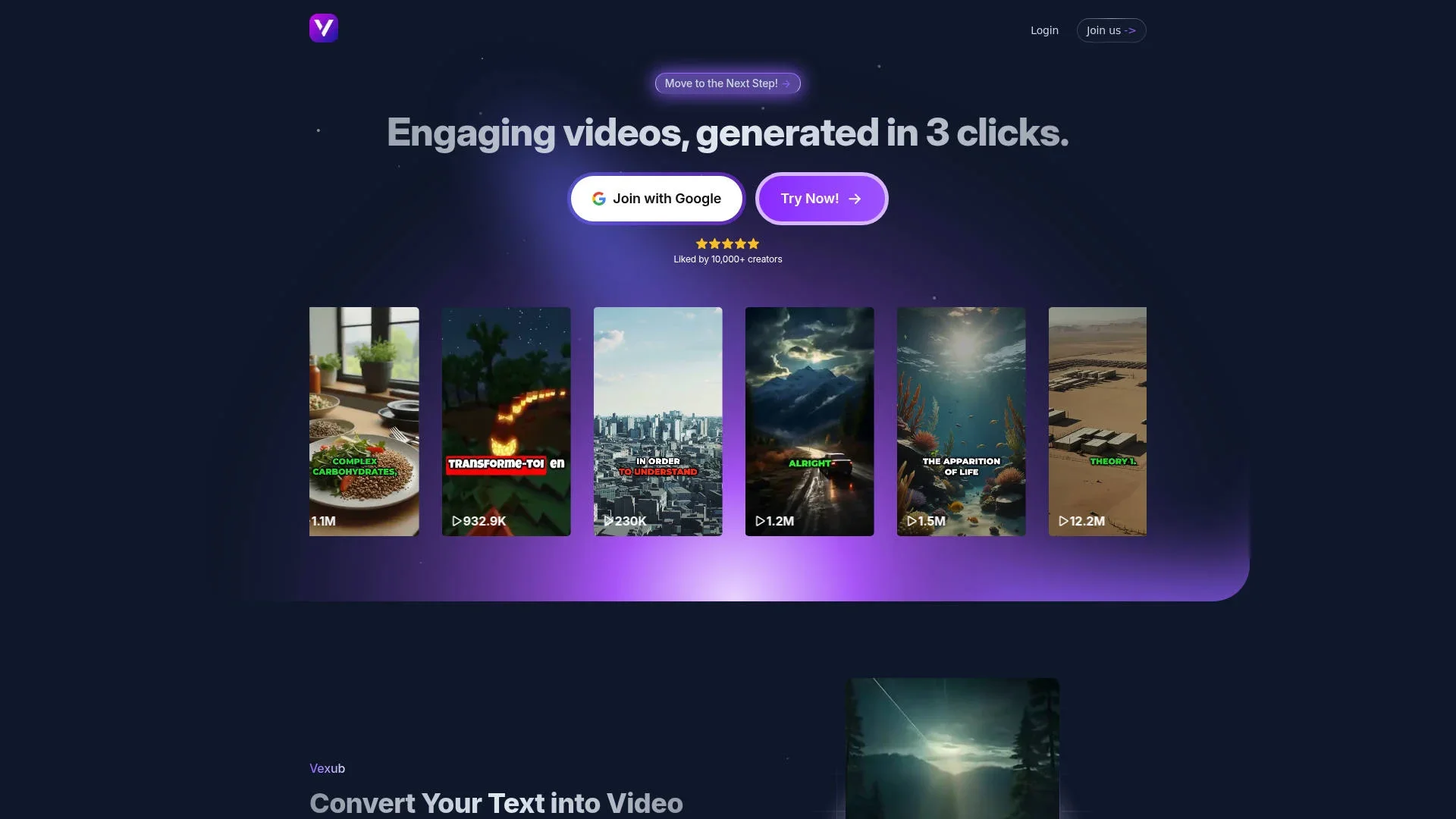
Transform text or audio into captivating AI-generated videos.
Key Takeaways
- What it is
- Transform text or audio into captivating AI-generated videos.
- Pricing
- $30 per month · $50 per month · $100 per month
- Best for
- Text to Video
- MP3 to Video
- SMS Video Creation
- Rating
- 4.5/5
What is Vexub?
Vexub is an innovative AI video generator designed to transform text into engaging videos with just a few clicks. Tailored for content creators across various platforms like TikTok and YouTube, it offers a seamless way to create visually appealing videos from text inputs. Its user-friendly interface and AI-driven features make it an ideal tool for individuals and businesses looking to enhance their digital content effortlessly.
Vexub stands out with its ability to convert text into high-quality videos effortlessly. Its integration with various media formats and monetization features makes it a valuable tool for creators looking to maximize revenue streams without compromising on creativity or quality.
Vexub offers a cutting-edge solution for anyone looking to create impactful video content quickly and efficiently. Its blend of AI technology and user-centric design ensures that both novices and seasoned creators can produce quality videos that resonate with audiences. Whether you're looking to boost your online presence or monetize your content, Vexub provides the tools to make it happen.
Who is Using Vexub?
Content Creators
Utilizing Vexub for generating engaging content for platforms like YouTube and TikTok.
Digital Marketing Agencies
Employing the tool for creating promotional videos and campaigns.
Educators
Using video creation for online courses and educational materials.
Small Businesses
Leveraging video content for brand promotion and customer engagement.
Uncommon Use Cases
Adopted by authors for book trailers; Used by non-profits for awareness campaigns.
Key Features
Rating Breakdown
Pricing Plans
Basic Plan
$30 per month
- Includes 30 videos, access to a variety of voices and visual styles, automatic subtitles, advanced personalization, and pro narrators
Plus Plan
$50 per month
- Includes 55 videos and everything in Basic, plus premium support
Pro Plan
$100 per month
- Includes 120 videos and all available features, including premium support
Which Vexub plan should you pick?
Start with Plus to test regular production, move to Pro for higher volume, and choose Entreprise for unlimited generation and larger operations.
Plus
Good for agencies or creators who need up to 55 videos and core automated video features.
Pro
Good for growing creators who need up to 120 videos and continued access to customization and export features.
Entreprise
Good for high-volume operations needing unlimited video generation, subject to the stated 10-video-per-three-hour limit.
Vexub Use Cases
Text-to-video creation
Write a script, select a visual style and voice, and generate a complete narrated video.
Outcome: A short-form video with visuals, voiceover, subtitles, and music.
YouTube clipping
Paste a YouTube URL so Vexub can identify moments, reframe them vertically, track speakers, and add captions.
Outcome: Ready-to-edit short clips from long-form YouTube content.
MP3-to-video conversion
Upload an MP3 recording and let Vexub create matching visuals and subtitles.
Outcome: A publishable video version of audio content.
Video enhancement
Upload an MP4 and apply AI-driven visual enhancements and captioning.
Outcome: A visually enhanced video formatted for social publishing.
SMS video creation
Create videos from text-message conversations.
Outcome: An animated SMS-style video for storytelling or entertainment.
Workflow Ideas with Vexub
Create a faceless short
- 1Write or paste a script
- 2Choose a voice and visual style
- 3Generate, edit, and export the video
Repurpose a YouTube video
- 1Paste the YouTube URL
- 2Let Vexub identify and crop notable moments
- 3Review captions and export short clips
Turn a podcast into video
- 1Upload an MP3 file
- 2Choose the visual style and subtitle settings
- 3Generate and export the video
How Vexub fits into your stack
Browser
Vexub is a browser-based AI video creation platform for turning text, audio, and video into short-form content. Its editor supports subtitles, camera framing, hooks, transitions, music, and visual effects.
Knowledge and files
Users can upload MP3, MP4, MOV, JPG, JPEG, and PNG files into projects. Uploaded media can be imported or replaced in the video editor.
Social publishing
Vexub can connect TikTok, YouTube, and Instagram accounts so users can publish completed videos directly from the workspace.
Pros
- +Ease of Use: The interface is intuitive, allowing quick video creation without extensive technical knowledge.
- +Versatile Output: Supports a variety of video formats and styles, catering to different creative needs.
- +Monetization Opportunities: Facilitates revenue generation through platforms like YouTube and TikTok.
- +High-Quality Production: Offers professional-grade video quality with options for pro narrators and subtitles.
Cons
- −Initial Learning Curve: Users may need time to explore the full range of features and customization options.
- −Limited Free Access: The free version restricts the number of videos that can be generated.
Limitations & when to consider alternatives
Known limitations
- Free usage is limited. The free tier provides 15-second previews, while paid plans unlock longer finished videos.
- Free exports may carry restrictions. Paid plans are required for features such as watermark-free export and higher production limits.
- Upload limits apply. Vexub documentation lists supported media formats and file-size limits that vary by workflow.
- Processing takes time. The FAQ says most videos require approximately 5–10 minutes to generate.
- Editing is browser-based. Vexub describes its full editor as operating in the browser rather than through a dedicated desktop application.
Look elsewhere when
- You need a native mobile app.
- You need a documented developer API.
- You need image understanding rather than video creation.
- You need SSO or SAML authentication.
How to Use Vexub
- 1
Choose a creation mode
Select Text to Video, MP3 to Video, Video Captioning, SMS Video, or another available workflow based on your source material.
- 2
Provide the source
Paste a script, upload an MP3 or MP4, or provide a YouTube URL for clipping.
- 3
Select voice and visual style
Choose the narration voice, visual treatment, format, and subtitle style for the target platform.
- 4
Generate the video
Let Vexub assemble visuals, narration, subtitles, music, and scene timing.
- 5
Edit the result
Use the browser-based editor to adjust subtitles, framing, hook text, transitions, music, and effects.
- 6
Export for publishing
Export in a suitable aspect ratio such as 9:16, 16:9, or 1:1, then publish to the intended platform.
Who is Vexub For?
Content creators
Vexub helps creators produce short-form videos without a camera or advanced editing skills.
Faceless video creators
The platform creates videos from scripts with visuals, voiceover, subtitles, and music.
TikTok creators
Vexub supports vertical 9:16 videos designed for TikTok and similar short-form platforms.
YouTube creators
Creators can generate YouTube-ready videos and extract clips from YouTube URLs.
Online course creators
Vexub positions educational video creation as a way to build and sell online courses.
Frequently Asked Questions
What is Vexub?
Vexub is an AI video generator that transforms text into ready-to-publish videos with AI voices, visuals, and dynamic subtitles.
How long does it take to create a video?
Most videos are generated in 5–10 minutes after you paste a script and choose a voice and style.
Is Vexub free to try?
Yes. You can create your first videos for free without a credit card, then upgrade for more credits and premium features.
What types of videos can I create?
Vexub supports faceless, educational, storytelling, product-explainer, motivational, TikTok, YouTube, and square-format videos.
Do I own the videos I create?
Vexub states that generated videos include full commercial rights for use on any platform.
Can I use my own voice or music?
Yes. You can upload MP3 audio or MP4 video, or select from Vexub’s AI voice library.
Community reviews
Be the first to share your experience.
Sign in to leave a review for Vexub.
Vexub Alternatives
Looking for alternatives to Vexub? Here are similar tools in the same category:
Learn to Master Vexub
With Skill Leap courses
Get in-depth training on Vexub and 50+ other AI tools with our expert-led video courses.
Start 7-Day Free Trial