
Vid.AI
AI-driven tool simplifies video creation and editing.
Key Takeaways
- What it is
- AI-driven tool simplifies video creation and editing.
- Pricing
- $67 per month
- Best for
- AI-Powered Editing
- Template Library
- Real-Time Collaboration
- Rating
- 4.5/5
What is Vid.AI?
Vid.AI revolutionizes video creation and editing, offering cutting-edge AI-driven capabilities. Designed for content creators, marketers, and media professionals, it simplifies the process of generating high-quality video content with minimal effort. By leveraging advanced algorithms, Vid.AI aims to streamline video production, making it accessible even to those with limited technical expertise.
Vid.AI stands out with its AI-driven editing capabilities, a game-changer for video production. Its ability to automate complex editing tasks sets it apart, making high-quality video creation accessible to all, regardless of technical skill level.
Vid.AI excels in providing an efficient and user-friendly video production experience, making it an essential tool for content creators and marketers. Its AI-powered editing, in particular, offers an unmatched advantage in streamlining video creation, saving time and resources while maintaining high-quality output.
Who is Using Vid.AI?
Content Creators
Utilizing Vid.AI to produce engaging YouTube and social media videos.
Marketing Agencies
Employing the tool to create compelling ad content and promotional videos.
Education Professionals
Leveraging Vid.AI for creating online course materials and educational videos.
Media Companies
Using the platform for news and entertainment video production.
Uncommon Use Cases
Non-profit organizations using it for awareness campaigns; Fitness trainers creating instructional workout videos.
Key Features
Rating Breakdown
Pricing Plans
Paid Tier
$67 per month
- Providing access to all features and tools
Which Vid.AI plan should you pick?
Start with Plus for a steady workflow, upgrade to Pro for more formats and volume, and choose Scale for high-volume production or 20-minute videos.
Plus
Good for creators who need a steady workflow with up to 80 short-form or 8 long-form videos and a 10-minute maximum length.
Pro
Good for creators who need more volume, with up to 300 short-form or 30 long-form videos and a 15-minute maximum length.
Scale
Good for high-volume creators and production teams needing up to 700 short-form or 70 long-form videos and a 20-minute maximum length.
Vid.AI Use Cases
Idea-to-script videos
Enter a prompt, rough outline, or article and generate a structured script.
Outcome: A script ready for voiceover and editing.
Faceless voiceover content
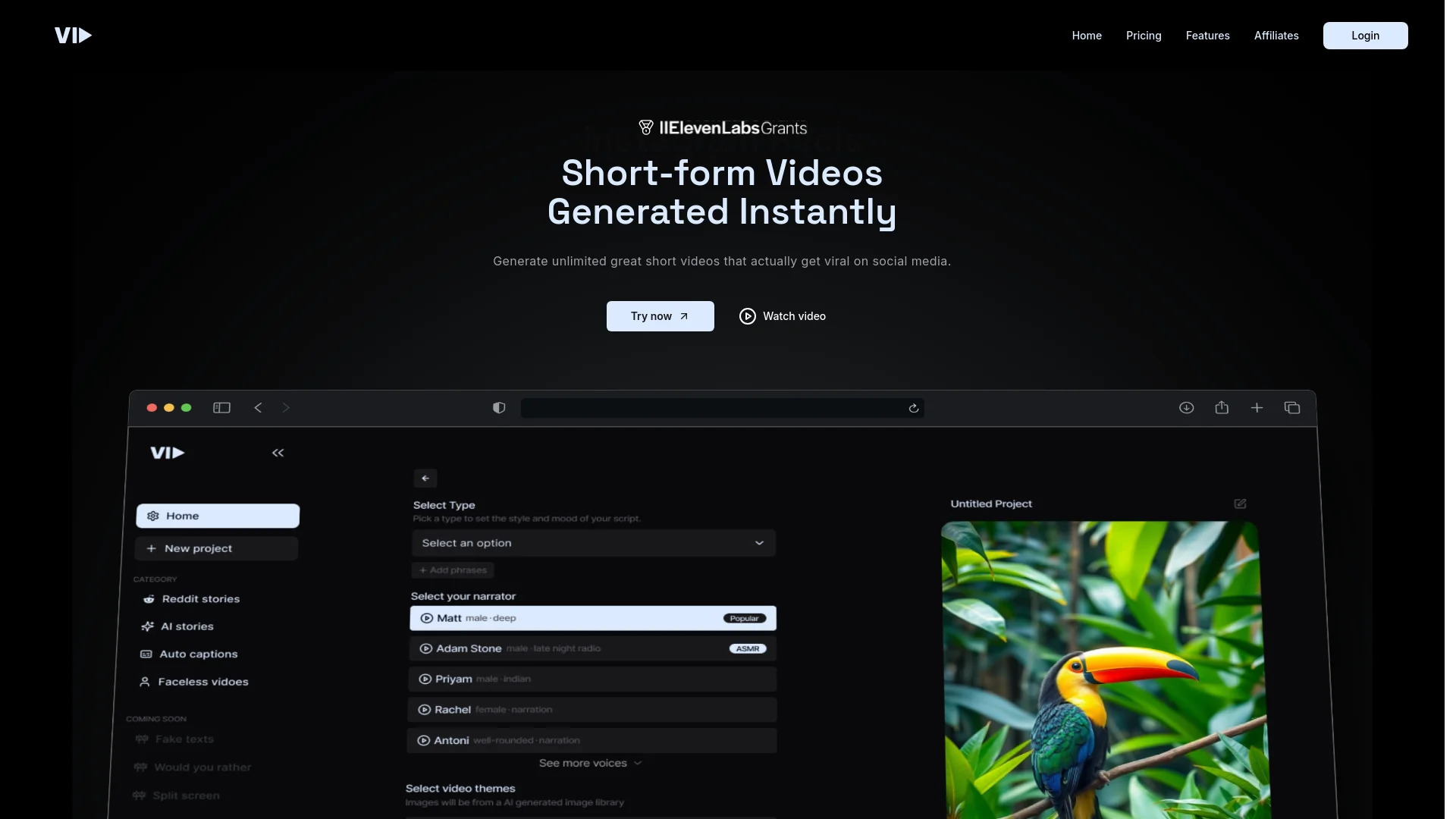
Choose from more than 40 realistic voices and set tone, pacing, and length.
Outcome: Narrated videos without recording the creator's voice.
Automated visual assembly
Combine clips, B-roll, subtitles, and background music automatically.
Outcome: A complete first-draft video.
Timeline-based video editing
Swap visual elements and refine the generated video in the timeline editor.
Outcome: More control over the final cut.
Multi-platform publishing
Create exports optimized for YouTube, Shorts, TikTok, and Reels.
Outcome: Content prepared for distribution across major social platforms.
Workflow Ideas with Vid.AI
Prompt to publish
- 1Enter a topic, outline, or article
- 2Review and adjust the generated script
- 3Generate voice, visuals, music, and captions
- 4Export for YouTube, Shorts, TikTok, or Reels
Batch a week of short-form content
- 1Prepare multiple content ideas
- 2Generate short-form videos with selected voices and visuals
- 3Review drafts and swap elements in the timeline
- 4Export the finished batch for scheduled publishing
YouTube channel production
- 1Create a narrated long-form video
- 2Edit the generated timeline and preview
- 3Connect a YouTube account
- 4Upload the finished video through VidAI
How Vid.AI fits into your stack
Browser
Vid.AI is accessed through its web application, where creators turn prompts, outlines, or articles into short-form and long-form videos. The workflow includes scripting, voice selection, visual assembly, captions, timeline editing, and export.
Pros
- +Time Efficiency: Significantly reduces the time required to produce professional-quality videos.
- +User-Friendly Interface: Intuitive design ensures ease of use, even for beginners.
- +Scalability: Suitable for projects of all sizes, from small-scale productions to large campaigns.
- +Cost-Effective: Reduces the need for expensive video production resources and personnel.
Cons
- −Initial Learning Curve: Some users may need time to fully understand all features and functionalities.
- −Limited Third-Party Integrations: Currently supports a limited range of external applications and platforms.
- −Occasional Software Bugs: Users have reported minor glitches that can interrupt workflow.
Limitations & when to consider alternatives
Known limitations
- No free trial. VidAI states that it does not offer free trials.
- Credit-based output limits. Each subscription tier limits the number of short-form and long-form videos included.
- Plan-dependent maximum duration. Maximum video length ranges from 10 minutes on Plus to 20 minutes on Scale.
- Generation queues vary by plan. Higher plans provide faster or priority generation queues.
- Refunds apply only to unused credits. Refunds are available within 30 days for unused credits.
How to Use Vid.AI
- 1
Start with an idea
Enter a prompt, rough outline, or article to give VidAI the source material for the script.
- 2
Refine the script
Review the generated narrative and use VidAI's AI assistance to adjust it before voiceover.
- 3
Select the voice
Choose from more than 40 voices and set the tone, pacing, and desired video length.
- 4
Review the assembled video
Let VidAI add clips, B-roll, subtitles, and music, then swap elements in the timeline as needed.
- 5
Preview and iterate
Use the fast first-draft preview to identify changes before exporting.
- 6
Export or publish
Export in a format optimized for YouTube, Shorts, TikTok, or Reels, or connect YouTube for uploading.
Who is Vid.AI For?
Faceless founders
VidAI is positioned for founders who want to publish without appearing on camera.
Content creators
Creators can produce short-form and long-form videos for YouTube, TikTok, and Instagram.
High-volume creators
The Scale plan is designed for creators producing large volumes of content.
Production teams
The Scale plan is presented for production teams needing high-volume video workflows.
Video editors
Timeline editing and rapid first-draft previews support editors who want faster production.
Frequently Asked Questions
Does VidAI offer a free trial?
No. VidAI says it does not offer free trials because each generated video incurs a cost.
What happens when I run out of credits?
Users can move to a larger plan or top up credits directly in the app.
What video lengths does VidAI support?
The product supports short-form videos and long-form videos from 1 to 20 minutes, depending on the plan.
Can VidAI publish to YouTube?
Users can connect a YouTube account and authorize VidAI to upload content using the YouTube Data API.
Are VidAI videos plagiarism-free?
VidAI says it uses AI and human curation and includes a built-in plagiarism checker.
Can I get a refund?
Within 30 days of payment, VidAI offers refunds for unused credits.
Community reviews
Be the first to share your experience.
Sign in to leave a review for Vid.AI.
Vid.AI Alternatives
Looking for alternatives to Vid.AI? Here are similar tools in the same category:
Learn to Master Vid.AI
With Skill Leap courses
Get in-depth training on Vid.AI and 50+ other AI tools with our expert-led video courses.
Start 7-Day Free Trial