
vidflux.ai
Create short videos from text, images, clips.
Key Takeaways
- What it is
- Create short videos from text, images, clips.
- Pricing
- $6.75 per month · $21.75 per month · $44.25 per month
- Best for
- Multi model AI engine
- Text to video generation
- Image and character animation
- Rating
- 4.4/5
What is vidflux.ai?
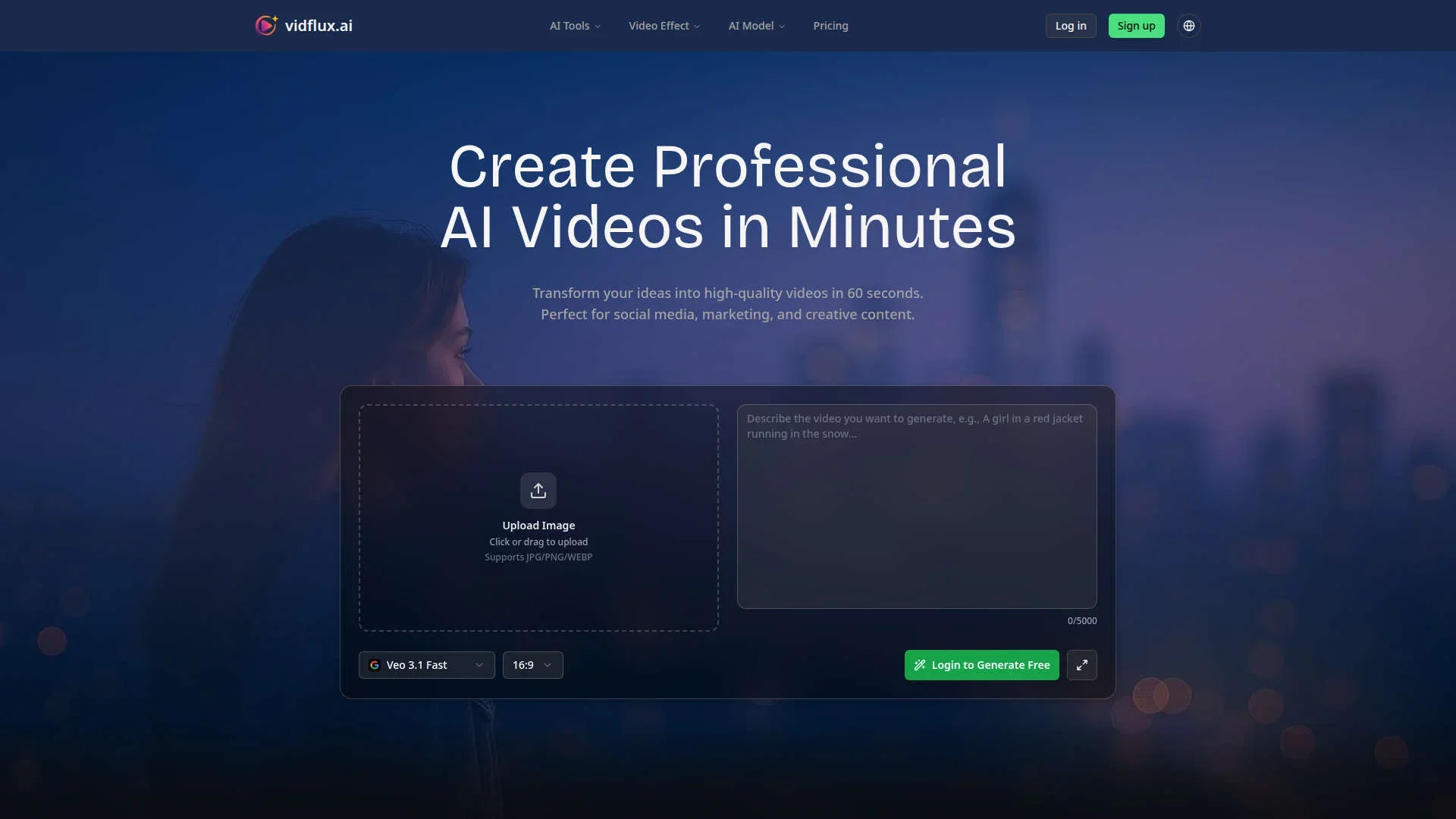
vidflux.ai turns text, images, and clips into short videos using advanced generative models. Aimed at creators, marketers, and teams, it covers text-to-video, image-to-video, video-to-video, and preset effects. Users write a prompt or upload media, choose Sora2, Veo 3.1, Kling AI, WAN, or Seedance, then download an MP4.
vidflux.ai combines several premium video models with social first effects in one browser tool. Creators switch models without changing workflow and still get HD or 4K output, batch jobs, and branded results. This mix of serious production options and cheeky viral presets gives it a distinct personality among AI video generators.
vidflux.ai fits creators and teams who want rapid video output from text, images, or clips, trading fine editing control for speed, variety, and straightforward pricing.
Who is Using vidflux.ai?
Social media creators
Producing TikTok, Instagram Reels, and YouTube Shorts without traditional editing software.
Digital marketing teams
Spinning up ad variations, promo teasers, and product highlight clips for campaigns.
Educators and course creators
Turning lesson scripts and slides into visual explainers and micro learning content.
E commerce and DTC brands
Generating product showcases, unboxing style clips, and seasonal promos from minimal assets.
Uncommon Use Cases
Used by real estate agents for quick narrated property tours; adopted by indie game developers to prototype cutscenes and trailers.
Key Features
Rating Breakdown
Pricing Plans
Basic Plan
$6.75 per month
- 1,000 credits per month, generation of up to 20 videos, access to all video models, no watermark, and commercial usage rights
Pro Plan
$21.75 per month
- 5,000 credits per month, generation of up to 100 videos, access to all video models, no watermark, commercial usage rights, and priority support
Studio Plan
$44.25 per month
- 11,000 credits per month, generation of up to 220 videos, access to all video models, no watermark, commercial usage rights, dedicated support, and a priority processing queue
Which vidflux.ai plan should you pick?
Start with Basic for individual experimentation, upgrade to Pro for higher-volume content, and choose Studio for professional production and priority processing.
Basic Plan
Good for individual creators who need 1,000 monthly credits, all video models, no watermark, and commercial usage rights.
Pro Plan
Good for creators scaling production who need 5,000 monthly credits and priority support.
Studio Plan
Good for professional video production requiring 11,000 monthly credits, dedicated support, and priority processing.
vidflux.ai Use Cases
Social media content
Create short-form videos for TikTok, Instagram, and YouTube using optimized aspect ratios.
Outcome: Publish platform-ready social videos faster.
Marketing and advertising
Generate product demos, promotional videos, and multiple ad variations.
Outcome: Produce campaign assets and test creative variations.
Educational content
Convert lessons and tutorials into engaging videos with professional visuals.
Outcome: Create explainers, course materials, and training videos at scale.
Real estate showcases
Turn property descriptions and photos into virtual tours and neighborhood highlights.
Outcome: Create more engaging property-listing content.
Corporate communications
Produce presentations, internal training videos, and company announcements with consistent branding.
Outcome: Communicate company information through professional video.
Workflow Ideas with vidflux.ai
Create an image-to-video social clip
- 1Upload a JPG, PNG, or WEBP image.
- 2Write a prompt describing the desired motion or scene.
- 3Choose an aspect ratio and AI model, then generate and download the MP4.
Transfer character motion
- 1Upload a 3–30-second reference video.
- 2Upload the target character or person image.
- 3Generate a video that transfers the reference movement while preserving identity.
Create and refine an AI image
- 1Upload a base image or start with a text prompt.
- 2Describe the edit, such as changing the background or modifying an object.
- 3Select an AI model, generate the result, and optionally turn it into a motion loop.
How vidflux.ai fits into your stack
Browser
VidFlux is primarily a browser-based workspace for generating videos and images from text or uploaded media. Its web tools support text-to-video, image-to-video, video-to-video, image editing, and related utilities.
Browser extension
The Chrome extension adds a right-click workflow for sending selected website images to VidFlux to generate videos.
Pros
- +Fast results: Many clips generate in about a minute, handy for rapid testing and social posting.
- +Low effort workflow: Simple web interface with clear tool categories, so non editors can produce polished videos quickly.
- +Creative flexibility: Supports text, image, and video input, plus a busy catalog of effects and motion styles.
- +Business ready output: Paid plans remove watermarks, allow commercial usage, and support HD or 4K quality.
Cons
- −Web only access: Runs in the browser with no dedicated desktop or mobile apps for now.
- −Credit based mindset: Users must think in credits per video, which can feel opaque until they learn typical consumption.
- −Short form bias: Many templates lean toward short, viral clips, so teams seeking longer, conservative corporate content may feel limited.
Limitations & when to consider alternatives
Known limitations
- Image uploads are limited by format and size. The AI Image Editor supports JPG, PNG, and WEBP files up to 10MB.
- Video compression has a 100MB free-file limit. The free browser compressor accepts video files up to 100MB.
- Reference videos are limited to 3–30 seconds. The video-to-video character animation workflow specifies 3–30-second reference videos.
- Credit costs vary by generation settings. Usage depends on the selected model, duration, resolution, and optional audio.
- Higher-volume use requires a paid plan. Subscriptions and pay-as-you-go credit packages are used for regular or larger-scale production.
Look elsewhere when
- You need a native iOS or Android app.
- You need a downloadable desktop editor.
- You need a documented developer API.
How to Use vidflux.ai
- 1
Choose a VidFlux tool
Select text-to-video, image-to-video, video-to-video, image editing, or another tool from the product catalog.
- 2
Add source material
Upload an image, reference video, or optional base image depending on the selected workflow.
- 3
Write the prompt
Describe the scene, motion, edit, style, or transformation you want VidFlux to produce.
- 4
Select model and settings
Choose an available AI model and configure aspect ratio, duration, resolution, or output format.
- 5
Review the credit cost
Check the exact generation cost shown by the editor before starting the job.
- 6
Generate and download
Run the generation, review the result, and download the finished MP4 or image.
Who is vidflux.ai For?
Social media creators
Create TikToks, Instagram Reels, and YouTube Shorts in landscape or portrait formats.
Marketers and advertisers
Generate product demos, promotional videos, and advertising campaigns quickly.
Educators
Turn lessons into video tutorials, explainers, course materials, and training content.
Real estate professionals
Create virtual property tours and neighborhood highlights from descriptions and photos.
Entertainment and gaming teams
Create cinematic trailers, game cutscenes, animated stories, and character-driven visuals.
Frequently Asked Questions
How many videos and images can 1,000 credits generate?
Credit usage varies by AI model, duration, resolution, and optional audio; the editor shows the exact cost before generation.
What video formats and aspect ratios are supported?
VidFlux generates MP4 videos and supports formats such as 16:9 landscape and 9:16 portrait.
Can generated videos be used commercially?
Paid plans include commercial usage rights.
Does VidFlux offer a free trial?
The site offers free credits for new users and lets users generate free after logging in.
Do generated videos have watermarks?
Basic, Pro, and Studio plans advertise no watermark.
How does VidFlux pricing work?
Users can choose monthly or yearly subscriptions, or buy pay-as-you-go credit packages.
Community reviews
Be the first to share your experience.
Sign in to leave a review for vidflux.ai.
vidflux.ai Alternatives
Looking for alternatives to vidflux.ai? Here are similar tools in the same category:
Learn to Master vidflux.ai
With Skill Leap courses
Get in-depth training on vidflux.ai and 50+ other AI tools with our expert-led video courses.
Start 7-Day Free Trial