
vidIQ
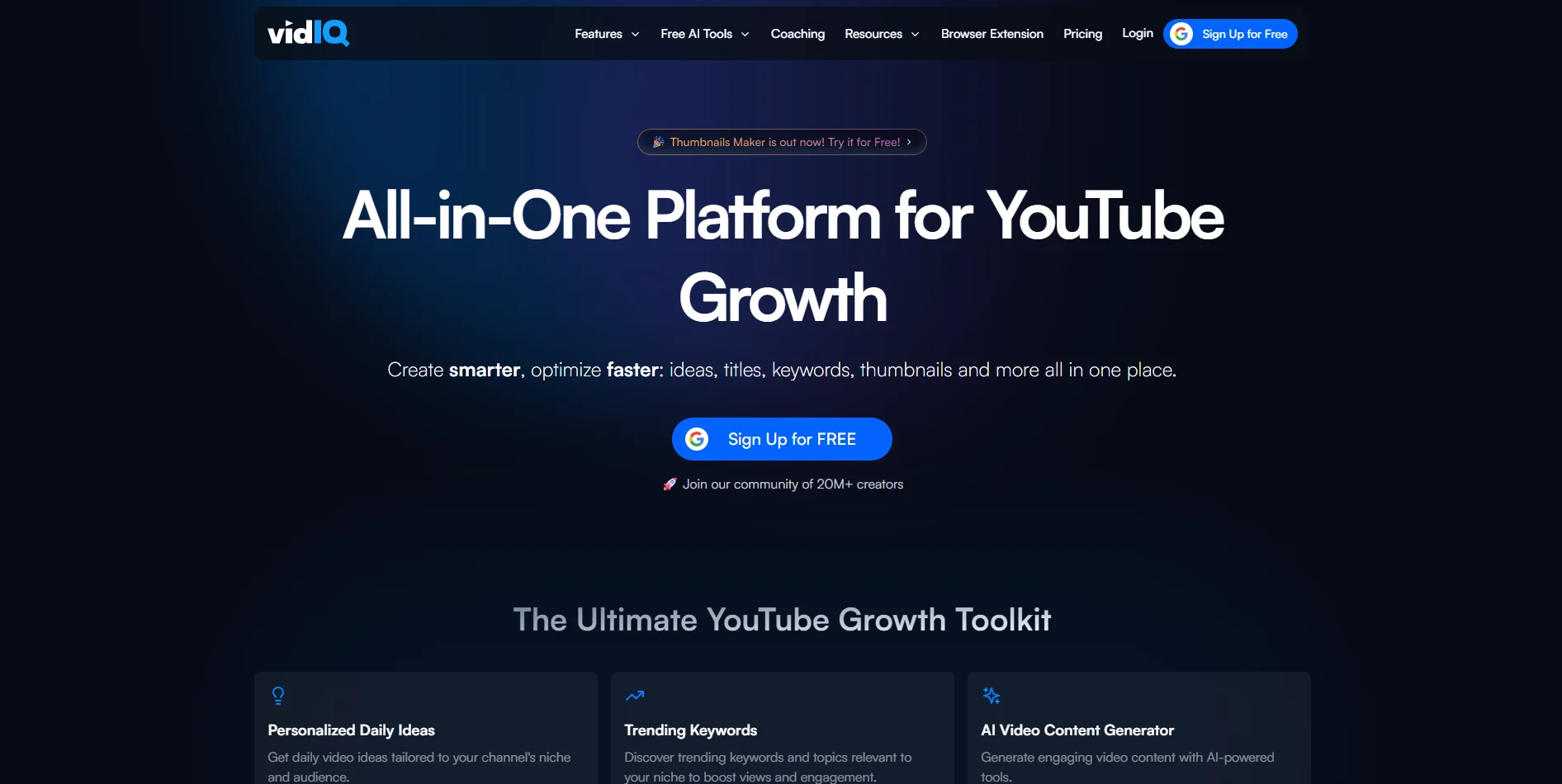
Elevate YouTube success with AI-driven analytics and optimization tools.
Key Takeaways
- What it is
- Elevate YouTube success with AI-driven analytics and optimization tools.
- Pricing
- $16.58 per month (billed annually at $199) · $99 per month (billed annually at $1,188)
- Best for
- Personalized Daily Ideas
- AI Video Content Generator
- Trending Keywords
- Rating
- 4.6/5
What is vidIQ?
vidIQ is a powerful AI tool designed to enhance YouTube growth, providing creators with the insights and strategies needed to increase subscribers and views. This platform offers a comprehensive suite of features tailored for video creators, from keyword research and analytics to content optimization and thumbnail creation. Whether you're a seasoned YouTuber or just starting, vidIQ simplifies the process of growing your channel by offering intelligent guidance and tools that align with your niche and audience.
vidIQ distinguishes itself with its personalized daily video ideas and AI-driven content generation, which are particularly beneficial for creators looking to maintain a consistent and engaging content schedule. The tool's ability to provide tailored insights and analytics specific to a user's niche sets it apart, offering a significant advantage in the competitive world of YouTube content creation.
vidIQ offers a robust set of tools designed to propel your YouTube channel to new heights. By combining AI-driven insights with user-friendly features, it empowers creators to produce content that not only attracts views but also fosters genuine engagement. Whether you're a novice or a veteran YouTuber, vidIQ provides the resources and guidance necessary to thrive in the ever-evolving digital landscape.
Who is Using vidIQ?
YouTube Creators
From vloggers to educators, YouTube creators use vidIQ to optimize their channels and grow their audience.
Digital Marketing Agencies
Agencies employ vidIQ to enhance their clients' YouTube strategies, driving better results and engagement.
Content Strategists
Professionals use the tool to plan and execute effective content strategies based on data-driven insights.
Educational Institutions
Schools and universities use vidIQ to teach digital marketing and content creation principles.
Uncommon Use Cases
Nonprofit organizations utilize the tool to increase awareness through video campaigns; local businesses adopt it for promoting community events and services.
Key Features
Rating Breakdown
Pricing Plans
Boost
$16.58 per month (billed annually at $199)
- Includes unlimited inspiration and ideation, video optimization for visibility, masterclasses from top creators, and instant channel audits with AI coaching
Coaching
$99 per month (billed annually at $1,188)
- Includes weekday 1-on-1 coaching, personal channel audits, a guided growth plan, and feedback on thumbnails, titles, and videos
Which vidIQ plan should you pick?
Start with Free to test core creator tools, upgrade to Boost for regular optimization and research, choose Max for higher AI usage, and use Enterprise for teams or multi-channel organizations.
Free
Good for individual creators testing keyword research, ideas, AI coaching, and basic optimization with 150 monthly AI credits.
Boost
Good for creators who need advanced research, optimization, thumbnail tools, competitor insights, and 2,000 monthly AI credits.
Max
Good for high-volume creators who need deeper AI Coach access, Max Mode, and 6,000 monthly AI credits.
Enterprise
Good for brands, agencies, and MCNs that need multiple channels, named seats, centralized administration, roles, permissions, and reporting.
vidIQ Use Cases
Discover video opportunities
Research keywords, trends, outlier videos, competitors, and personalized content ideas.
Outcome: Find topics and formats with growth potential.
Optimize an upload
Use AI-generated titles, descriptions, tags, thumbnail previews, and scheduling recommendations inside YouTube Studio.
Outcome: Prepare a more search- and click-optimized video before publishing.
Create a video blueprint
Turn an idea into a customizable outline with duration, video type, titles, thumbnails, and script components.
Outcome: Move from concept toward a production-ready plan.
Repurpose long-form content
Upload a video to Clipping, select a language and clip length, and generate captioned Shorts.
Outcome: Create short-form content from existing videos.
Diagnose channel performance
Use AI Coach or MCP to analyze channel analytics, videos, comments, competitors, and retention risks.
Outcome: Identify performance problems and next actions.
Workflow Ideas with vidIQ
Find breakout topics
- 1Ask MCP to find fast-growing channels in your niche.
- 2Inspect their top-performing videos and recurring title, thumbnail, and pacing patterns.
- 3Generate adapted video ideas for your own channel.
Improve an underperforming video
- 1Ask AI Coach or MCP to analyze the video and likely retention drop-offs.
- 2Review the opening hook and pacing weaknesses.
- 3Rewrite the intro and generate stronger title options.
Turn comments into Shorts ideas
- 1Collect comments from relevant videos.
- 2Group repeated questions, frustrations, and themes.
- 3Convert the strongest themes into Shorts concepts.
How vidIQ fits into your stack
Browser
vidIQ operates as a web app for YouTube and Instagram research, channel analytics, optimization, AI coaching, scripts, thumbnails, and video processing.
Browser extension
The vidIQ Vision extension adds keyword research, video scores, analytics, audits, optimization, and upload/edit assistance directly inside YouTube.
Mobile
The native vidIQ app provides AI coaching, analytics, keyword and hashtag research, content ideas, thumbnail tools, and YouTube/Instagram optimization.
Automation and APIs
vidIQ MCP connects ChatGPT, Claude, Cursor, Codex, and other MCP-compatible clients to vidIQ intelligence through an OAuth-authenticated MCP endpoint.
Pros
- +Time Efficiency: vidIQ's AI-driven features significantly reduce the time needed for content planning and optimization.
- +User-Friendly Interface: The platform's intuitive design makes it accessible even for beginners, providing a seamless user experience.
- +Enhanced Engagement: By leveraging trending topics and personalized ideas, creators can significantly improve viewer engagement and retention.
- +Comprehensive Analytics: vidIQ offers in-depth analytics, helping users understand their audience better and refine their content strategy.
Cons
- −Initial Learning Curve: New users may need some time to fully explore and understand all the features available.
- −Limited Integration: While vidIQ integrates well with YouTube, it may offer limited compatibility with other platforms or tools.
- −Dependency on YouTube: The tool's effectiveness is largely tied to YouTube, making it less versatile for creators who focus on other platforms.
Limitations & when to consider alternatives
Known limitations
- Free-plan limits. The Free plan includes 150 monthly AI credits and limited access to research results, competitor tracking, ideas, blueprints, and extension features.
- Channel limits. A Free/Basic account can connect only one YouTube channel.
- Clipping input quality. Clipping works best when source videos have clear speech and visible faces for identifying strong moments.
- Video Generator editing. Video Generator creates prompt-based videos but does not provide detailed timeline editing; longer videos must be assembled externally.
- MCP publishing restrictions. MCP cannot upload, publish, or edit YouTube and Instagram account metadata; generated media remains a draft until handled separately.
Look elsewhere when
- You need a native Windows, Mac, or Linux desktop installer.
- Your organization requires SSO or SAML.
- You need a general-purpose coding assistant.
How to Use vidIQ
- 1
Create your account
Sign up for a Free vidIQ account through the web app, then connect your YouTube channel to personalize research and recommendations.
- 2
Install the extension
Add vidIQ Vision to Chrome, Firefox, or Edge to see SEO scores, keyword insights, competitor data, and upload optimization inside YouTube.
- 3
Research an opportunity
Use Keyword Research, Trends, Outliers, competitor tracking, and personalized ideas to select a topic worth producing.
- 4
Build the content plan
Open Create or Generate to develop a blueprint, outline, titles, thumbnail direction, script, and related metadata.
- 5
Optimize and publish
Use the extension in YouTube Studio to apply or edit title, description, tag, thumbnail, preview, and scheduling recommendations.
- 6
Review and iterate
Use AI Coach, analytics, comments, and competitor insights to diagnose results and decide what to improve in the next upload.
Who is vidIQ For?
Individual creators
Free, Boost, and Max plans provide tools for optimizing content and growing organically.
Shorts creators
The mobile app, Clipping, Shorts analytics, and AI creation tools support short-form video workflows.
Brands and businesses
Enterprise provides centralized controls, multi-channel management, reporting, team access, and onboarding.
Agencies and MCNs
Enterprise and MCN offerings support creator portfolios, member management, network reporting, and API integrations.
Developers and strategists
vidIQ MCP connects compatible AI clients to live YouTube and Instagram intelligence.
Frequently Asked Questions
Can I sign up for free?
Yes. vidIQ offers a free tier with limited access to its popular creator tools, including monthly AI credits.
What does vidIQ help creators do?
vidIQ provides keyword research, content ideas, competitor insights, AI coaching, title and description optimization, thumbnails, scripts, clipping, and analytics.
Does vidIQ have a mobile app?
Yes. The vidIQ mobile app is available for iPhone and Android, with channel analytics, optimization tools, trends, and Shorts-focused features.
Which browsers support the vidIQ extension?
The extension is certified for Google Chrome, Mozilla Firefox, and Microsoft Edge. Safari and Brave are not officially supported.
Can vidIQ MCP publish or modify my YouTube channel?
No. MCP is read-only for YouTube and Instagram account settings and cannot upload, publish, or edit social-account metadata.
How many channels can I connect?
Free accounts can connect one YouTube channel. Paid plans support additional channels, while Enterprise supports larger multi-channel setups.
Community reviews
Be the first to share your experience.
Sign in to leave a review for vidIQ.
vidIQ Alternatives
Looking for alternatives to vidIQ? Here are similar tools in the same category:
Learn to Master vidIQ
With Skill Leap courses
Get in-depth training on vidIQ and 50+ other AI tools with our expert-led video courses.
Start 7-Day Free Trial