
Viggle AI
Animate images effortlessly with text prompts and motion control.
Key Takeaways
- What it is
- Animate images effortlessly with text prompts and motion control.
- Pricing
- Freemium
- Best for
- Controllable Video Generation
- Text Motion Prompts
- Image-to-Video Conversion
- Rating
- 4.5/5
What is Viggle AI?
Viggle AI is a cutting-edge tool that revolutionizes the process of video and animation creation, particularly for those looking to animate static images or generate motion videos effortlessly. Designed for creators, digital artists, and anyone interested in bringing static visuals to life, Viggle AI simplifies the animation process with its intuitive commands and advanced AI-driven capabilities. By leveraging the power of the JST-1 foundation model, Viggle AI offers users the ability to control motion, animate characters, and mix images into dynamic videos, all within a vibrant and supportive community of over 4 million members.
Viggle AI stands out with its ability to animate static images using text prompts, a feature that offers unprecedented ease of use and creative control. This capability, combined with the JST-1 model's physics-based understanding, allows for the creation of highly realistic and customizable animations, setting Viggle AI apart in the crowded field of AI animation tools.
Viggle AI excels in providing an intuitive and powerful platform for animating static images and creating motion videos. Its ability to transform simple visuals into dynamic content makes it an essential tool for creators and digital artists. With its unique text motion prompt feature and robust community support, Viggle AI offers an unmatched blend of creativity and functionality.
Who is Using Viggle AI?
Content Creators
Leveraging Viggle AI to create engaging video content for social media platforms and personal projects.
Digital Artists
Using the tool to animate static illustrations and bring digital artwork to life.
E-commerce Marketers
Enhancing product imagery with motion to attract more attention in online stores.
Educators
Utilizing Viggle AI for interactive teaching materials, particularly in art and digital media courses.
Uncommon Use Cases
Adopted by freelance photographers for creating animated portfolios; Employed by game developers to prototype character animations.
Key Features
Rating Breakdown
Pricing Plans
Free Tier
Free
- Experience Viggle AI with a free trial period
- Allowing users to explore basic features without commitment
Which Viggle AI plan should you pick?
Start with Free to test motion transfer and templates; upgrade to Pro for more generation capacity and storage, Live for frequent creators and streaming, or Max for the highest limits.
Free
Good for trying Viggle with 5 daily videos, limited models, one concurrent generation, and 7-day storage.
Pro
Good for creators who need 80 monthly credits, faster generations, watermark removal, larger uploads, and permanent storage.
Live
Good for daily creators who need 200 monthly credits, access to all models, more concurrent generations, and extended Real-Time Swap sessions.
Max
Good for power users who need 800 monthly credits, 10 concurrent generations, unlimited Real-Time Swap sessions, and the highest plan limits.
Viggle AI Use Cases
Motion capture
Record or upload human movement and transfer it frame by frame onto another character.
Outcome: A character performs the captured movement.
Character animation
Upload a character image and apply a motion template or reference video.
Outcome: A still character becomes an animated video.
Video remix
Replace a person or character in existing footage with a supplied image.
Outcome: The new subject appears naturally in the scene.
Multi-character scenes
Use Multi-Track to track and replace multiple characters or objects in one timeline.
Outcome: Group scenes and multi-character videos can be created in one project.
Real-time avatar streaming
Use Viggle LIVE with a webcam to mirror facial and body movements onto an image-based character.
Outcome: A live animated character can be streamed or recorded.
Workflow Ideas with Viggle AI
Create a motion-controlled character video
- 1Choose a motion template or upload a driving video
- 2Upload a character image
- 3Generate, download, and share the animated video
Build an API video-remix workflow
- 1Create a Viggle API key
- 2Submit a character image and motion video to the render endpoint
- 3Poll the documented result endpoint and download the finished video
Prepare a 3D animation asset
- 1Create a reusable character or motion asset
- 2Request a character VSplat or motion GLB export
- 3Bring the exported asset into a supported Unity, Mixamo, MetaHuman, Blender, Unreal, or Maya workflow
How Viggle AI fits into your stack
Browser
Viggle is primarily used as a web-based creative workspace for uploading images or videos, applying motion, generating clips, and downloading results.
Automation and APIs
The Viggle API supports programmatic character remixing, motion generation, video generation, reusable assets, asynchronous jobs, and 3D outputs.
Desktop / IDE
Viggle PINOC supports game and animation workflows with Houdini, Blender, Unreal, Unity, Maya, and Cinema 4D, including motion capture, rigging, retargeting, and export.
Mobile
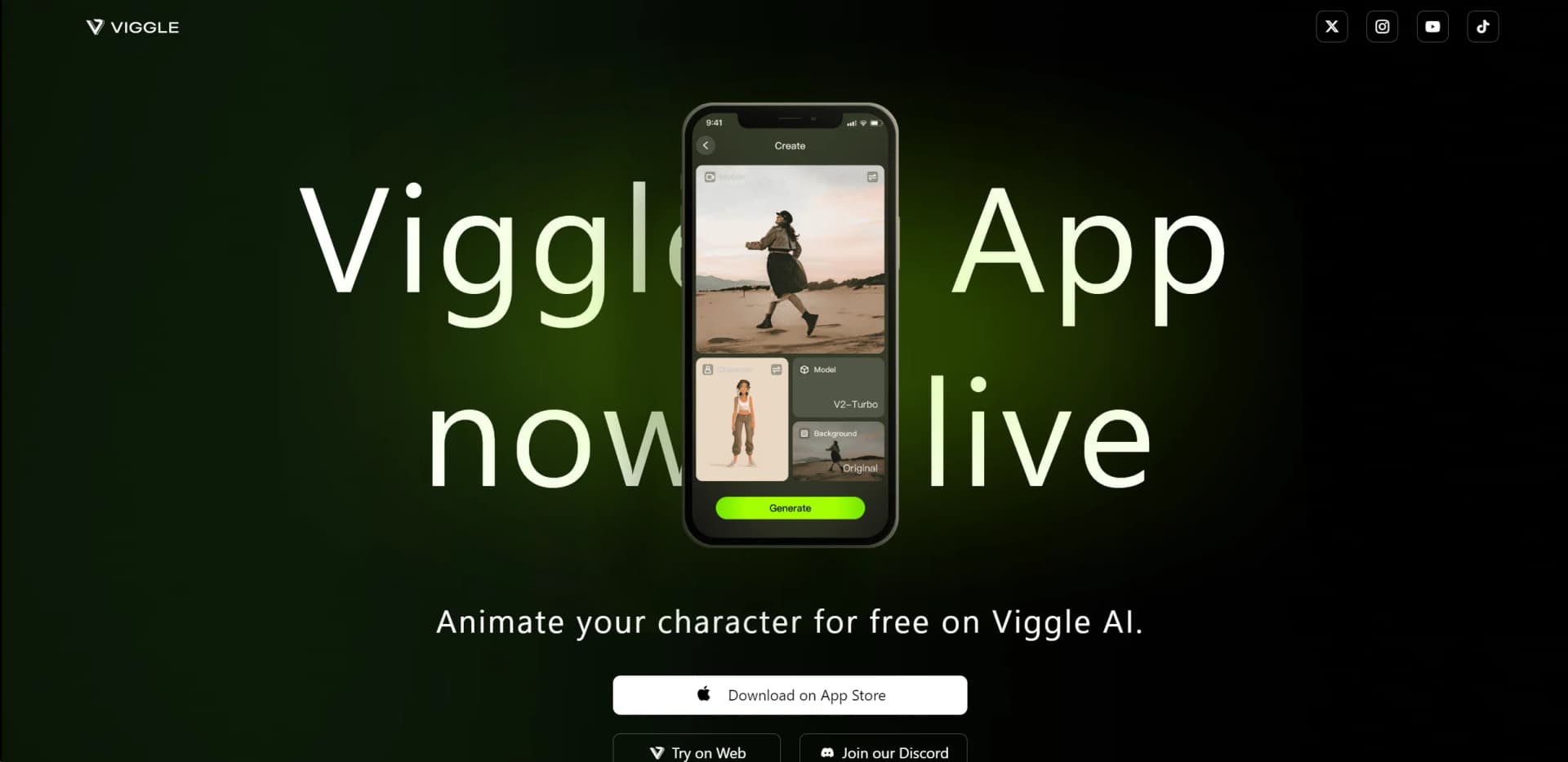
The dedicated iOS and Android app supports photo and video uploads, motion templates, generation, remixing, and sharing.
Pros
- +User-Friendly Interface: Viggle AI’s intuitive commands make it accessible to both beginners and experienced animators, reducing the learning curve.
- +Versatile Applications: The tool is highly adaptable, catering to a wide range of use cases, from casual meme creation to professional video editing.
- +Creative Community: The large user base provides inspiration and support, enhancing the creative experience with shared ideas and feedback.
- +Innovative Technology: Viggle AI’s use of the JST-1 foundation model enables realistic and physics-based animations, setting it apart from simpler AI tools.
Cons
- −Limited Integration Options: Currently, Viggle AI supports only a few third-party platforms, which may limit its utility for users requiring broader integration capabilities.
- −Performance on Low-End Devices: The advanced features of Viggle AI can be resource-intensive, potentially causing slower performance on older or less powerful devices.
Limitations & when to consider alternatives
Known limitations
- Free-plan generation limits. The Free plan allows 5 daily videos, one generation at a time, limited Multi-Track and Real-Time Swap sessions, and 7-day asset storage.
- Upload limits vary by plan. Free Mix uploads are limited to 1 minute or 50 MB, while paid plans allow up to 10 minutes or 100 MB.
- Multi-Track limits vary by plan. Free users have a 30-second or 30 MB Multi-Track upload limit and 5 sessions per day; paid plans provide larger uploads and unlimited sessions.
- API rendering is credit-based. Viggle API video remix costs $0.01 per character per output second, while other operations have separate listed charges.
- API jobs are asynchronous. API requests return resource IDs that must be polled until the result is ready; output URLs are short-lived and must be refreshed by rereading the resource.
Look elsewhere when
- You need a native desktop editor or installer.
- You need SSO, SAML, or enterprise identity management.
- You need fine-tuning or training on your own dataset.
How to Use Viggle AI
- 1
Explore the comprehensive tutorial series available on YouTube, covering everything from basic setup to advanced features of Viggle AI. These resources are ideal for both beginners and advanced users looking to maximize the tool’s potential.
Who is Viggle AI For?
Consumer and UGC app developers
The Viggle API supports personalized character-video flows and high-volume short-form user-generated content.
Game studios
Viggle provides character, motion, and 3D workflows for prototyping gameplay and character motion.
Animation and previsualization teams
Motion transfer, reusable assets, and 3D exports support animation and previsualization workflows.
Content creators
Templates, image-to-video animation, face swaps, and social-ready exports help creators make short-form videos.
Brands and fan-engagement teams
Viggle identifies brands and fan engagement as API use cases for personalized video experiences.
Frequently Asked Questions
Is Viggle free to use?
Yes. The Free plan provides 5 free Viggle videos per day, with limited models and storage.
Can I upload my own motion video?
Yes. Users can upload a video as a motion reference, and Viggle maps that movement onto a character image.
What image and video formats does Viggle support?
Viggle supports PNG, JPG, and WebP character images, plus MP4, MOV, and WebM video inputs.
Can Viggle animate multiple characters?
Multi-Track can animate up to 7 characters or objects in one video.
Can Viggle be used for commercial projects?
Viggle states that generated content is cleared for commercial use, subject to its terms and the rights associated with submitted material.
Does Viggle have an API?
Yes. Viggle provides a documented API with API keys, asynchronous rendering, reusable characters and motions, video results, and 3D exports.
Community reviews
Be the first to share your experience.
Sign in to leave a review for Viggle AI.
Viggle AI Alternatives
Looking for alternatives to Viggle AI? Here are similar tools in the same category:
Learn to Master Viggle AI
With Skill Leap courses
Get in-depth training on Viggle AI and 50+ other AI tools with our expert-led video courses.
Start 7-Day Free Trial