Vimeo AI
Clean up direct-to-camera videos by editing their spoken transcripts.
Key Takeaways
- What it is
- Clean up direct-to-camera videos by editing their spoken transcripts.
- Pricing
- Freemium · $12 per seat per month · $25 per seat per month · $75 per seat per month
- Best for
- AI Script Generator
- Built-in Teleprompter
- Text-Based Video Editing
- Rating
- 4.1/5
What is Vimeo AI?
Vimeo AI helps video creators turn an idea into a spoken script, read it with a teleprompter, then trim the recording by editing its transcript. It is built for people making direct-to-camera videos who want fewer awkward pauses and less manual cleanup after filming.
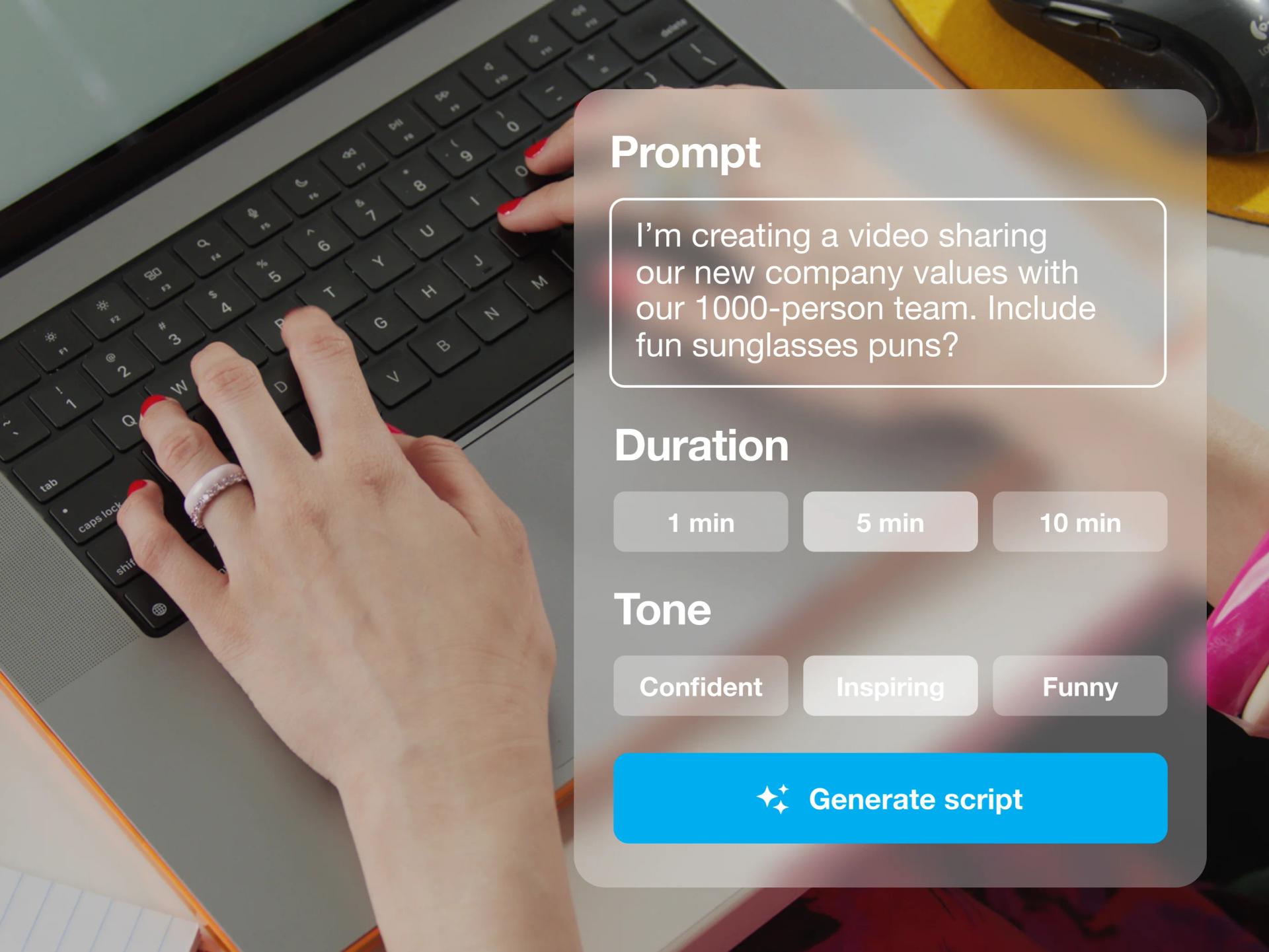
The standout is the link between the transcript and the footage: deleting a word or a detected filler phrase removes that moment from the video. You can also generate a script with a chosen tone and length, then use it as a guide while recording.
It suits creators, marketers, and communications teams that make explainers, updates, or promotional videos. The text-based editor is limited to videos with spoken English, and AI script generation is not included in every paid plan. Vimeo AI is most useful when your videos depend on a clear, polished spoken take.
Who is Using Vimeo AI?
Marketing Manager
A more polished product announcement starts with an AI draft and ends with a tighter spoken video.
Social Media Creator
Short on-camera clips take less cleanup when filler words and pauses can be removed from the transcript.
Communications Specialist
Company updates are easier to deliver when the script is visible during recording.
Video Producer
Transcript-based cuts help producers remove unwanted spoken sections before sharing a review copy.
Uncommon Use Cases
A live-event presenter can prepare teleprompter remarks; a multilingual publisher can translate subtitles for additional audiences.
Key Features
Rating Breakdown
Pricing Plans
Free
Free
- Free plan available
- AI script generation and text-based editing are not listed for this plan
Starter
$12 per seat per month
- Customizable video player
- Password privacy and unlisted links
- Engagement analytics
Standard
$25 per seat per month
- Includes Starter features
- AI script generator
- Branding in the player and lead capture
Advanced
$75 per seat per month
- Includes Standard features
- Hosted livestreamed events and webinar tools
- AI-generated video details and summaries
Which Vimeo AI plan should you pick?
Try Free to host videos, then choose Standard or higher if you need AI script generation and text-based editing.
Free
Good for trying Vimeo’s video hosting and basic tools before paying for one-take AI features.
Starter
Good for video hosting, privacy controls, and basic collaboration without the listed AI script generator or text-based editor.
Standard
Good for creators who need AI script generation and transcript-based video editing.
Advanced
Good for teams that also need hosted virtual events, webinar tools, and event analytics.
Vimeo AI Use Cases
Record a Scripted Video
A draft script and on-screen teleprompter help keep an explanation or announcement on track.
Outcome: A recorded take guided by a prepared script.
Clean Up Spoken Footage
The transcript provides a way to find and cut filler words, pauses, or unwanted spoken sections.
Outcome: A tighter video with selected speech removed.
Prepare Social Clips
Short direct-to-camera recordings can be trimmed by removing words and gaps from their transcript.
Outcome: A shorter spoken clip ready for sharing.
Translate Video Subtitles
Subtitle translation adds language options for audiences who do not speak the original language.
Outcome: Translated subtitles in supported languages.
Workflow Ideas with Vimeo AI
Plan and Record an Explainer
- 1Describe the video topic and generate a script with a selected tone and length.
- 2Edit the draft so its wording matches your message.
- 3Read the script in the teleprompter while recording.
Tighten a Spoken Take
- 1Open the recording in Vimeo’s video editor and generate a transcript.
- 2Find filler words, silent gaps, or sections to remove.
- 3Review the edited footage and save the revised video.
Prepare a Video for More Viewers
- 1Check that the video has a transcript and a single original spoken language.
- 2Choose the target languages for subtitle translation.
- 3Review the translated subtitles before sharing the video.
How Vimeo AI fits into your stack
Recording
The Vimeo mobile app includes a camera recording flow with a built-in teleprompter. The script overlay does not appear in the final video.
Video Editing
Vimeo’s text-based editor connects transcript selections to matching footage, so speech edits can cut the video.
Video Hosting
Finished videos stay in Vimeo, where they can be shared or embedded in a player.
Team Review
Shared folders, review tools, and Slack notifications can connect video drafts with team feedback.
Developer Tools
Vimeo offers an API for video actions. Its AI API for transcription, subtitle translation, dubbing, and Ask AI is available to Enterprise users.
Pros
- +Transcript editing: Removing a line of text also cuts its matching moment from the video.
- +Recording support: The built-in teleprompter keeps a script available while you speak to camera.
- +Quick cleanup: AI can find filler words and pauses for bulk removal.
- +Mobile creation: The Vimeo app supports recording with a teleprompter and editing on a phone.
Cons
- −Plan-dependent tools: AI script generation and text-based editing require a higher paid tier than the free plan.
- −Narrow editing focus: Its AI editing centers on spoken footage rather than broad, complex video production.
- −Transcript accuracy matters: Text-based edits depend on the generated transcript matching the spoken audio.
Limitations & when to consider alternatives
Known limitations
- Text Editing Requires Spoken English. Vimeo says text-based editing works with videos that have spoken English audio.
- AI Script Generation Is Plan-Dependent. The pricing comparison lists the AI script generator on Standard, Advanced, and Enterprise, not Starter.
- Subtitle Translation Works Best with One Original Language. Vimeo notes that translation results may be inconsistent when a video contains multiple original languages.
Look elsewhere when
- You need transcript-based editing for speech in languages other than English.
- You need a full timeline editor for complex, multi-layer video production.
- Your team needs AI API access on a plan below Enterprise.
How to Use Vimeo AI
- 1
Choose a Paid Plan with Script Generation
The pricing comparison lists the AI script generator on Standard and higher plans.
- 2
Draft Your Script
Enter a short description of the video, then choose the tone and length for the generated draft.
- 3
Record with the Teleprompter
Open the recording teleprompter and use the script as an on-screen guide.
- 4
Generate a Transcript
In the video editor, transcribe the spoken footage to make its words available for editing.
- 5
Remove Unwanted Speech
Select transcript text or use the AI controls to find filler words and gaps, then review the resulting cuts.
- 6
Save and Share
Save the edited video to your Vimeo library and share it from there.
Who is Vimeo AI For?
Video Creators
People who record direct-to-camera videos can plan their delivery and clean up spoken takes in Vimeo.
Marketing Teams
Teams making product explainers or promotional videos can draft scripts and prepare footage for publishing.
Communications Teams
People producing company updates can use a teleprompter and remove verbal stumbles from recordings.
Event Organizers
Vimeo users producing live-event scripts can prepare remarks for the teleprompter.
Frequently Asked Questions
Can Vimeo AI write a video script?
Yes. The AI Script Generator drafts a script from a short prompt, with settings for tone and length. The pricing comparison lists it on Standard and higher plans.
Can I edit a video by editing its transcript?
Yes. Vimeo’s text-based editor can remove selected spoken words, filler words, and silent gaps from the matching footage. It requires spoken English audio.
Does Vimeo have a mobile app for recording and editing?
Yes. Vimeo’s iOS and Android apps support teleprompter recording and text-based video editing.
Can Vimeo AI translate subtitles?
Yes. Vimeo AI can translate subtitles into supported languages. Vimeo says translations work best when the video has one original language.
Does Vimeo offer a free plan?
Yes. Vimeo offers a Free plan, though the AI script generator and text-based editing are not listed as Free plan features.
Community reviews
Be the first to share your experience.
Sign in to leave a review for Vimeo AI.
Vimeo AI Alternatives
Looking for alternatives to Vimeo AI? Here are similar tools in the same category: