
Virtual House Flip
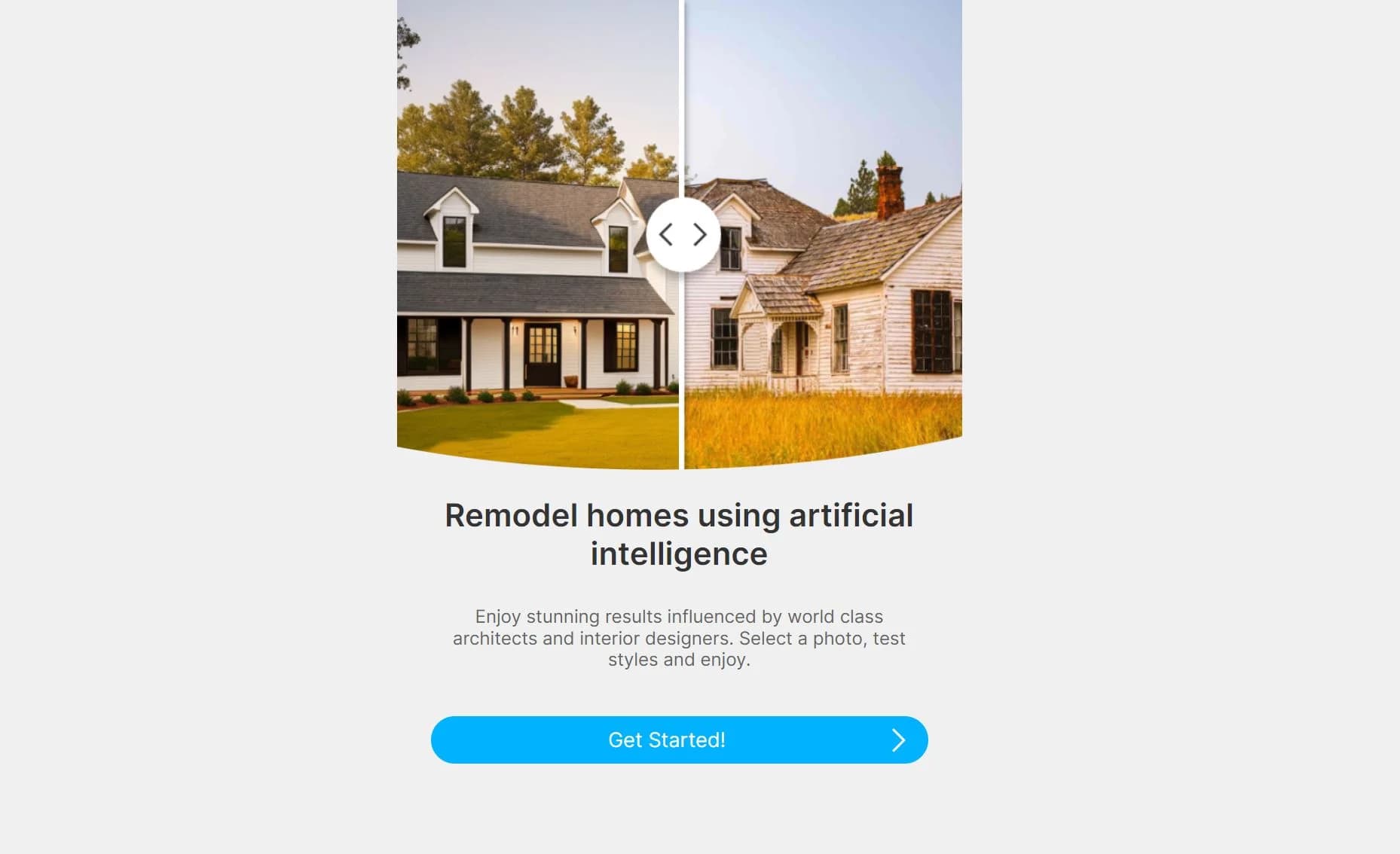
Remodel homes using AI for stunning results
Key Takeaways
- What it is
- Remodel homes using AI for stunning results
- Pricing
- $27/month. for unlimited remodels and full access to features
- Best for
- AI-Powered Design
- Before & After Renderings
- Zillow & Redfin Extension
- Rating
- 4.2/5
What is Virtual House Flip?
Virtual House Flip is a groundbreaking AI-powered tool designed to revolutionize the way we approach home design and room decor. This innovative web application allows users to easily redesign both exterior and interior spaces with stunning visuals that draw inspiration from world-class architects and interior designers. Whether you're a homeowner looking to refresh your living space or a real estate professional aiming to present property potential, Virtual House Flip offers a user-friendly platform to reimagine any home with just a few clicks.
Virtual House Flip sets itself apart with its seamless integration with Zillow and Redfin, bringing AI-powered design directly to widely-used real estate platforms. Its ability to rapidly generate high-quality before and after renderings distinguishes it as an innovative tool in home design and virtual remodeling.
Virtual House Flip excels in providing an intuitive and creative platform for home design, making it an invaluable tool for homeowners, real estate agents, and design professionals alike. Its unique features, especially the Zillow and Redfin integration, offer an unmatched advantage in visualizing and planning property renovations. With a user-friendly interface and a cost-effective pricing model, Virtual House Flip is poised to become an essential part of the home design and real estate landscape.
Who is Using Virtual House Flip?
Homeowners
Seeking to visualize potential renovations or design changes to their property.
Real Estate Agents
Using the tool to enhance listings and show the potential of properties to clients.
Interior Designers
Leveraging AI for quick mockups and concept presentations to clients.
Property Investors
Assessing the renovation potential of investment properties.
Uncommon Use Cases
Used by home staging professionals to prepare virtual staging presentations; Adopted by home renovation educators as a teaching aid for design principles.
Key Features
Rating Breakdown
Pricing Plans
Basic Plan
- Free access with a 10 remodel limit and includes the Zillow & Redfin extension
- Suitable for casual users
Pro Tier
$27/month. for unlimited remodels and full access to features
- Tailored for professionals and exhaustive design needs
Which Virtual House Flip plan should you pick?
Start with Basic to test the redesign workflow; upgrade to Pro when you need more than 10 remodels.
Basic
Good for curious users who need interior and exterior redesigns, sharing, remixing, saved remodels, and up to 10 remodels.
Pro
Good for proficient individual users who need unlimited remodels while retaining sharing, remixing, saved designs, and the Chrome extension.
Virtual House Flip Use Cases
Kitchen and bathroom redesign
Upload photos of kitchens or bathrooms and generate AI redesign concepts.
Outcome: Visualize renovation directions before construction.
Exterior curb-appeal upgrades
Redesign exterior photos and compare potential property transformations.
Outcome: Explore ways to improve exterior appeal.
Listing presentation visuals
Use before-and-after redesigns to help clients and buyers understand a property's potential.
Outcome: Create stronger market stories and listing presentations.
Flip concept testing
Test multiple interior and exterior possibilities for an investment property.
Outcome: Support renovation decisions and investor pitches.
Zillow and Redfin visualization
Use the Chrome extension while browsing Zillow or Redfin listings.
Outcome: Visualize remodeling potential directly from property listings.
Workflow Ideas with Virtual House Flip
Photo-to-redesign workflow
- 1Upload a room, facade, or outdoor-space photo
- 2Let AI generate redesign options
- 3Compare before and after results
Client presentation workflow
- 1Create a property redesign
- 2Save or remix the concept
- 3Share it with clients or family
Listing-browse workflow
- 1Open a property on Zillow or Redfin
- 2Select the Virtual House Flip option on a property photo
- 3Remodel the listing image in the web app
How Virtual House Flip fits into your stack
Real Estate Platforms
Works in conjunction with Zillow and Redfin, offering a unique extension for these services.
Web-Based Accessibility
Accessible from any device with internet connectivity, without the need for specialized hardware.
Pros
- +Enhanced Creativity: Offers a platform for users to explore various design possibilities and unlocks creativity in home remodeling.
- +Time-Saving: Streamlines the design process, making it quicker to visualize changes without the need for physical alterations or consultations.
- +Cost-Efficient: Provides a cost-effective way to experiment with different designs before committing to actual renovations.
- +Accessibility: Makes professional-level home design accessible to a broader audience, regardless of their design experience.
Cons
- −Learning Curve: New users may require some time to explore and fully utilize all the features effectively.
- −Internet Dependency: Being a web-based application, a reliable internet connection is necessary for optimal functionality.
- −Limited Physical Interaction: While the AI provides impressive visuals, it cannot replace the tactile experience of material samples in the design process.
Limitations & when to consider alternatives
Known limitations
- Free-plan remodel limit. The Basic plan is limited to 10 remodels; Pro is required for unlimited remodels.
- Outputs are not construction-accurate. The terms describe outputs as generative previews for inspiration and marketing, not construction documentation.
- User-upload rights. Users must not upload content they do not have rights to use.
- Professional review required. The terms advise consulting licensed professionals before renovating.
Look elsewhere when
- You need a native mobile application.
- You need a desktop installer.
How to Use Virtual House Flip
- 1
For newcomers, Virtual House Flip offers tutorials that guide users through the process of transforming their homes, available directly on their website.
Who is Virtual House Flip For?
Homeowners
Explore kitchen, bathroom, and exterior ideas before committing budget or contractors.
Real estate agents
Create listing visuals and help buyers see a property's potential when staging or renovation is impractical.
Investors
Stress-test flip concepts, reduce design time, and pitch clearer renovation plans.
Community reviews
3 reviews from people who use Virtual House Flip.
Sign in to leave a review for Virtual House Flip.
Lisa Antoci
MW Williams
Melissa Williams
Virtual House Flip Alternatives
Looking for alternatives to Virtual House Flip? Here are similar tools in the same category:
Learn to Master Virtual House Flip
With Skill Leap courses
Get in-depth training on Virtual House Flip and 50+ other AI tools with our expert-led video courses.
Start 7-Day Free Trial