
Virtual Staging AI
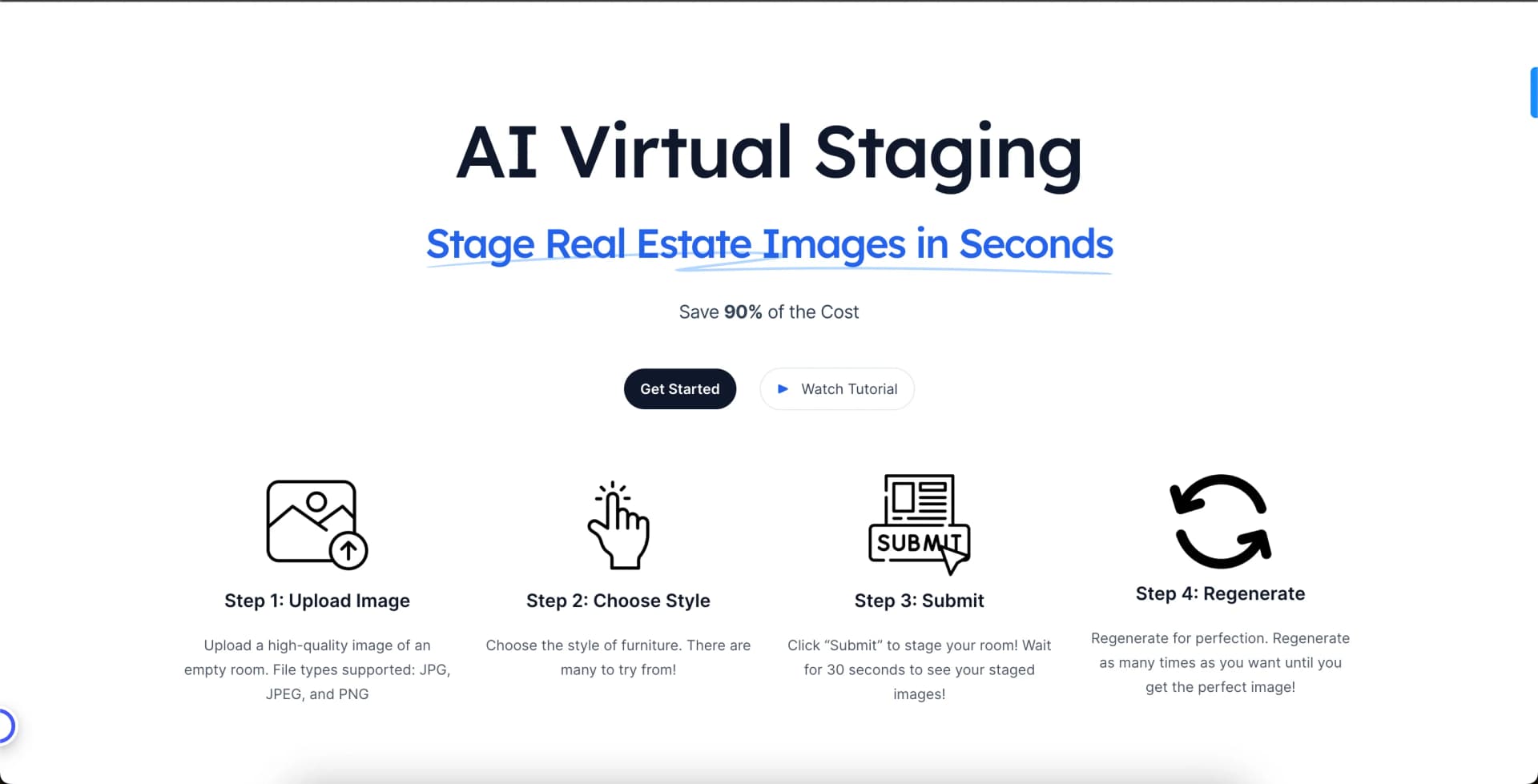
Stage Real Estate Images in Seconds with AI
Watch Virtual Staging AI in Action
Key Takeaways
- What it is
- Stage Real Estate Images in Seconds with AI
- Best for
- Rapid Turnaround Time
- Diverse Design Selection
- High-Resolution Output
- Rating
- 4.7/5
What is Virtual Staging AI?
Virtual Staging AI is a cutting-edge technology that transforms the real estate and interior design industries by offering rapid, AI-driven virtual staging solutions. This innovative tool caters to realtors, architects, and home sellers looking to enhance the visual appeal of properties with virtually staged interiors. By providing an array of furniture styles and decor options, Virtual Staging AI streamlines the staging process, making it efficient and cost-effective.
Virtual Staging AI distinguishes itself with its lightning-fast 10-second turnaround time, a game-changer for users needing immediate results. Its AI-driven staging process, which requires minimal input from the user, sets it apart in the realm of virtual interior design.
Virtual Staging AI excels in providing rapid and high-quality virtual staging services, making it an essential tool for real estate professionals and interior designers. Its standout 10-second turnaround time offers an unmatched advantage in a fast-paced market. The tool's ease of use and cost-efficiency make it a valuable asset for anyone looking to enhance property visuals without the hefty investment of traditional staging.
Who is Using Virtual Staging AI?
Real Estate Agents
Employing the tool to create compelling listings that stand out in competitive markets.
Home Sellers
Using Virtual Staging AI to present their properties in the best light without incurring high staging costs.
Interior Designers
Leveraging the tool to visualize design concepts and present them to clients.
Property Developers
Showcasing future projects with staged images that appeal to investors and buyers.
Uncommon Use Cases
Utilized by hobbyists interested in interior design; adopted by bloggers and content creators for enhancing visual content related to home decor.
Key Features
Rating Breakdown
Pricing Plans
Pay-Per-Use Model
- Charges based on the number of images staged
Subscription Plan
Which Virtual Staging AI plan should you pick?
Start with Starter for occasional listing work, upgrade to Professional for recurring volume, and choose Agency or Corporate for teams, API access, or high-volume operations.
Starter
Good for agents staging a few listing photos each month who need core staging, editing, exports, and email support.
Professional
Good for agents with recurring listing work who need more credits, priority support, and bulk downloads.
Agency
Good for teams producing listing visuals weekly who need team members and API access.
Corporate
Good for brokerages and high-volume operators who need more credits, team members, API access, and sub-account management.
Enterprise
Good for organizations needing custom volume, workflow support, multiple departments, client delivery workflows, or usage-based billing.
Virtual Staging AI Use Cases
Stage vacant rooms
Upload an empty interior photo, choose a room type and style, and generate furnished variations.
Outcome: Listing-ready furnished images.
Prepare occupied homes
Remove furniture and clutter before staging occupied property photos.
Outcome: Cleaner listing visuals from lived-in spaces.
Create consistent multi-angle listings
Generate staged angles while maintaining consistent furniture placement, style, and room layout.
Outcome: A more cohesive property gallery.
Improve listing photography
Adjust lighting, color, exposure, skies, windows, and small distractions.
Outcome: Polished listing images without manual editing.
Visualize development opportunities
Turn vacant-land and teardown photos into buyer-facing house or redevelopment concepts.
Outcome: Clearer marketing visuals for proposed projects.
Workflow Ideas with Virtual Staging AI
Vacant-room staging workflow
- 1Create a project and upload an interior photo
- 2Choose the room type, style, lighting, and optional notes
- 3Generate, compare, and download the preferred staging
Occupied-home cleanup workflow
- 1Upload a furnished or cluttered property photo
- 2Run Clean Up or Clean Up + Stage
- 3Review variations and export the listing-ready result
API and webhook workflow
- 1Upload an image or provide a public image URL
- 2Submit a staging or decluttering request
- 3Poll status or receive a webhook, then retrieve the render URL
How Virtual Staging AI fits into your stack
High-Quality Image Formats
Supports a range of image file types for staging.
Online Platform Access
Accessible from any web-enabled device without the need for specific software installation.
Cloud Storage Integration
Allows users to import and export images from popular cloud storage services.
Real Estate Listing Platforms
Easily integrates staged images into various real estate listing websites.
Pros
- +Time Efficiency: Saves significant time for users by staging properties in seconds.
- +Cost-Effective: Eliminates the need for physical staging, reducing associated costs.
- +Visual Enhancement: Improves the appearance of property listings, attracting more potential buyers.
- +Ease of Use: Designed with user-friendliness in mind, making it accessible to individuals without design experience.
Cons
- −Customization Limitations: While offering various styles, it may not accommodate highly specific or unique design requests.
- −Dependence on Quality of Original Photos: The final staging quality is contingent on the original photo provided by the user.
- −Internet Requirement: Being an online tool, it requires a stable internet connection for access and use.
Limitations & when to consider alternatives
Known limitations
- Upload size and format limits. The staging guide accepts JPG, PNG, WEBP, and HEIC files up to 10 MB.
- Render limits by quality tier. Classic supports up to 20 renders per upload, while Premium supports up to 8 renders per upload.
- Subscription credits expire monthly. Unused subscription credits reset each billing cycle and do not roll over.
- Outputs are not architectural documents. Generated outputs are illustrative marketing materials, not architectural plans, engineering drawings, or construction documents.
- Input quality affects results. The guide recommends well-lit, wide-angle, front-facing photos; angled or distorted perspectives can reduce quality.
Look elsewhere when
- You need a downloadable desktop installer.
- You need custom model training on your property data.
How to Use Virtual Staging AI
- 1
Discover a selection of tutorials and guides on the official Virtual Staging AI website, providing step-by-step instructions on how to get the most out of the tool.
Who is Virtual Staging AI For?
Real-estate agencies
Teams can prepare listing visuals, invite members, share credits, and manage recurring property workflows.
Photographers
Photographers can stage, edit, declutter, and deliver listing-ready images faster.
Property managers
Property managers can prepare rental listing visuals and stage occupied or vacant units.
Agents and brokerages
Agents and brokerages can create consistent, disclosure-ready listing imagery across properties.
Developers and home builders
Development teams can visualize vacant lots, teardowns, and proposed exterior concepts.
Frequently Asked Questions
Can I try Virtual Staging ART before paying?
Yes. Every new account receives five free credits without requiring a credit card.
What does one photo credit provide?
One photo credit produces one generated output, including staging, furniture removal, photo editing, or floor-plan visuals.
Can I cancel or change my plan?
You can upgrade, downgrade, or cancel from account settings; changes take effect at the next billing cycle.
Do unused subscription credits roll over?
No. Subscription credits reset monthly and do not roll over, while purchased credits carry over.
What is the API used for?
The API supports image uploads, staging, decluttering, status polling, webhooks, and finished render URLs.
Community reviews
1 review from people who use Virtual Staging AI.
Sign in to leave a review for Virtual Staging AI.
Lakshman Mody
Virtual Staging AI Alternatives
Looking for alternatives to Virtual Staging AI? Here are similar tools in the same category:
Learn to Master Virtual Staging AI
With Skill Leap courses
Get in-depth training on Virtual Staging AI and 50+ other AI tools with our expert-led video courses.
Start 7-Day Free Trial